The v2 update streamlines how taxes and processing fees are calculated for services. Set jurisdiction specific tax rates, attach them per service, and define whether fees are added to the buyer or absorbed by the business. Preview totals before publishing, honor exemptions, and track everything in orders and reports.
Tax engine with location based rates and multi rate support
Per service tax assignment with inclusive or add on calculation
Processing fees as pass through or absorbed with percentage and fixed components
Optional caps and minimums for processing fee rules
Exemptions by customer or service with certificate storage
Checkout previews that show tax and fee breakdowns
Reporting updates for taxable subtotal, tax collected, fees, and net revenue
API and invoice alignment for consistent totals across channels
Use inclusive pricing for markets where sticker price rules apply and add on pricing where itemized tax is standard
Keep a single reusable tax rate per jurisdiction and assign it to multiple services to simplify maintenance
For cards, set a reasonable fee cap to avoid surprises on high ticket services
Store tax exemption proof on the customer record and tag services that are non taxable
Test edge cases like discounted services and mixed taxable and non taxable carts
Review reports weekly to reconcile tax collected versus remitted amounts
Step 1
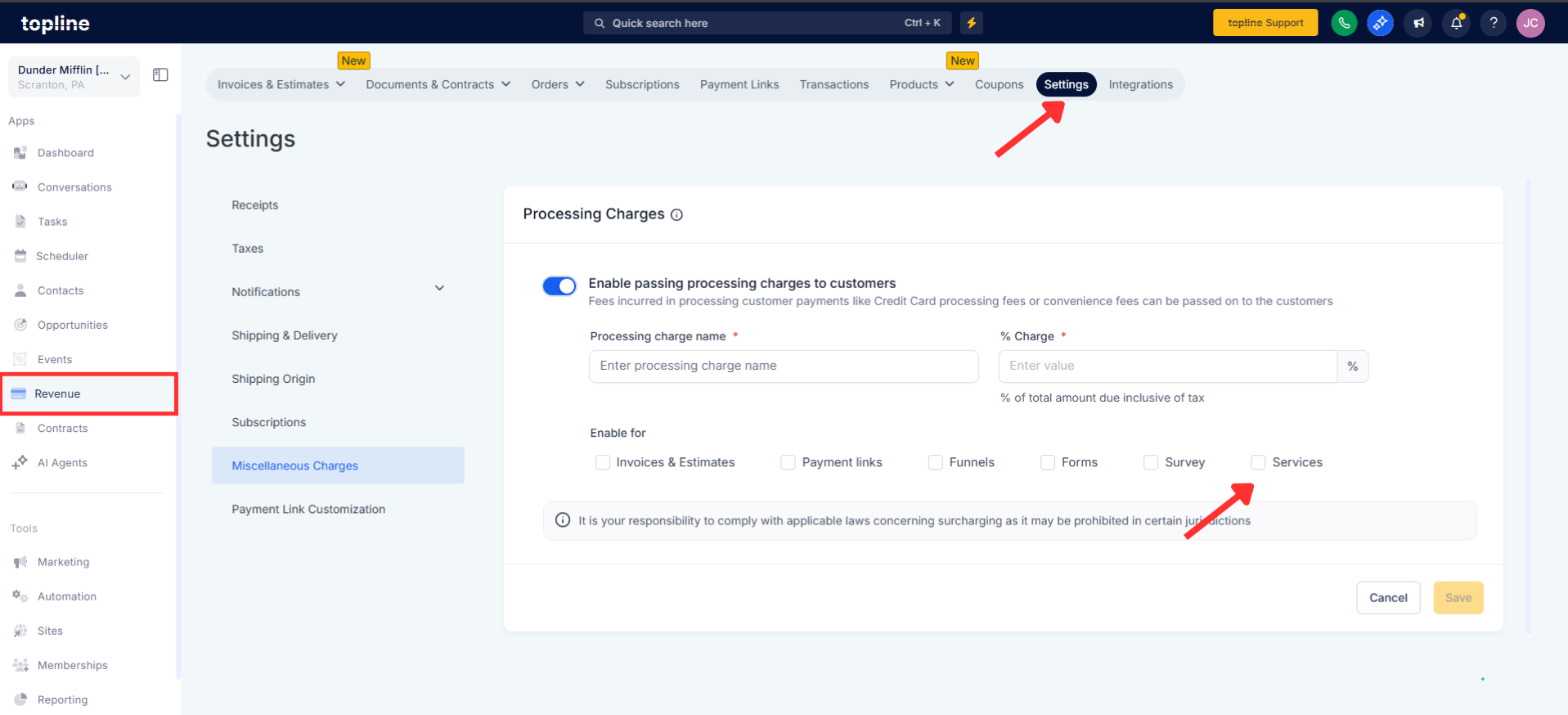
Open Revenue, then click on Settings and turn on Taxes and Processing fees for services.
Step 2
Add tax jurisdictions with name, rate, and applicability. Include compound or secondary rates where required.
Step 3
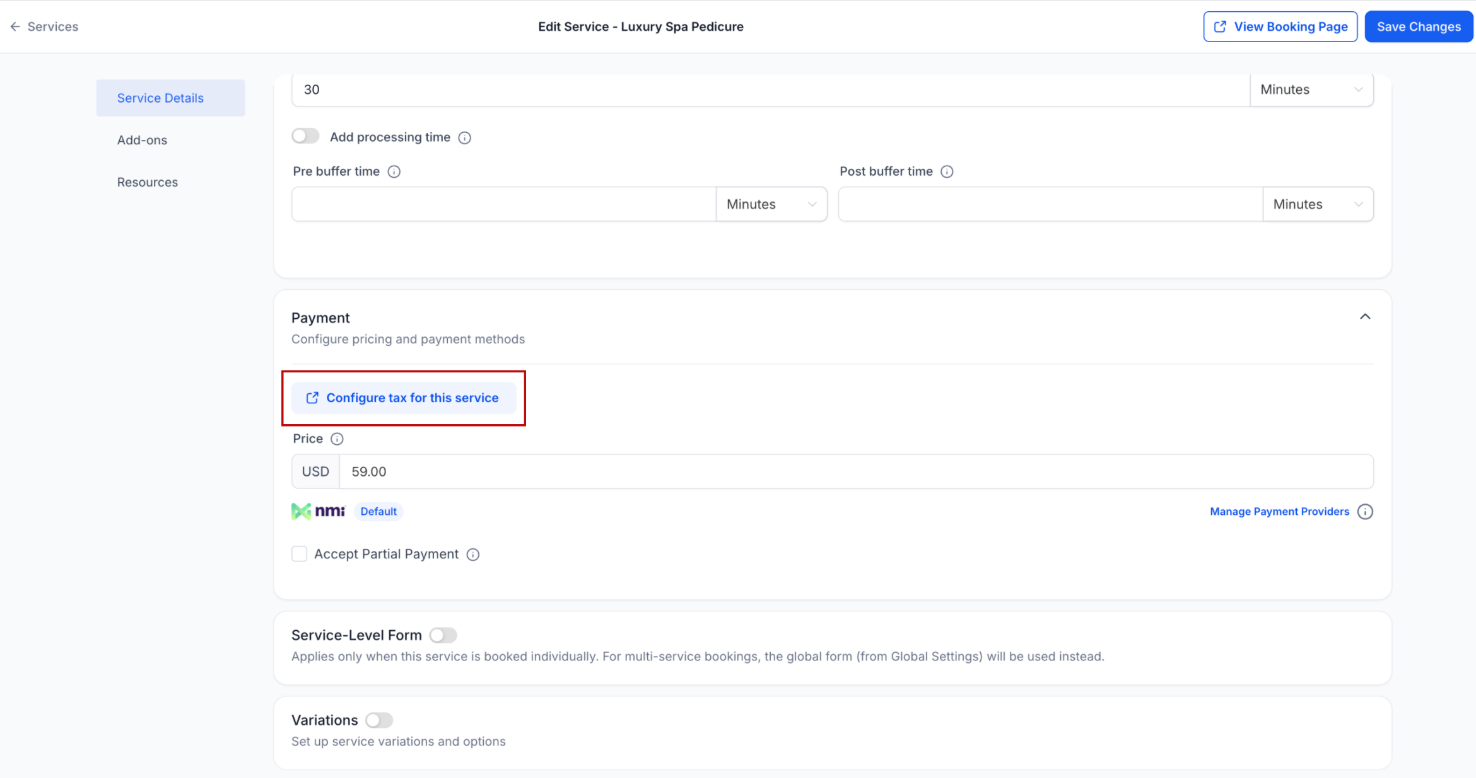
Open each service and choose the tax rate. Select whether pricing is tax inclusive or add on.

Step 4
Define percentage and optional fixed amounts. Choose pass-through to buyers or absorption by your business, and set caps or minimums.

How are taxes calculated on services?
Taxes are applied using assigned jurisdiction rates per service with options for inclusive pricing or added tax calculated on the pre fee subtotal
Can I pass processing fees to customers?
Yes, set fees as pass through to add them at checkout or choose absorbed to keep prices customer facing and reduce sticker shock
Do discounts affect tax and fees?
Percentage and fixed discounts reduce the taxable base and fee base where allowed so totals reflect the discounted price
How do exemptions work?
Mark customers or services as exempt and attach documentation so tax is skipped and the exemption is recorded in the order
Can I cap processing fees?
Yes, set maximums and minimums per rule to control fee amounts on very small or very large transactions
