Shipping settings now include zip code-based filters. Create zones using lists or ranges of zip codes, combine them with country and state rules, and assign methods and rates that apply only to those areas. This improves delivery accuracy, supports local delivery or pickup rules, and reduces failed checkouts from addresses that are not supported.
Zipcode-based filters to include or exclude specific postal codes
Support for lists, CSV paste, and ranges where applicable
Combine with country and state rules for layered coverage
Validation to catch duplicates and overlapping zones
Priority order to resolve conflicts between zones
Easy import or export of zip lists for faster setup
Rate assignment and method visibility scoped to zipcode zones
Clear customer feedback when an address is outside coverage
Start with a small pilot zone and expand once rates and timing are proven
Keep zip lists in a shared spreadsheet so updates are quick and consistent
Use exclusion lists for high cost or remote areas to protect margins
Label zones by purpose, like Local Delivery or Same Day Metr,o for clarity
Review overlaps monthly to prevent conflicting rates at checkout
Export your zip lists before major edits so you can roll back if needed
Step 1
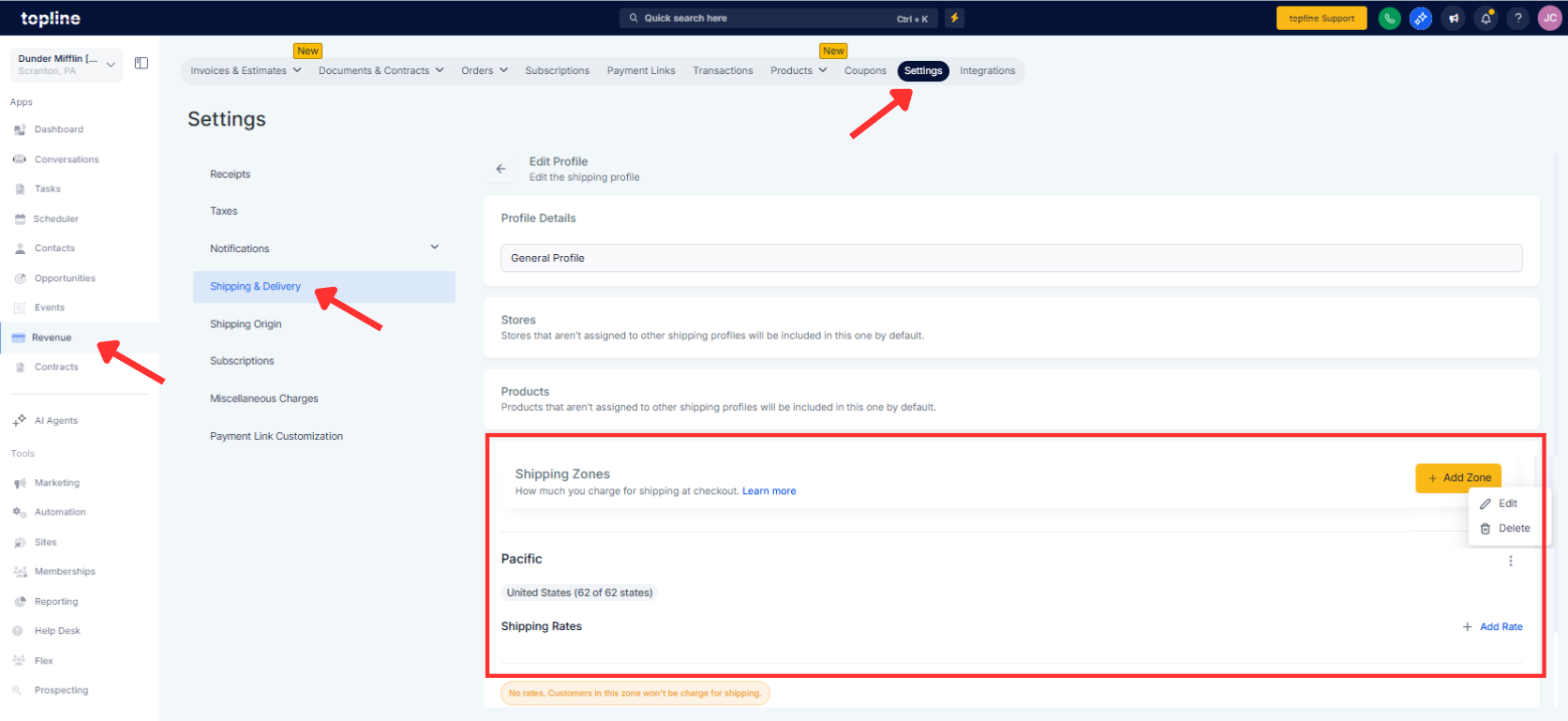
Open Revenue, click on Settings, and go to Shipping & Delivery. Add the Zone or edit it
Step 2
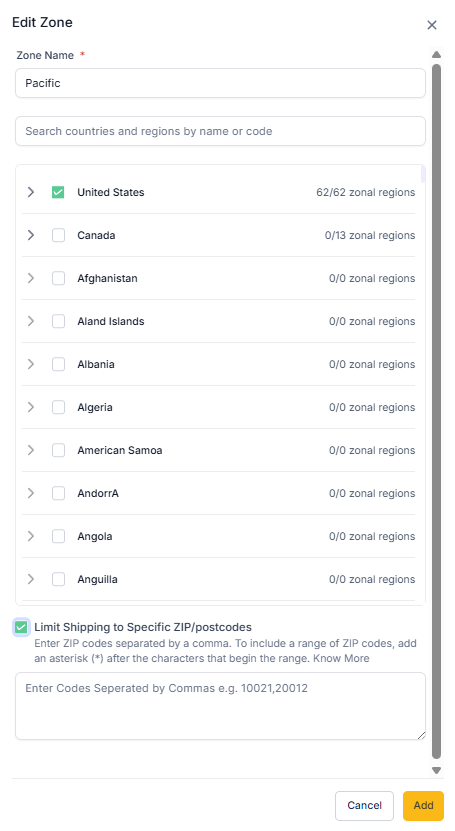
Create a new zone or edit an existing one and select the Zipcode filter. Add zip codes by typing, pasting a CSV list, or defining ranges if supported. Choose the include or exclude mode and set the zone priority to resolve overlaps.
Step 3
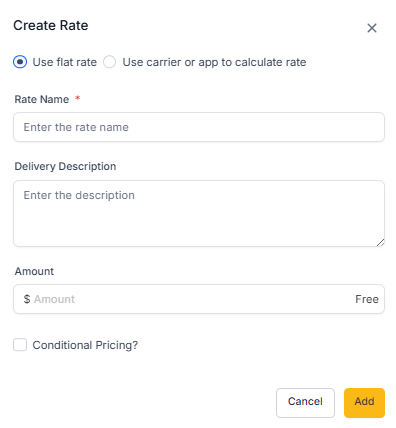
Assign shipping methods and rates that should apply to this ZIP code zone.
What Formats Are Supported For ZIP codes?
Single entries, comma-separated lists, CSV paste, and ranges where available.
Can I combine ZIP codes with country or state rules?
Yes, ZIP code filters work alongside broader geographic rules for precise control.
How are overlapping zones handled?
The system uses zone priority to determine which zone applies.
Can I exclude certain ZIP codes from a larger area?
Yes, switch to exclude mode to carve out exceptions.
How do I update large ZIP lists?
Import a CSV or paste lists, then use validation to catch duplicates.
