Reputation(Labs) now supports end-to-end video testimonials. Generate request links with prompts, capture HD clips from mobile or desktop, auto-transcribe, review, and approve, then embed galleries or single videos on websites and funnels. Built-in consent, captions, thumbnails, and analytics keep your testimonial program compliant, accessible, and effective.
Shareable request links with customizable prompts and question scripts
In-browser recording and upload from the camera roll with mobile and desktop support
Consent collection with a checkbox and recorded statement options
Auto transcription and caption generation with quick edits
Thumbnail selection, basic trim, and noise reduction tools
Approval workflow with status filters and reviewer notes
Embeddable widgets for carousel, grid, and spotlight layouts
SEO friendly markup and lazy loading for fast pages
Performance analytics for views, play rate, and clicks
Keep prompts simple and under 3 questions to reduce drop off
Provide an example video so customers see the desired length and tone
Ask for specific outcomes or metrics to make clips more persuasive
Enable captions and choose strong thumbnails for higher plays
Tag videos by product or use case to build targeted galleries
Rotate a fresh spotlight testimonial on high traffic pages monthly
Step 1
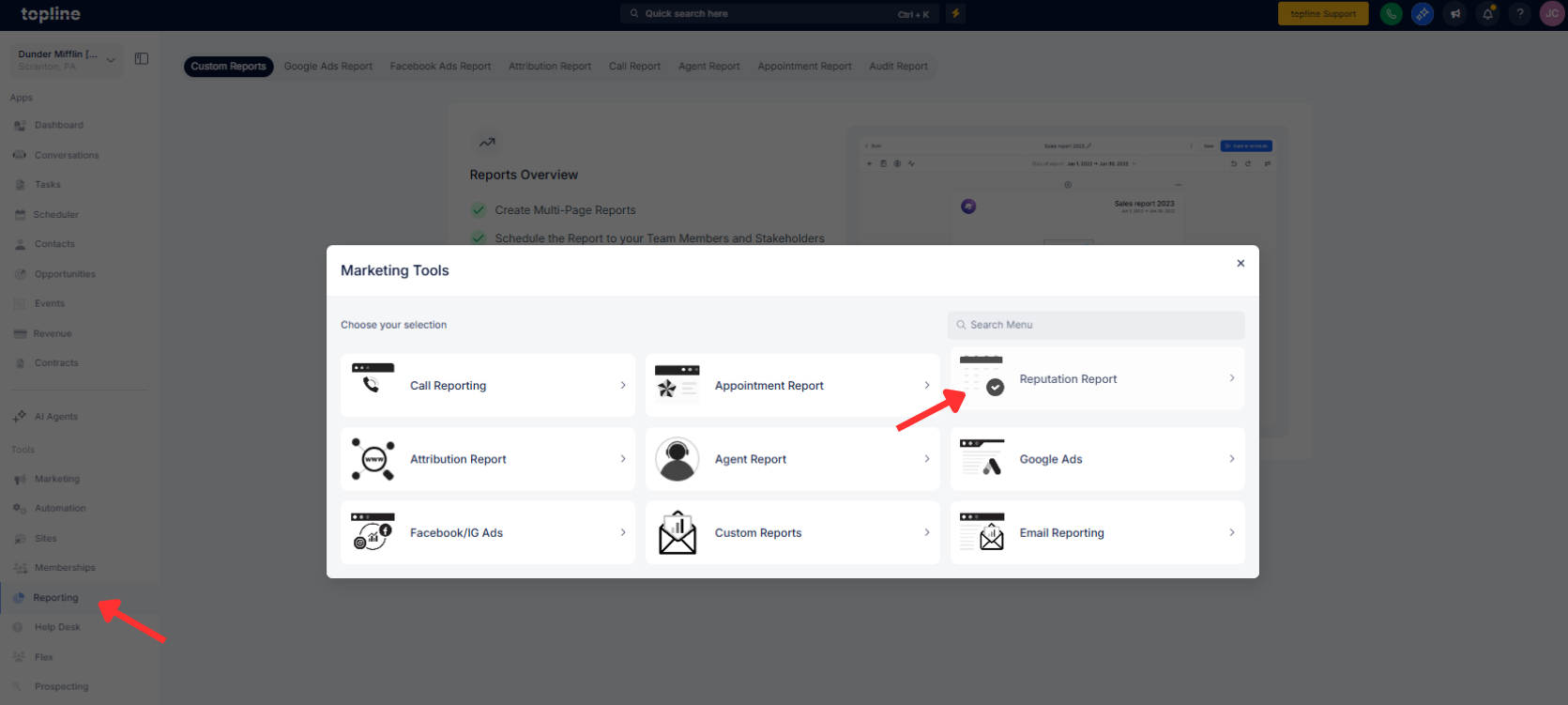
Open Reporting, then click on Reputation Report and create a new Video Testimonial request.
Step 2
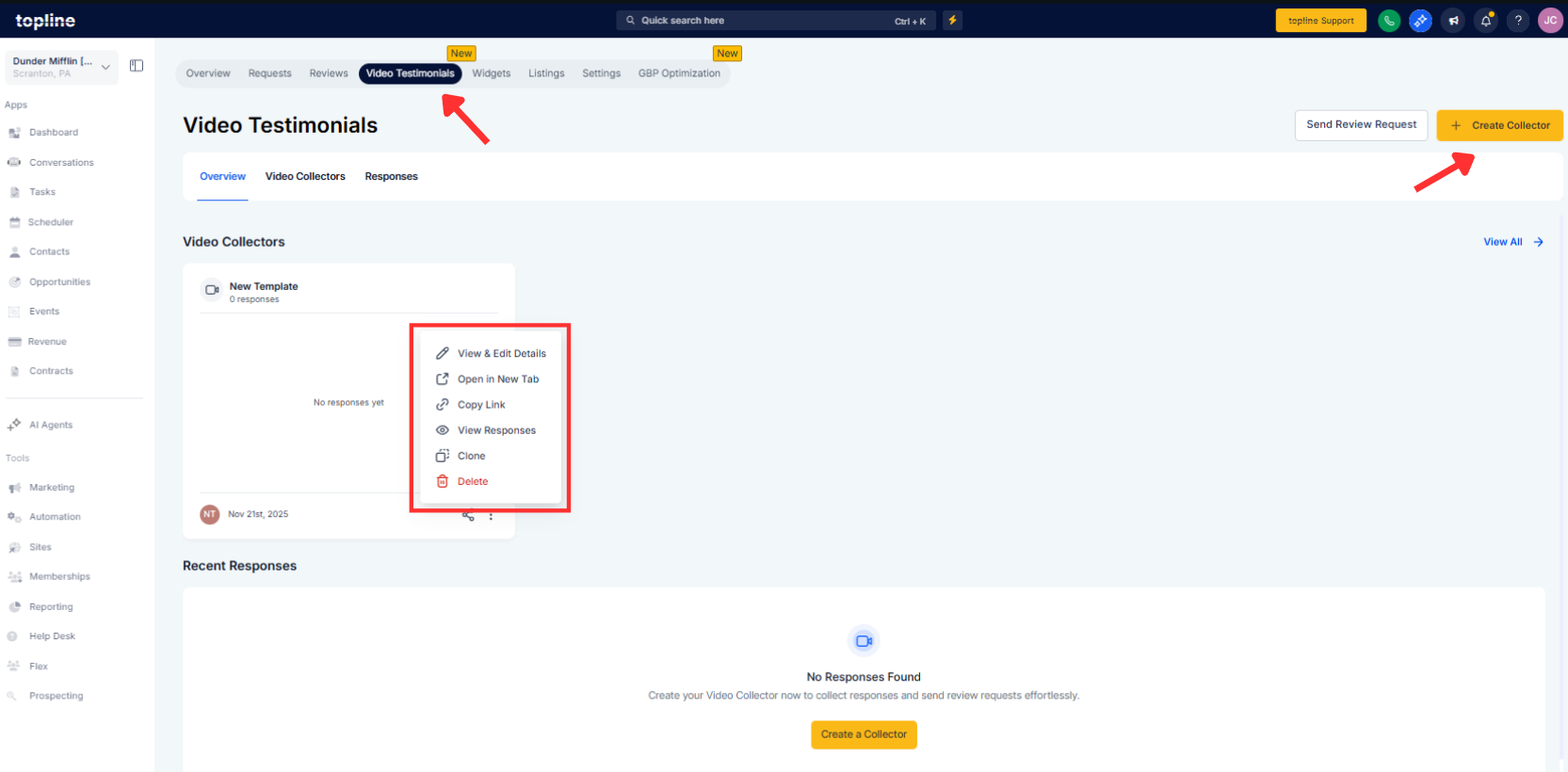
Create a Video Colector or edit, then add prompts, brand styling, consent terms, and an expiration date for the link.
Step 3
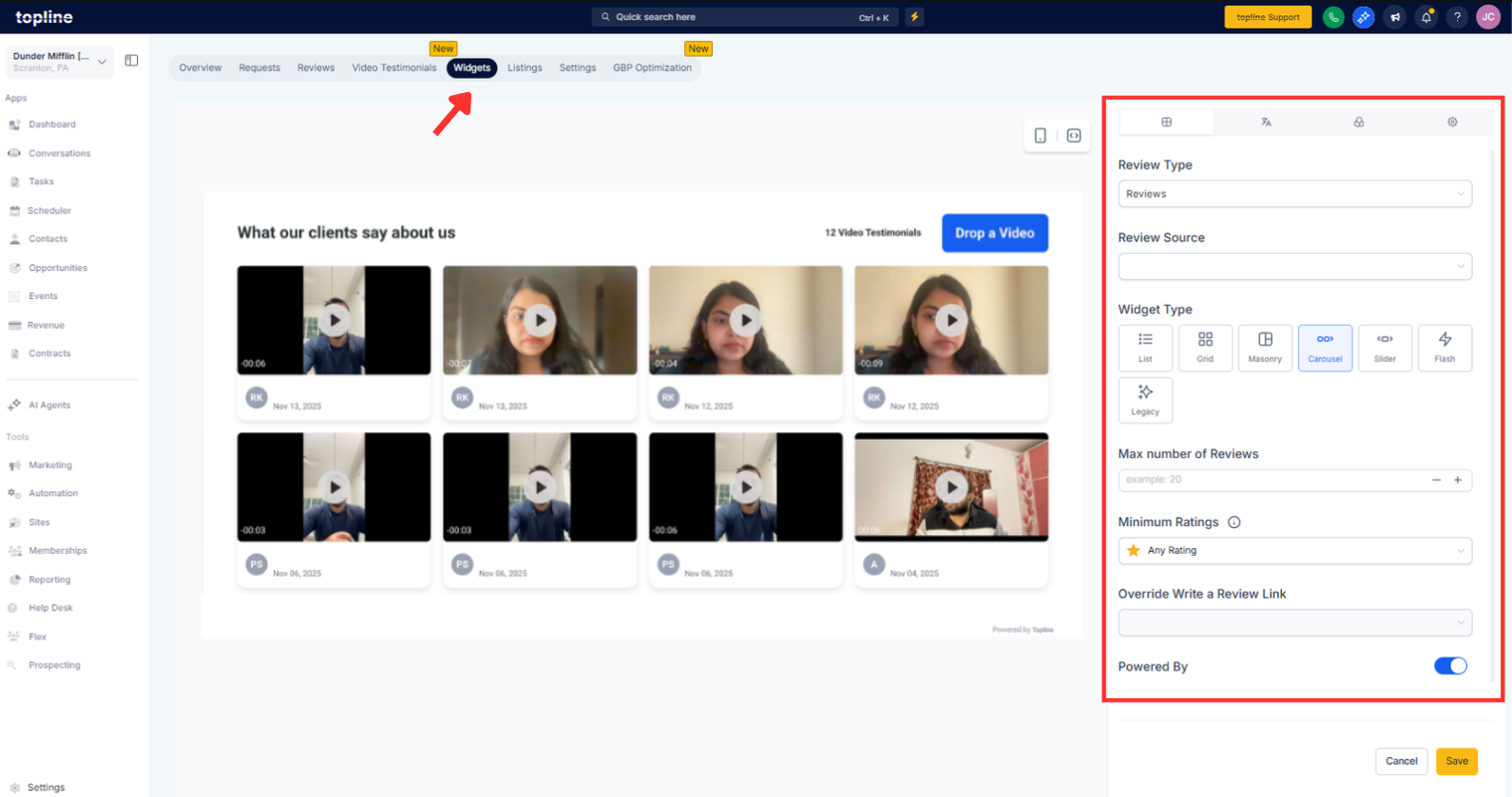
Create a gallery widget, select approved videos, and customize layout and colors.
How do customers record a testimonial?
They open your request link and record in the browser or upload from their device, then submit with consent.
Can I edit or caption videos before publishing?
Yes, auto transcription generates captions you can edit, and you can trim and pick a thumbnail.
How are approvals managed?
Use the approval workflow to set statuses, leave notes, and publish only approved clips.
What embed options are available?
Add carousel, grid, or single spotlight widgets with brand colors and responsive sizing.
Is it mobile friendly?
The recorder and uploader work on modern mobile browsers and desktops with device permission prompts.
