Forms and Surveys now support built in order upsells. Add post submit or in flow offers tied to the original purchase, prefill customer details, and capture payment in a single session. Configure rules, pricing, and limits; track take rates and revenue; and keep receipts and fulfillment aligned with the primary order.
One click upsell offers on Forms and Surveys with auto filled buyer info
Post submit modal or inline upsell placement options
Product, variant, and price selection with quantity controls
Conditional rules based on items purchased, spend thresholds, or answers
Single authorization flow with compatible gateways for frictionless add ons
Limits for one time per order, max quantity, or exclusivity
Analytics for views, accepts, declines, and incremental revenue
Receipt updates and order records reflecting attached upsells
Pair the upsell with the buyer’s primary intent (e.g., warranty, bundle add on)
Keep copy concise with a clear value headline and a single CTA
Use a modest discount or bonus to boost acceptance without undercutting value
Limit choices to one strong offer to avoid decision fatigue
Test post submit modals first, then try inline variants for longer forms
Review upsell performance weekly and rotate underperforming offers
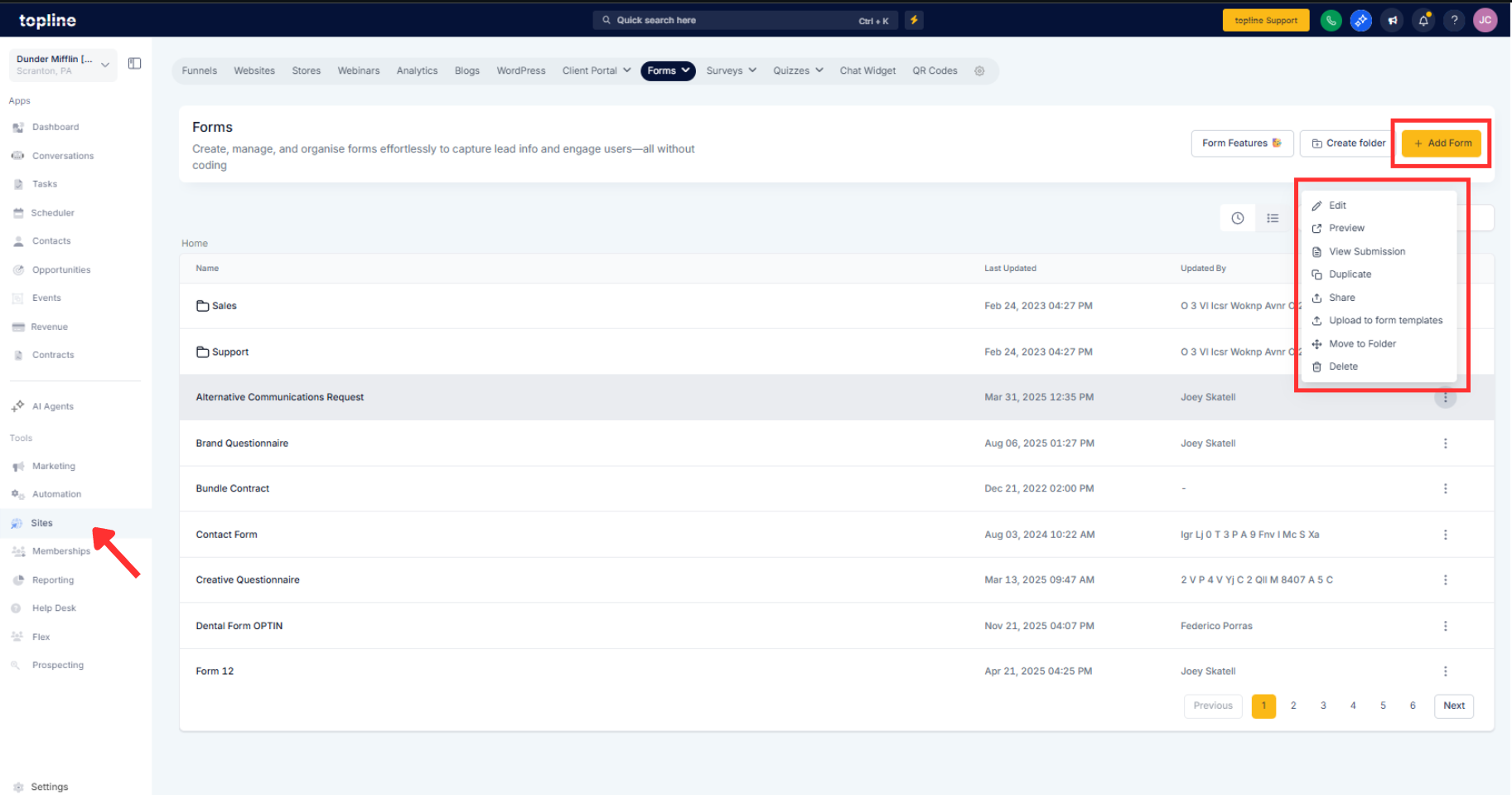
Step 1
Open Forms or Surveys and select the form tied to a payment or product, or create a new one.
Step 2
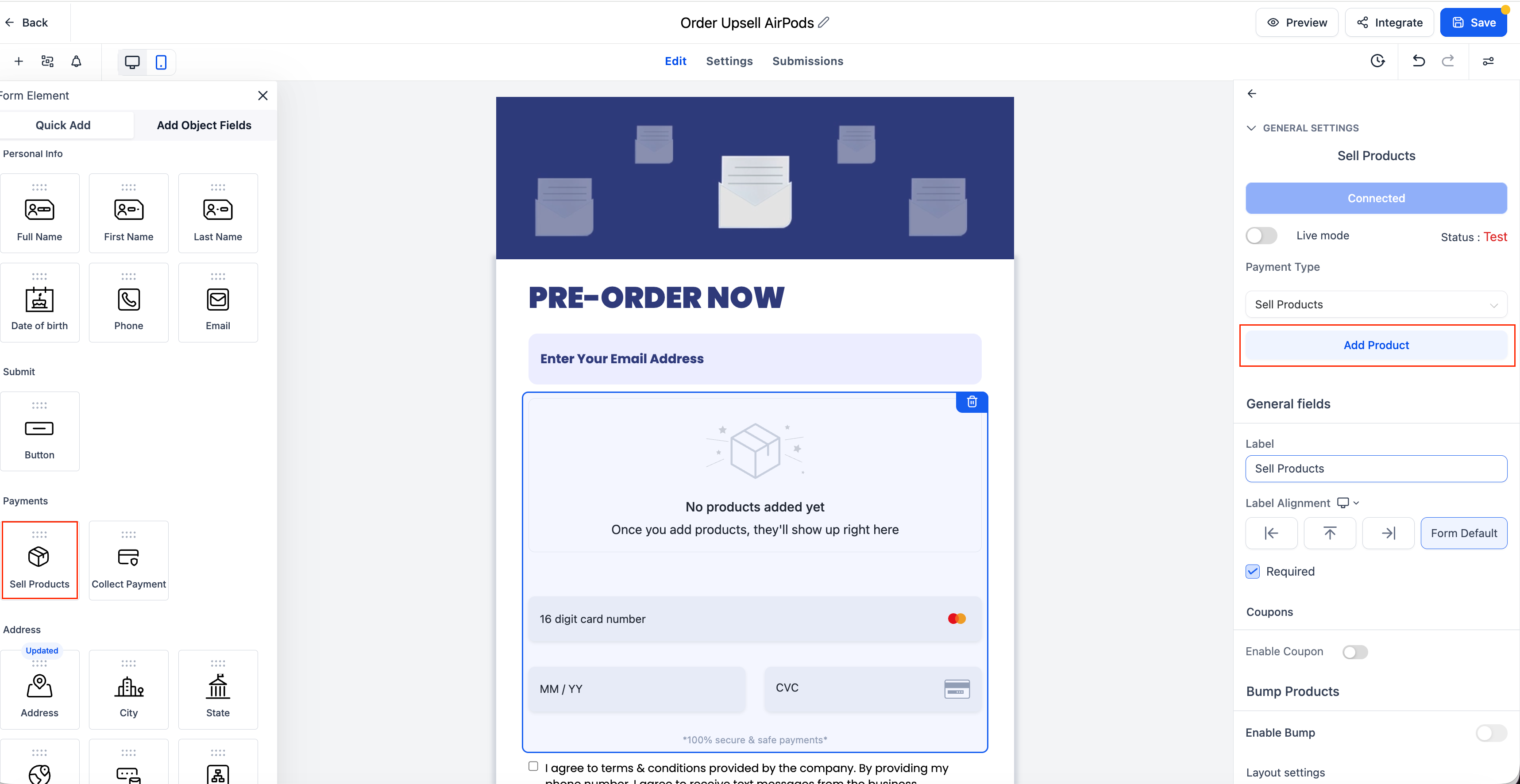
Add an Upsell block and choose placement: Post submit modal or Inline.
Step 3
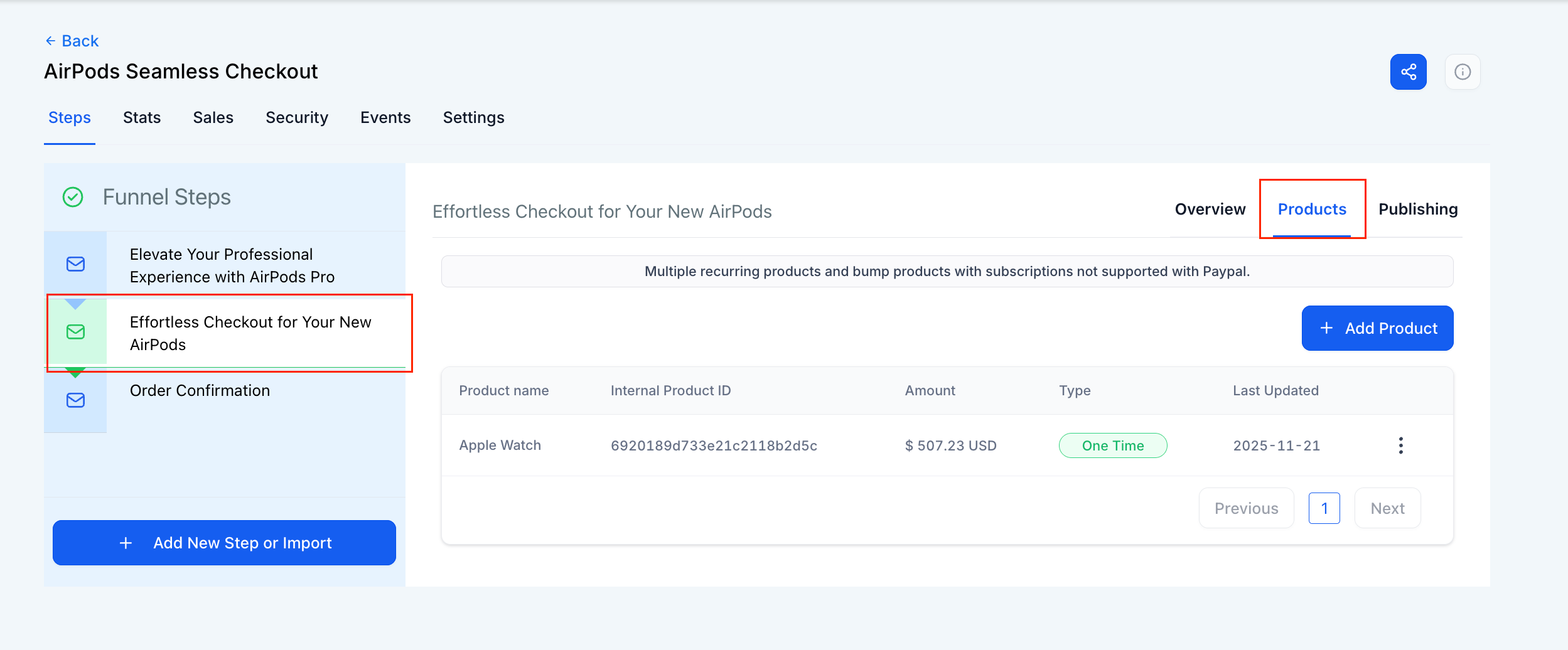
Select the upsell product or variant, set price, quantity rules, and any discount.
Where does the upsell appear?
You can display it as a post submit modal or inline within the form flow.
How is payment captured?
The upsell uses the same session authorization for one-click add-ons with supported gateways.
Can I target upsells based on answers?
Yes, set conditions using form responses, purchased items, or order totals.
Will customers receive a separate receipt?
Receipts reflect the upsell as a line item, and order records are updated accordingly.
Can I limit how many upsells a buyer can add?
Configure one-time per order rules and quantity caps for control.
