The GBP Post Scheduler lets you queue and auto-publish posts to Google Business Profile. Create one-time or recurring posts, target one or many locations, attach images, links, and CTAs, and track status and results. Approvals, templates, and error feedback streamline collaboration and reduce failed publishes.
Create and schedule Google Business Profile posts for updates, offers, and events
Multi-location publishing with per-location overrides
Drafts, approvals, and reusable templates for faster workflows
Image uploads, links, UTM parameters, and CTA button support
Recurring schedules and time zone-aware posting
Status tracking with error messages and retry options
Basic analytics for impressions, clicks, and publish success
Use templates for weekly updates so you only swap image and CTA
Add UTM tags to links to measure local traffic in analytics
Post during local peak hours and align copy with seasonal promos
Keep text concise and use a single clear CTA
Queue a month of content and leave room for real time updates
Review publish errors and refresh expired permissions promptly
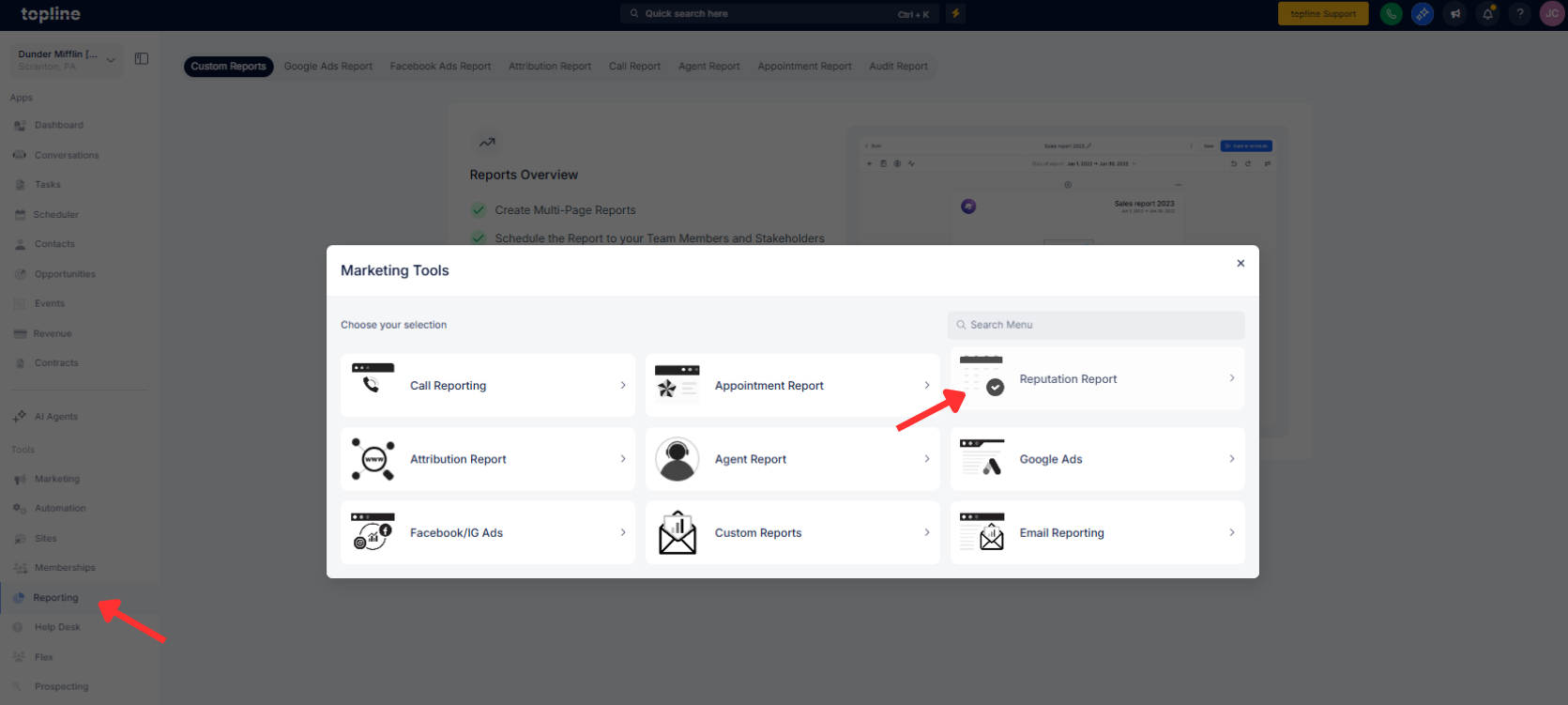
Step 1
Open Reporting, then click on Reputation Report and create a new Video Testimonial request.
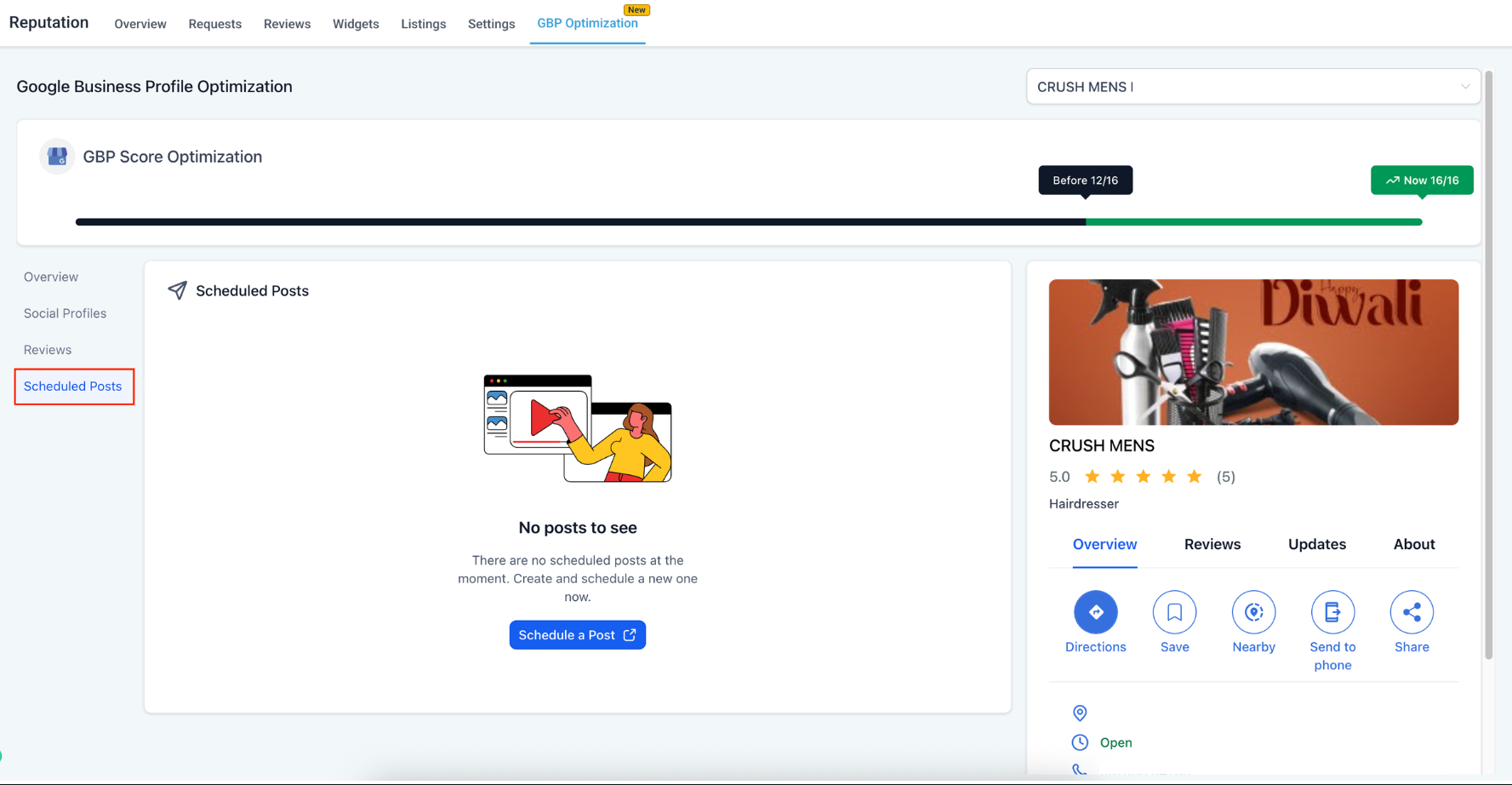
Step 2
Open Social Planner and choose GBP as the destination. Select locations, then create a post type such as Update, Offer, or Event.
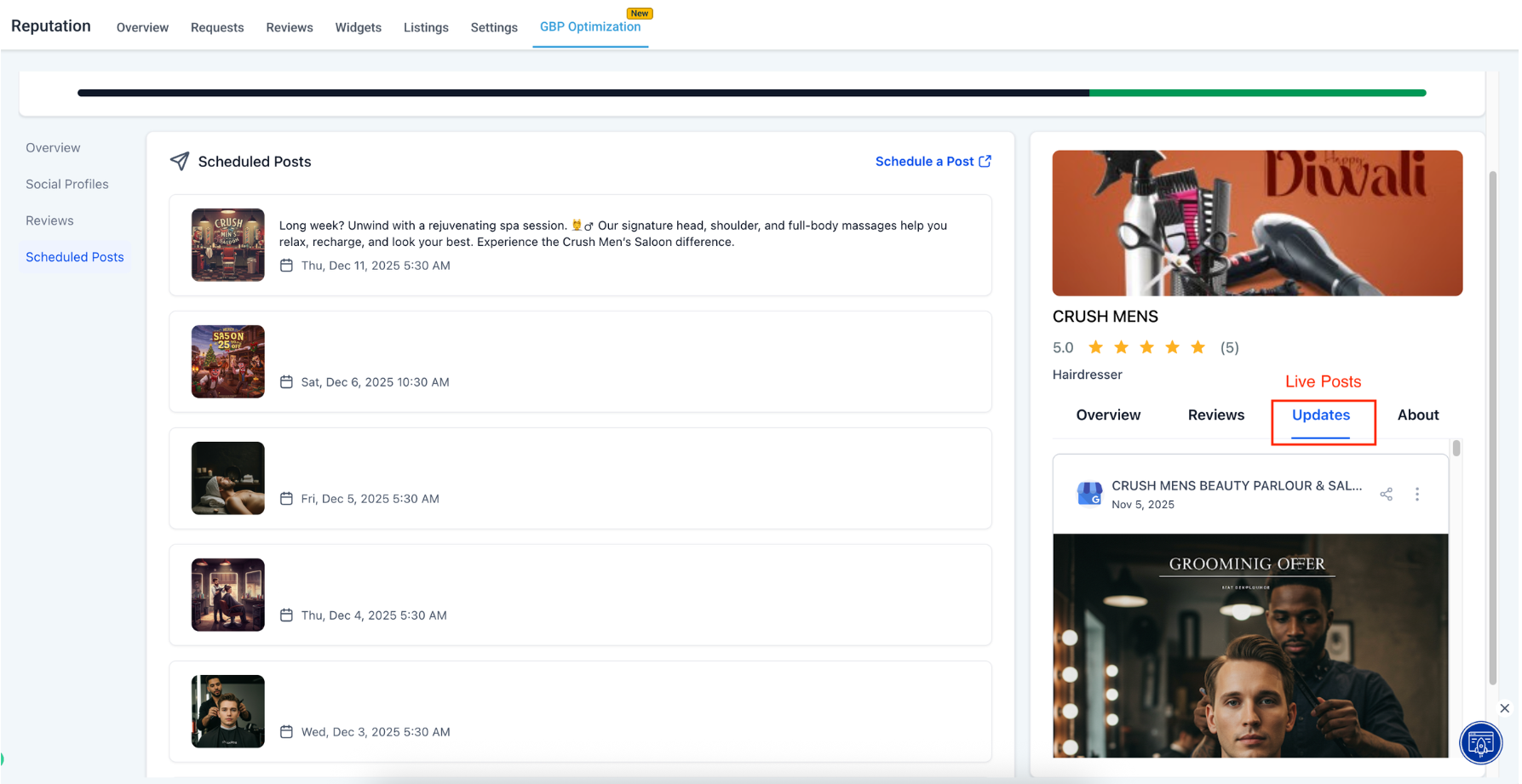
Step 3
Add copy, image, CTA, link, and optional UTM parameters. Choose a schedule time, set a recurrence if needed, and submit for approval if required.
Which post types are supported?
Updates, Offers, and Events with images, links, and CTA buttons.
Can I publish to multiple locations at once?
Yes, select one or many locations with optional per-location edits.
Do approvals and templates work with GBP posts?
Yes, you can use drafts, approvals, and reusable templates.
How are time zones handled?
Scheduling is time zone aware based on each location or your account settings.
Can I add tracking to links?
Yes, include UTM parameters to measure traffic and conversions.
