Campaign management gets a productivity boost with robust bulk operations. Build a filtered selection across pages, apply actions like schedule, pause, archive, or tag, and monitor progress with toasts and activity logs. Permissions, error handling, and previews help teams work quickly without risking mistakes.
Multi select with checkboxes and Select all across filtered results
Bulk actions for publish, schedule, pause, resume, archive, delete, and restore where supported
Add or remove tags, move to folder, and update owners in bulk
Filters for status, folder, tag, last edited, type, and assignee
Preview impact summary before confirming bulk actions
Progress toasts, partial success handling, and retry guidance
Permissions aware controls with skipped items clearly reported
Activity logs capturing who changed what and when
Narrow your list with filters before selecting to avoid accidental edits
Use tags like Q4 Promo or Needs Review to group campaigns for batch updates
Pause first, then publish in bulk after a quick final check
Move related campaigns into a single folder to simplify ongoing management
Review the activity log after large jobs to verify results and follow up on skips
Step 1
Open Contacts and use filters and search to target campaigns by status, tag, folder, or type. Select rows or choose Select all to include the full filtered set.
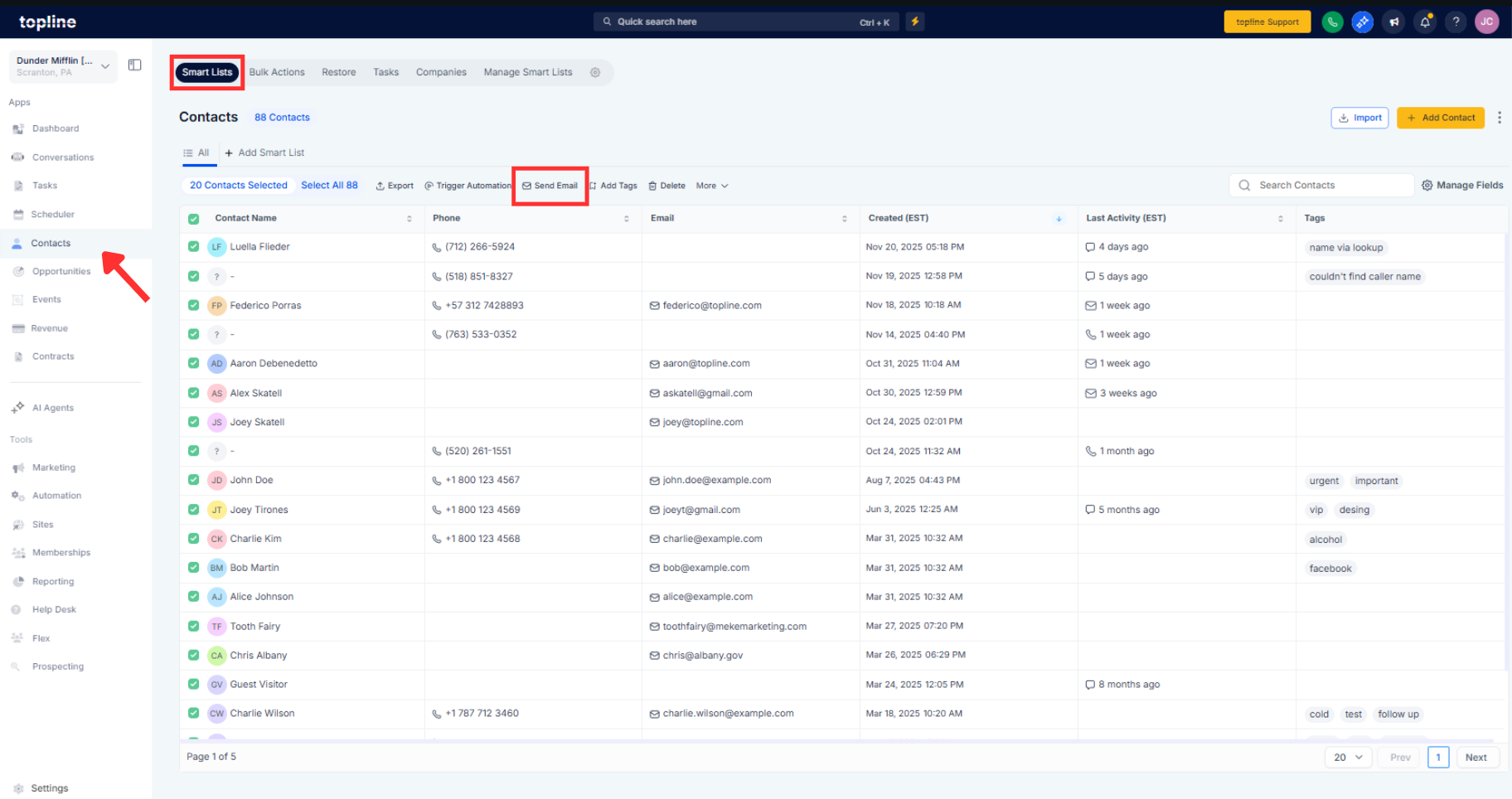
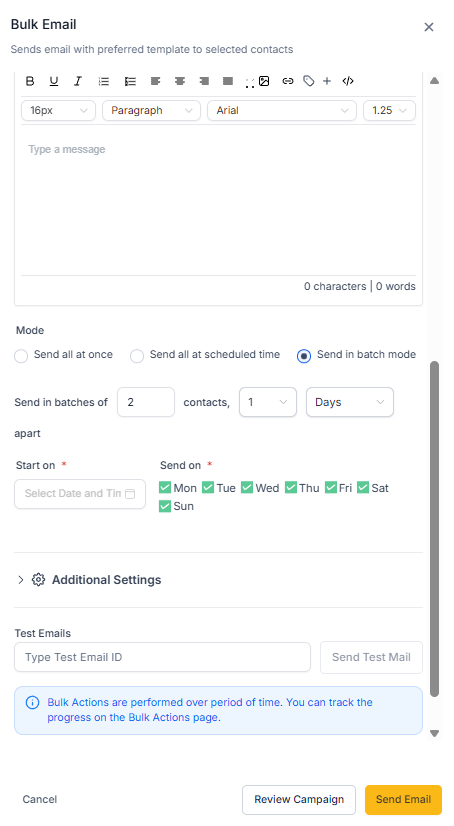
Step 2
Click Bulk actions and choose Publish, Schedule, Pause, Resume, Move to folder, Tag, Archive, Delete, or Restore. Review the confirmation summary, note any permission or conflict warnings, and confirm.
Which bulk actions are available?
Publish, schedule, pause, resume, archive, delete, restore, tag, move to folder, and owner updates where supported.
Does select all include items on other pages?
Yes, it applies to the entire filtered result set, not just the visible page.
Are permissions enforced during bulk edits?
Yes, actions only run on campaigns you are allowed to modify, and skipped items are reported.
Can I undo a bulk action if I made a mistake?
Some actions can be reversed, such as unarchiving or retagging, while deletes follow normal recovery rules.
How do I know what changed after a bulk job?
Activity logs record the user, time, action, and affected campaigns for audit and rollback decisions.
