The Workflow Builder gets a significant speed and scale upgrade. Canvas rendering, zoom, and drag interactions are snappier, autosave is more reliable, and searches return results quickly even on large workflows. Increased action limits and smarter memory use keep big automations responsive, while background validation and clearer warnings help you publish with trust.
Faster load times and smoother canvas rendering for large workflows
Increased action limits per workflow and per branch
Improved autosave and reduced latency for edits and publishes
Snappier pan, zoom, and multi select interactions
Quicker search and filter performance across steps and notes
Background validation with clearer warnings before publishing
Lower memory usage and better stability on long sessions
More responsive activity logs and run previews
Split very long flows by theme and link them to keep editing fast
Use tags, folders, and clear naming, so search stays instant
Keep media light in notes and step descriptions to reduce load
Run a quick validate pass before publishing to catch limits early
Archive legacy versions to simplify the canvas and speed searches
Favor reusable subflows for repeated logic instead of duplicating blocks
Step 1
Open the Workflow Builder and allow the updated canvas to load.
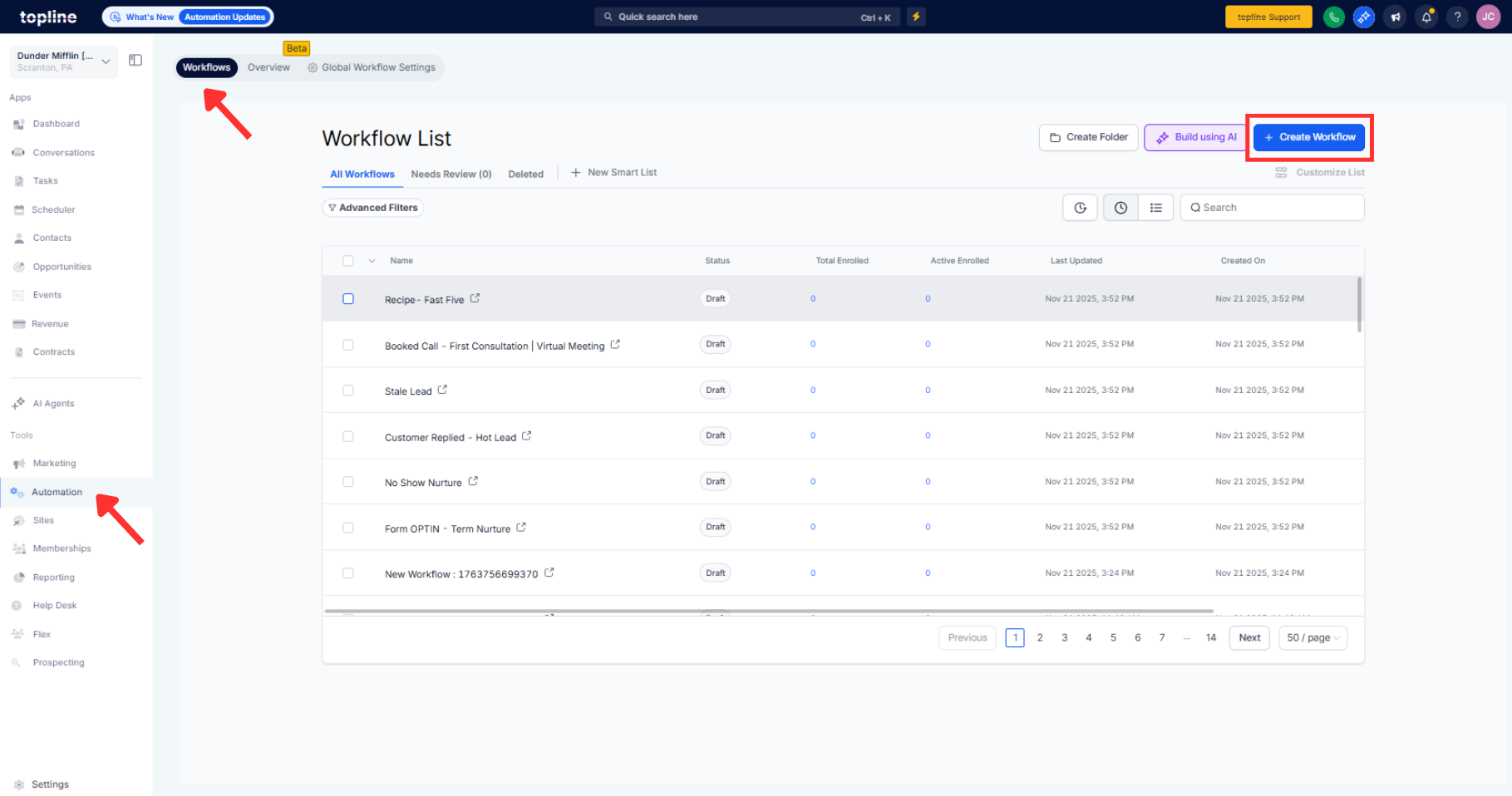
Step 2
Review action counts on your largest workflows to confirm new headroom. Make a few edits and confirm autosave and validation messages appear promptly.

What changed for performance?
Canvas load, pan, zoom, search, and autosave are optimized for large workflows.
Did the action limits increase?
Yes, higher per workflow and per branch limits allow more steps before hitting caps.
Will existing workflows benefit automatically?
Improvements apply immediately without migrations.
Does validation warn me before I hit limits?
Background checks surface clear warnings during edit and before publish.
Is publishing faster now?
Publish latency is reduced, especially on large flows.
