The GPT Action now streamlines options for GPT 5 models. When you choose GPT 5, GPT 5 mini, GPT 5 nano, or GPT 5.1, the Advanced Options section that includes temperature is hidden because these models have a fixed temperature of 1. Other models continue to show temperature controls as usual.
Temperature control is hidden for GPT 5 family models
Supported models: GPT 5, GPT 5 mini, GPT 5 nano, GPT 5.1
Cleaner UI showing only relevant options for the selected model
No change for other models, which still display temperature settings
Pick GPT 5 family models when you want a fast, simplified setup without tuning temperature
If you need creative variability control, choose a model that supports temperature adjustment
Use strong system and developer prompts to guide output quality when the temperature is fixed
Document which workflows rely on fixed temperature, so teammates know why options differ
Step 1
Open Automations, edit or create a new one.
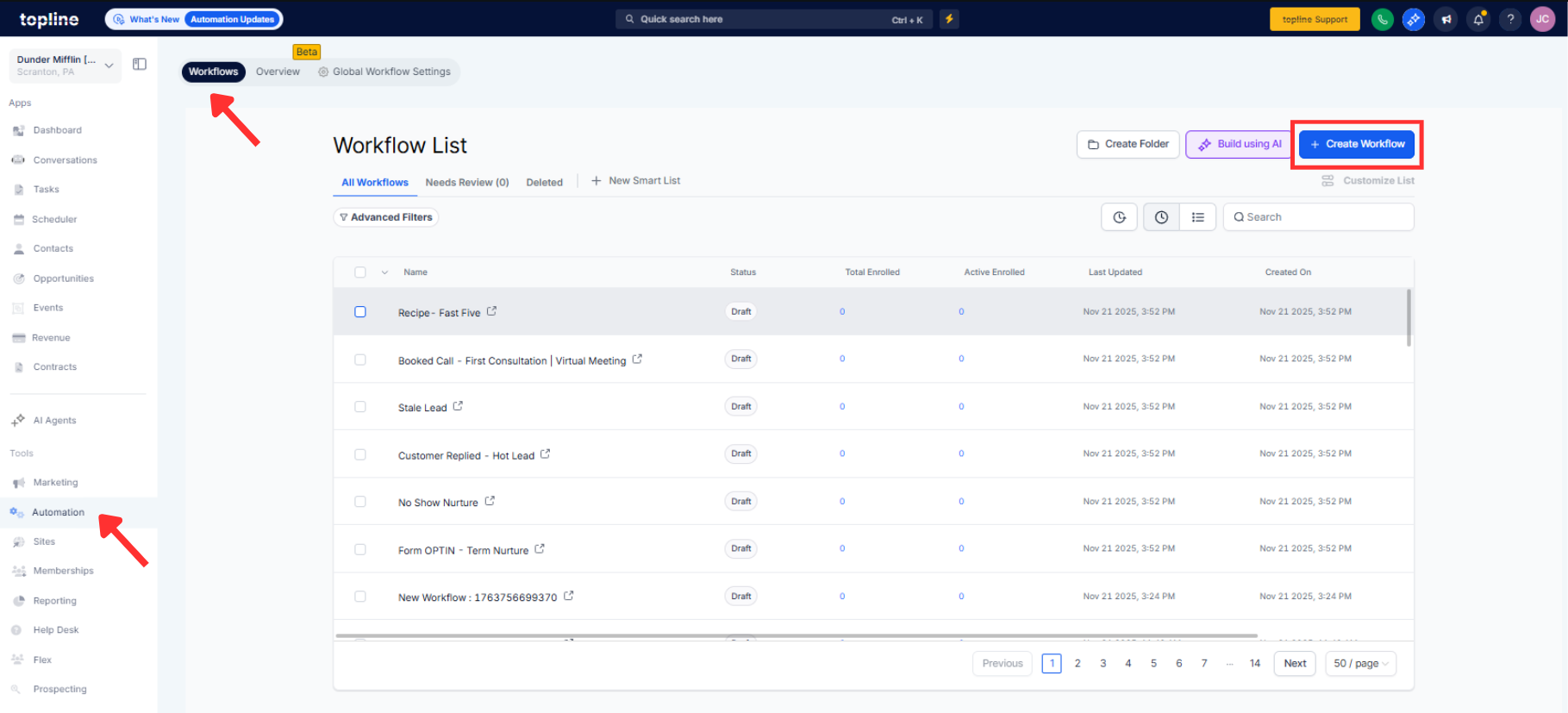
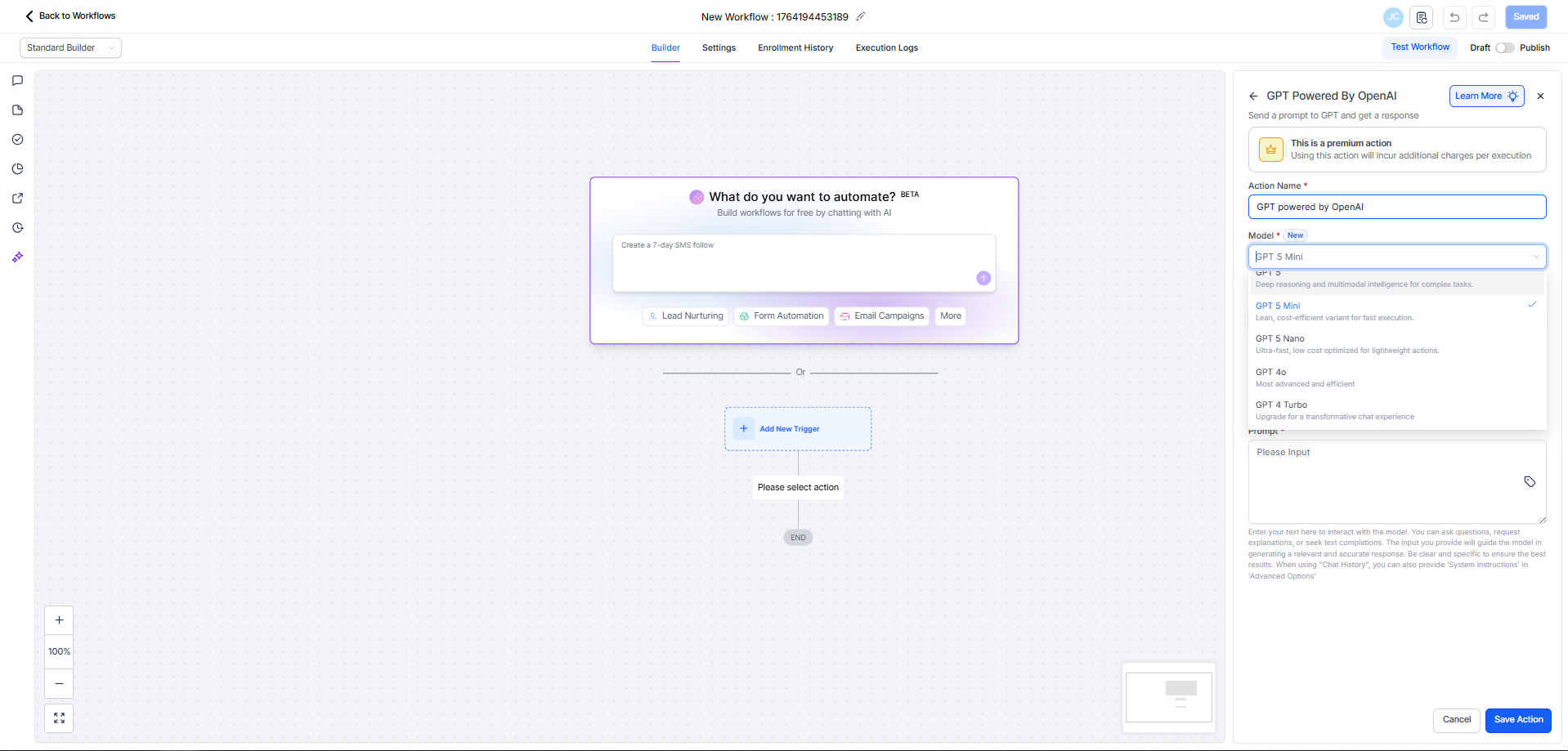
Step 2
Open your workflow and add or edit a GPT Action. Select a model from the GPT 5 family if you want a simplified configuration.
Why do I not see temperature for some models?
GPT 5 family models have a fixed temperature of 1 and do not support custom temperature settings.
Which models hide the temperature control?
GPT 5, GPT 5 mini, GPT 5 nano, and GPT 5.1.
Do other models still show temperature?
Yes, all non GPT 5 models continue to display temperature in Advanced Options.
Does this change affect existing workflows?
Behavior stays the same; the UI now reflects whether the selected model supports temperature control.
How can I control creativity if temperature is fixed?
Refine system prompts, instructions, and examples to shape outputs when temperature cannot be adjusted.
