A new top margin control in the layout panel lets you adjust spacing for forms, surveys, and quizzes. Defaults remain unchanged unless edited, and updates reflect instantly in the preview. This removes the need for CSS tweaks and speeds up publishing for non-technical users.
The top margin setting is available in the layout panel across forms, surveys, and quizzes
Live preview of spacing adjustments as you type
Safe defaults that remain unchanged when fields are left empty
Start with small increments to keep layouts tight and readable
Use consistent spacing rules across similar pages for a cohesive look
Check mobile preview to ensure margins do not create excessive scrolling
Pair top margin changes with section headings for clear visual hierarchy
Document your standard spacing values for your team to reuse
Step 1
Open your form, survey, or quiz in the builder and create a new one or edit it.
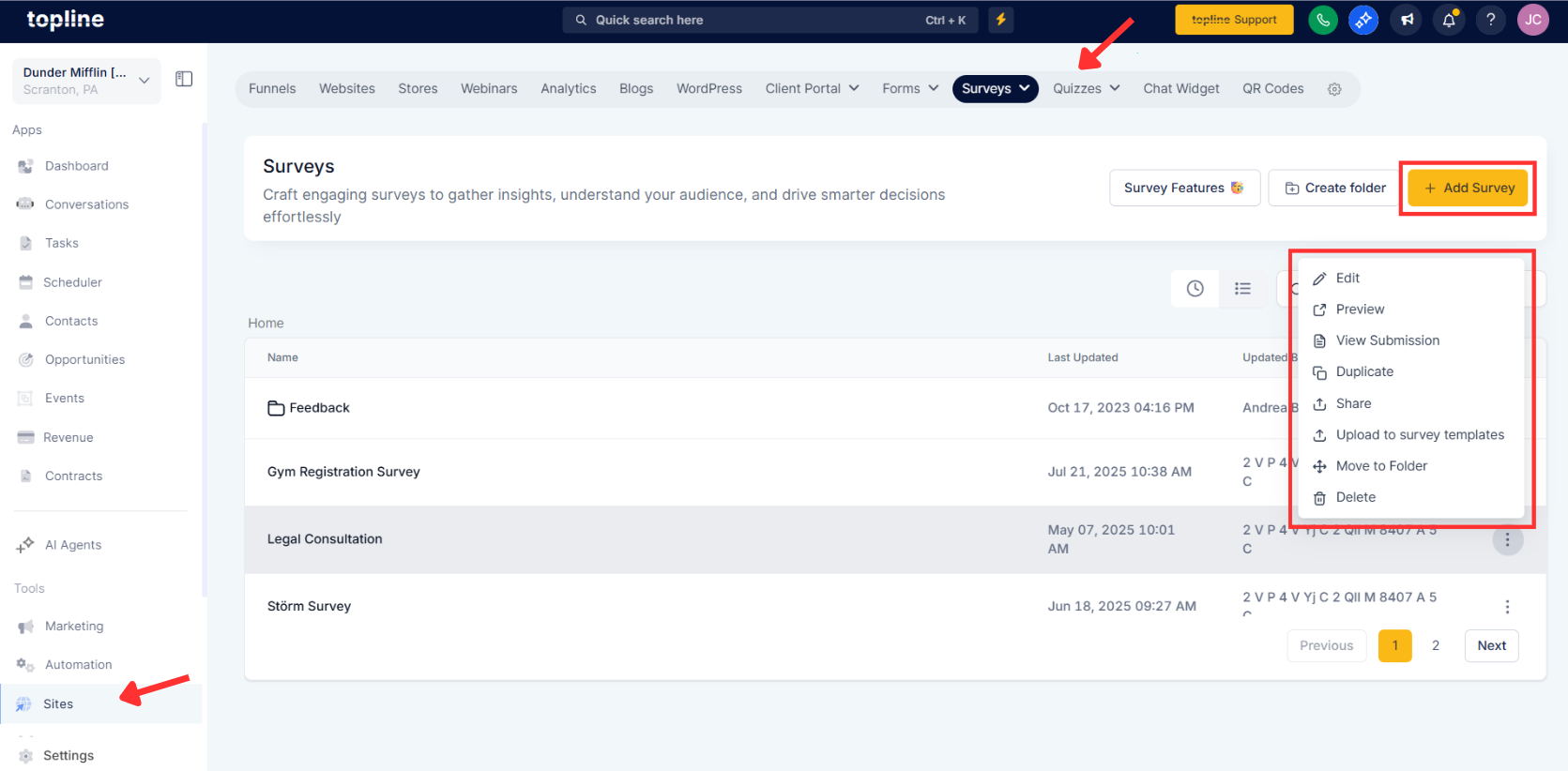
Step 2
Go to Styles, then select Layout. Adjust the Top Margin values to set desired spacing.
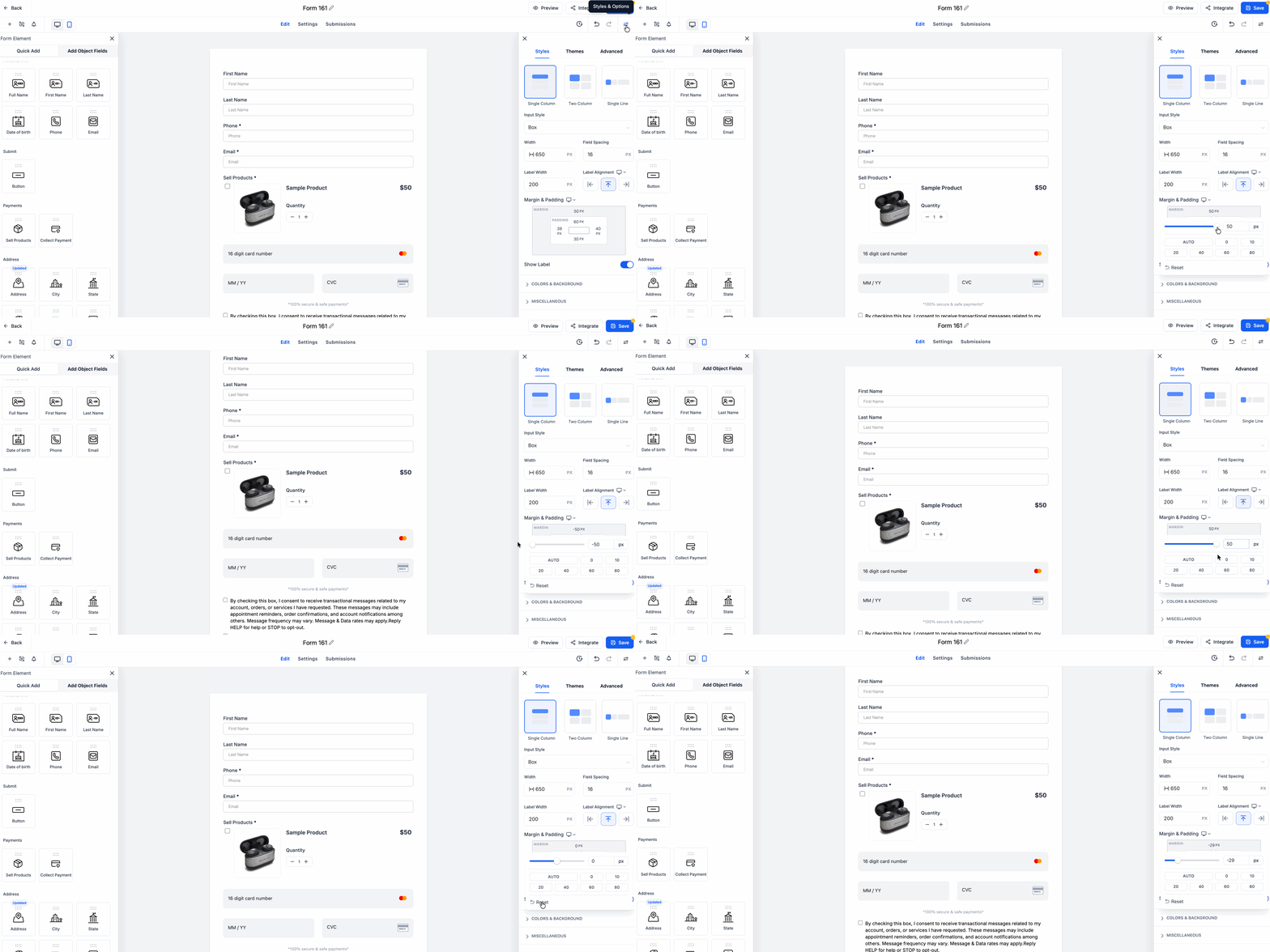
Where do I adjust the margins?
Open the builder, go to Styles, then Layout, and edit Top Margin.
Does this work for forms, surveys, and quizzes?
Yes, the same layout control applies to all three.
Will changing margins affect existing defaults?
Defaults remain in place unless you enter a new value.
Do I need custom CSS for spacing now?
No, the built in margin controls cover common spacing needs.
Can I see changes before publishing?
Yes, updates show instantly in the live preview.
