AI Schedule analyzes recipient engagement patterns to choose an optimized send time within a window you define. It automatically schedules emails for peak likelihood of opens and replies. If there is insufficient history for a contact, the message sends immediately to avoid missing the window. Available for eligible accounts using supported providers.
AI-driven send time selection within a user-defined delivery window
Per recipient optimization using historical engagement patterns
Automatic fallback to immediate send when data is insufficient
Configuration directly from the email scheduling flow
Availability for eligible accounts on supported email providers
Start with a 24 to 48-hour window to balance speed and optimization
Use clean subject lines and strong preview text to maximize gains from better timing
Segment by timezone so optimization happens during realistic local hours
Pair AI timing with warmed sender domains and authenticated DNS for best deliverability
Monitor open and reply rates before and after enabling to quantify lift
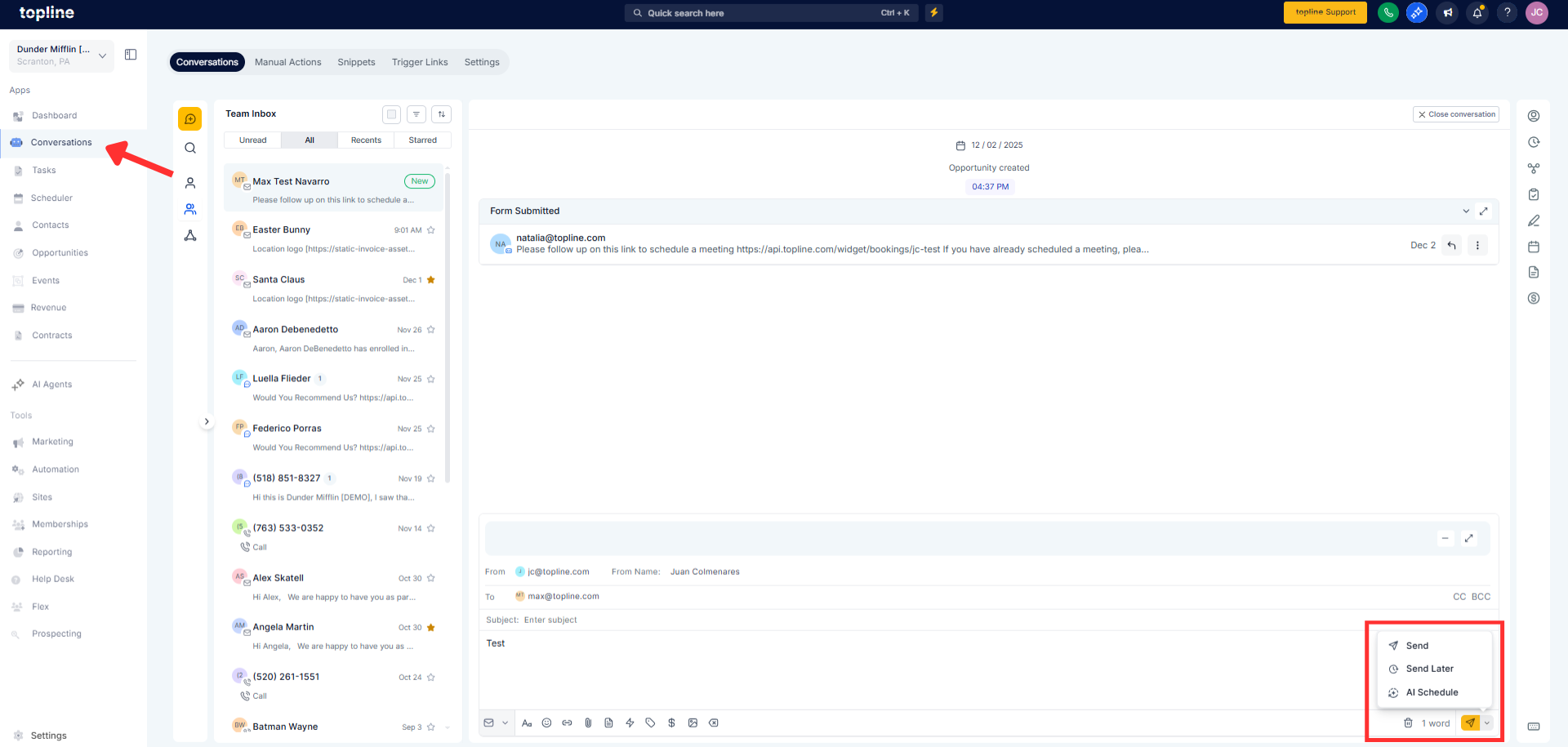
Step 1
Compose your email in Conversations or your email composer. Choose Schedule and select AI Schedule.
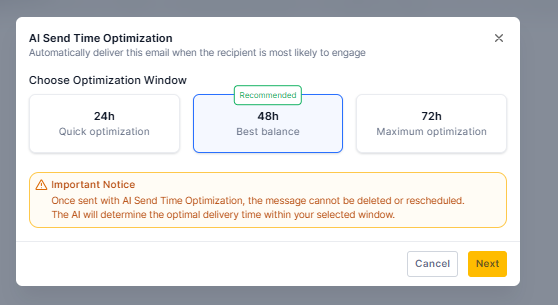
Step 2
Set the delivery window to the next 24 or 48 hours. Review recipients and confirm time zones are correct.
How does AI choose the send time?
It analyzes each recipient’s historical engagement and schedules within your selected window at a predicted high engagement moment.
What happens if there is not enough data?
The message sends immediately, so you do not miss the chosen delivery window.
Which providers are supported?
This feature works with supported native email providers configured for your account.
Can I use the AI schedule with 2-way sync enabled?
AI scheduling is not available when 2-way sync is active.
Does this affect all recipients the same way?
Optimization happens per recipient, so send times can vary across your list within the set window.
