Analytics for Threads and Bluesky are now supported. Access Statistics in Social Planner to see posts, likes, comments, and engagement trends, with impression tracking available for Bluesky. This consolidates reporting across channels and helps prioritize what to post where.
Threads and Bluesky analytics added to Social Planner
KPI cards for posts, likes, and comments
Performance graphs, trendlines, and engagement tables
Daily trends for posts, impressions, likes, comments, and engagement metrics
Bluesky impressions tracking; Threads impressions not provided
Compare Threads and Bluesky trends weekly to decide where to scale content
Use consistent UTM tagging to attribute traffic beyond native metrics
Track posting cadence alongside KPIs to find the sweet spot for frequency
Repurpose best performing posts between platforms and note format differences
Add a tagging convention in captions to segment campaigns for analysis
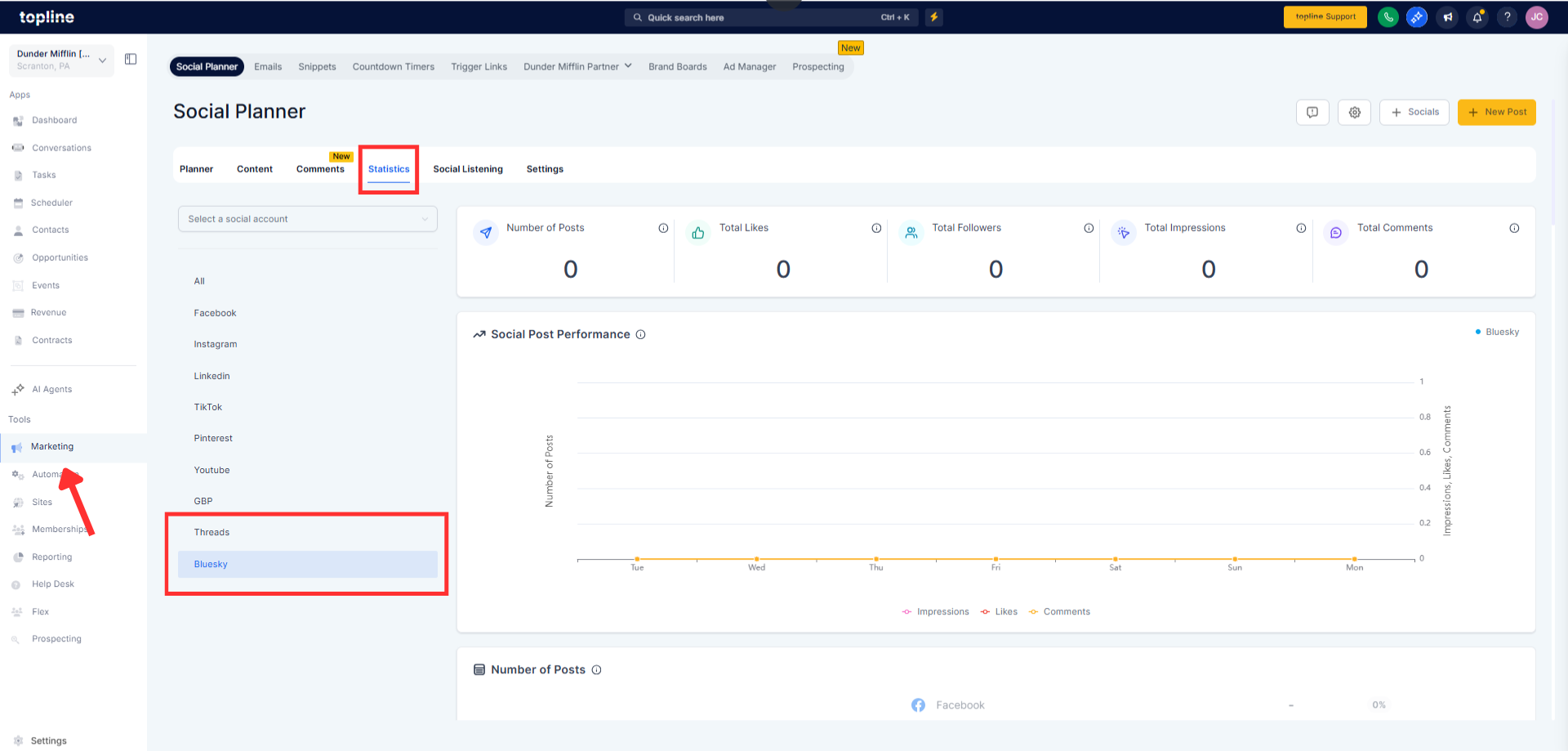
Step 1
Open Marketing and go to Social Planner. Click Statistics. Choose Threads or Bluesky from the sidebar.
Step 2
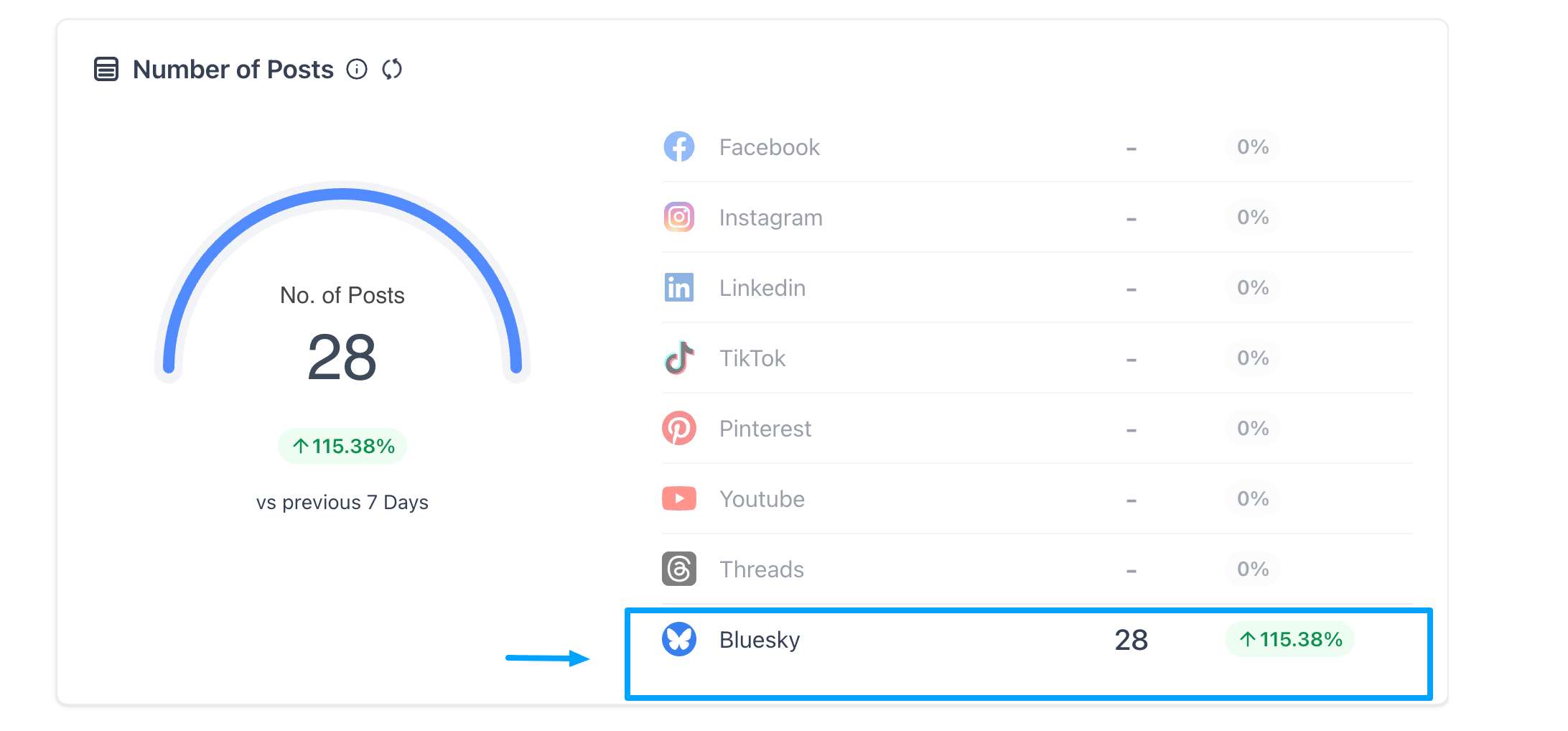
Review KPI cards, performance graphs, and engagement tables.
Which metrics are available for threads and Bluesky?
Posts, likes, comments, and engagement trends; Bluesky also includes impressions.
Where do I find these analytics?
Go to Social Planner, open Statistics, and select Threads or Bluesky.
Can I see impressions for threads?
No, Threads does not provide impressions or post reach.
Do these platforms include follower or demographic data?
Not currently; follower counts, gender demographics, and advanced engagement are not provided.
Can I compare performance across platforms?
Yes, use KPI cards and trend graphs to compare Threads and Bluesky alongside other connected channels.
