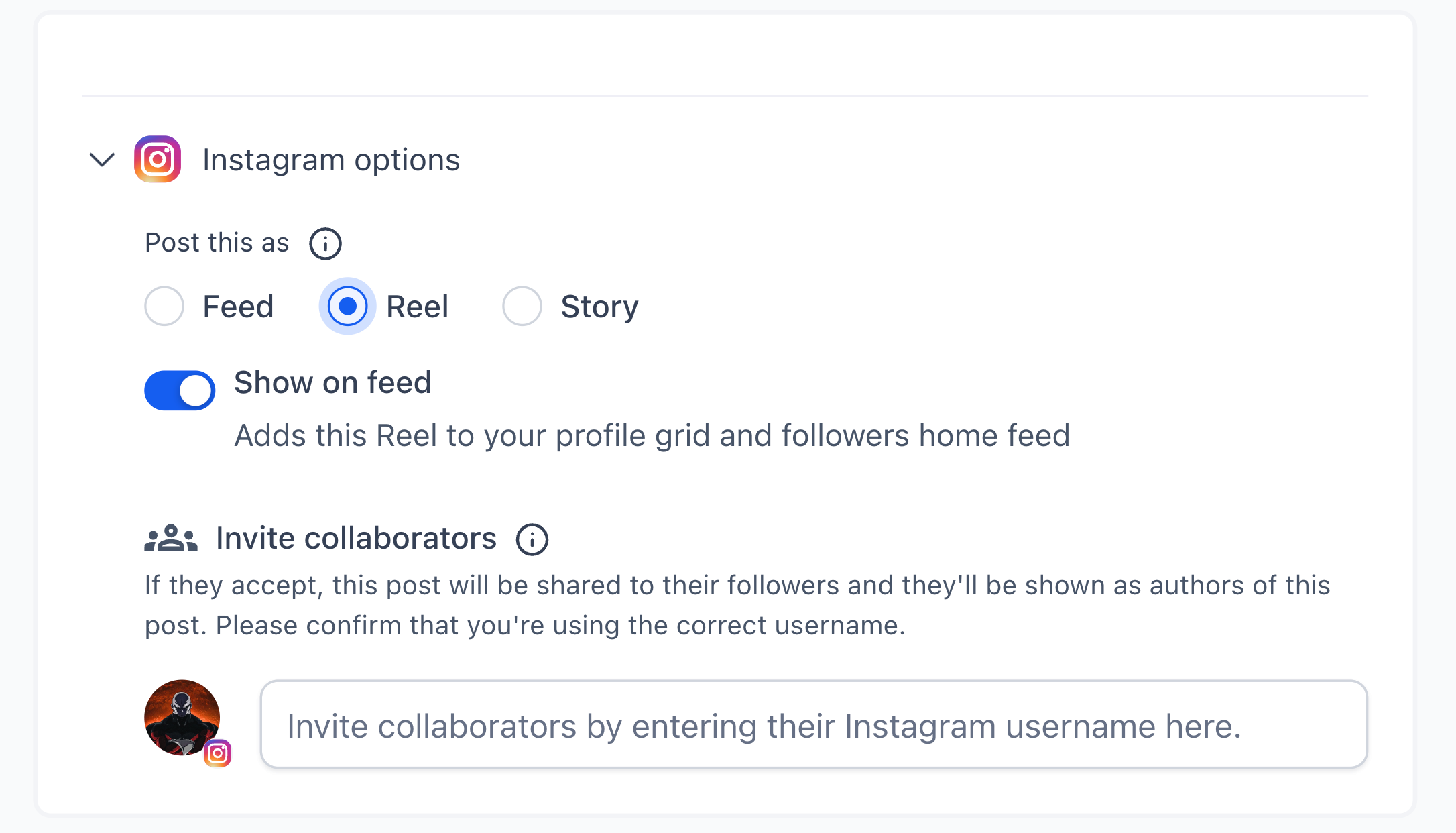
A new Share to Feed toggle in the Social Planner composer gives per post control for Instagram Reels visibility. Leave it on to publish to both Feed and Reels, or turn it off to keep the post only on the Reels tab. The default is on, matching current behavior.
Share to Feed toggle for Instagram Reels in the post composer
ON publishes to both Feed and Reels
OFF publishes only to the Reels tab
Default setting is ON to match existing behavior
Works with publish or schedule flows inside Social Planner
Keep the toggle off for behind the scenes or trend clips that do not match your grid
Leave it on for hero content that supports your brand aesthetic
Plan a Reels only series without cluttering your main feed
Review your profile grid before scheduling to ensure visual consistency
Document a rule of thumb for your team on when to show on feed
Step 1
Open Social Planner and create a new post.
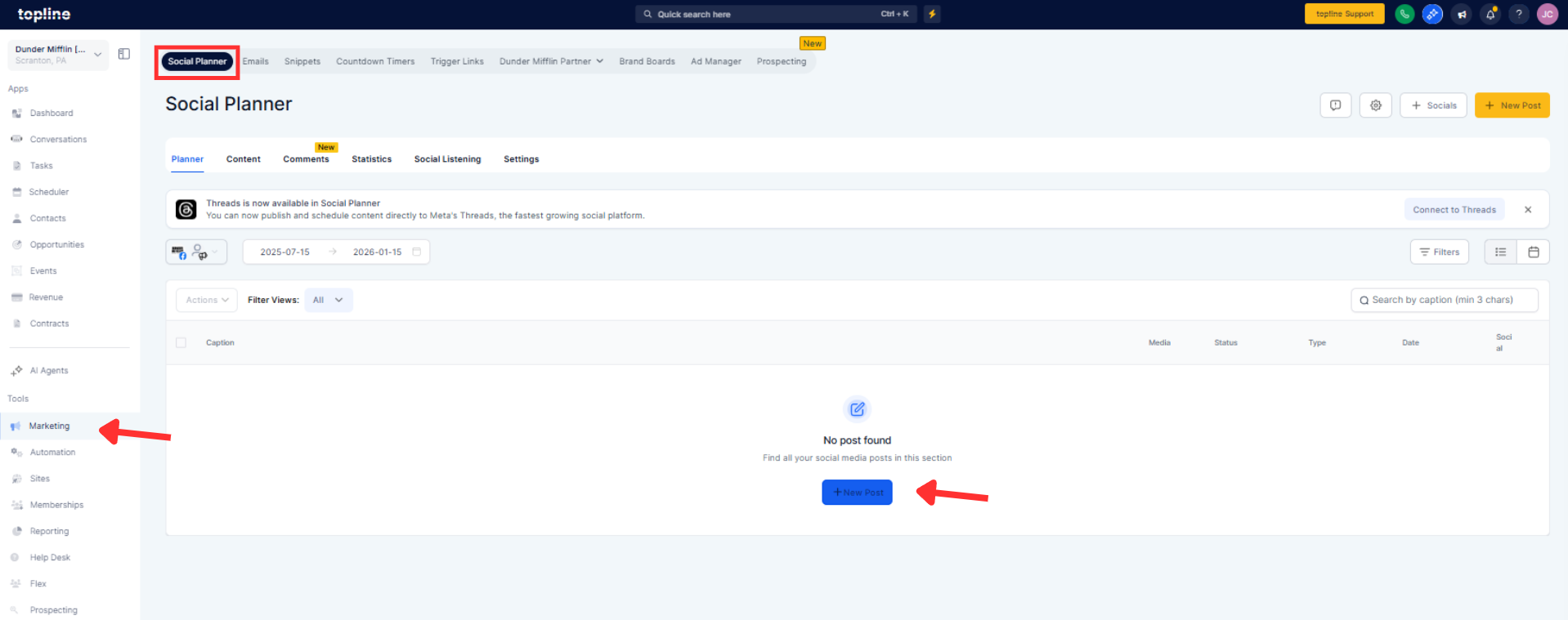
Step 2
Select Instagram Reel as the destination.
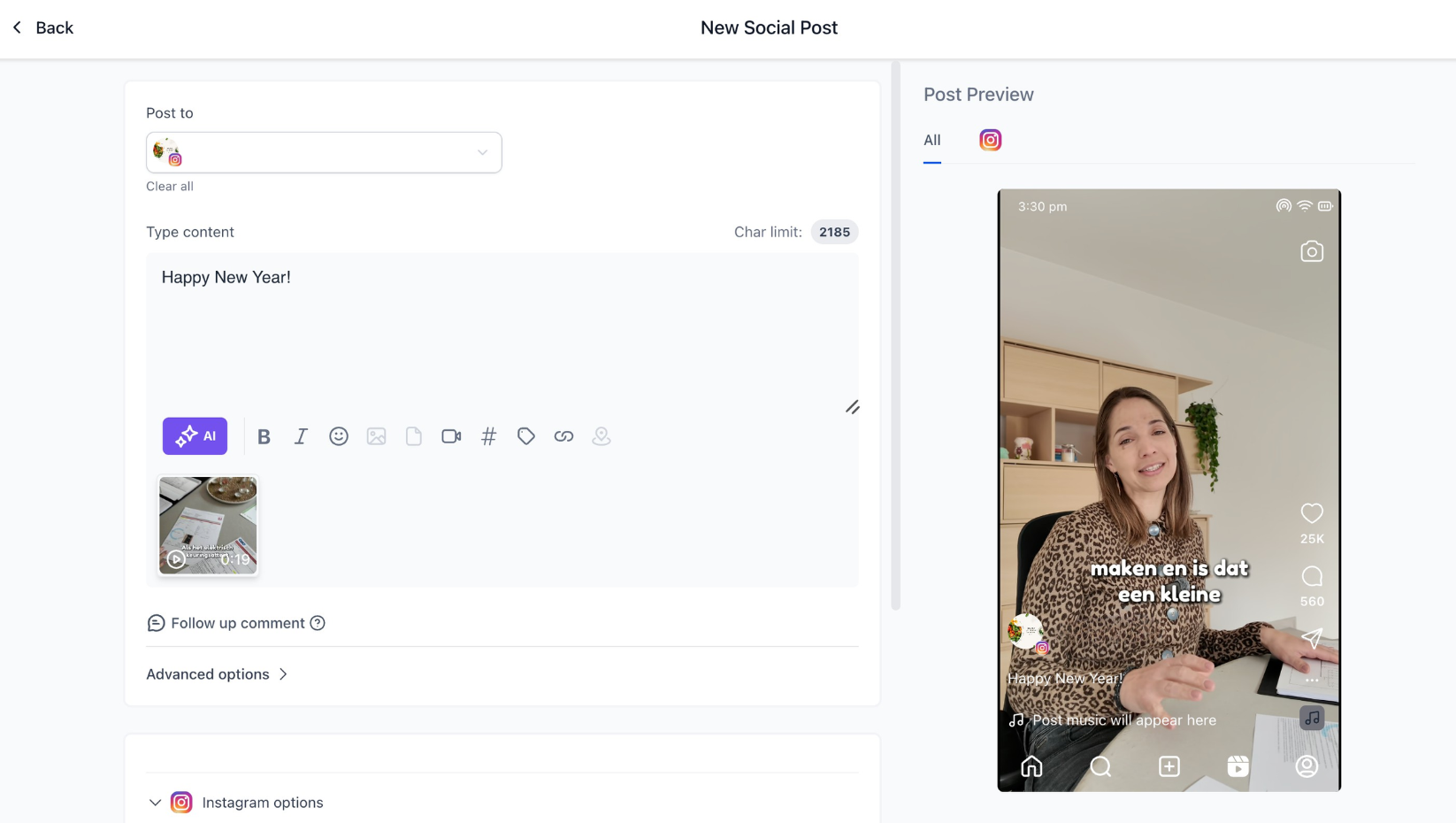
Step 3
Set the Share to Feed toggle to ON or OFF based on your intent. Add caption, tags, and media as usual.
What does the share to feed toggle do?
It controls whether a Reel appears on both the Instagram Feed and Reels tab or only on the Reels tab.
What is the default setting?
The default is ON, so Reels publish to both Feed and Reels unless you change it.
Can I change the toggle per post?
Yes, the setting is per Reel inside the composer.
Does turning it off affect reach?
It hides the Reel from your grid but still publishes to Reels; performance depends on audience and content.
Can I edit visibility after posting?
Instagram’s native behavior may limit post publishing visibility changes, so set the toggle before you schedule.
