The Workflow Switcher gets speed and UX upgrades. It now opens the selected workflow in the same tab by default, adds infinite scroll for long lists, and includes quick actions to create, rename at creation, duplicate, and delete. This streamlines navigation and reduces context switching while you build.
Same tab opening for selected workflows with an option to open in a new tab
Faster loading and switching performance
Infinite scroll to browse the full workflow list without pagination
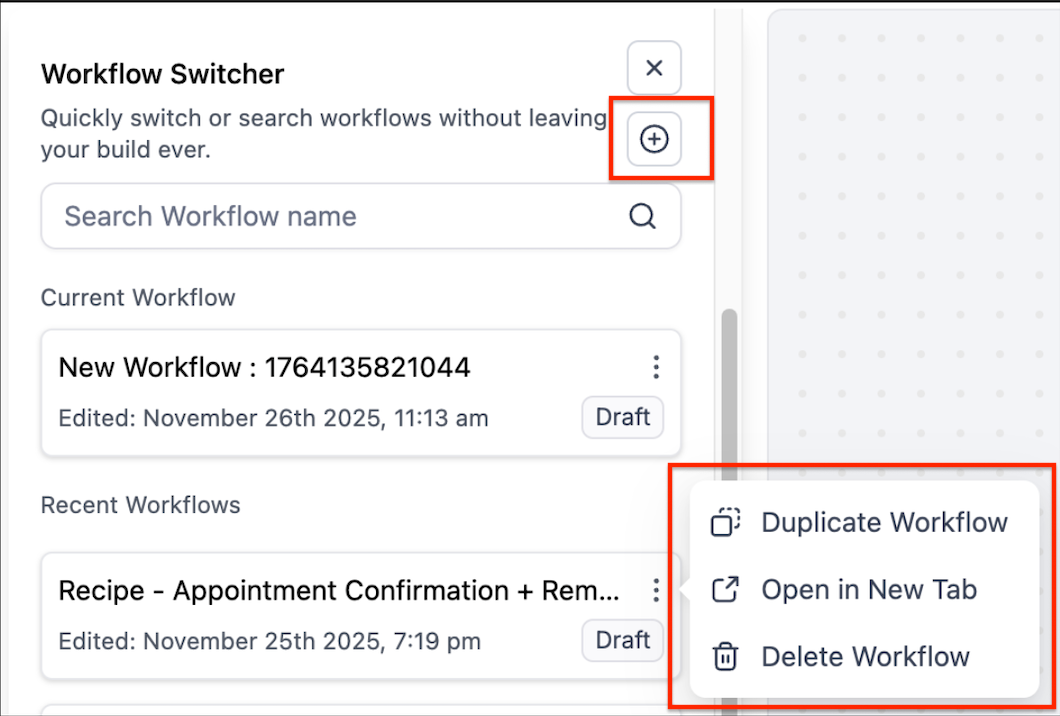
Create new workflows directly from the switcher
Name workflows at creation for a cleaner organization
Duplicate and delete workflows from the switcher panel
Available in both Advanced Builder and Standard Builder
Shortcut support where available: Shift + W to open the switcher
Use same tab switching for focused editing and fewer distractions
Name new workflows clearly at creation to keep lists tidy
Duplicate a proven flow from the switcher, then tailor it for variants
Rely on infinite scroll plus search terms like status or owner to find items faster
For heavy multitasking, use the option to open in a new tab only when necessary
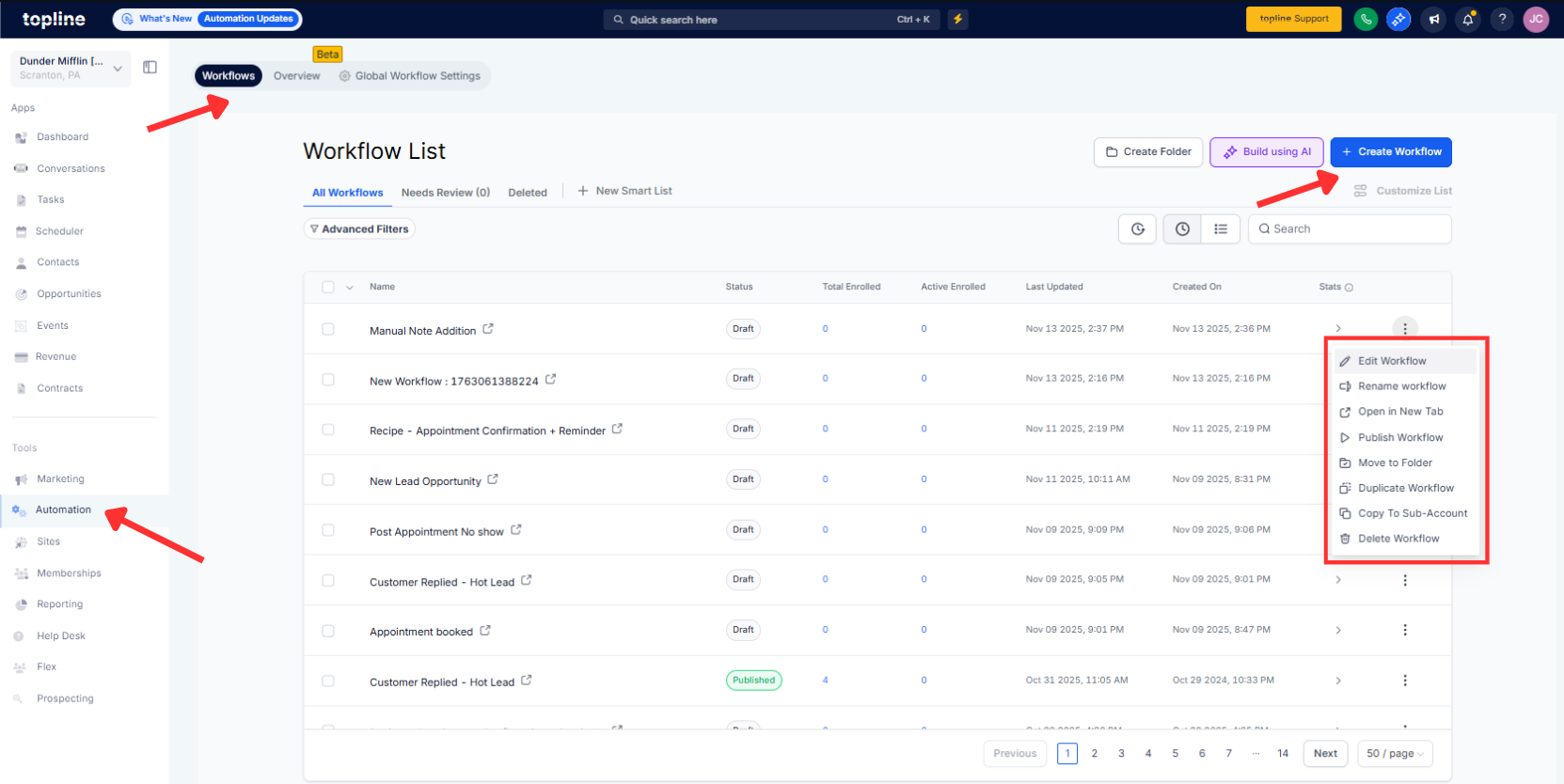
Step 1
Open the Workflow Switcher from Advanced Builder or Standard Builder.
Step 2
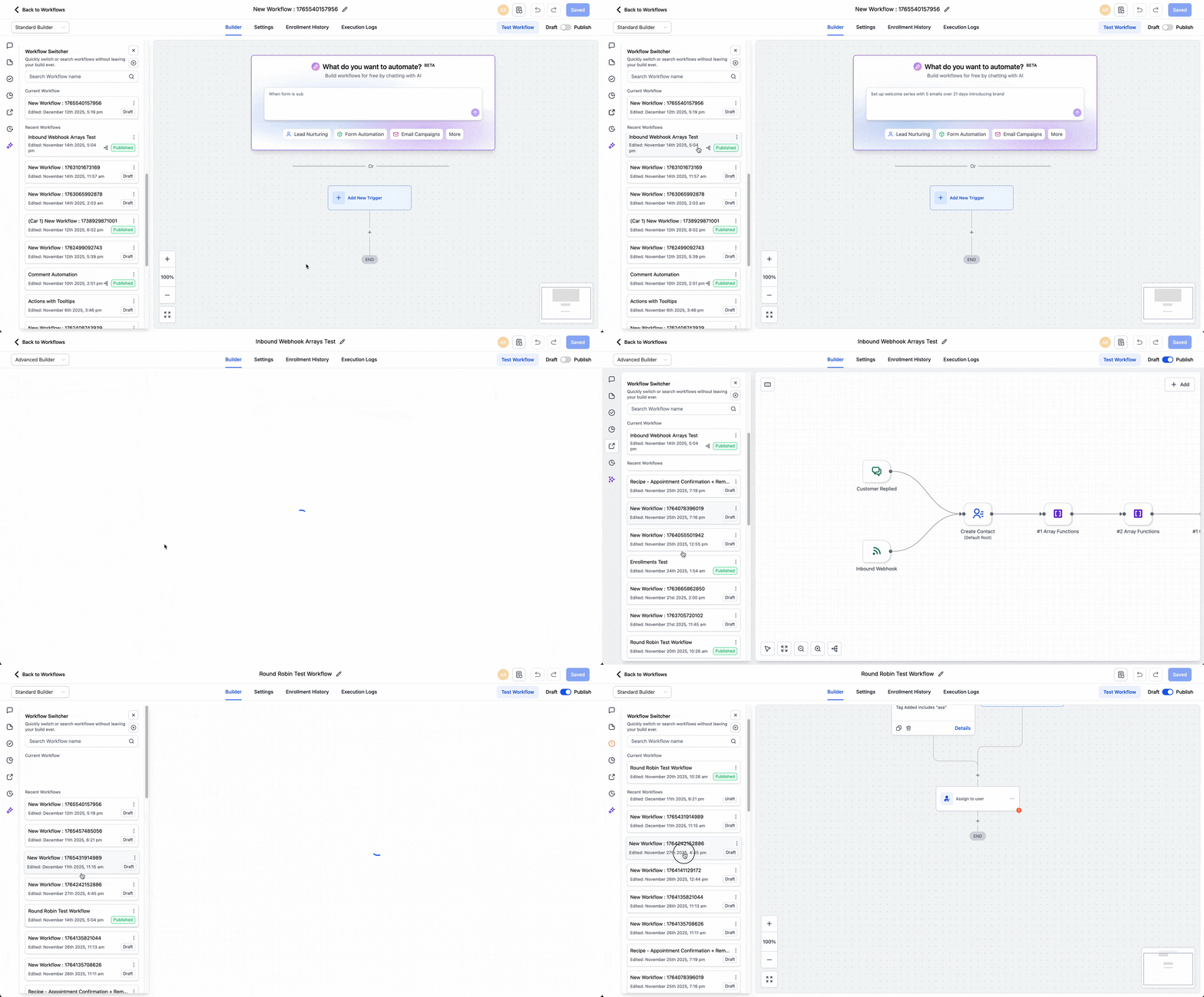
Search or scroll to locate your workflow using infinite scroll.
Step 3
Use Create to start a new workflow and enter a clear name. Use Duplicate or Delete from the switcher actions as needed. Click a workflow to open it in the same tab for seamless editing.
How do I open workflows in the same tab?
Click a workflow in the switcher, and it opens in the current tab by default.
Can I still open a workflow in a new tab?
Yes, the option remains available if you prefer multi tab editing.
Where can I create or duplicate workflows?
Directly in the switcher panel using the Create or Duplicate actions.
How does infinite scroll help with large lists?
It loads more items as you scrol,l so you can browse the entire list without pagination.
Is the switcher available in every builder?
Yes, it is available in both Advanced Builder and Standard Builder.
