You can now link your advertising account to your platform to capture high-intent lead form submissions automatically. After connecting and mapping your lead forms, new contacts are added in real time. This enables faster follow-up and automated actions based on where the lead came from.
New lead sync integration that captures contacts from Google Ads lead forms automatically
Easy connection of one or multiple advertising accounts under a single login
View all active campaigns and forms in one place after connection
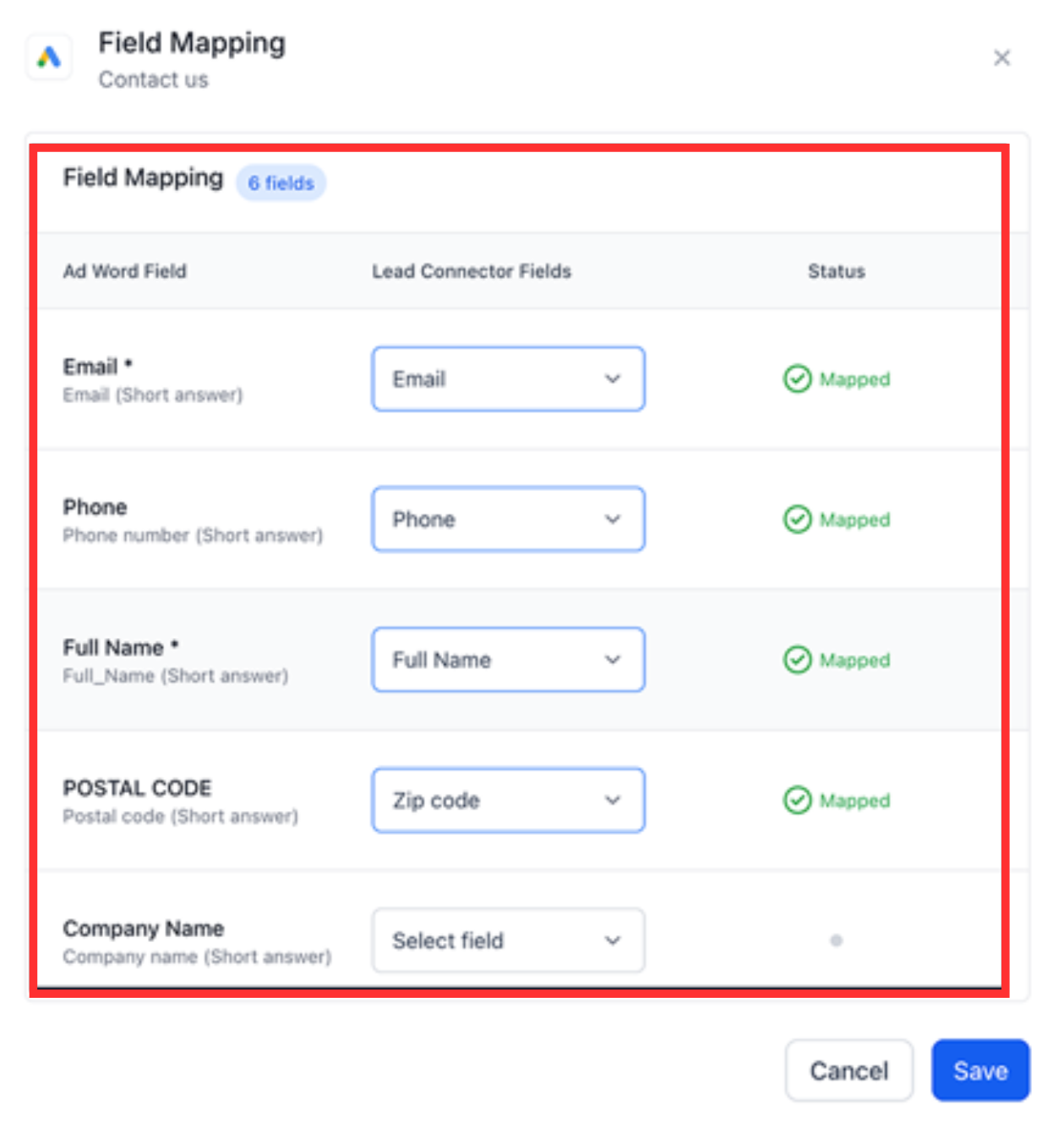
Map each ad lead form field to your platform’s contact fields
Automatic creation of contacts when a synced form is submitted
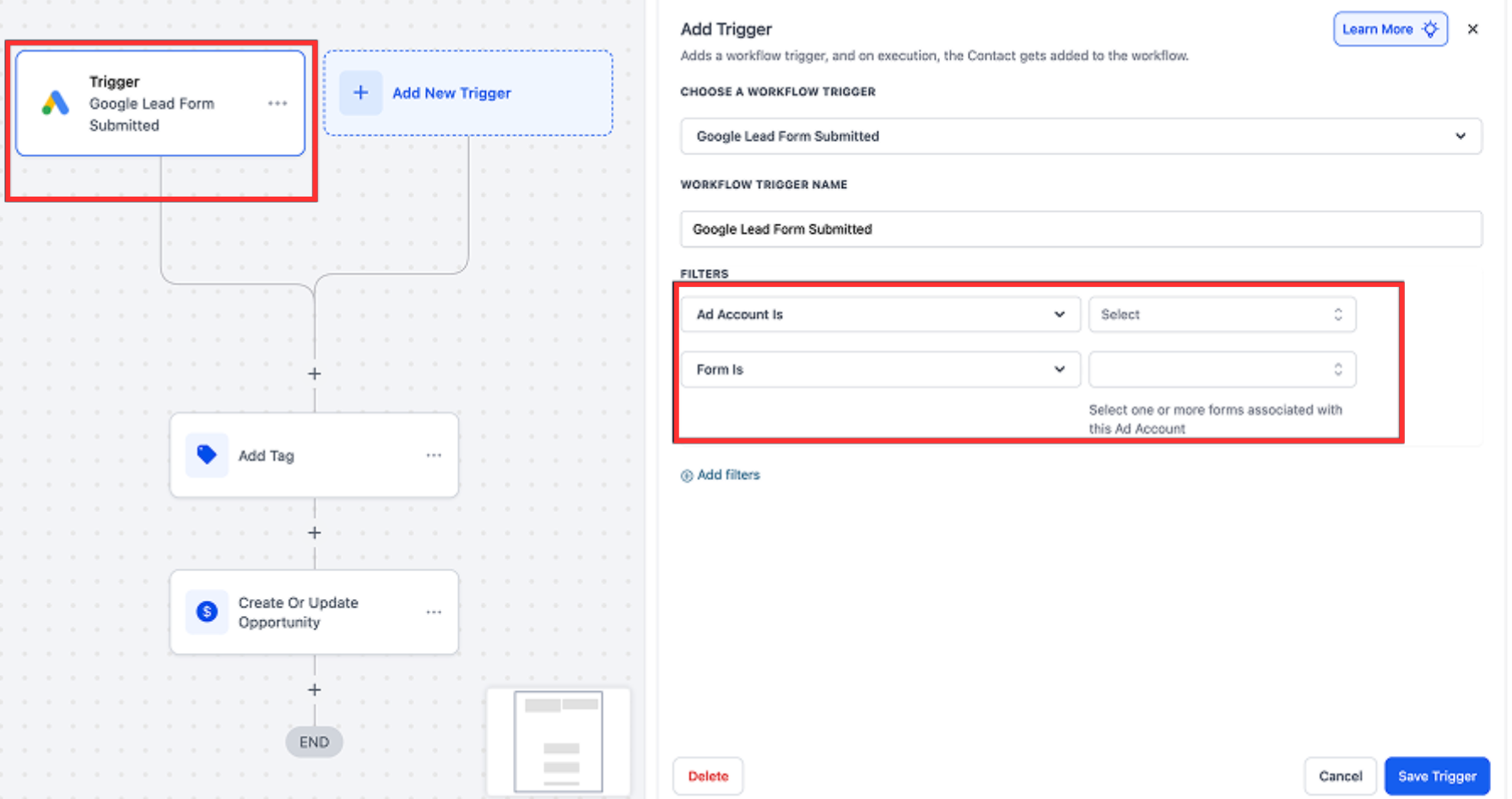
New workflow trigger for lead form submission for automations
Filters in automation triggers based on form and advertising account
Ensure you use consistent form naming in your advertising account for easier mapping
Map required fields (email, name, phone) first to prevent incomplete contacts
Clean up unused lead forms in your ad account to avoid irrelevant syncs
Add tags or custom fields based on form source for easier segmentation
Always test a form submission after setup to confirm fields sync correctly
Step 1
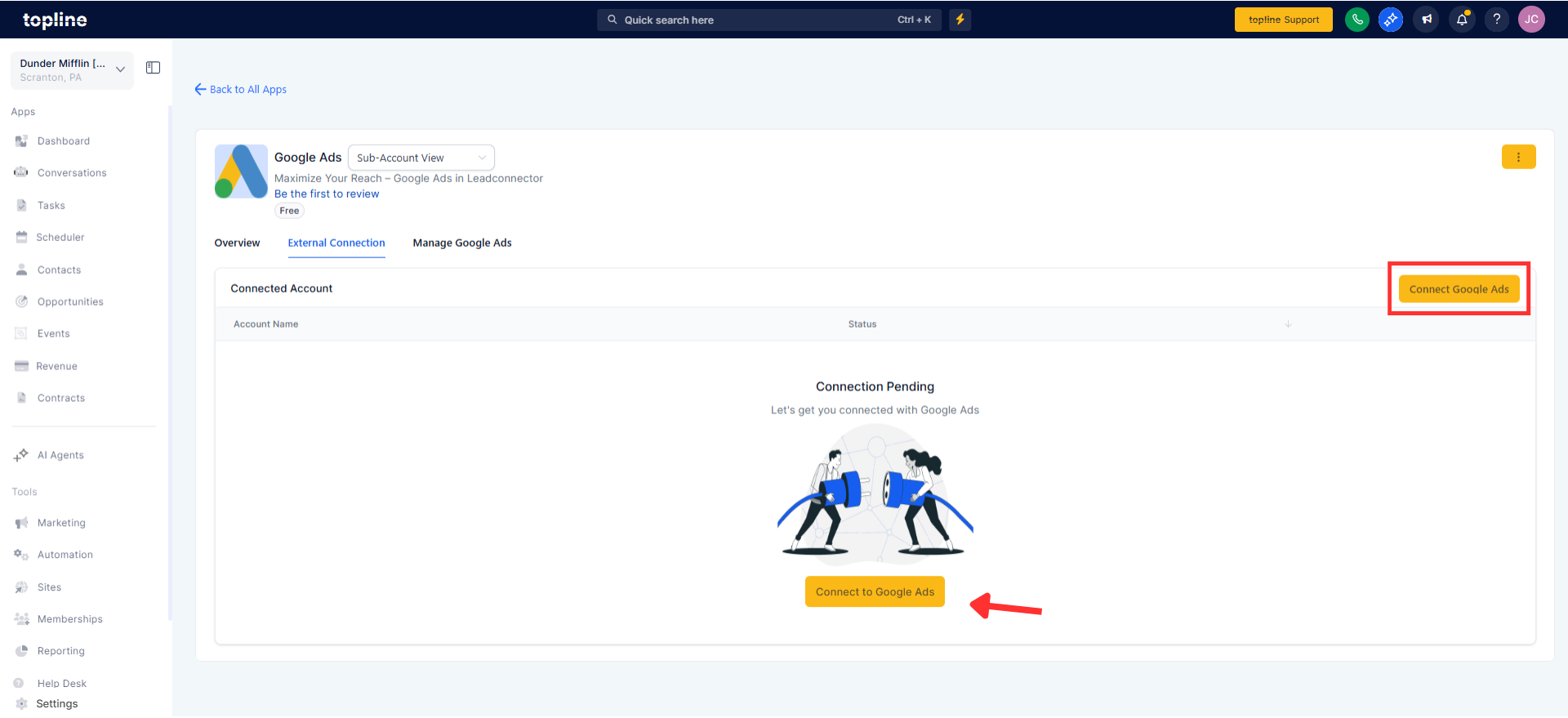
Go to your settings and open the integrations section. Search for the advertising integration option and click to connect. Log in with the account you use for advertising and authorize the connection.
Step 2
Select the advertising account you want to sync and view all available campaigns and lead forms. Choose the lead forms you want to sync and map each field to your contact fields.
Step 3
Once mapping is complete, activate sync and confirm that the status shows active. New leads will start flowing automatically. Add automations using the lead form submission trigger. Set filters (account and form) for precise actions.
What does this integration do?
Automatically captures lead form submissions as new contact records.
Do I need to connect my advertising account first?
Yes. You must authenticate your account and select the ad accounts you want to sync.
Can I sync multiple advertising accounts?
Yes. You can link more than one account under the same login.
What happens after a lead form is submitted?
A new contact record is created and your automations can trigger actions like follow-up workflows.
Can I control which forms sync leads?
Yes. You enable sync only on the forms you select and map.
