Users with LC email can now pick the sending domain at the campaign level. Previously campaigns were limited to default domain behavior and could fail if the sender email did not match the configured sending domain. The new settings help prevent delivery failures and give more control over email origin.
Campaign-level sender domain selection
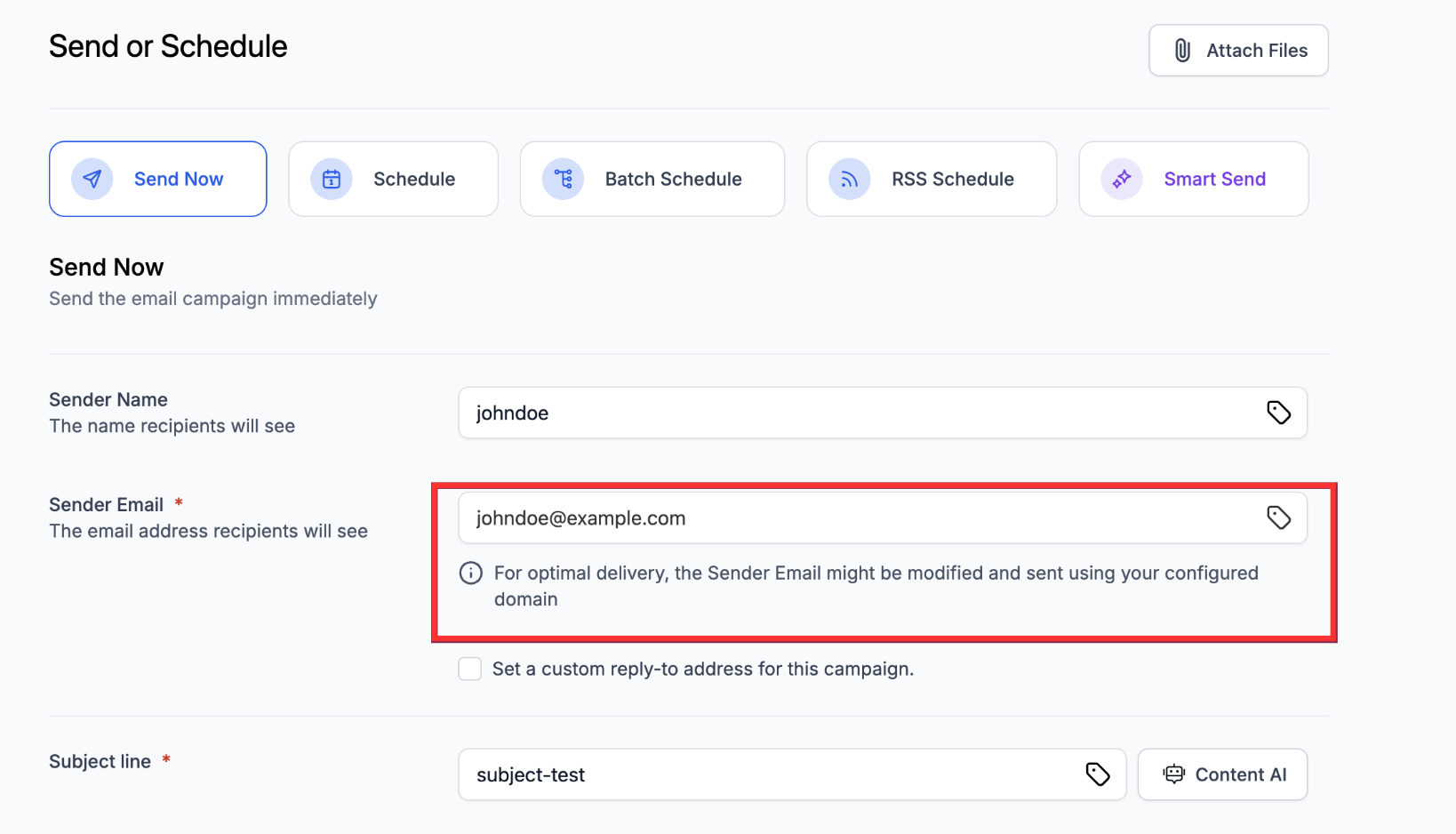
System alerts when sender email settings are incompatible with the sending domain
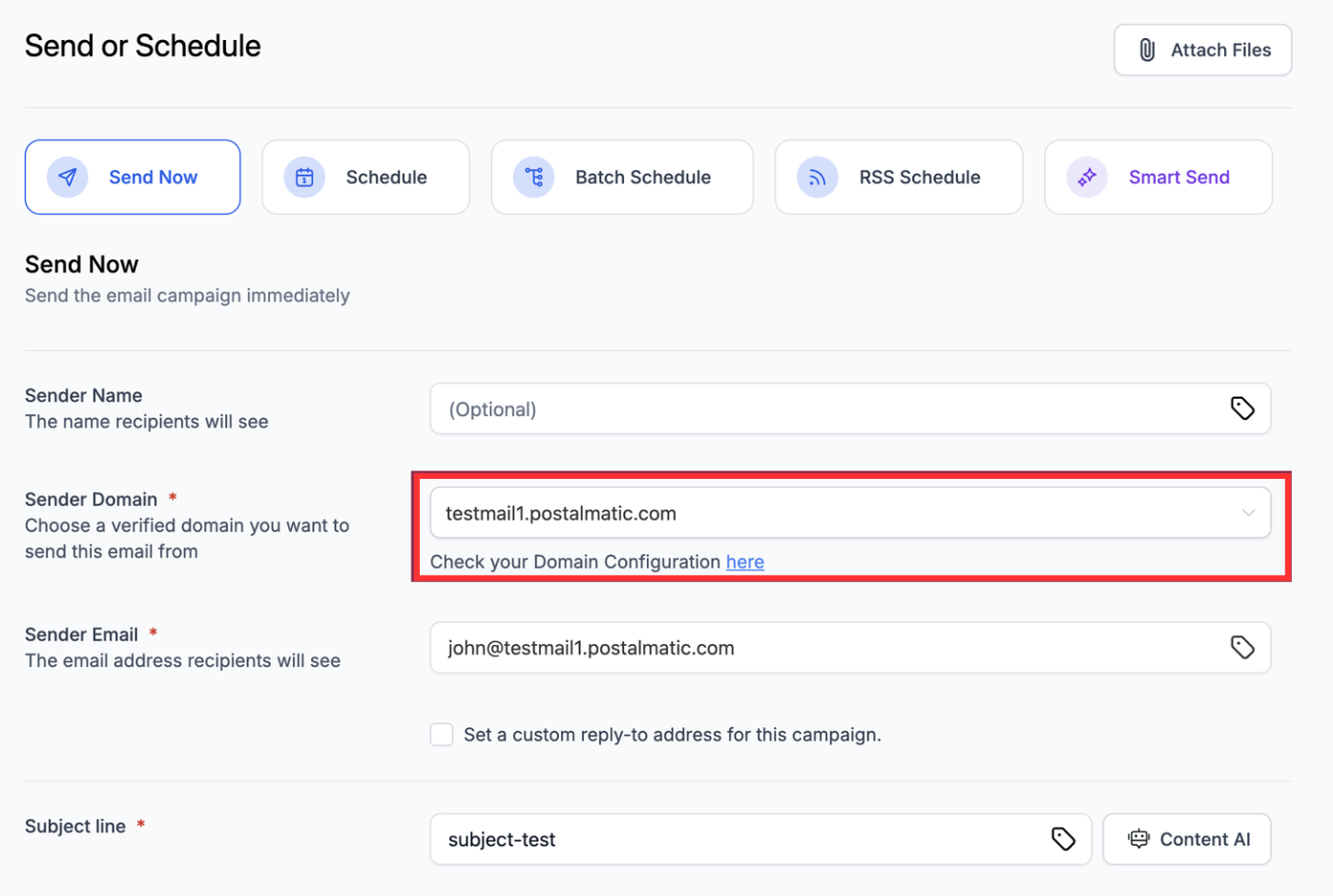
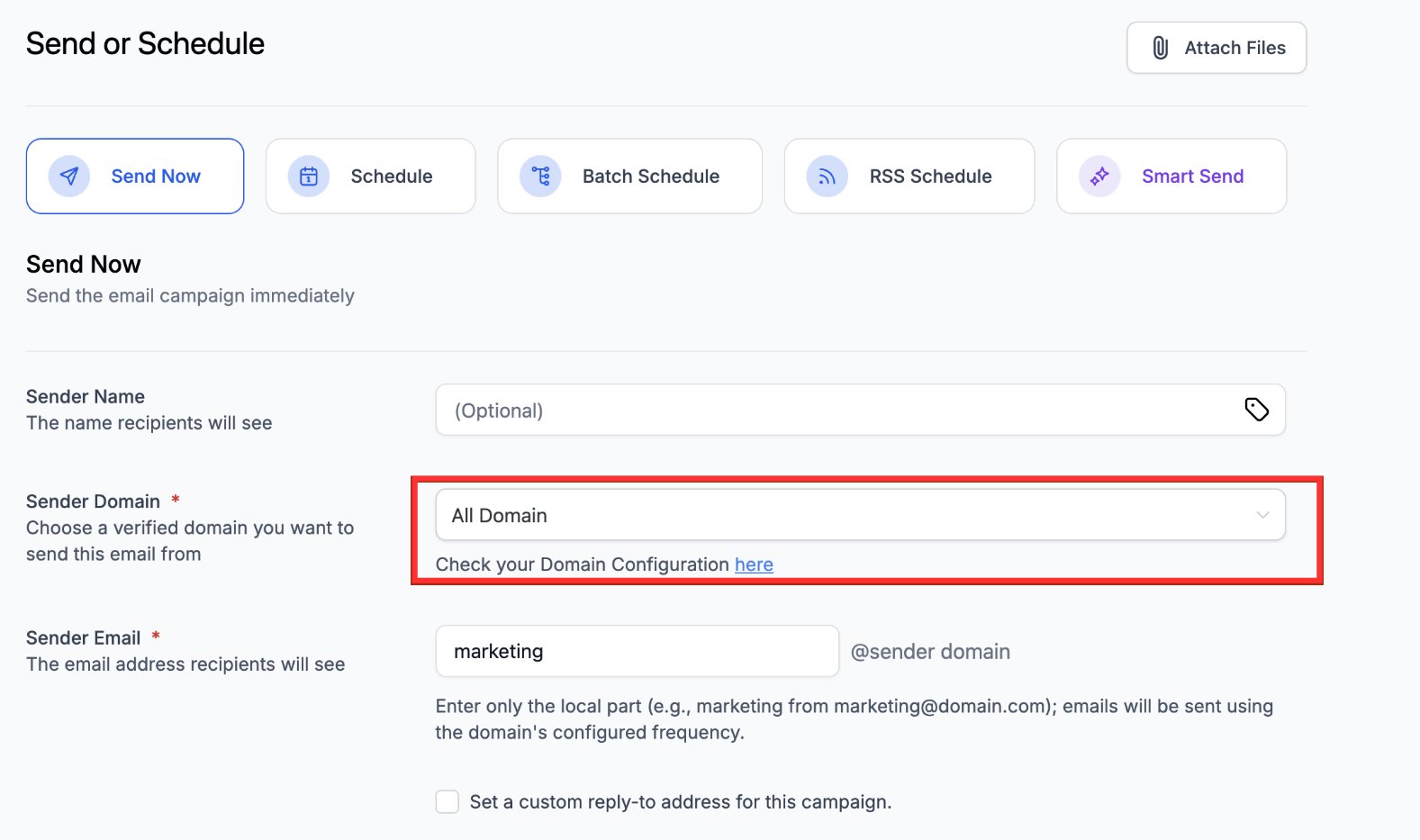
Option to select from single or multiple domains where available
Automatic compliance fix when a public or shared sender address would cause a failure
Quick access to domain configuration from the campaign editor
Fewer campaign failures due to improved domain compliance
Works only for LC email campaigns
Always verify the domains you want to use before creating campaigns
Match the sender email address domain to the domain you select for delivery
Use clear naming for each domain so it is easy to choose during campaign setup
Review domain configuration before scheduling large campaigns
Test campaign send on a small list first to confirm delivery
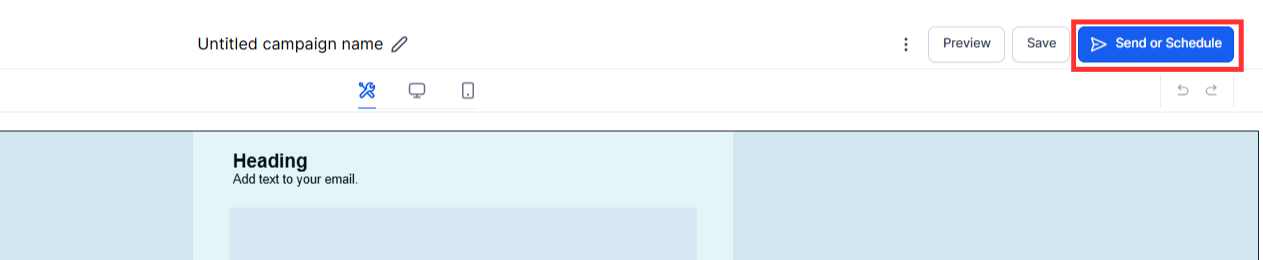
Step 1
Open your campaign builder and go to the send or schedule settings.
Step 2
Look for the sender domain field inside campaign settings. Choose the verified domain you want to use for this campaign. Ensure the sender email address matches the domain selected. Save the campaign settings and schedule or send.
Case 1. Shared Domain Case
Case 2. Single Dedicated Domain Selected
Case 3. Dedicated Domain (All Domain Selected)
Can I choose which domain each campaign uses?
Yes, you can select the sending domain when setting up the campaign.
What happens if the sender's email does not match the domain?
The system will alert you and may automatically modify the email to be compliant.
Does this work for all email campaigns?
This applies only to LC email campaigns. Other SMTP based campaigns are unchanged.
Will choosing the right domain reduce failures?
Yes selecting the proper verified domain helps prevent delivery issues.
Do I need to verify domains first?
Yes domains must be verified before they are available for selection.
