You can now initiate and manage domain transfers directly from your domain settings. This provides flexibility when changing registrars while maintaining access to important transfer details such as authorization codes and transfer status.
Ability to unlock a domain for transfer
Generate and copy authorization codes for transfers
Clear transfer out status visibility
Secure process to prevent accidental transfers
Support for transferring domains to external registrars
Improved domain ownership control
Confirm domain ownership details before starting a transfer
Ensure the domain has been active for more than sixty days
Double check contact email access to approve transfer requests
Avoid making DNS changes during an active transfer
Keep a copy of the authorization code until the transfer completes
Step 1
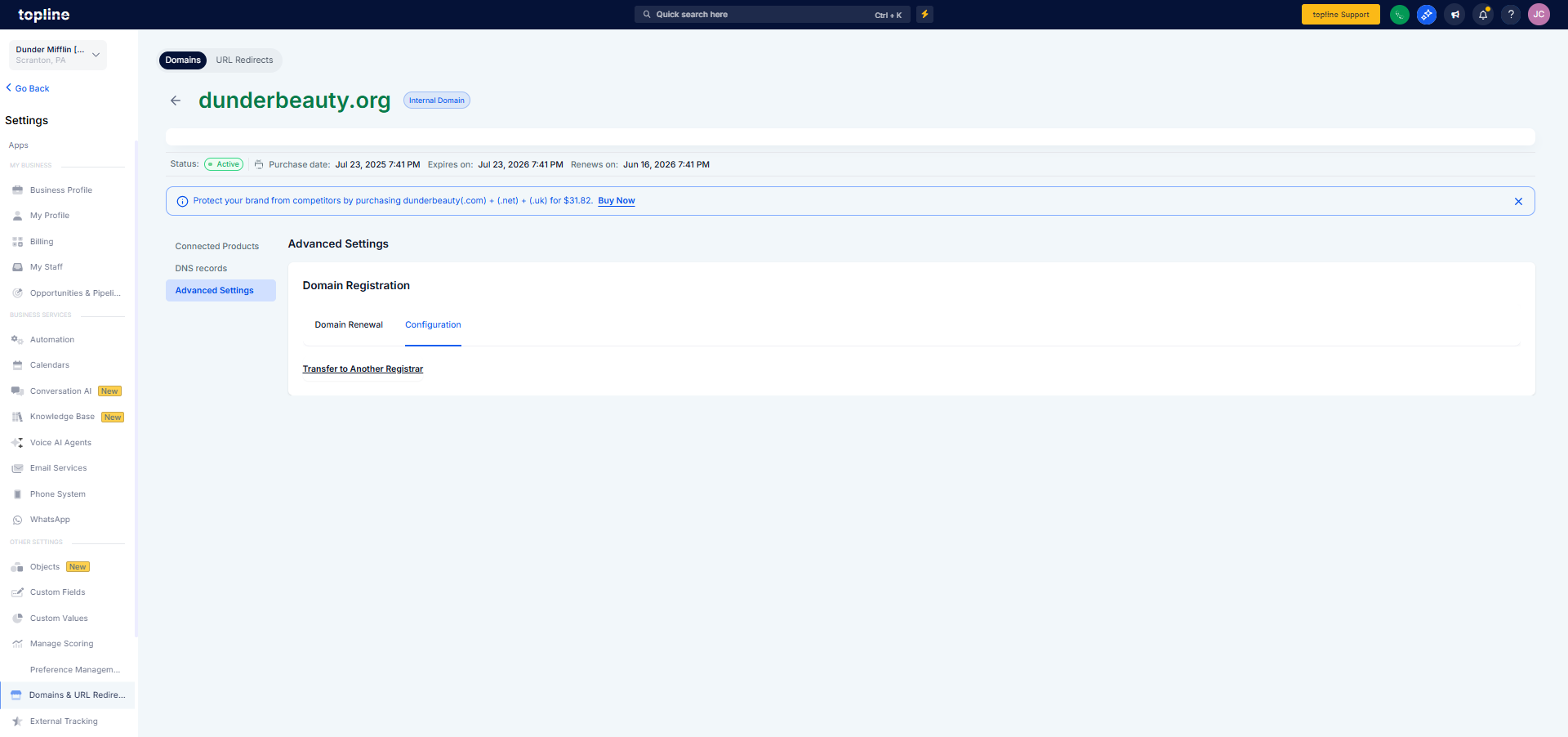
Go to your domain management area and select the domain you want to transfer.
Step 2
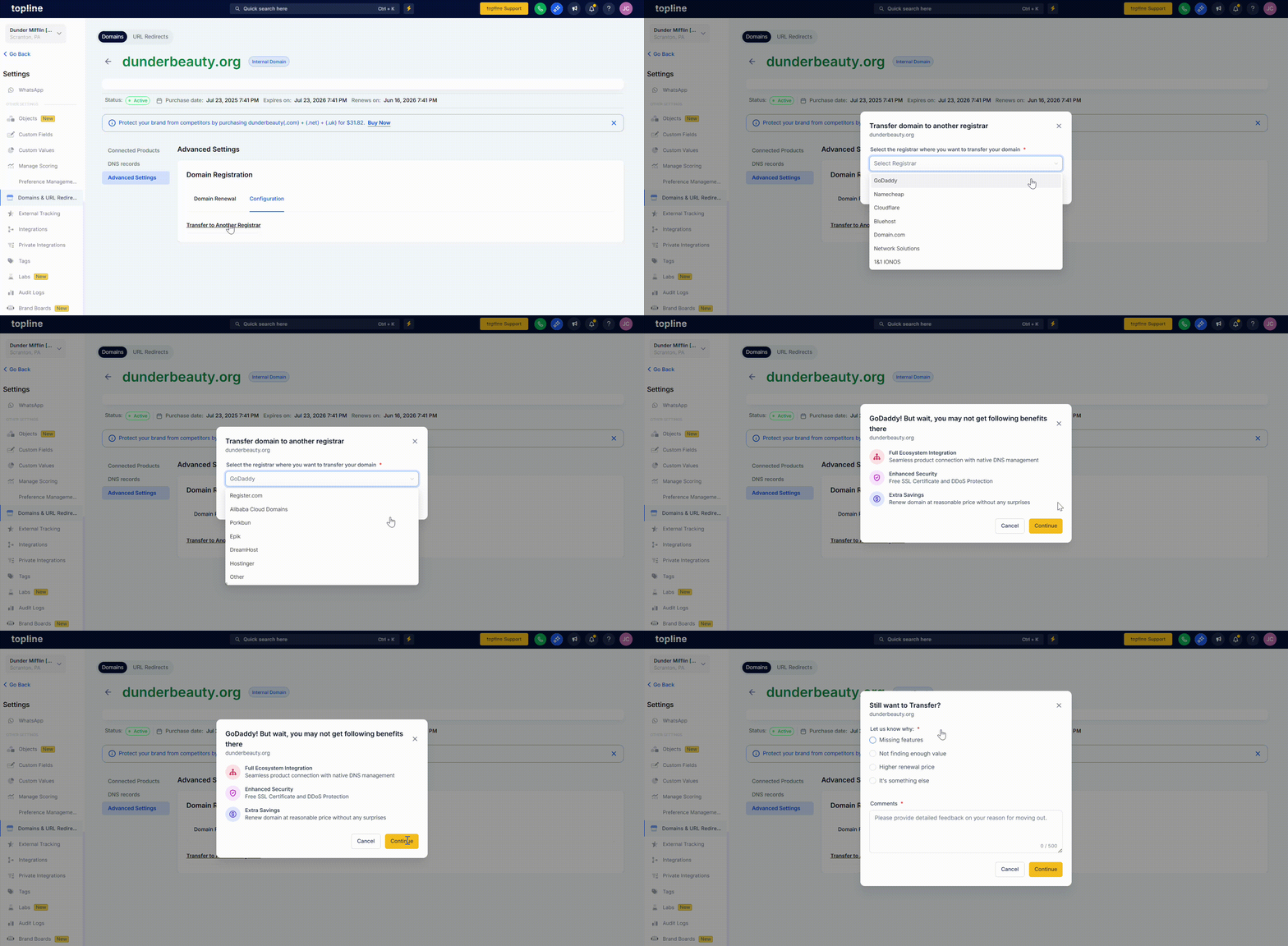
Disable the domain lock to allow the transfer process to begin.
Step 3
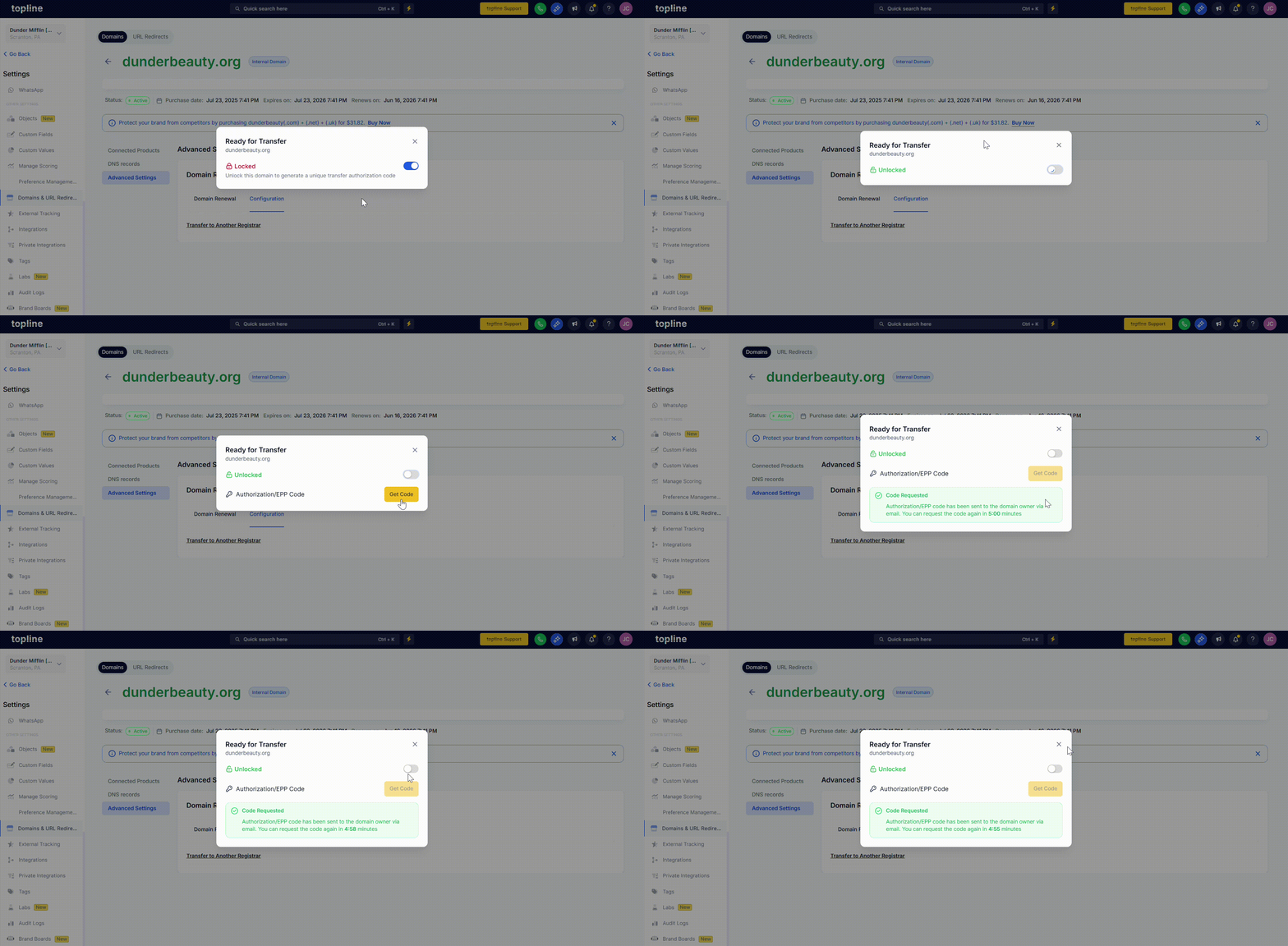
Generate the authorization code required by the new registrar. Then you can use this code in the other system registrant.
What is a domain transfer out?
It allows you to move a domain from this platform to another registrar.
Is there a waiting period before transferring a domain?
Yes, domains usually must be active for at least sixty days before transfer.
Where do I find the authorization code?
The code is generated inside the domain settings when transfer out is enabled.
Will my website go offline during transfer?
No, the domain continues to resolve while the transfer is in progress.
How long does a domain transfer take?
Most transfers are complete within five to seven days.
