The mobile interface now offers enhanced sorting and filtering controls across key areas. Users can quickly organize data, view only what matters, and move faster without switching to a desktop, resulting in a smoother and more efficient mobile workflow.
• Improved sorting options in mobile lists
• New filtering controls for faster data access
• Cleaner layout for easier navigation on mobile screens
• Better performance when browsing large data sets
• More consistent behavior between mobile and desktop views
• Use filters to focus only on active or priority items
• Sort lists by recent activity to stay up to date
• Clear filters regularly to avoid missing information
• Combine sorting and filtering for faster reviews
• Rely on mobile controls for quick checks when away from desktop
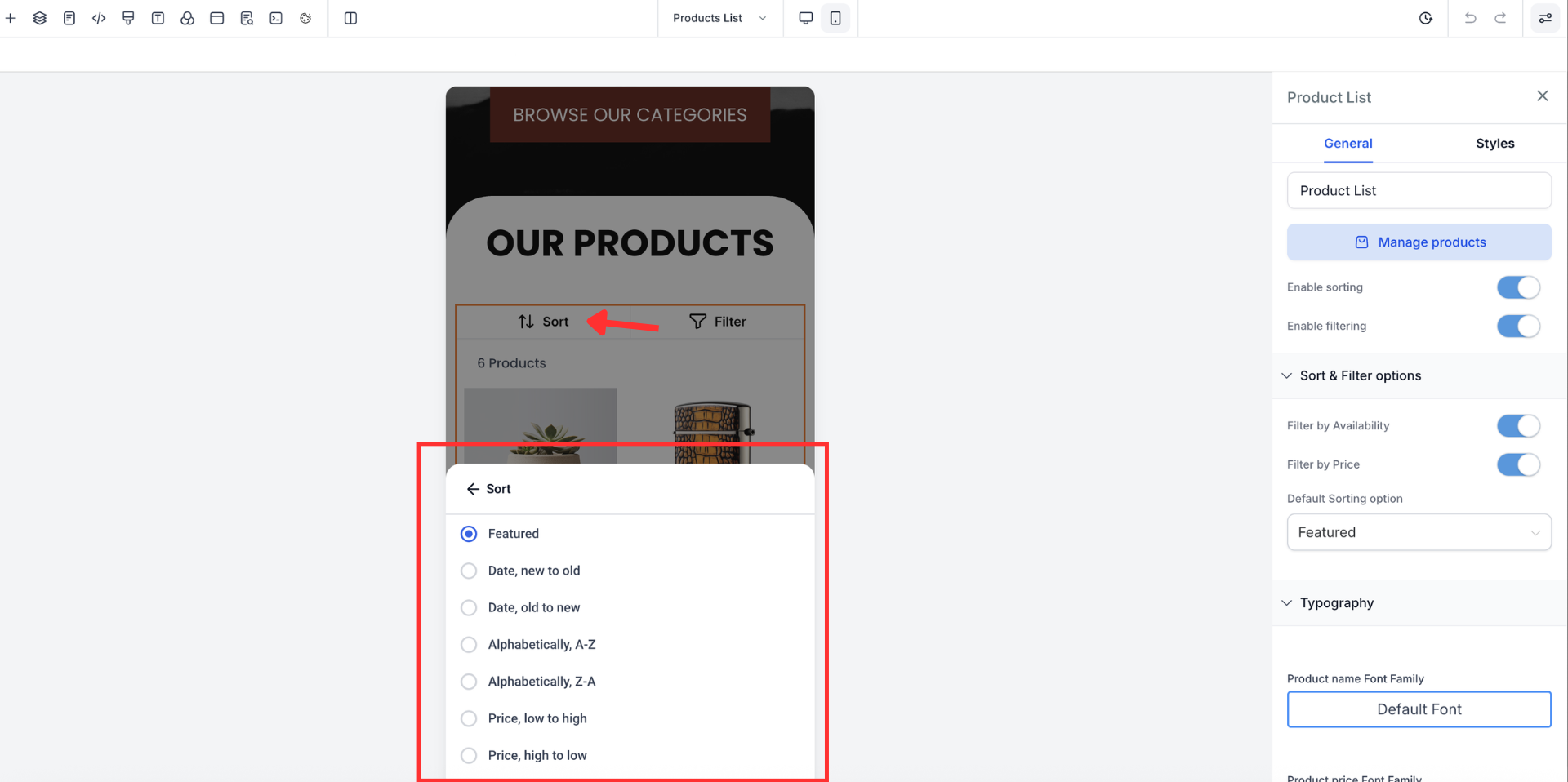
Step 1
Open the Sites, select a webpage and click on the mobile view to check the view for the sort and filter. Tap the sort option to organize items by available criteria.
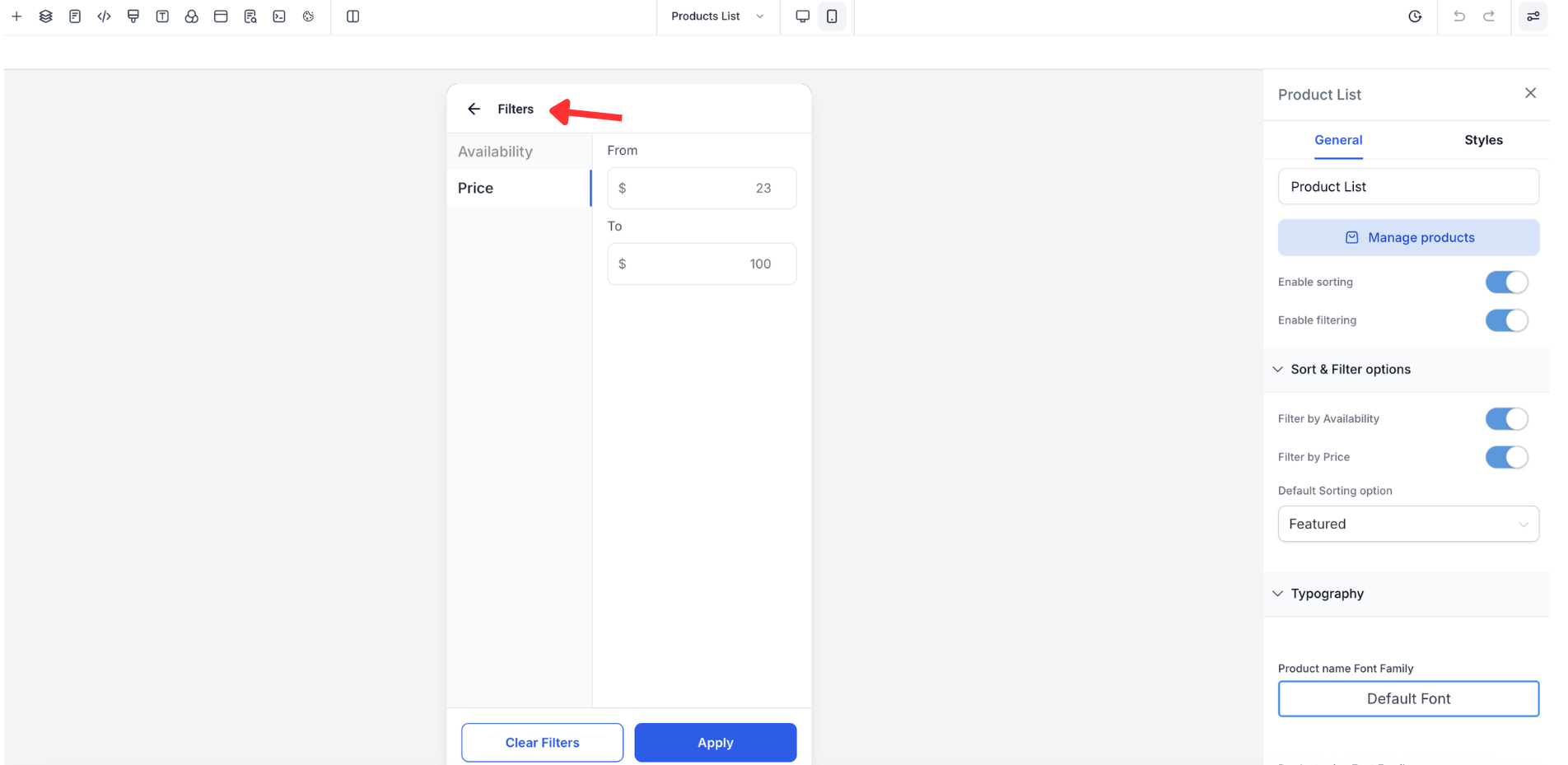
Step 2
Select filters to narrow down the list based on status or attributes.
What areas support mobile sorting and filtering?
• Key list views such as contacts conversations and tasks support these controls.
Do I need to enable this feature?
• No the improvements are available automatically.
Does filtering affect saved data?
• No filters only change how data is displayed.
Can I use multiple filters at once?
• Yes you can apply more than one filter simultaneously.
Is the experience the same on all mobile devices?
• The interface adapts to supported mobile devices and screen sizes.
