Phone numbers collected during Calendly appointment bookings now sync correctly into contact records. This improvement reduces missing data and ensures teams can easily call or message contacts after appointments are scheduled.
• Phone numbers from Calendly appointments now sync correctly
• Improved contact data accuracy from booking forms
• Reduced need for manual contact updates
• Better follow-up readiness after appointments are scheduled
• More consistent appointment record details
• Confirm phone number fields are required in your Calendly booking form
• Review synced contact records after the first booking
• Use phone numbers for faster follow-up after appointments
• Keep booking forms simple to reduce missing information
• Test appointment bookings after updates to confirm syncing
Step 1
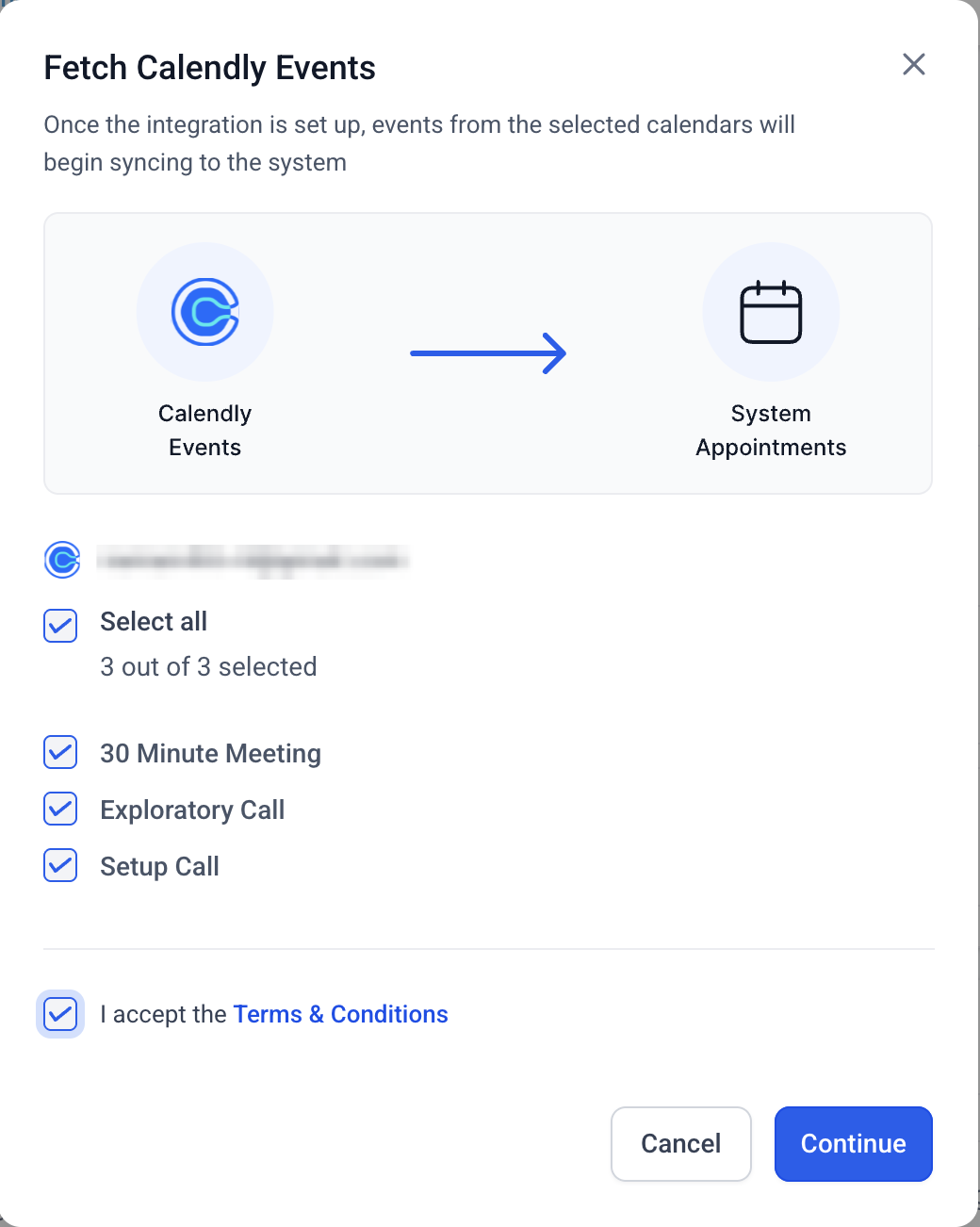
Navigate to your appointment or integration settings area. Ensure the phone number field is included in your booking form.
Step 2
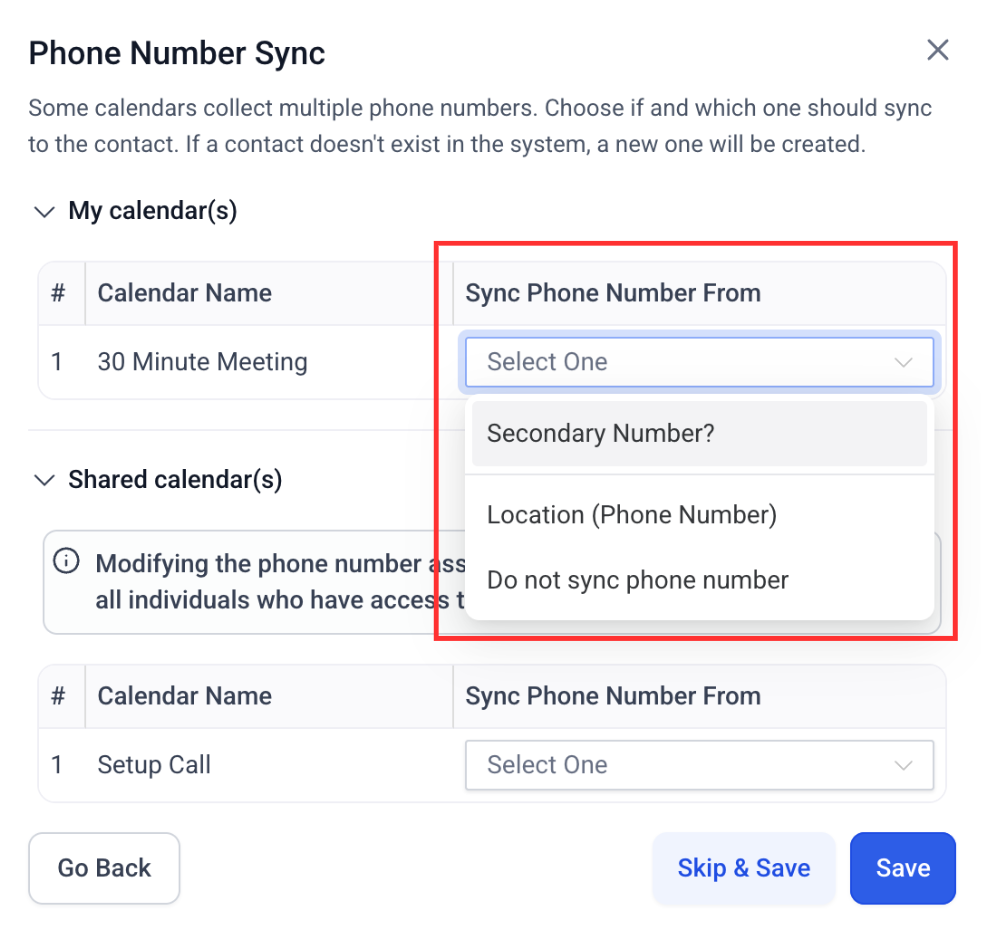
If a phone number field exists in the Calendly form, a mapping screen is displayed, allowing you to choose from form fields or the location phone field.
What does phone number sync for appointments do?
• It ensures phone numbers from Calendly bookings are added to contact records.
Do I need to enable this feature?
• No, this update is applied automatically.
Will this update existing appointments?
• It applies to new bookings in the future.
What if the phone number does not appear?
• Confirm the field is required and included in the booking form.
Does this affect appointment reminders?
• Yes accurate phone numbers improve reminder delivery.
