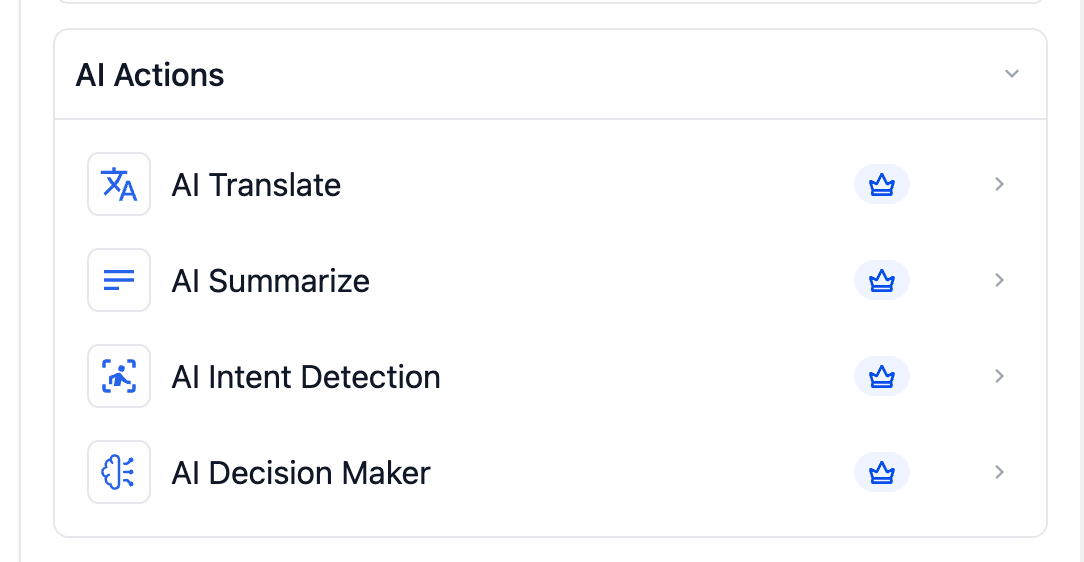
AI actions in workflows are now easier to locate, comprehend, and utilize. Improved naming conventions and grouping help users quickly identify the right action and reduce confusion when building or editing complex workflows.
• Clearer and more descriptive names for AI actions
• Improved organization of AI actions within the workflow builder
• Easier discovery of the correct AI action
• Reduced confusion when managing multiple AI steps
• Faster workflow building and editing experience
• Review existing workflows to familiarize yourself with updated action names
• Use the improved organization to build workflows faster
• Replace older AI actions only if adjustments are needed
• Keep workflows clean by removing unused actions
• Test workflows after edits to confirm expected behavior
Step 1
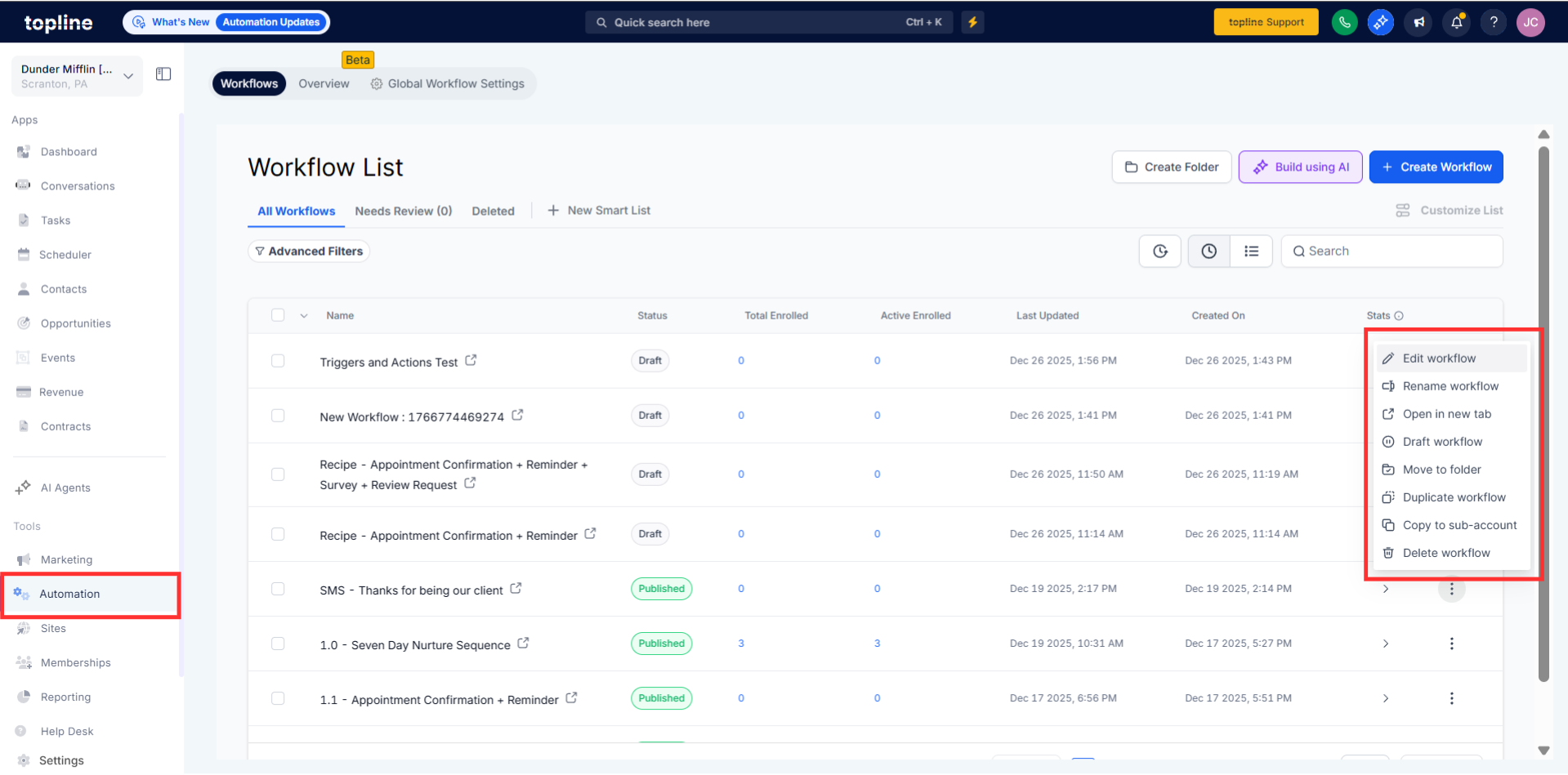
Navigate to your automation section and open an existing or new workflow.
Step 2
Browse the updated list of AI actions with improved naming. Confirm the selected AI action matches your intended use.
What changed with AI actions in workflows?
• The names and organization were improved for clarity and usability.
Do existing workflows still work the same way?
• Yes, existing workflows continue to function without changes.
Do I need to update old AI actions?
• No updates are required unless you want to make changes.
Are there new AI actions included?
• This update focuses on naming and organization, not new actions.
Will this affect workflow performance?
• No, it only improves the editing experience.
