You can now edit the text displayed before and after a visitor submits the contact form in the chat widget. This helps set expectations guide users through the process and reinforce next steps once their message is sent.
• Customizable pre submission message in the chat widget contact form
• Customizable post submission confirmation message
• Improved visitor guidance during form completion
• More control over chat widget messaging tone and clarity
• Better alignment with brand voice and communication style
• Use clear instructions to encourage form completion
• Set expectations for response time in the confirmation message
• Match message tone with your brand voice
• Keep messages short and easy to understand
• Test messaging to ensure clarity on mobile and desktop
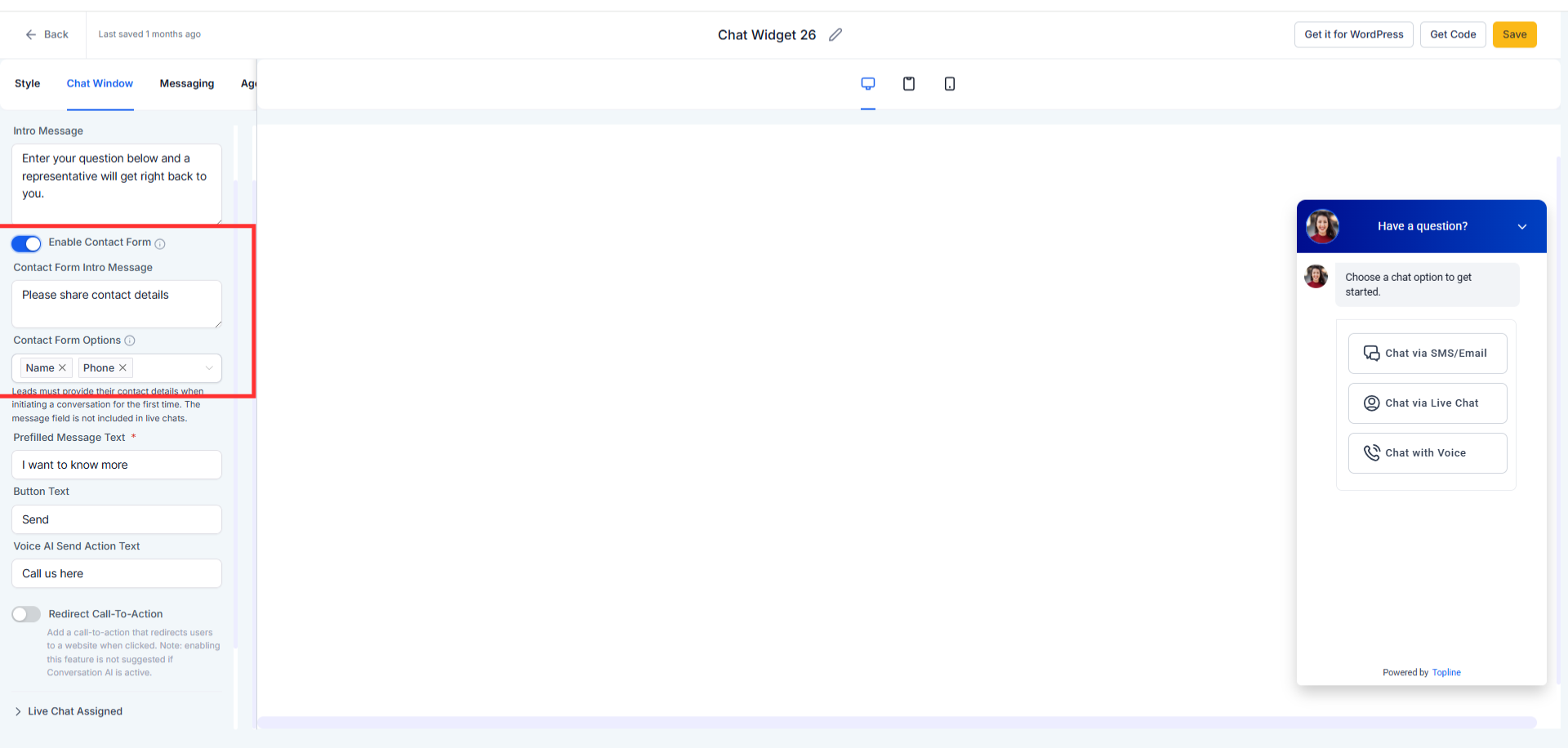
Step 1
Navigate to the chat widget configuration area. Find the settings for contact form messaging.
Step 2
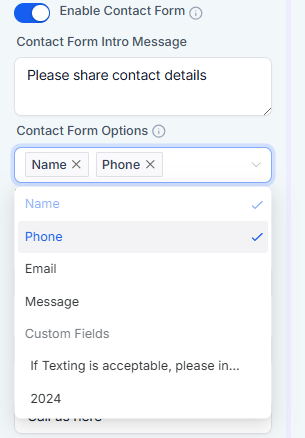
Customize the message shown before the form is submitted. Update the confirmation message displayed after submission.
What messages can be customized in the chat widget?
• You can customize both the pre-submission and post-submission messages.
Do these messages appear for all visitors?
• Yes, all visitors using the chat widget will see the updated messages.
Can I change the messages at any time?
• Yes, messages can be edited whenever needed.
Does this affect form functionality?
• No, it only changes the displayed text, not how the form works.
Are the messages shown on mobile devices?
• Yes, the messages appear on both mobile and desktop views.
