You can now automatically assign document and contract fields using workflow data. This ensures the right people are assigned to sign or complete fields every time based on contact ownership assigned users or other workflow logic, making document delivery faster and more reliable.
• Dynamic assignment of fillable fields through workflows
• Automatic mapping of signer and field roles
• Reduced manual configuration for documents and contracts
• Improved accuracy for document completion
• Better automation for document delivery processes
• Use dynamic assignment to reduce human error
• Align workflow ownership rules with document roles
• Test document sending with sample contacts first
• Keep field roles clearly labeled for easy mapping
• Use automation for high-volume document workflows
Step 1
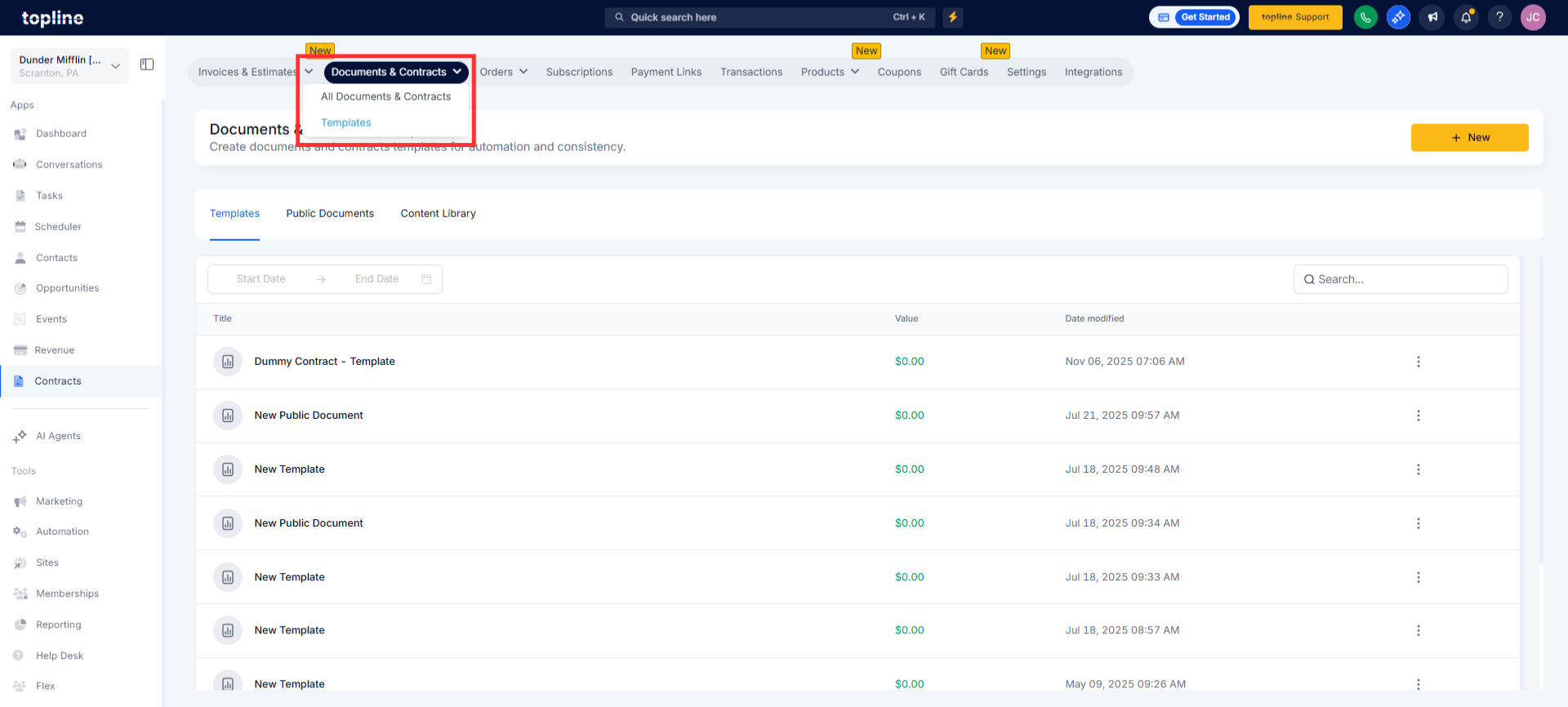
Navigate to your Documents & Contracts section and open an existing or new document.
Step 2
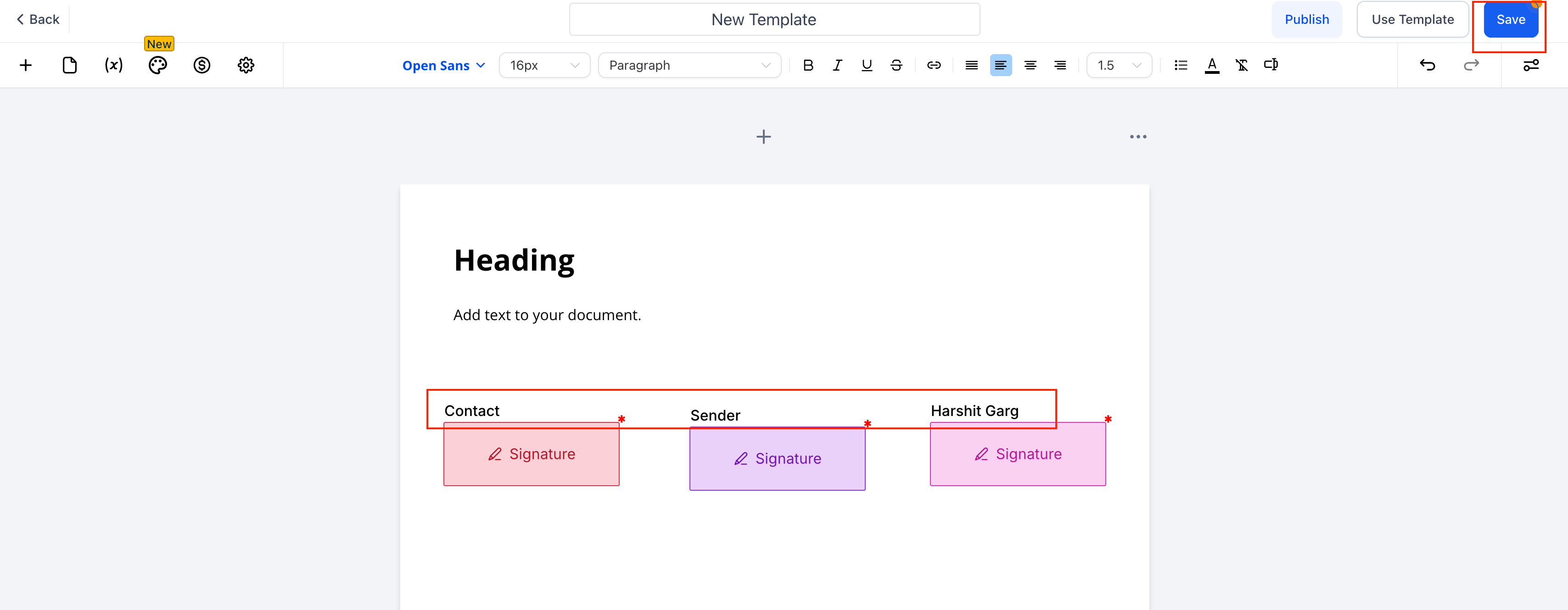
Click New and open the template editor. Add a Signature or any other fillable field. Set “To be signed by” > Sender.
Step 3
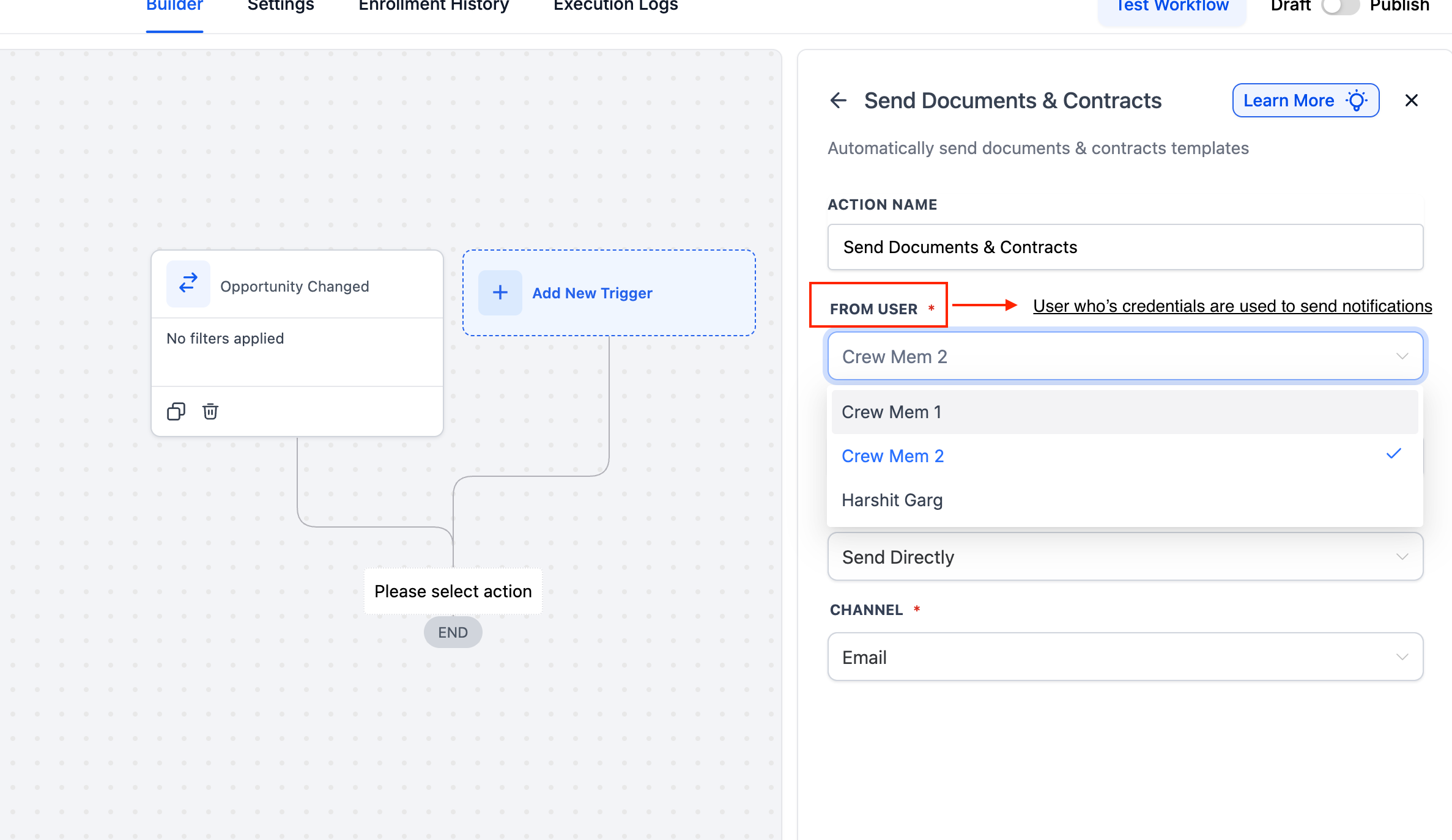
Navigate to your automation section and open an existing or new workflow. Insert the action that sends a document or contract.
Step 4
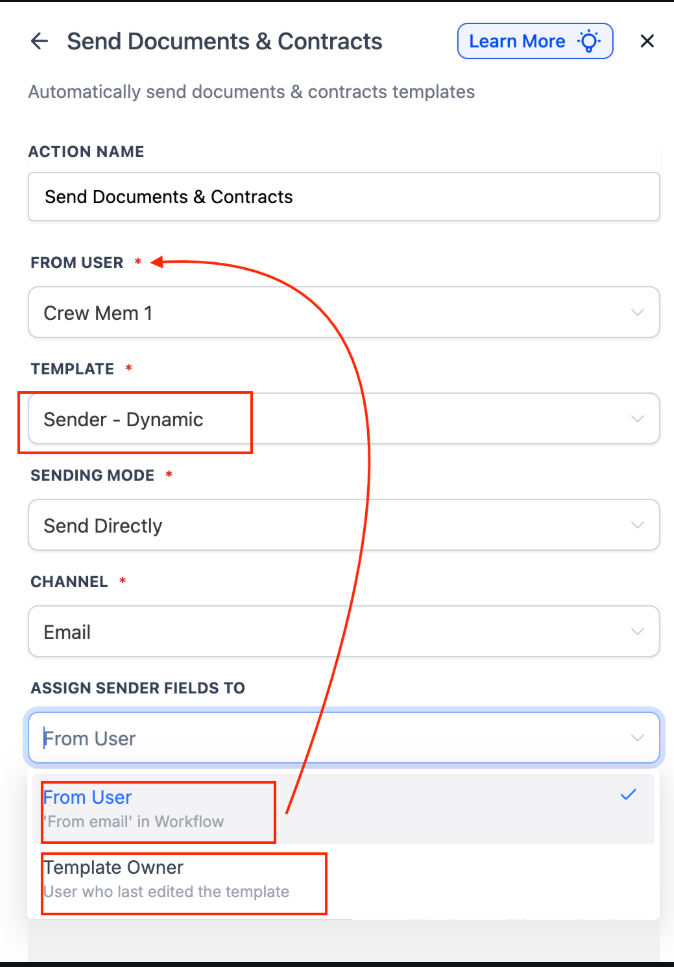
Enable dynamic assignment for fillable fields within the action. Choose how each fillable field is assigned using contact or user data.
What does a dynamic fillable field assignment do?
• Automatically assigns document fields using workflow data
Do I still need to assign fields manually?
• No, manual assignment is needed when dynamic rules are used
Can this work with existing documents?
• Yes, existing documents can use dynamic field assignment
What data can be used to assign fields?
• Contact data assigned users and workflow logic
Does this affect the document signing order?
• No, signing order remains unchanged unless edited
