Admins now have the ability to reassign contacts from one affiliate to another without recreating records. This improvement helps maintain clean data accurate attribution and smoother management when contacts need to be reassigned due to changes in responsibility or routing.
• Admin ability to reassign contacts between affiliates
• Improved control over contact ownership
• Faster correction of misassigned contacts
• Reduced need to duplicate or recreate records
• Better visibility into affiliate level contact management
• Reassign contacts promptly to keep ownership accurate
• Review contact details before completing reassignment
• Use this feature when affiliate responsibility changes
• Avoid duplicate records by reassigning instead of recreating
• Confirm reassignment after saving changes
Step 1
Navigate to the marketing area and locate the affiliate manager.
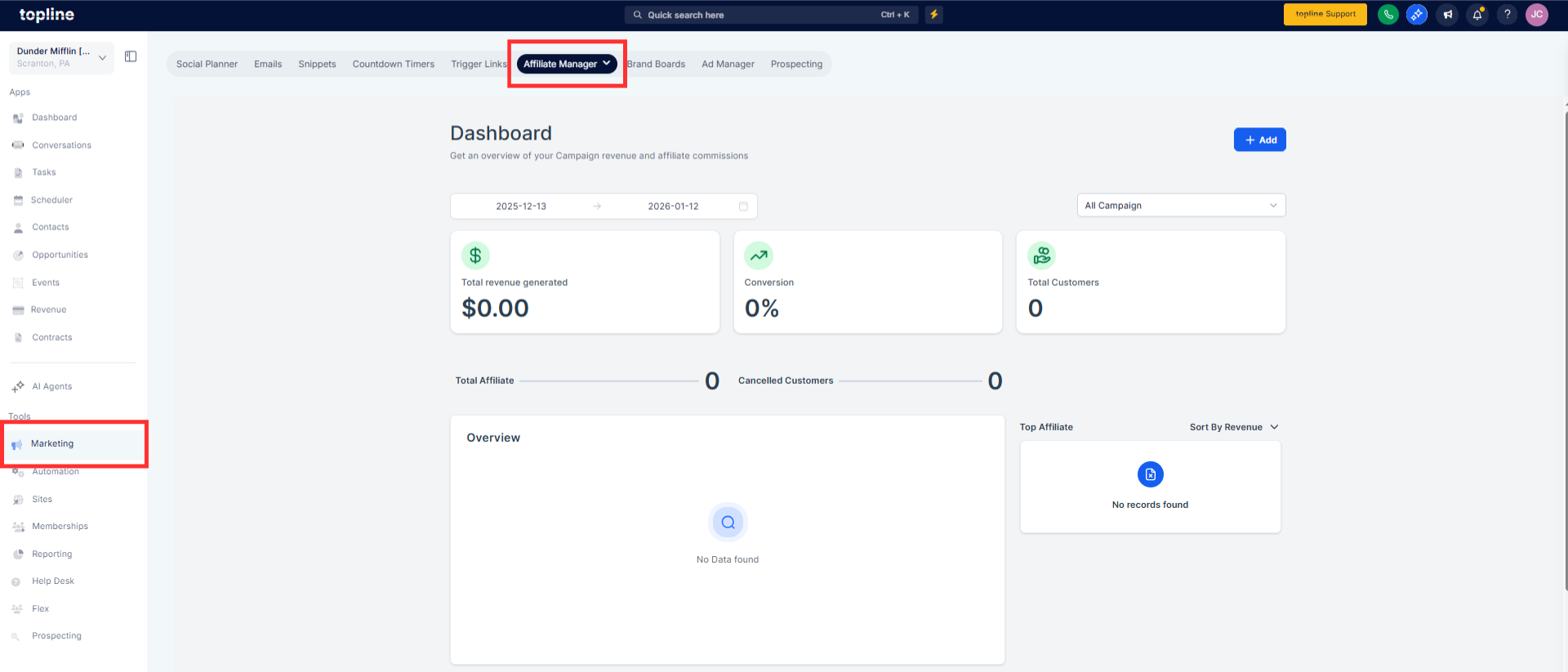
Step 2
Open the contact options available to admins. Choose the option to move the contact to another affiliate.
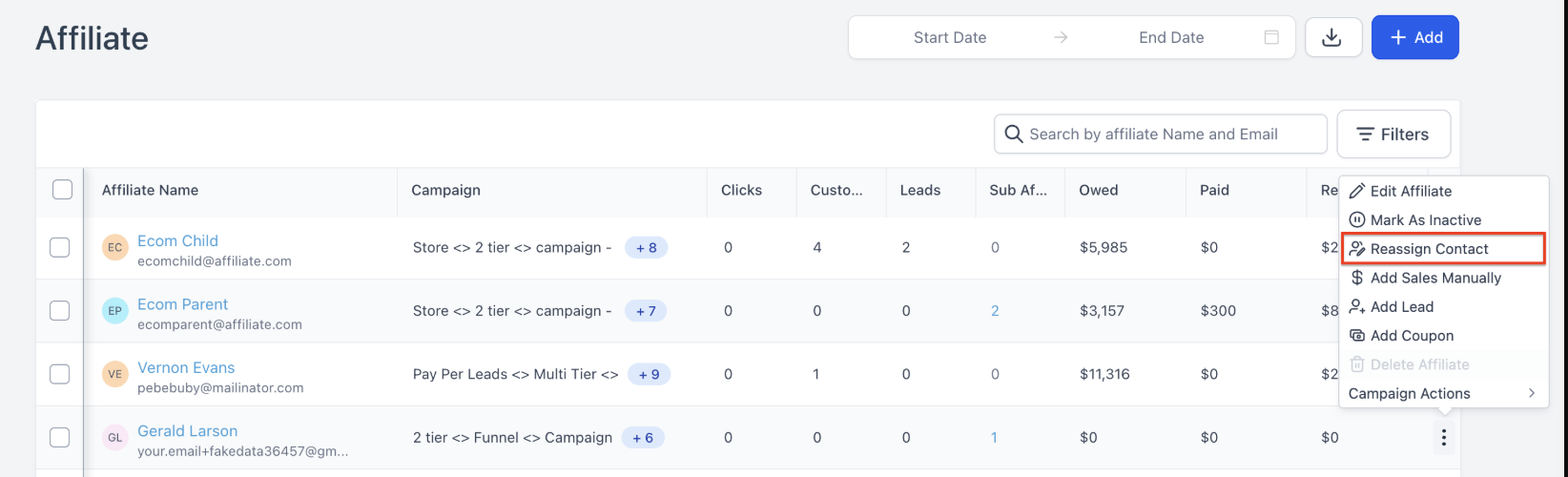
Step 3
You can select the correct affiliate from the available list.
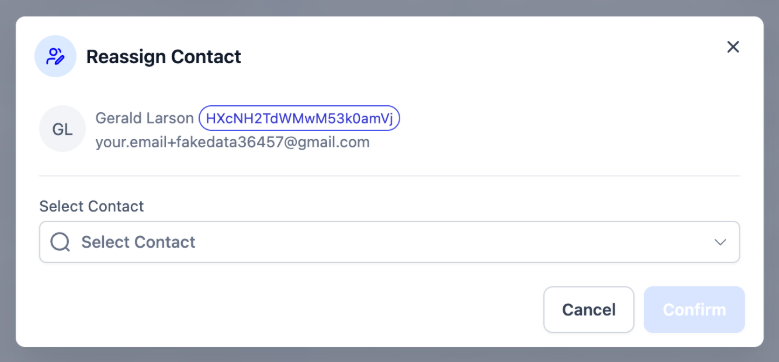
Who can reassign contacts between affiliates?
• Only users with admin permissions can perform this action.
Does reassignment affect contact history?
• Not all past activity and history remain intact.
Can multiple contacts be reassigned?
• This action is performed on individual contacts.
Is reassignment reversible?
• Yes, contacts can be reassigned again if needed.
Does this change reporting data?
• Ownership updates may affect future affiliate reporting.
