You can now clone existing course content directly inside the new course builder. This helps save time ensures consistency and speeds up course creation when repeating layouts modules or lesson formats across a course.
• Ability to clone lessons and sections within a course
• Faster course creation using existing content
• Improved consistency across repeated course materials
• Reduced manual setup when building similar lessons
• Smoother experience inside the new course builder
• Clone lessons to reuse proven structures and formats
• Rename cloned content immediately to avoid confusion
• Review cloned materials to ensure details are up to date
• Use cloning when building multi-module courses
• Keep the course organization clean by grouping similar content
Step 1
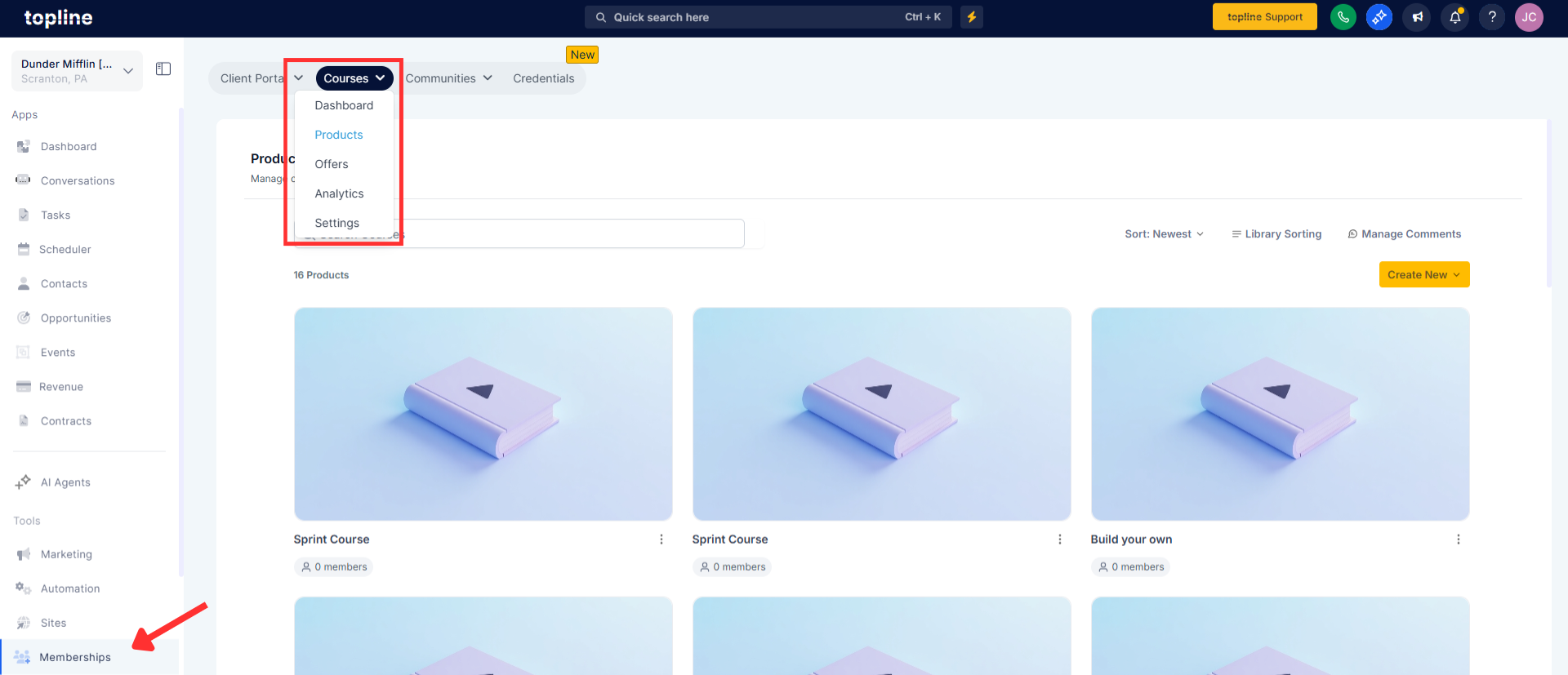
Navigate to the memberships, then to the products area and open a course using the new builder.
Step 2
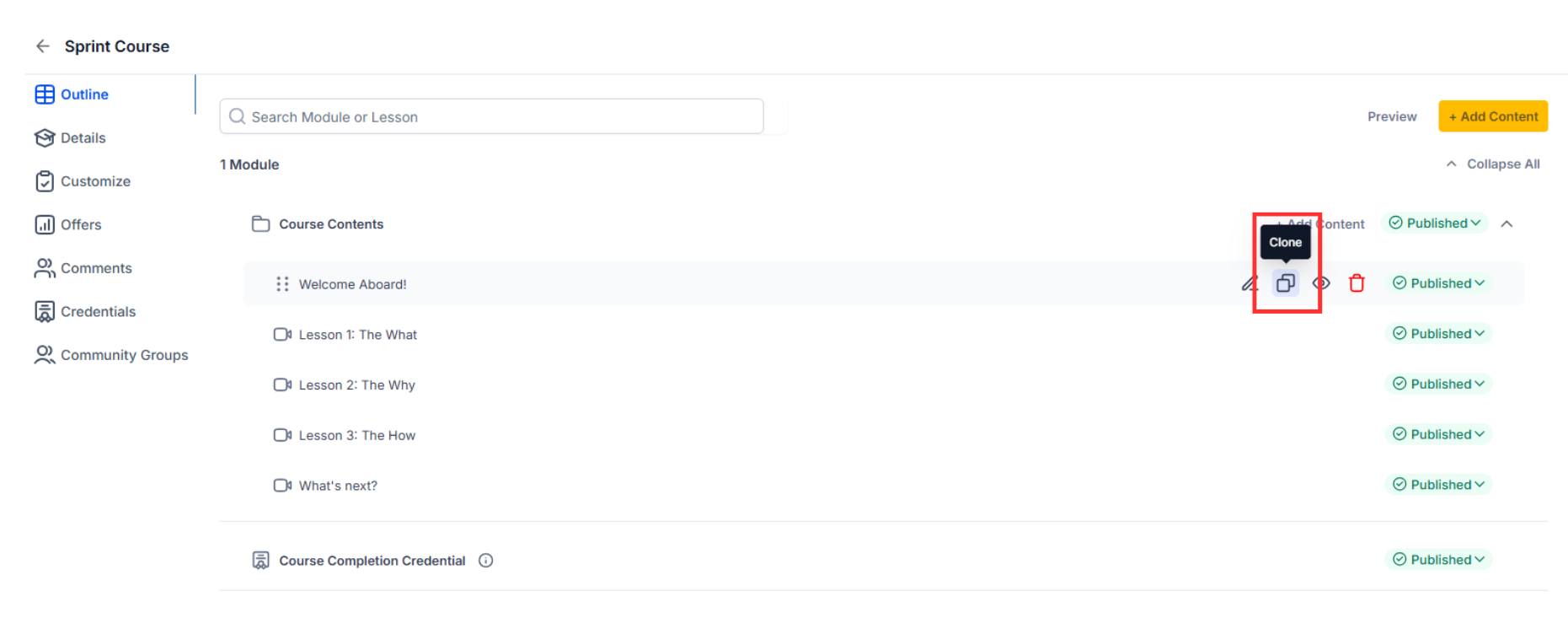
Find the lesson or section you want to duplicate. Choose the clone action from the content options menu.
Step 3
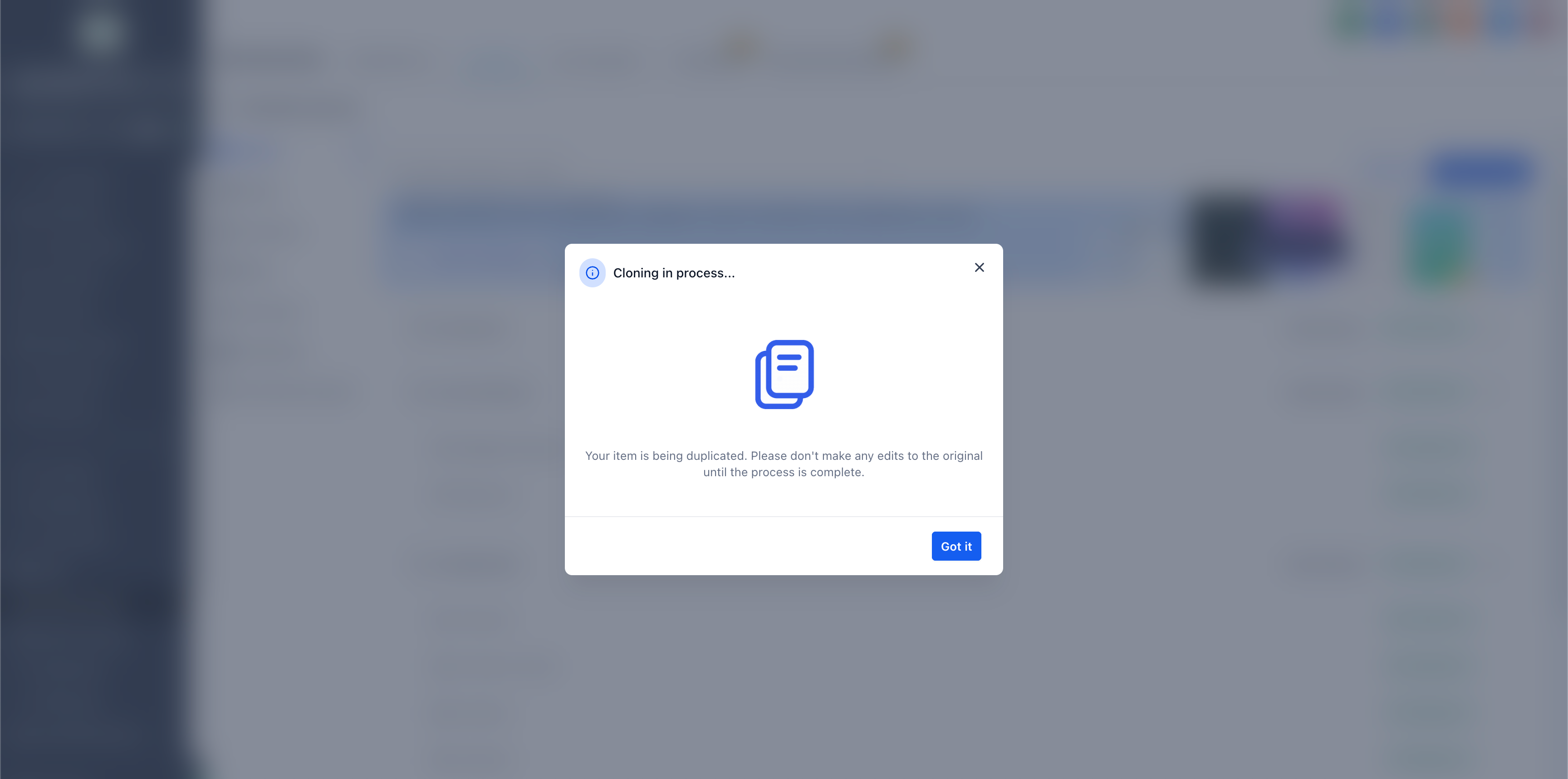
Allow the system to generate a copy of the selected content.
What content can be cloned in the course builder?
• Lessons and sections within a course can be duplicated.
Does cloning copy all lesson details?
• Yes, the content structure and settings are copied.
Can I edit cloned content independently?
• Yes, cloned items can be fully customized after creation.
Does this affect published courses?
• No, changes only apply to the course you are editing.
Is this available only in the new builder?
• Yes, cloning is supported within the new course builder.
