You can now define which workflow builder is used by default and limit who is allowed to change between builders. This helps maintain consistency, reduces confusion, and ensures teams follow the preferred workflow creation experience.
• Ability to select a default workflow builder
• Control over who can switch between workflow builders
• Improved consistency across workflow creation
• Reduced accidental builder changes
• Better governance for team-based workflow management
• Set a default builder to align with team standards
• Limit builder switching to experienced users only
• Review settings before onboarding new team members
• Keep builder access consistent to reduce errors
• Revisit permissions as workflows and teams evolve
Step 1
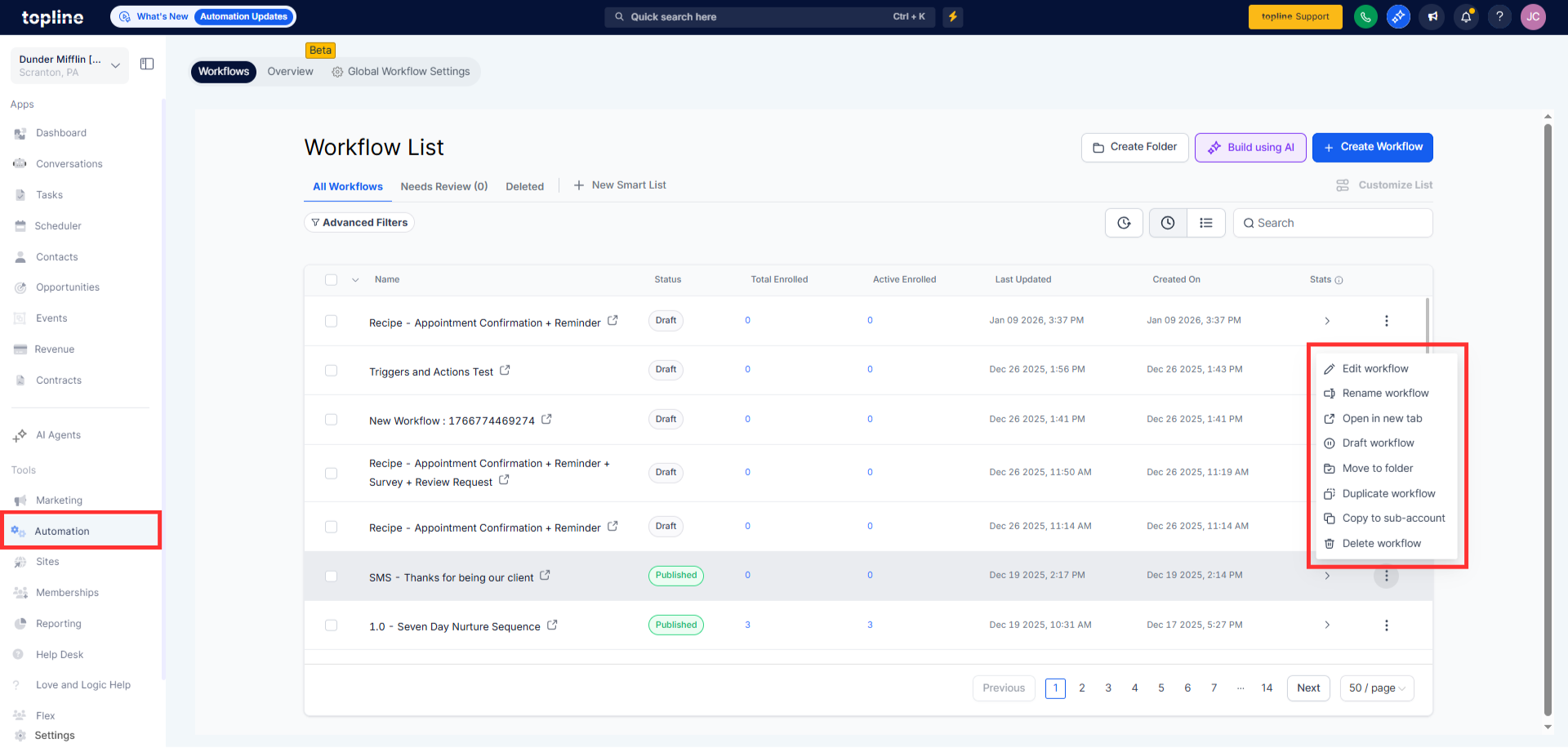
Navigate to your workflow settings area. Find the section related to workflow builder options.
Step 2
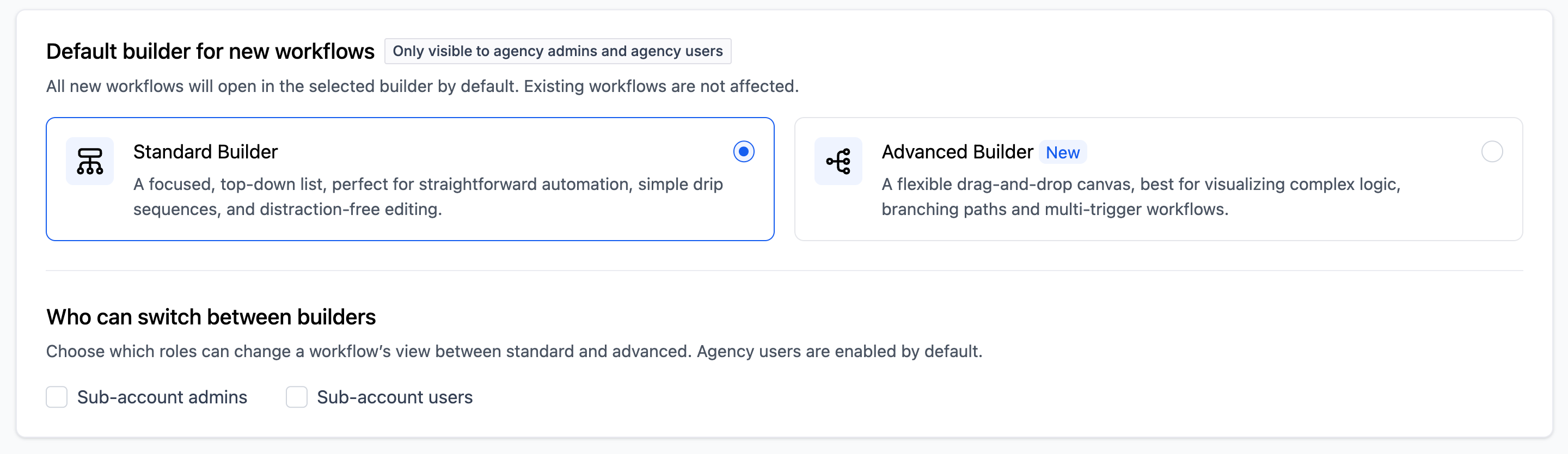
Select which builder should be used by default. Define which users are allowed to switch builders.
FAQ’s
What does the default builder setting do?
• It determines which workflow builder opens automatically.
Who can switch between workflow builders?
• Only users with permission can change builders.
Does this affect existing workflows?
• No existing workflows remain unchanged.
Can the default builder be changed later?
• Yes, the setting can be updated at any time.
Why restrict builder switching?
• It helps maintain consistency and reduces setup mistakes.
