The conversations page has been refined with layout enhancements and smoother interactions. These changes enable users to read messages more quickly, switch between conversations with ease, and stay organized when handling high volumes of messages.
• Improved layout for clearer message visibility
• Better spacing and alignment for conversation items
• Smoother scrolling and interaction performance
• Cleaner visual hierarchy for easier navigation
• Enhanced usability when managing multiple conversations
• Use the improved layout to scan conversations more quickly
• Switch between conversations confidently without losing context
• Keep conversations organized to take full advantage of the cleaner view
• Review message threads fully before responding
• Combine quick replies with the improved interface for faster response times
Step 1
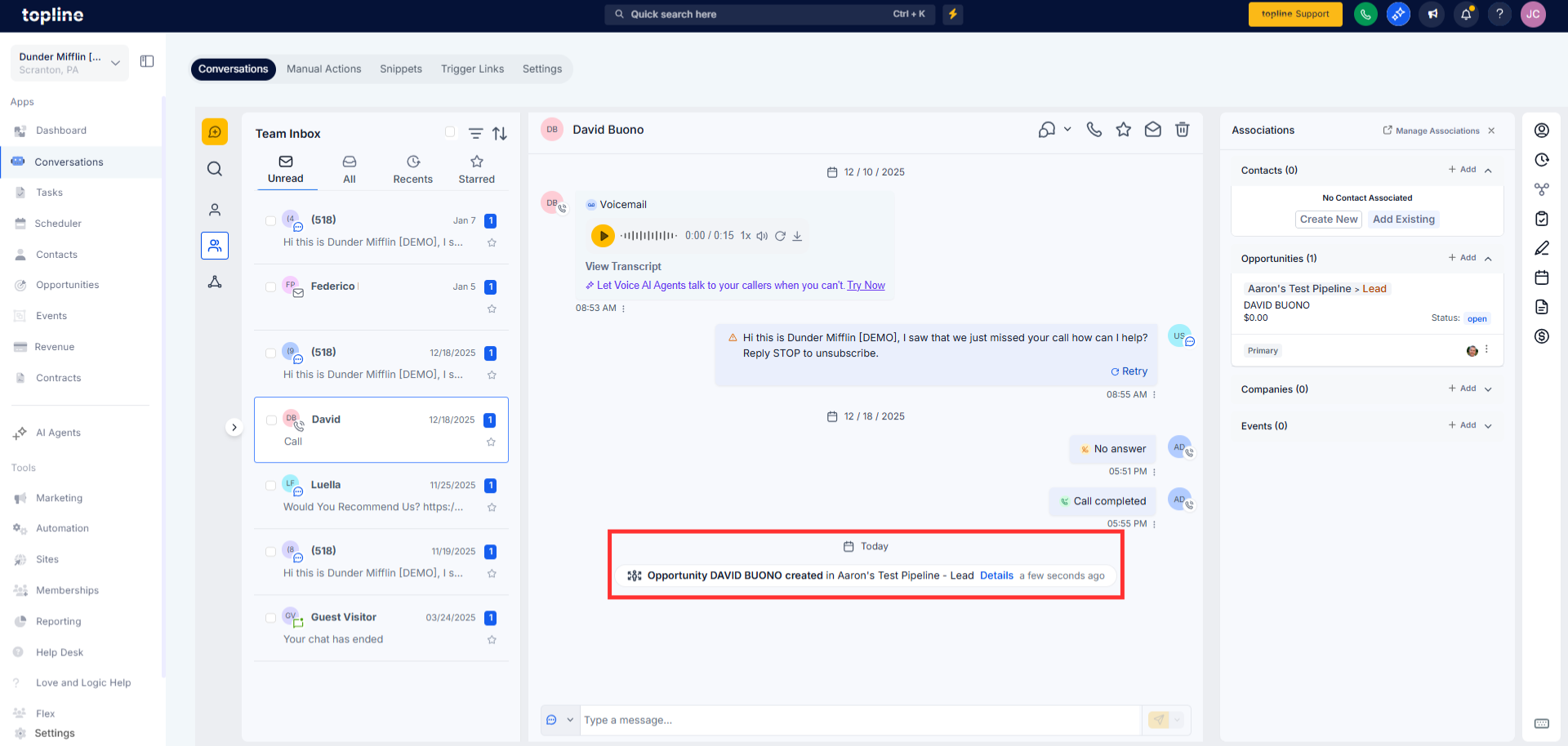
Navigate to the conversations section from your main navigation. Observe the refreshed layout and improved spacing. Click or tap on any conversation to view message details.
Step 2
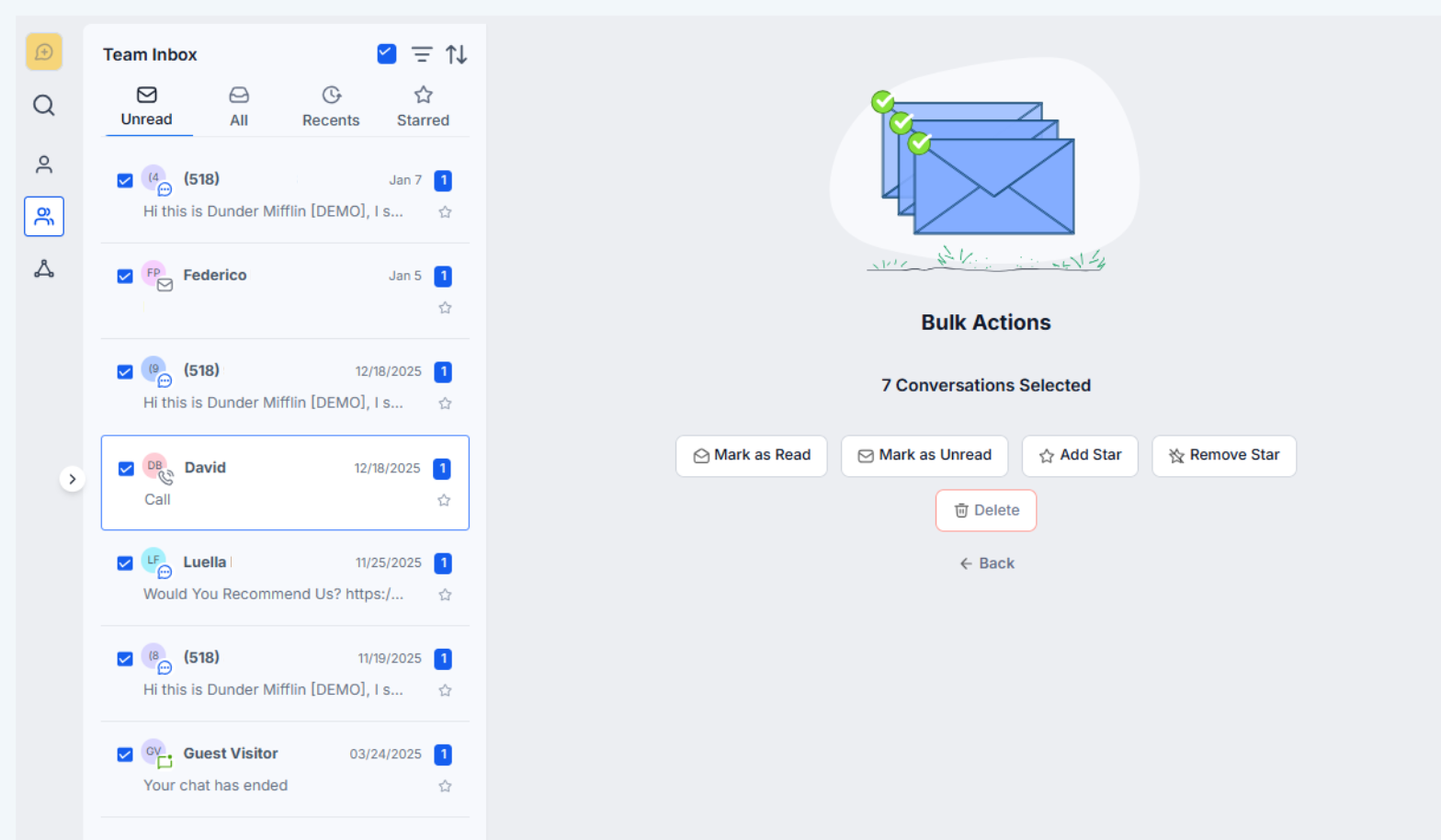
Move between conversations using the improved list view. Respond to messages and review threads using the updated interface. and use the check box for bulk actions.
What was improved on the conversations page?
• Layout spacing, visibility, and navigation were enhanced.
Do I need to enable these changes?
• No, the improvements are applied automatically.
Does this affect message history?
• Not all existing messages remain unchanged.
Will this change how conversations work?
• No, only the interface and usability were improved.
Is this update available on mobile?
• The improvements apply wherever the conversations page is supported.
