The contact detail page has been refreshed with a modern design that improves readability and navigation. Important information, activity history, and actions are now easier to locate, allowing users to work more efficiently from a single view.
• Redesigned layout for the contact detail page
• Improved organization of contact information
• Clearer visibility of activity and communication history
• Easier access to common actions
• Cleaner and more streamlined interface
• Take time to explore the new layout for faster navigation
• Use activity history to quickly understand recent interactions
• Keep contact details updated for best usability
• Use notes and tasks to maintain a clear context
• Review the page on mobile and desktop for comfort
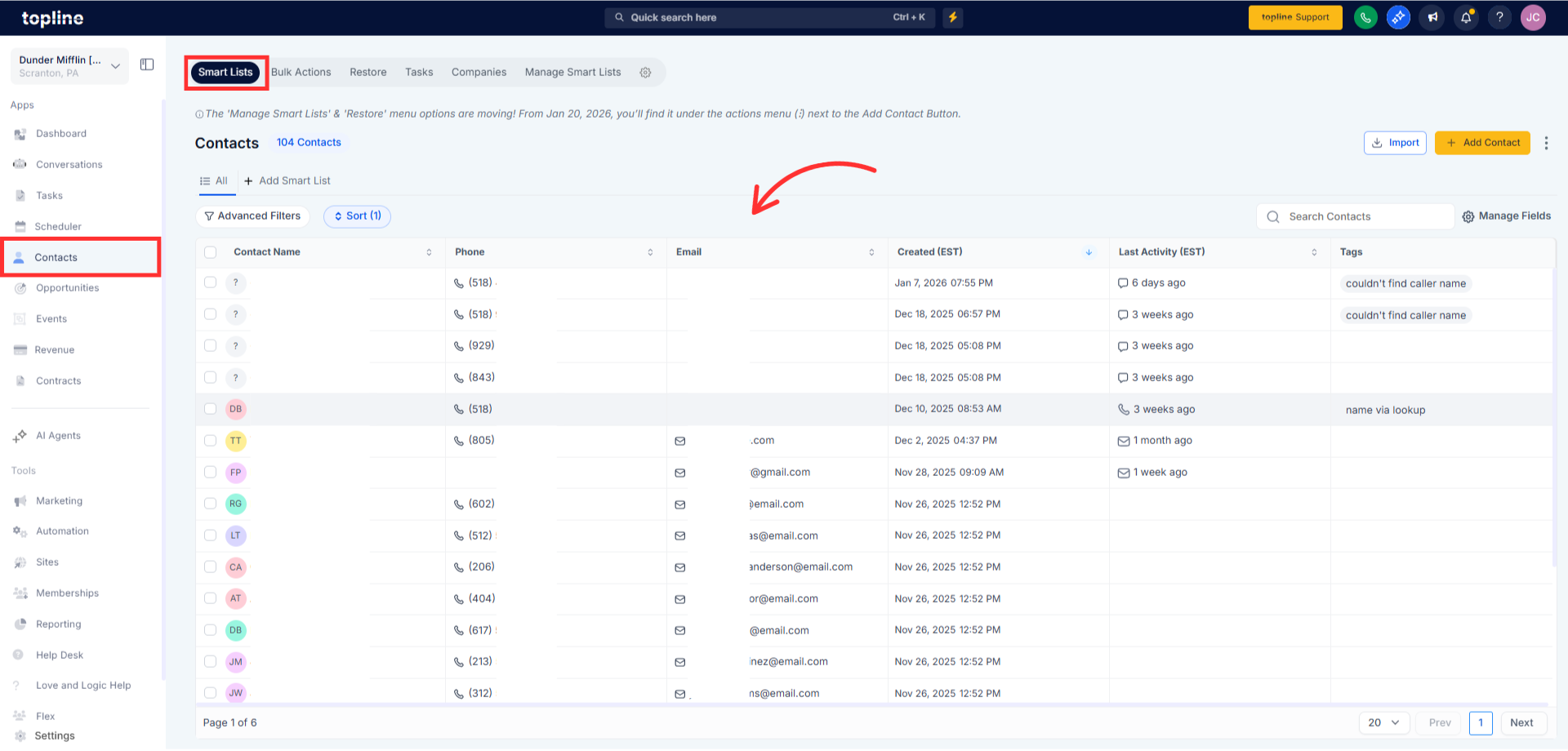
Step 1
Navigate to your contacts section. Click on any contact to open the detail view.
Step 2
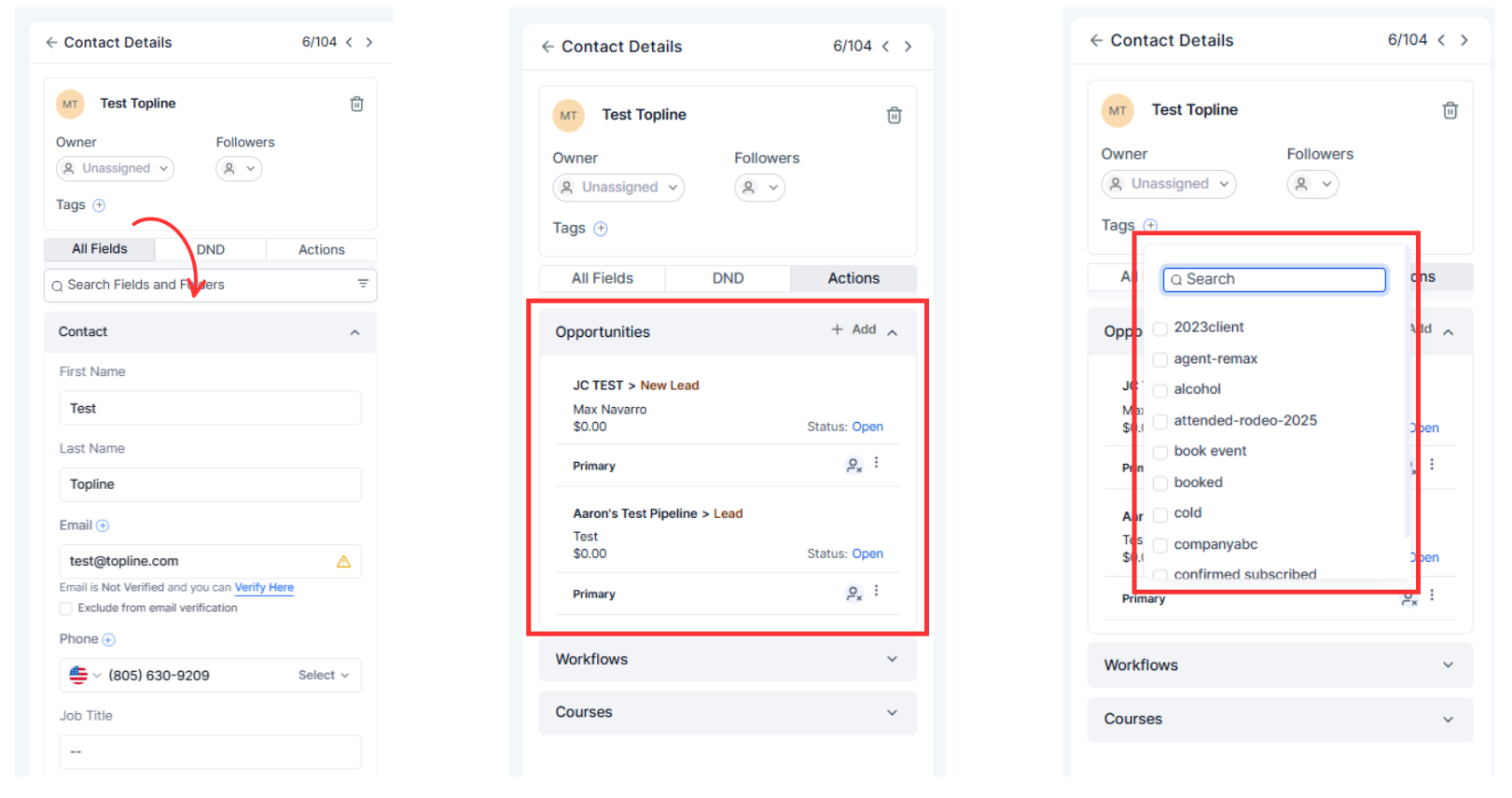
Explore the updated layout and sections. Access actions like messaging, calling, or editing details.
What is new in the contact detail page redesign?
• The layout, organization, and overall usability have been improved.
Do I need to enable the redesigned page?
• No, the update is applied automatically.
Has any contact data changed?
• Not all existing data remains the same.
Are actions easier to find now?
• Yes, common actions are more visible and accessible.
Do you know if this works on mobile devices?
• Yes, the redesign adapts to supported screen sizes.
