Submission PDFs now use a cleaner layout and can include uploaded attachments from quiz results pages. This makes it easier to review responses share files and store complete records without missing important information.
• Updated submission PDF layout for better readability
• Attachments now included in submission PDFs
• Quiz results pages support attachment inclusion
• Improved presentation of submitted information
• More complete records when exporting or sharing PDFs
• Review the new PDF layout before sharing with clients or teams
• Encourage users to upload attachments when relevant
• Use PDFs for record keeping and offline review
• Check attachment visibility after exporting PDFs
• Store PDFs in a central location for easy access
Step 1
Navigate to a completed submission or quiz results page.
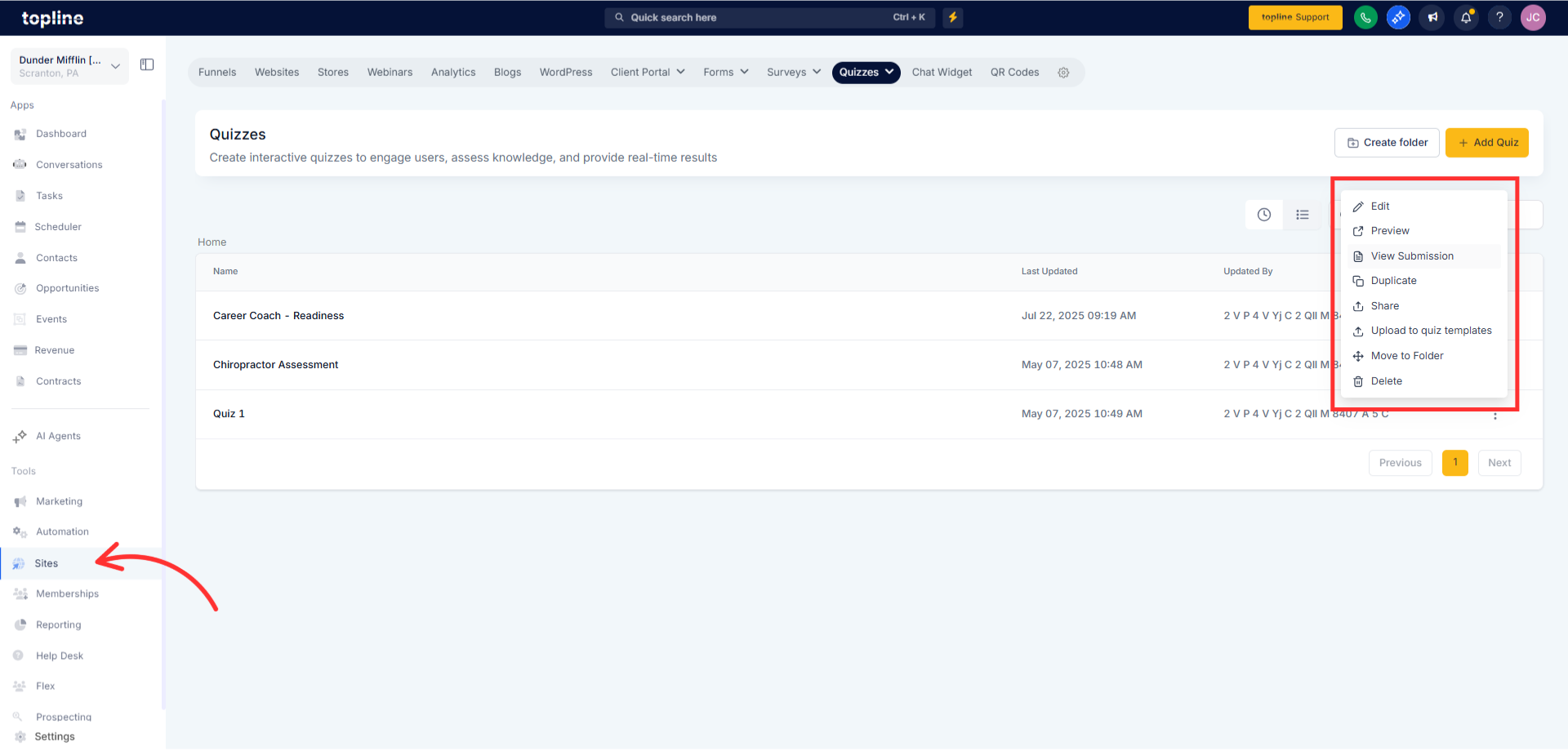
Step 2
Confirm any uploaded attachments are visible on the results page. Select the option to export or generate the submission PDF.
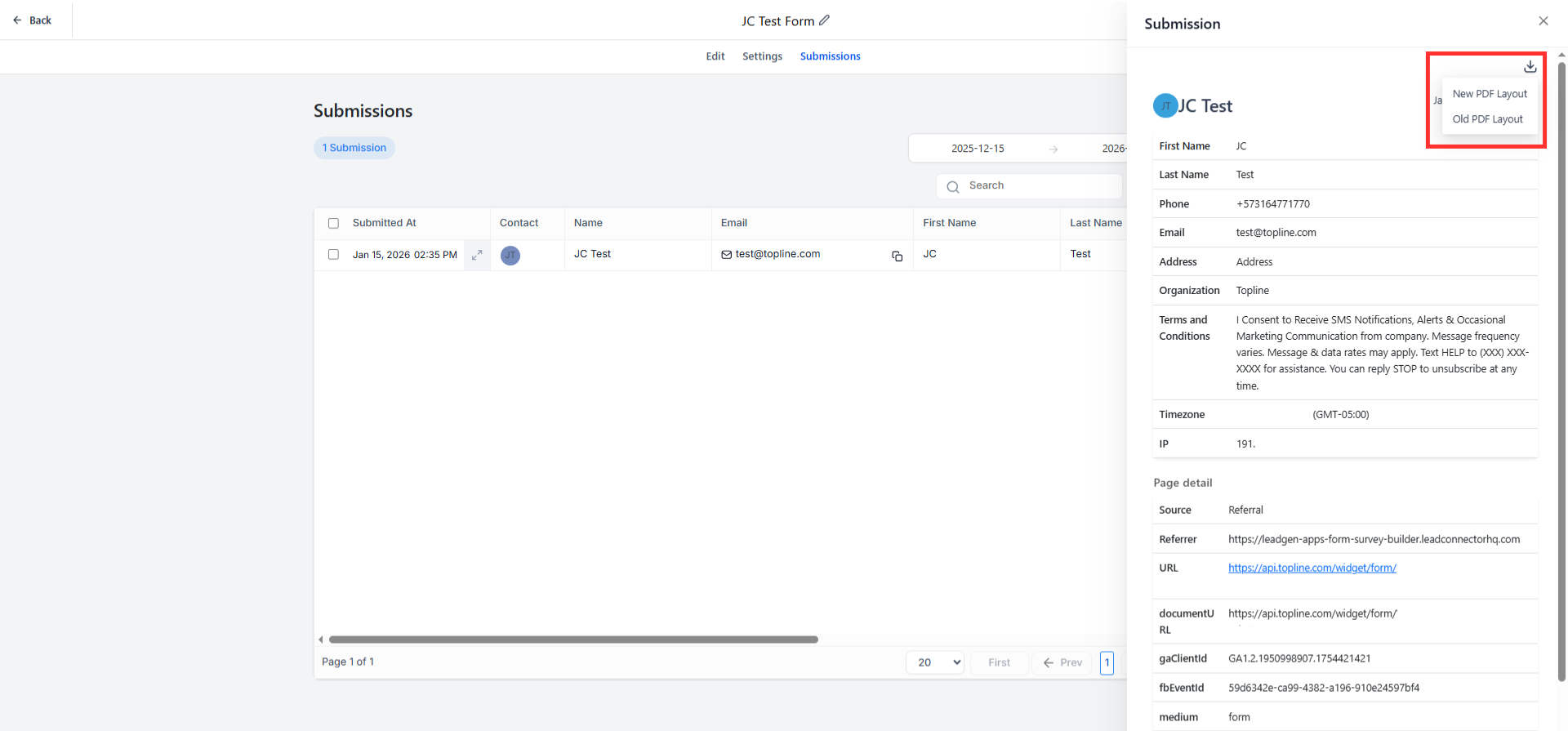
What changed in the submission PDF layout?
• The layout is cleaner and now supports attachments.
Are attachments included automatically in PDFs?
• Yes, uploaded attachments are included in the generated PDF.
Does this apply to quiz results pages?
• Yes, quiz results pages now support attachments in PDFs.
Do I need to enable this feature?
• No, the update is applied automatically.
Do you know if existing submissions are affected?
• Existing submissions can use the new PDF layout when exported.
