The workflow AI assistant can now search and understand knowledge base content more effectively. This results in better answers improved accuracy and more relevant outputs when workflows rely on stored documentation and reference material.
• Smarter knowledge base search within the workflow AI assistant
• Improved understanding of existing knowledge base content
• More accurate AI-generated responses
• Better use of stored documentation in automation
• Reduced need for manual prompt adjustments
• Keep knowledge base content clear and well-organized
• Update articles regularly to improve AI response quality
• Use descriptive titles for knowledge base entries
• Test AI responses after major content updates
• Combine AI steps with conditions for better control
Step 1
Navigate to your automation section and open an existing or new workflow.
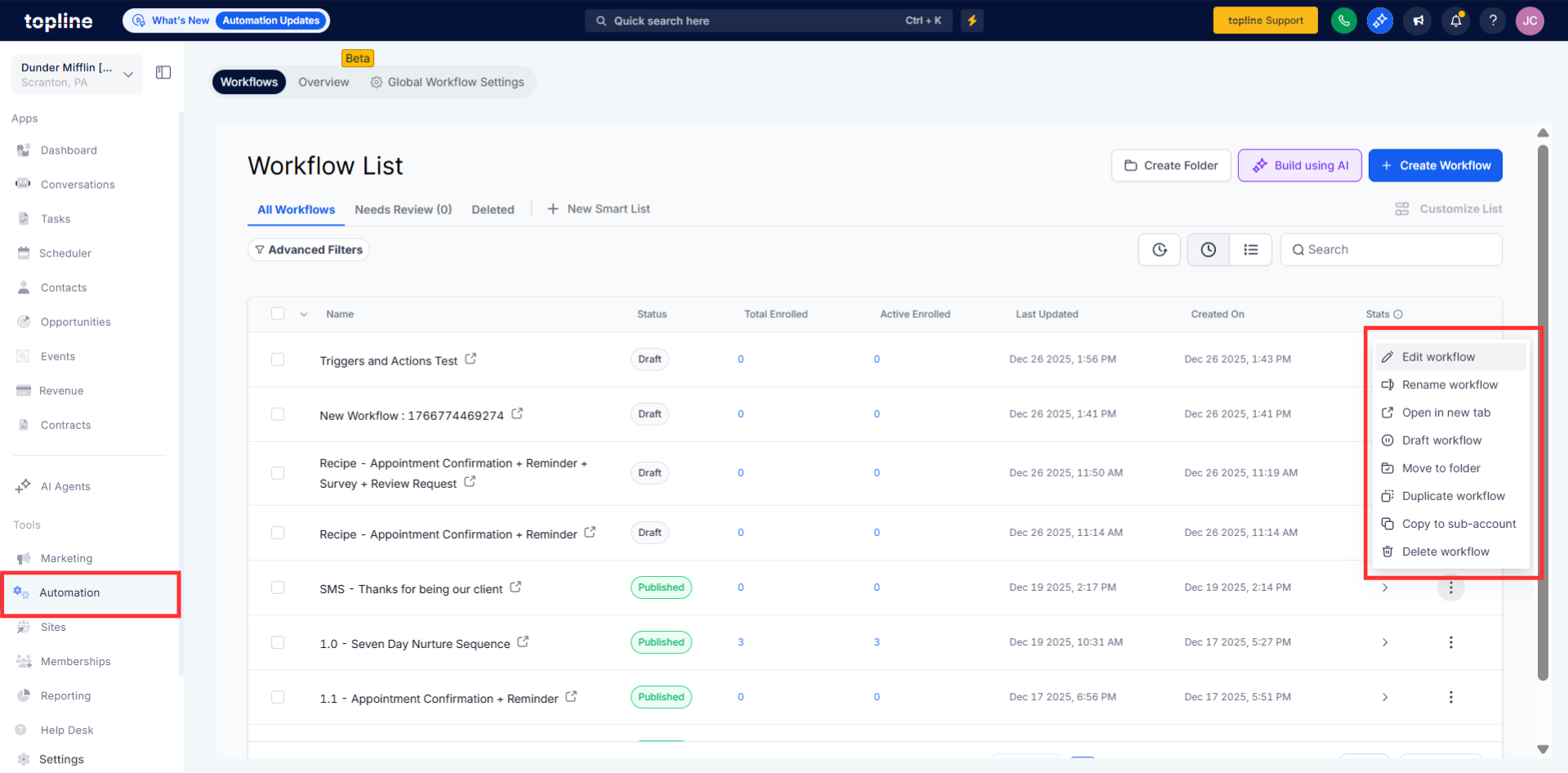
Step 2
Insert the AI assistant action into the workflow. Ensure the workflow is set to reference available knowledge base content.
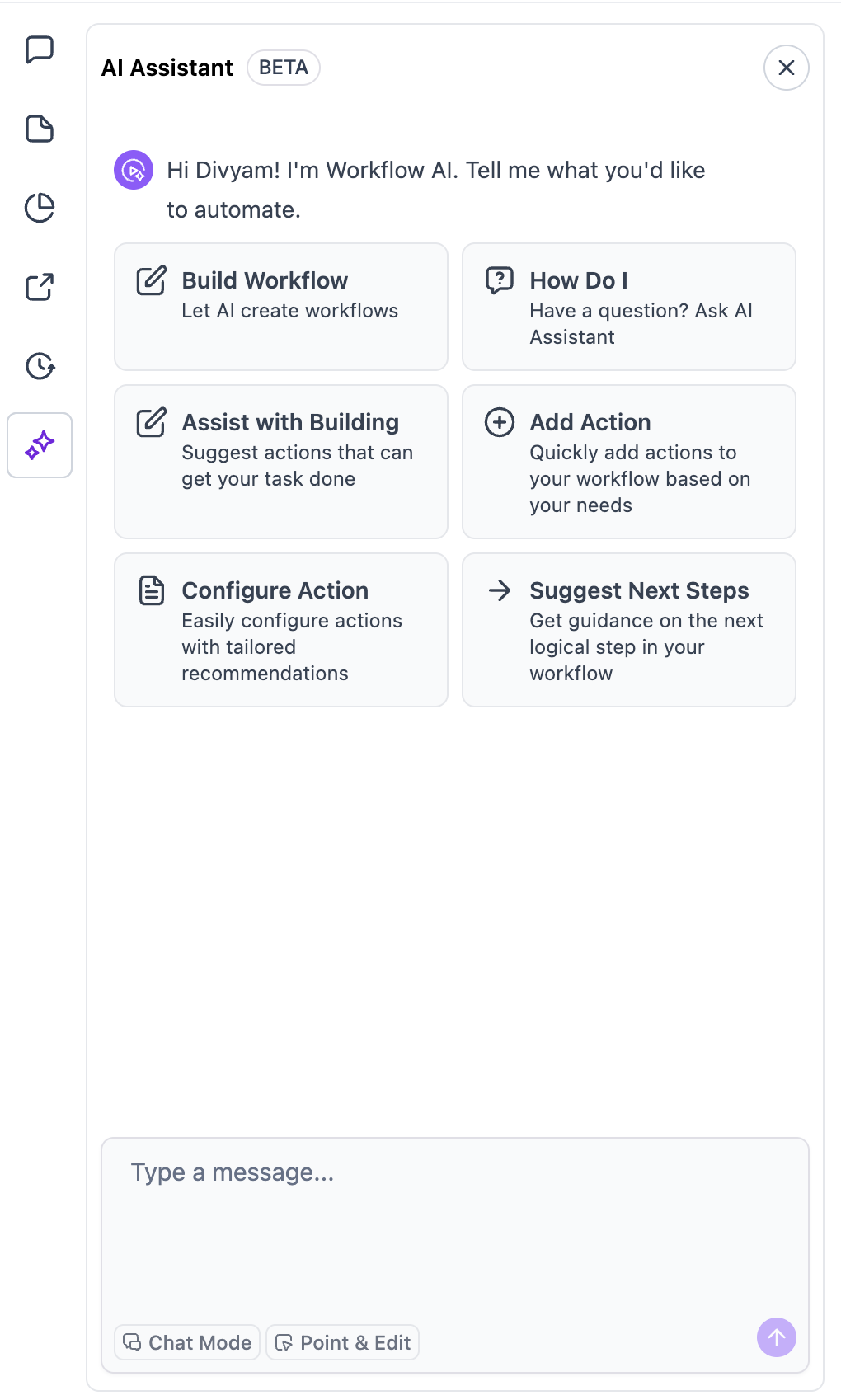
What is improved about the AI assistant's knowledge search?
• It now finds and uses relevant knowledge base content more accurately.
Do I need to enable this improvement manually?
• No, the enhancement is applied automatically.
Does this affect existing workflows?
• No, existing workflows continue to run as before.
What content does the AI assistant search?
• It searches available knowledge base articles and documentation.
Can I control which content is used?
• Yes, by managing and updating your knowledge base entries.
