The opportunity changed trigger now provides improved detection and handling of updates. This allows workflows to respond more reliably when opportunity details change, resulting in better timing cleaner automation logic and fewer unintended executions.
• Improved opportunity changed trigger accuracy
• Better handling of stage and status updates
• Reduced duplicate or unnecessary workflow runs
• More reliable automation behavior tied to opportunity changes
• Enhanced control for sales and pipeline workflows
• Use the updated trigger for stage based follow ups
• Review existing workflows that rely on opportunity changes
• Add conditions to refine when actions should run
• Test workflows after updating triggers for accuracy
• Keep opportunity stages clearly defined for best results
Step 1
Navigate to your automation section and open an existing or new workflow.
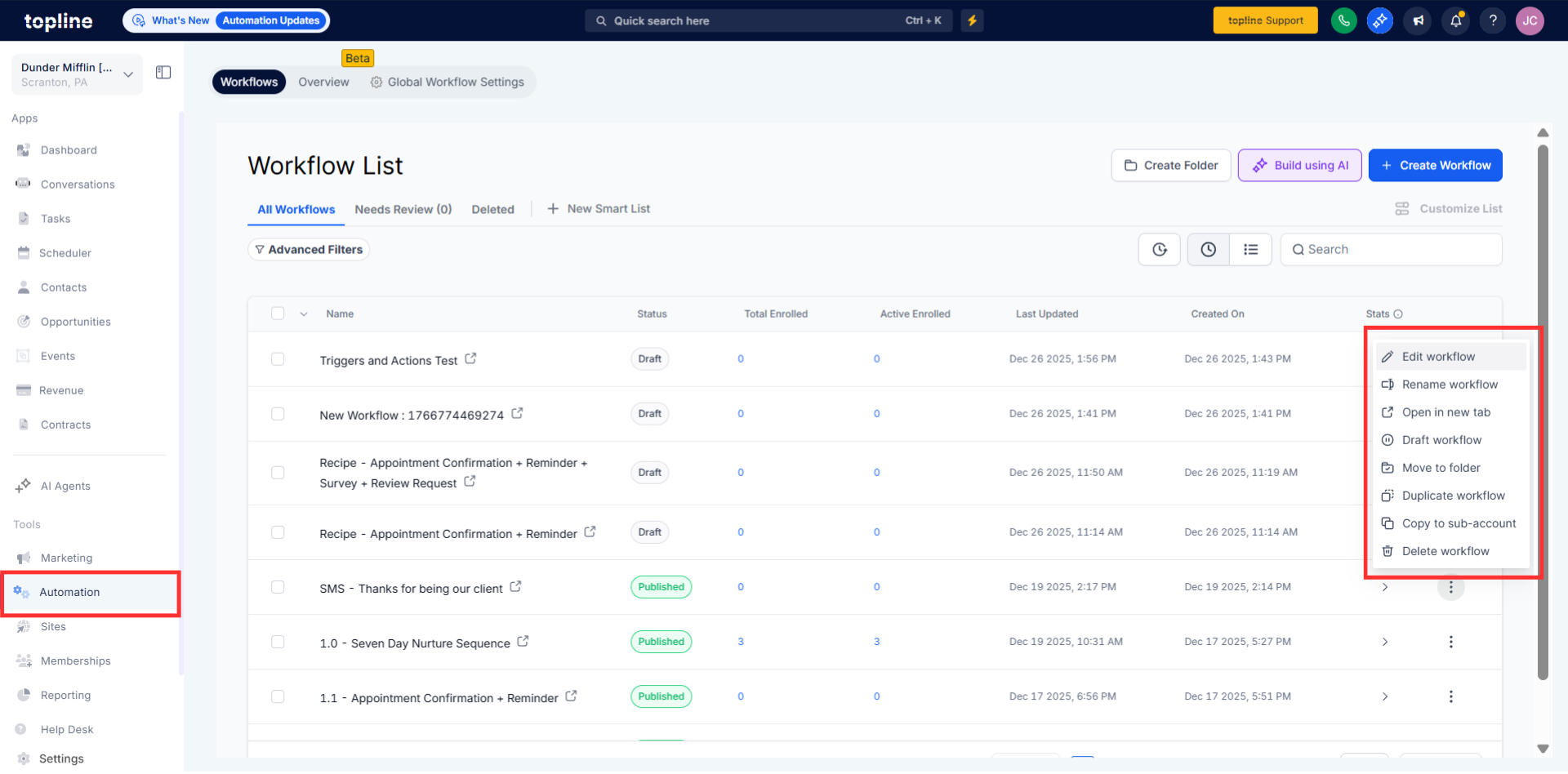
Step 2
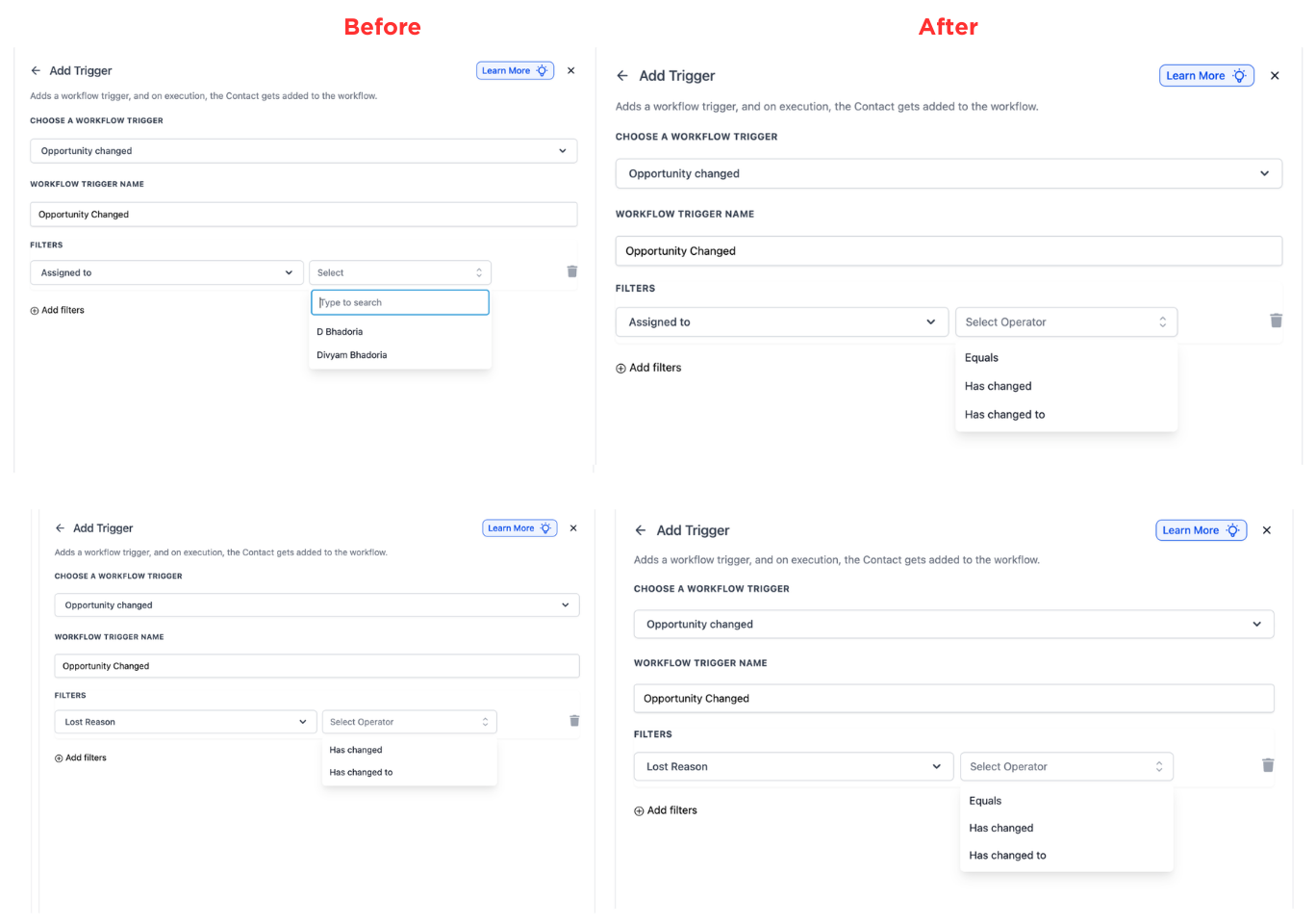
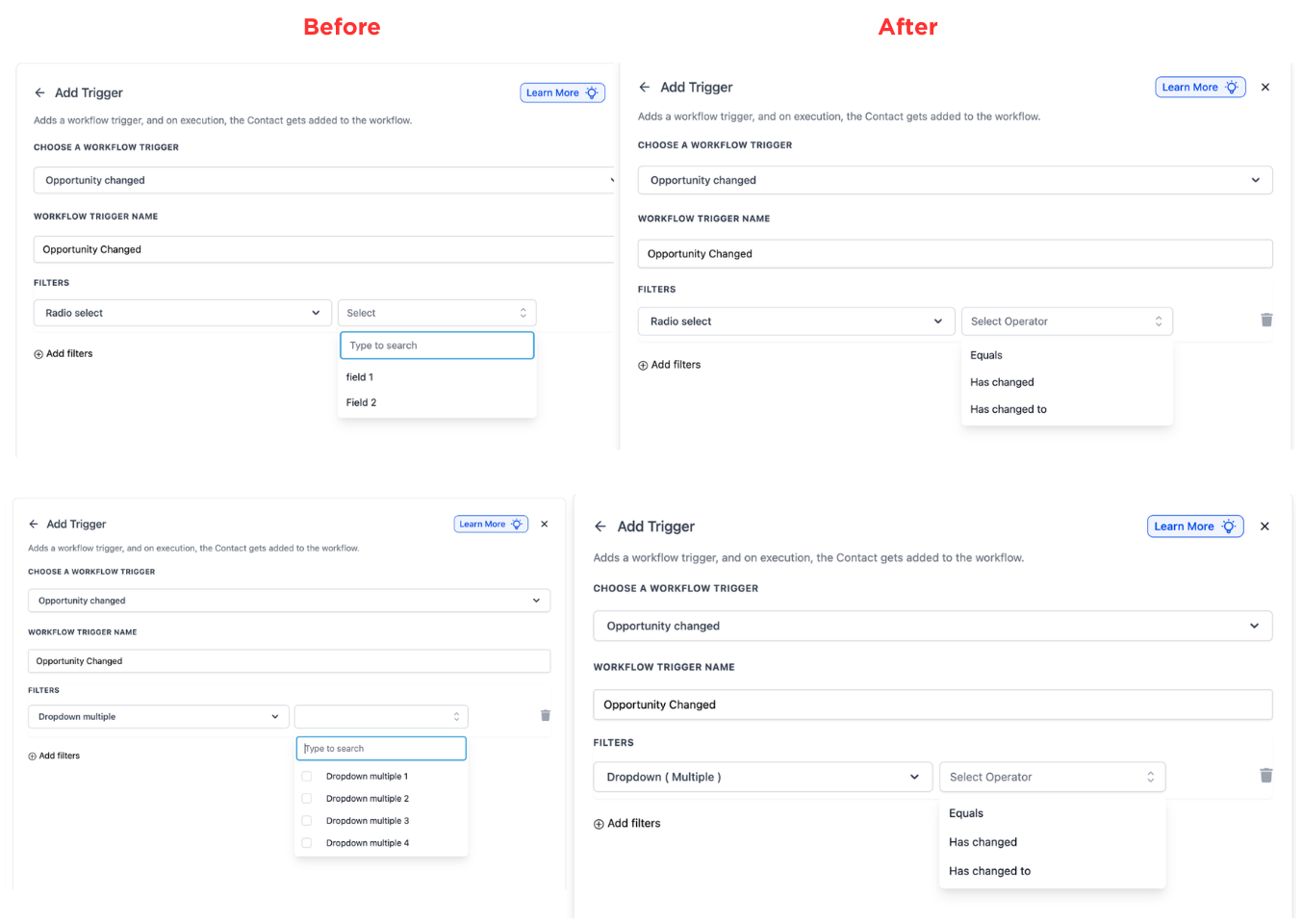
Select the opportunity changed trigger when setting up the workflow. Define which opportunity updates should activate the workflow.
Step 3
Insert the actions you want to run when the trigger fires.
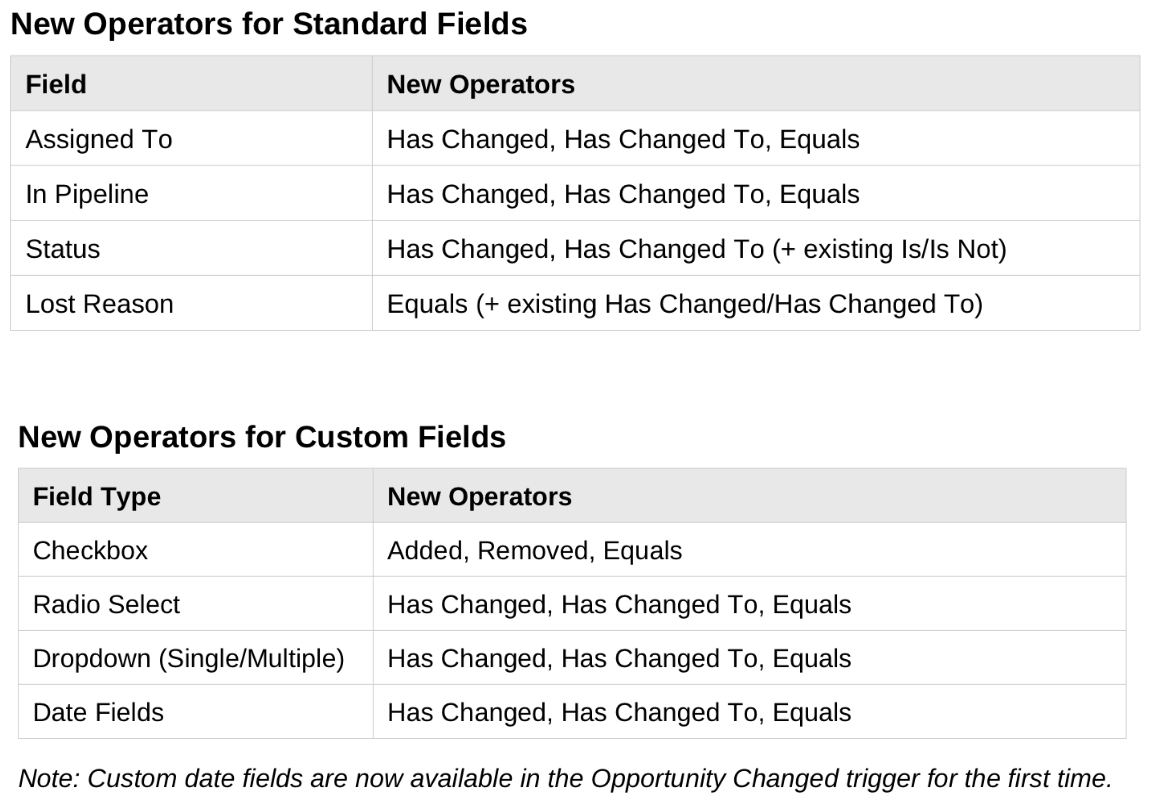
New Operators for Standard Fields
New Operators for Custom Fields
What was improved in the opportunity changed trigger?
• It now detects and responds to updates more accurately.
Do existing workflows need to be updated?
• No, existing workflows continue to function as before.
What types of changes can trigger workflows?
• Updates such as stage status or other opportunity changes.
Can I control when the trigger runs?
• Yes, conditions can be added to refine execution timing.
Does this reduce duplicate workflow runs?
• Yes, improved logic helps prevent unnecessary executions.
