The URL redirect experience has been redesigned to improve clarity speed and navigation. Users can now create edit and manage redirects more efficiently with a streamlined layout and clearer options.
• Redesigned URL redirect interface
• Cleaner layout for easier management
• Improved usability when creating redirects
• Faster navigation between redirect settings
• Better visibility into existing redirects
• Review existing redirects using the new layout
• Use clear naming for redirects to stay organized
• Double check destination URLs before saving
• Keep redirect lists clean by removing unused entries
• Test redirects after editing to confirm behavior
Step 1
Navigate to the section where URL redirects are managed.
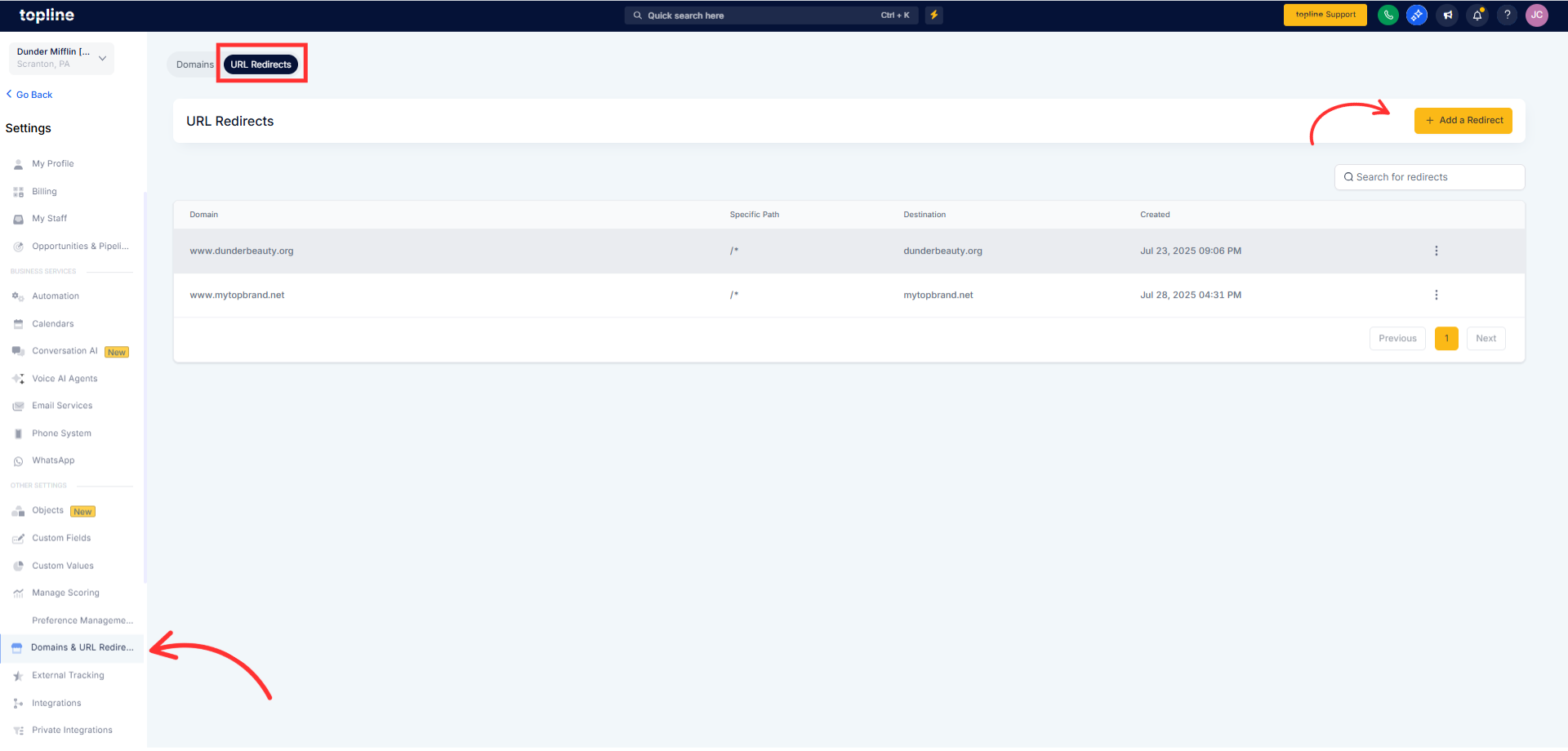
Step 2
Review the refreshed layout and available options. Add a new redirect or modify an existing one. Provide the correct source path and destination URL.
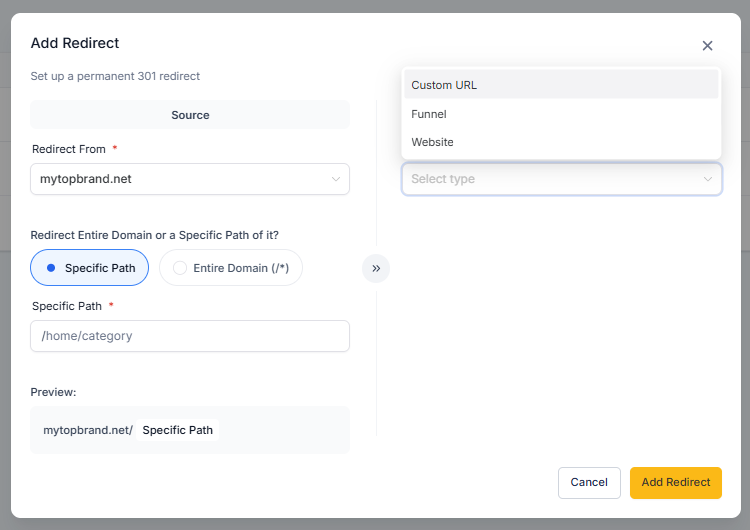
What was changed in the URL redirect update?
• The interface and overall user experience were improved.
Do I need to enable the new redirect interface?
• No, the update is applied automatically.
Are existing redirects affected?
• No, all existing redirects continue to work as before.
Is it easier to create redirects now?
• Yes, the redesigned layout simplifies the process.
Can I still edit and delete redirects?
• Yes, all redirect management actions are still available.
