The quiz results page now features enhancements to the CTA section, making it easier to customize messaging and actions. These improvements help increase engagement by clearly directing users toward booking, contacting, or taking the next recommended action.
• Enhanced CTA section on quiz results pages
• Improved layout for clearer action visibility
• Better customization of CTA messaging
• Stronger guidance for next step actions
• Improved user experience after quiz completion
• Use clear CTA text that matches the quiz outcome
• Align CTAs with booking or follow-up goals
• Keep CTA messages short and action-focused
• Test different CTAs to improve conversion
• Review the results page flow from a user perspective
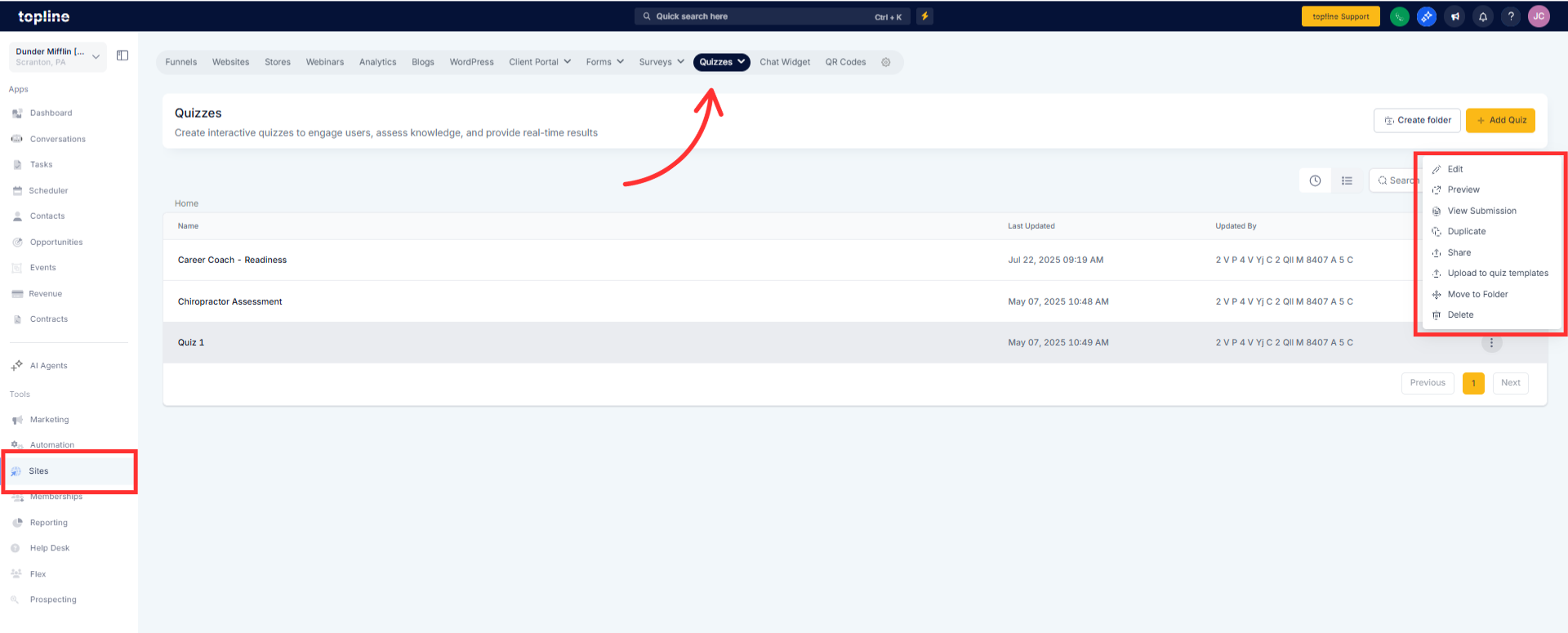
Step 1
Navigate to your quiz builder and select an existing quiz.
Step 2
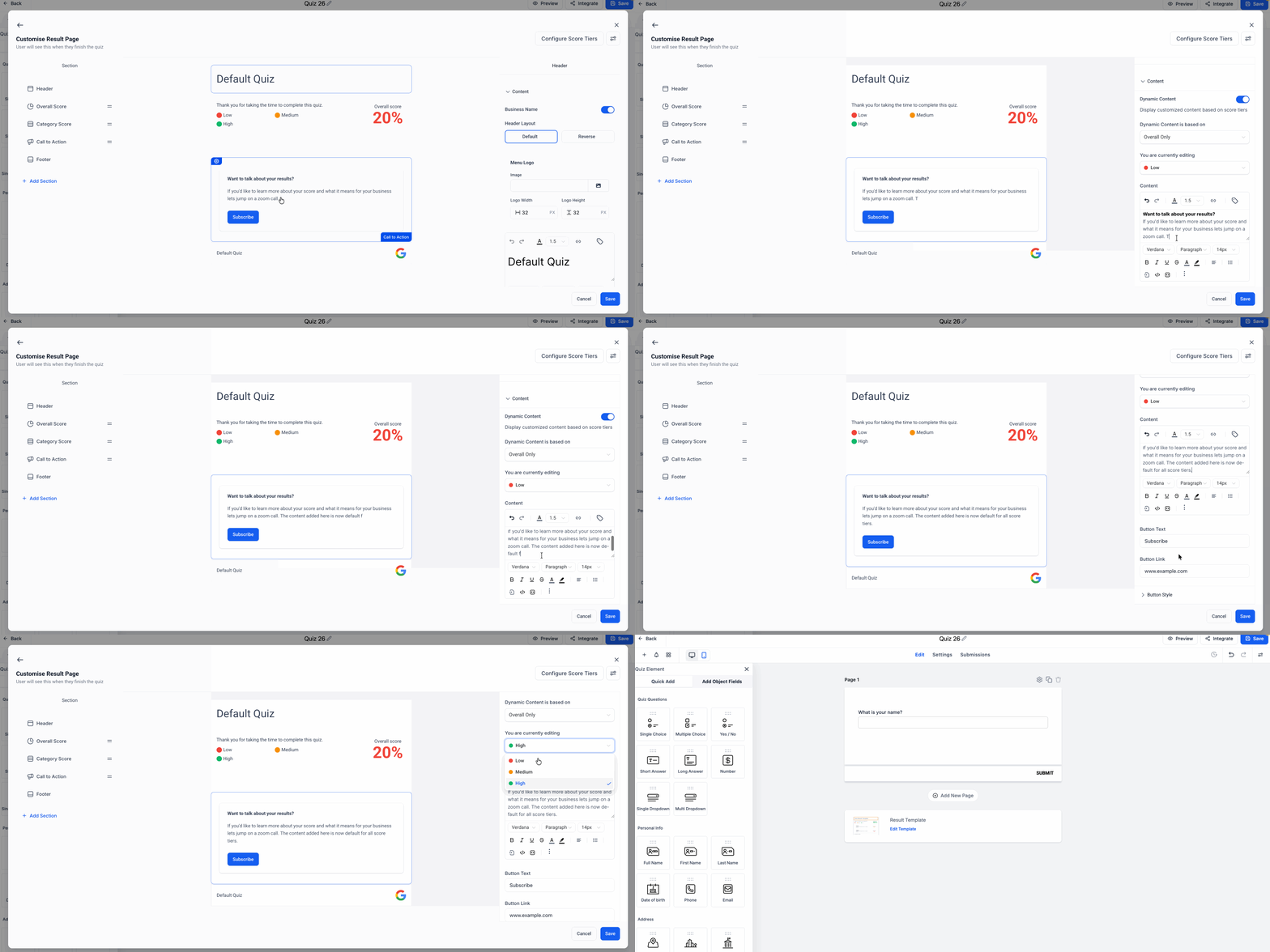
Locate the results page configuration options. Scroll to the section dedicated to call-to-action settings.
Step 3
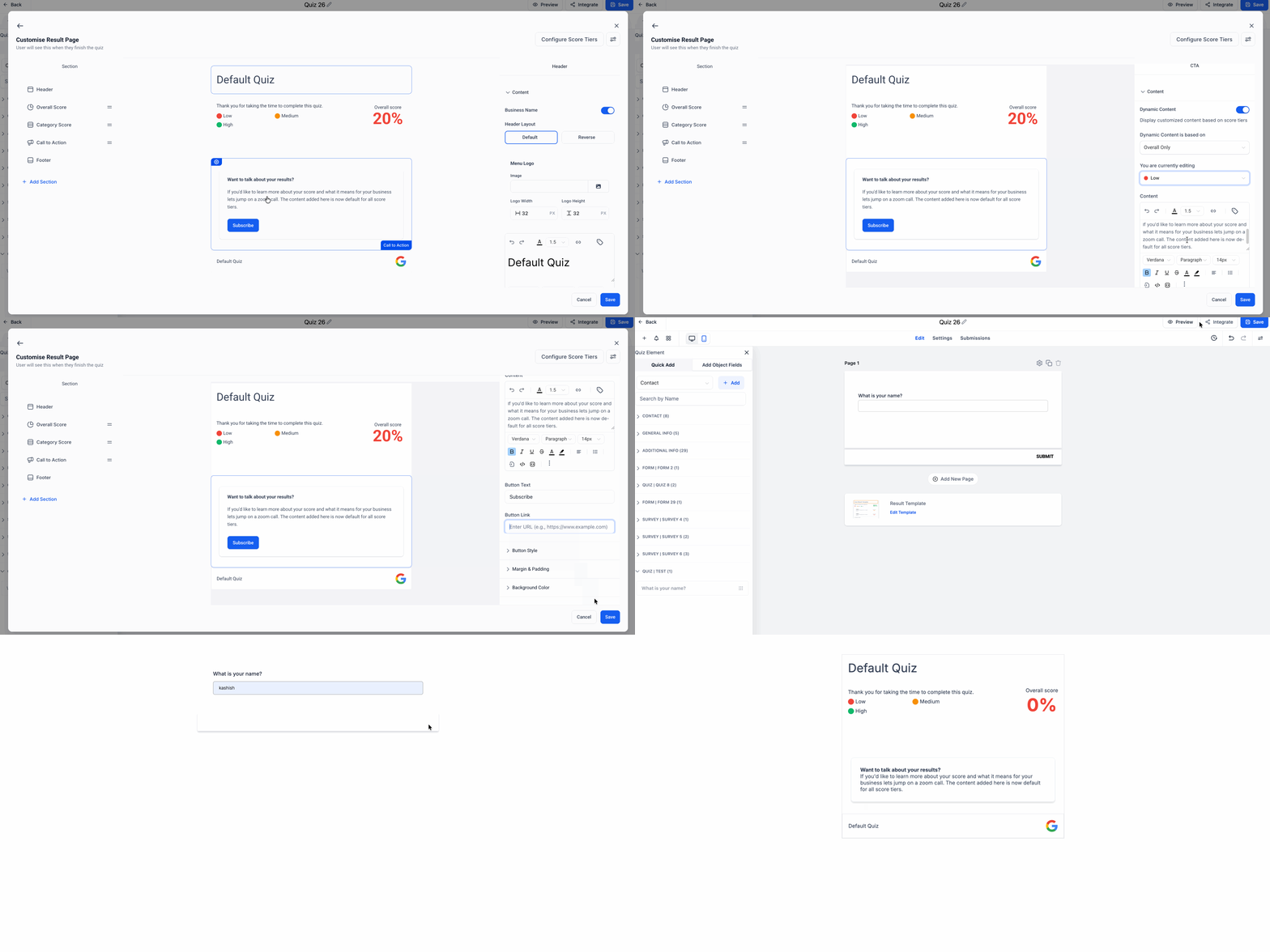
Edit the CTA text action and display options.
What was improved in the quiz results page CTA section?
• The layout and customization options for CTAs were enhanced.
Do I need to enable this update?
• No, the enhancements are available automatically.
Can I customize the CTA message?
• Yes, CTA text and actions can be edited.
Does this affect existing quizzes?
• Existing quizzes use the improved CTA section automatically.
Can CTAs link to different actions?
• Yes, CTAs can direct users to various next steps.
