Workflow template behavior has been improved to ensure contacts move through workflows smoothly after being applied. These changes reduce execution issues and help automations continue without interruption, resulting in more reliable follow-ups and cleaner automation performance.
• Improved handling when workflow templates are applied
• Contacts no longer get stuck during workflow execution
• More reliable automation start and continuation
• Better consistency when importing or applying workflows
• Reduced need for manual troubleshooting
• Apply workflow templates confidently without worrying about stuck contacts
• Test workflows after applying templates to confirm smooth execution
• Keep workflows organized to reduce complexity
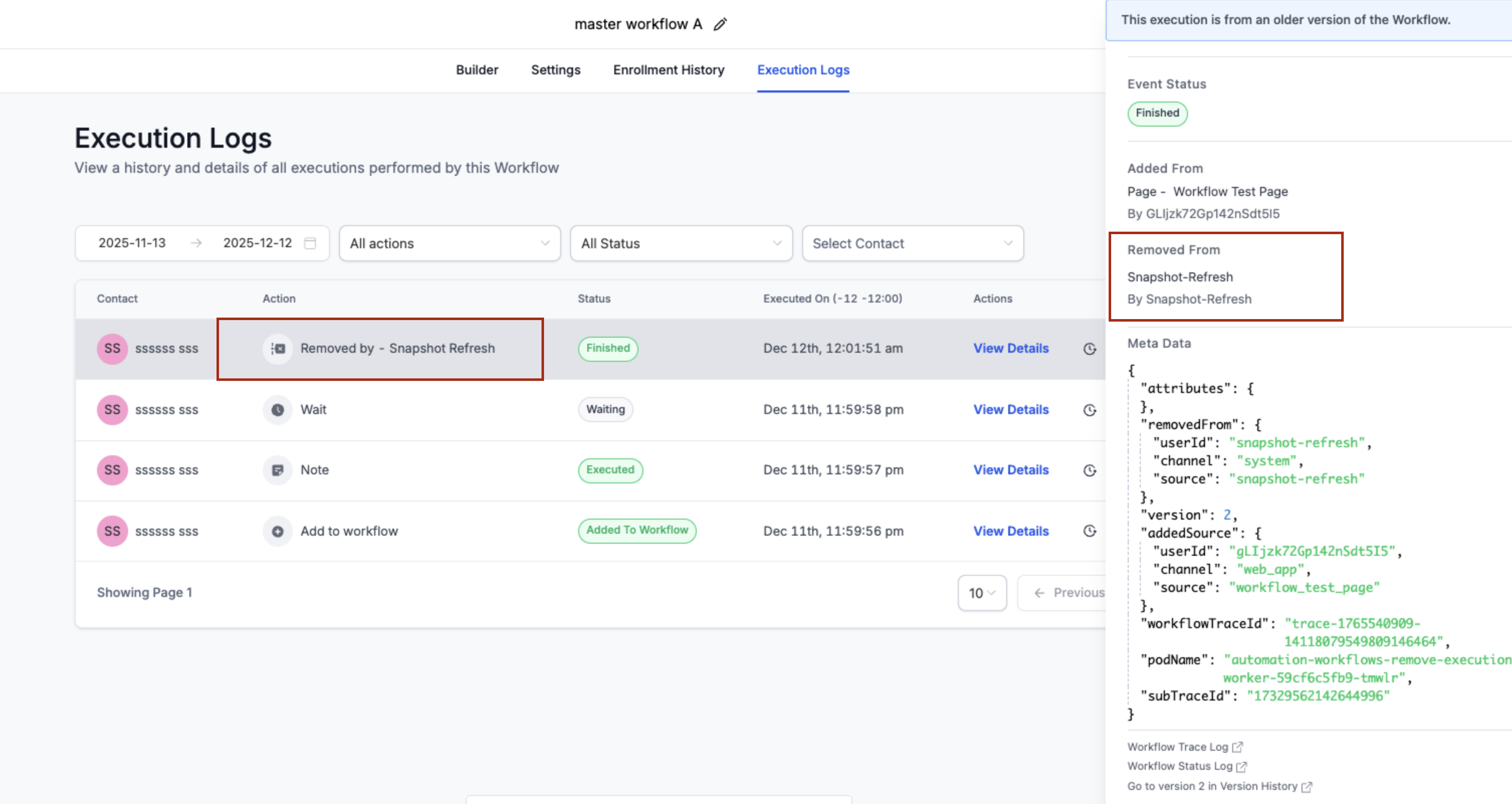
• Review execution logs if changes were recently applied
• Use updated workflows for new automations whenever possible
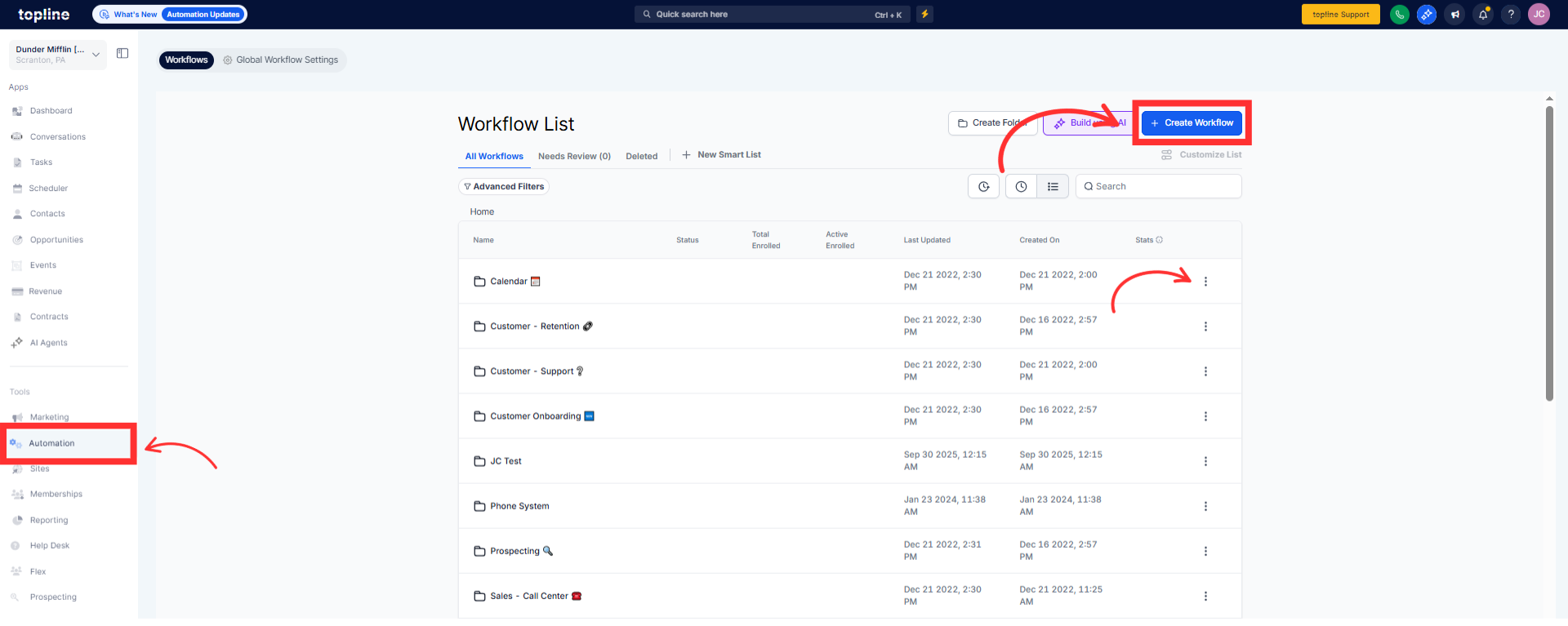
Step 1
Navigate to your automation section and open the workflow builder.
Step 2
Select and apply the workflow template you want to use. Confirm all actions and triggers are set correctly. Check that contacts move through steps as expected.
What issue does this update fix?
• It prevents contacts from getting stuck when workflows are applied.
Does this affect existing workflows?
• Existing workflows continue to run with improved reliability.
Do I need to update anything manually?
• No, the improvements are applied automatically.
Will contacts already in workflows be affected?
• Yes, contact movement is now more reliable overall.
Does this change workflow logic?
• No, only execution reliability was improved.
