You can now edit existing category queues in the social planner instead of recreating them. This makes it easier to adjust posting order, update content assignments, and keep social schedules organized without disrupting planned posts.
• Category queues can now be edited at any time
• Ability to update post order within a queue
• Easier management of long-term content schedules
• Reduced need to recreate queues from scratch
• Improved flexibility when planning social content
• Review category queues regularly to keep content fresh
• Adjust post order to align with campaigns or promotions
• Edit queues instead of deleting to preserve scheduling logic
• Keep categories clearly defined for easier management
• Double check queue changes before saving
Step 1
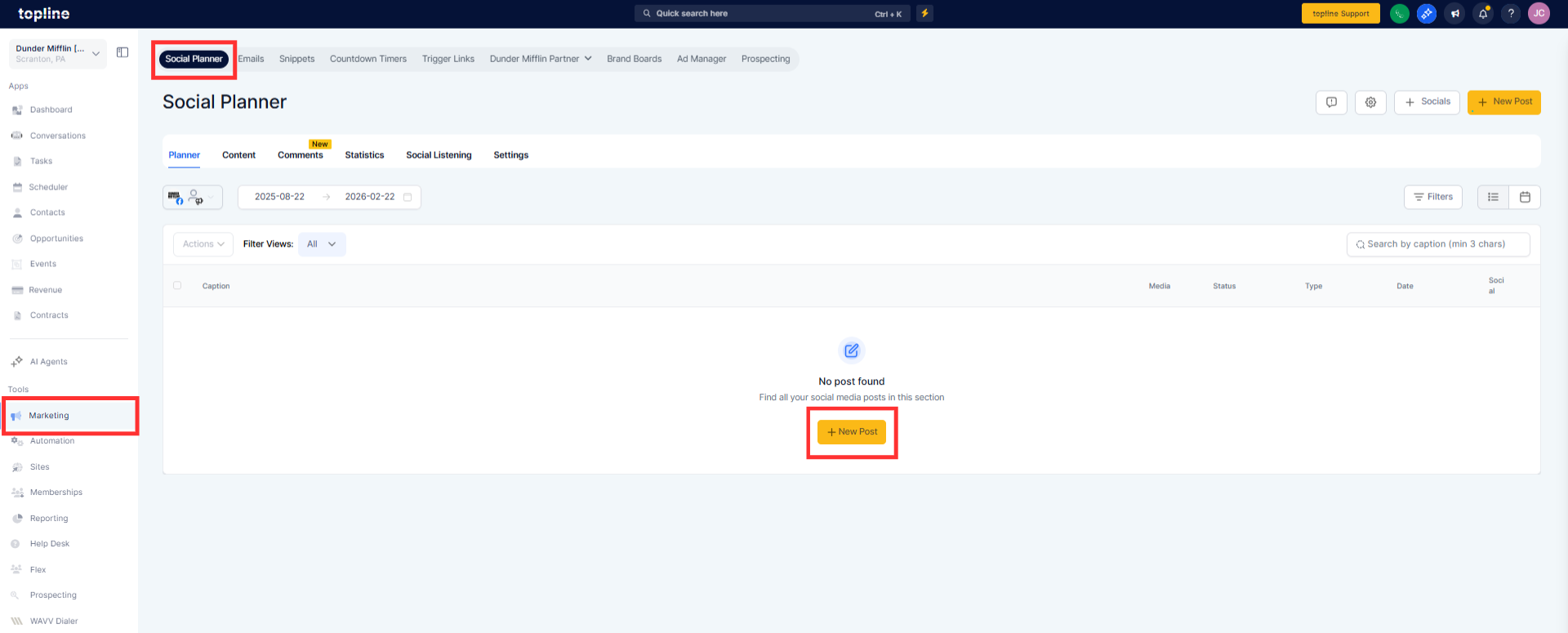
Navigate to your social planner section.
Step 2
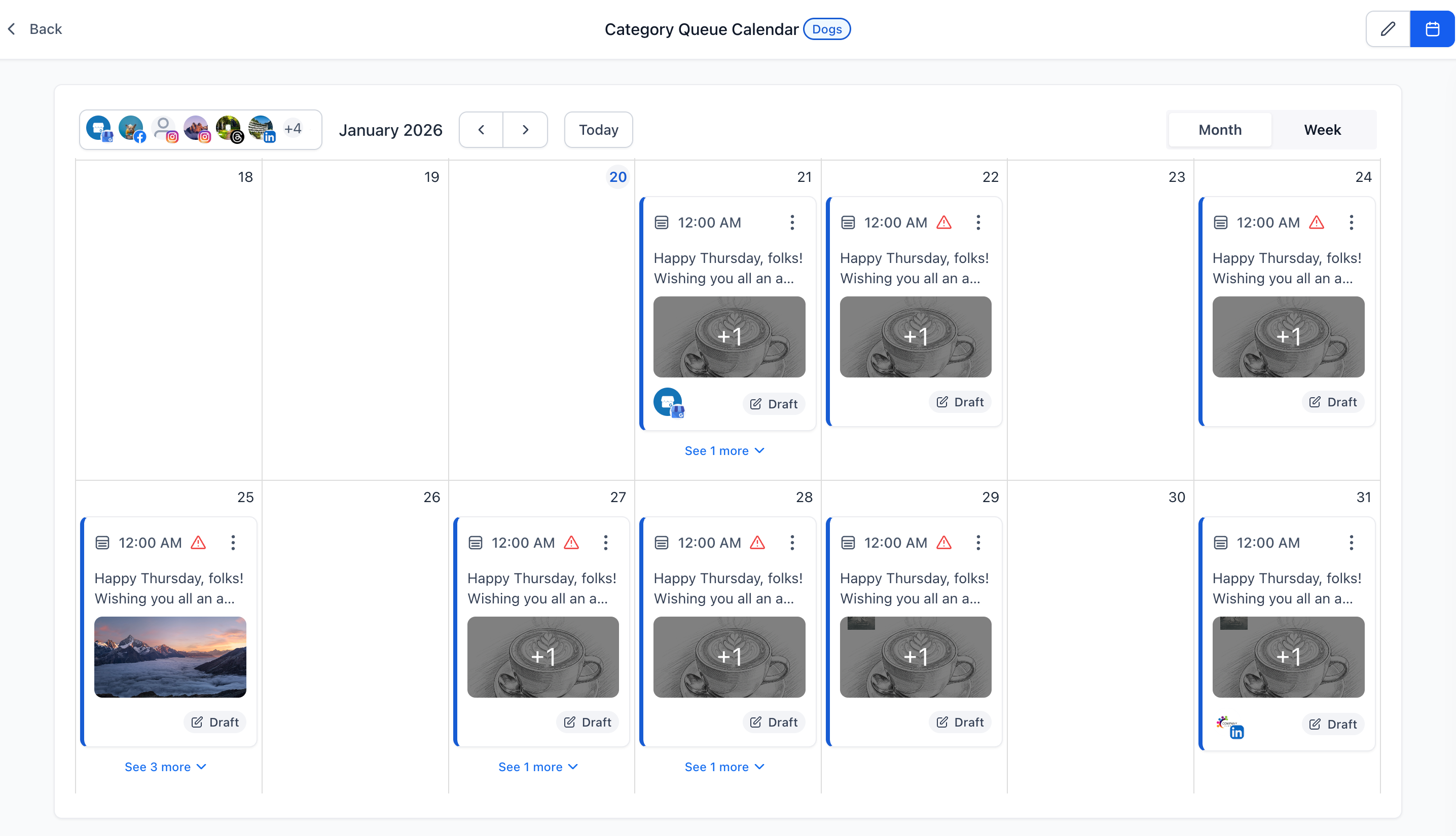
Choose the category queue you want to edit. Open the queue settings or edit option.
Step 3
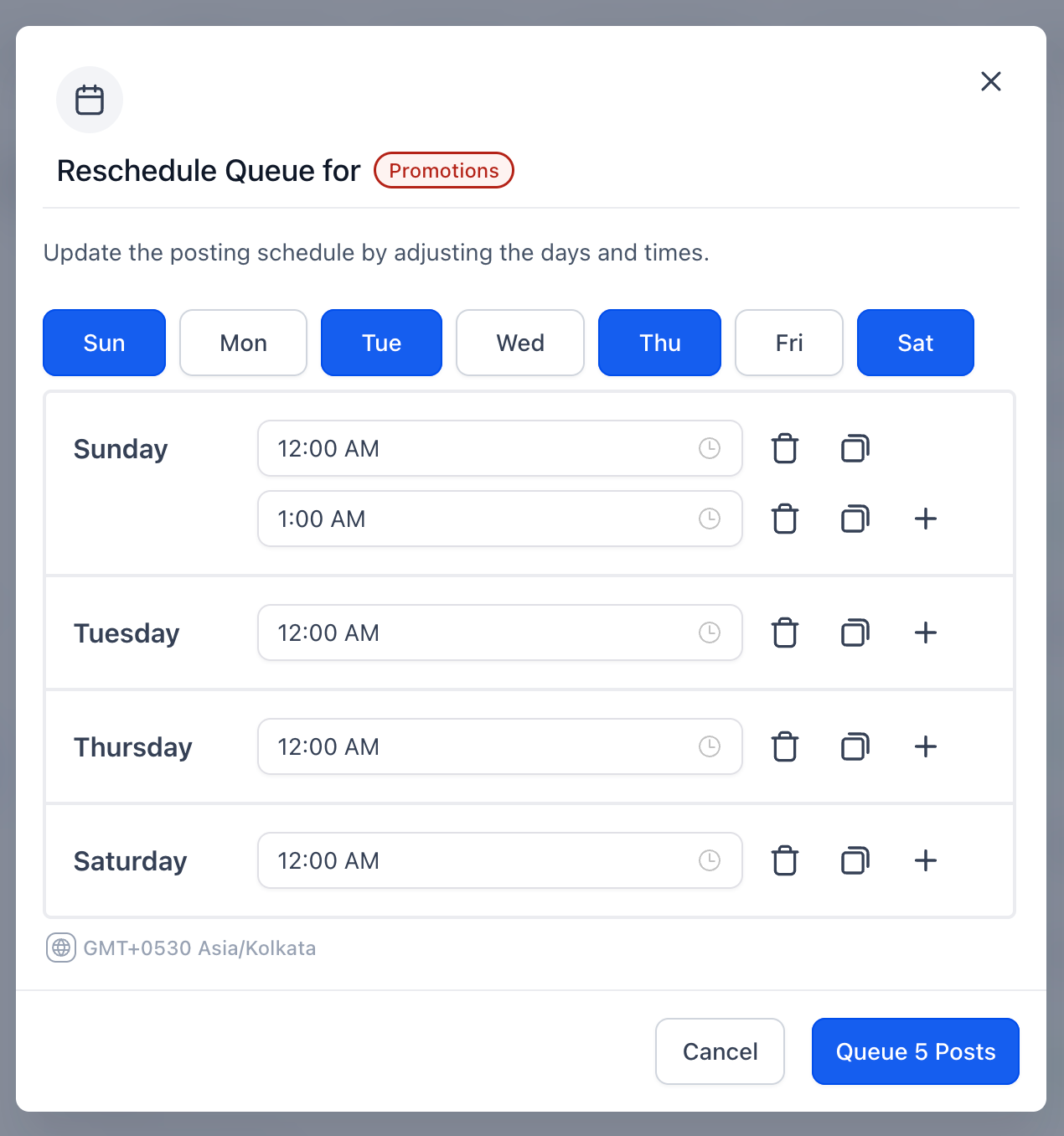
Reorder posts or adjust content as needed.
What can be edited in a category queue?
• You can update post order and manage assigned content.
Do I need to recreate queues to make changes?
• No, existing queues can now be edited directly.
Does editing a queue affect scheduled posts?
• Changes apply to future scheduling based on the updated order.
Can I edit queues multiple times?
• Yes, queues can be edited whenever needed.
Is this available for all category queues?
• Yes, all existing and new queues support editing.
