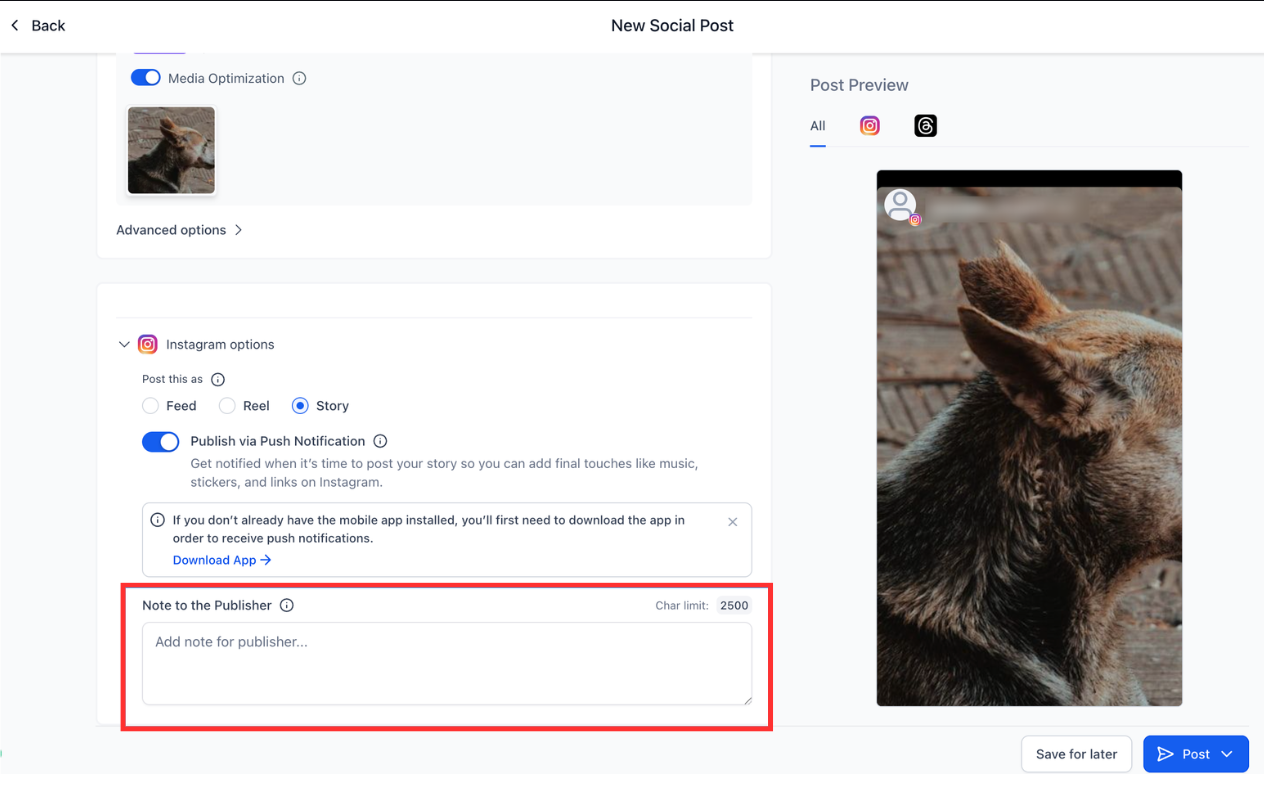
You can now publish Instagram Stories by receiving a push notification on your mobile device. This streamlines the posting process by allowing you to complete story publishing directly from your phone, eliminating the need for manual uploads or extra steps.
• Ability to publish Instagram Stories using push notifications
• Faster mobile workflow for story posting
• Reduced steps to complete story publishing
• Improved convenience for on-the-go social posting
• Smoother connection between desktop planning and mobile publishing
• Keep push notifications enabled on your mobile device
• Have Instagram logged in on your phone before publishing
• Review story content before approving the notification
• Use this feature for timely and spontaneous stories
• Ensure your mobile device has a stable connection
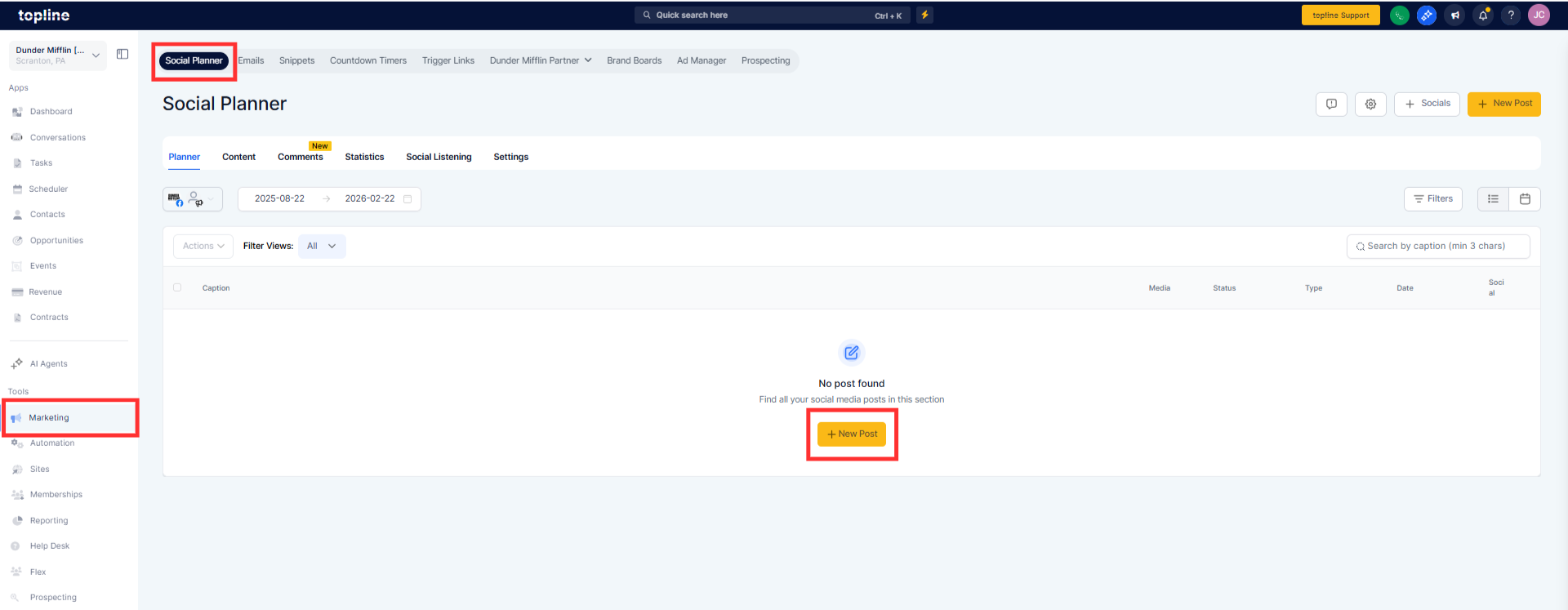
Step 1
Open your social planner and create a new Instagram Story post.
Step 2
Set the post for publishing, which will trigger a push notification.
How are Instagram Stories published with this update?
• Stories are published through a push notification sent to your mobile device.
Do I need the Instagram app installed?
• Yes, the Instagram app must be installed and logged in.
Are push notifications required?
• Yes, notifications must be enabled to publish stories this way.
Does this work for scheduled stories?
• Yes, scheduled stories trigger a notification at publish time.
Can I still post stories manually?
• Yes, manual posting remains available.
