The conversations interface has received usability improvements that make it easier to track unread messages and understand message timelines. A more consistent unread counter and standardized date format help users manage conversations more efficiently and avoid confusion.
• Improved unread message counter behavior
• More accurate visibility of unread conversations
• Standardized date formatting across conversations
• Clearer message timelines
• Improved consistency throughout the conversations interface
• Use the unread counter to prioritize responses
• Review dates carefully when following up on older messages
• Clear unread conversations regularly to stay organized
• Rely on standardized dates for better timeline tracking
• Refresh the inbox if counts appear out of sync
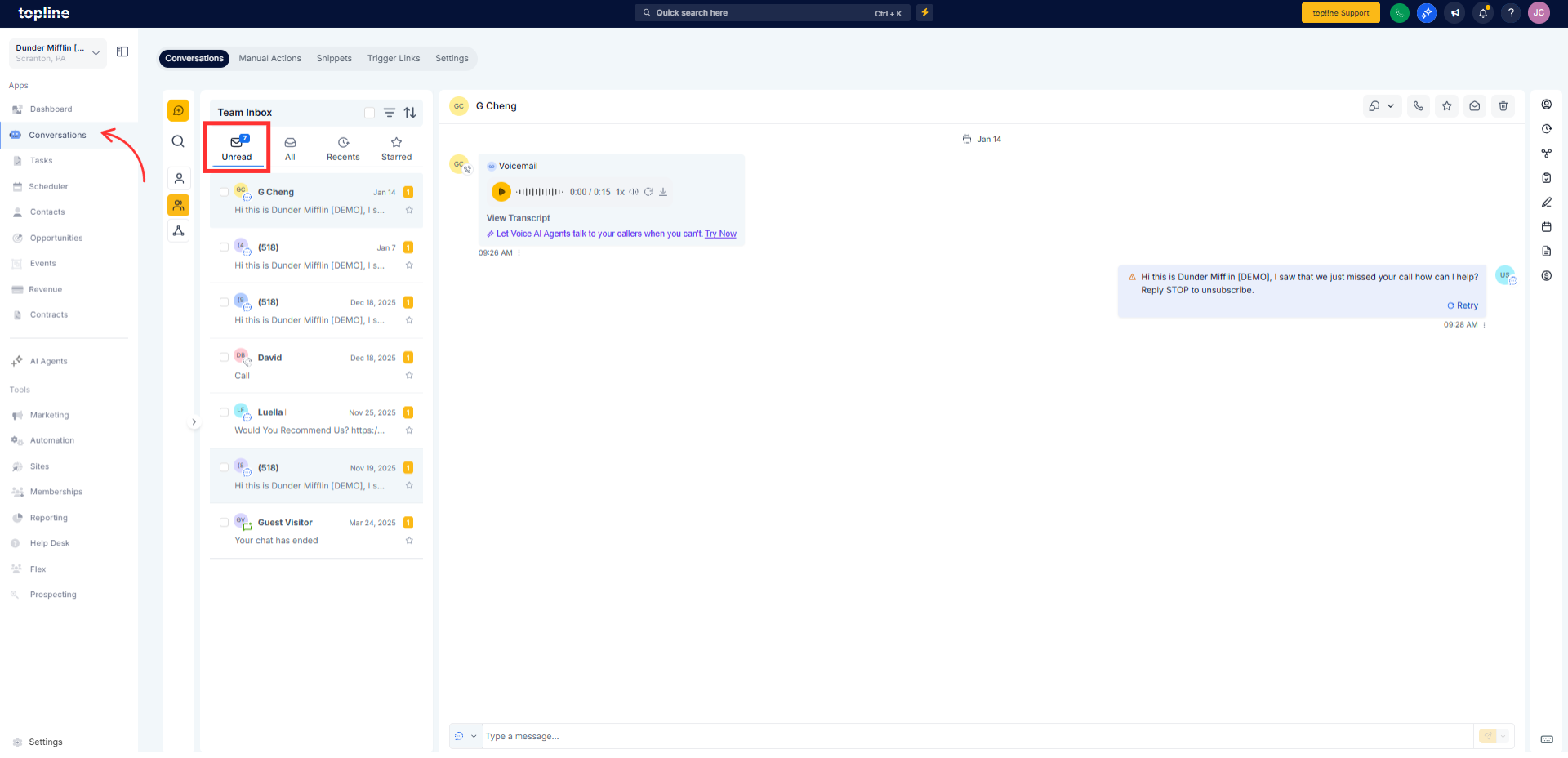
Step 1
Navigate to the conversations or inbox section. Observe the updated unread message count.
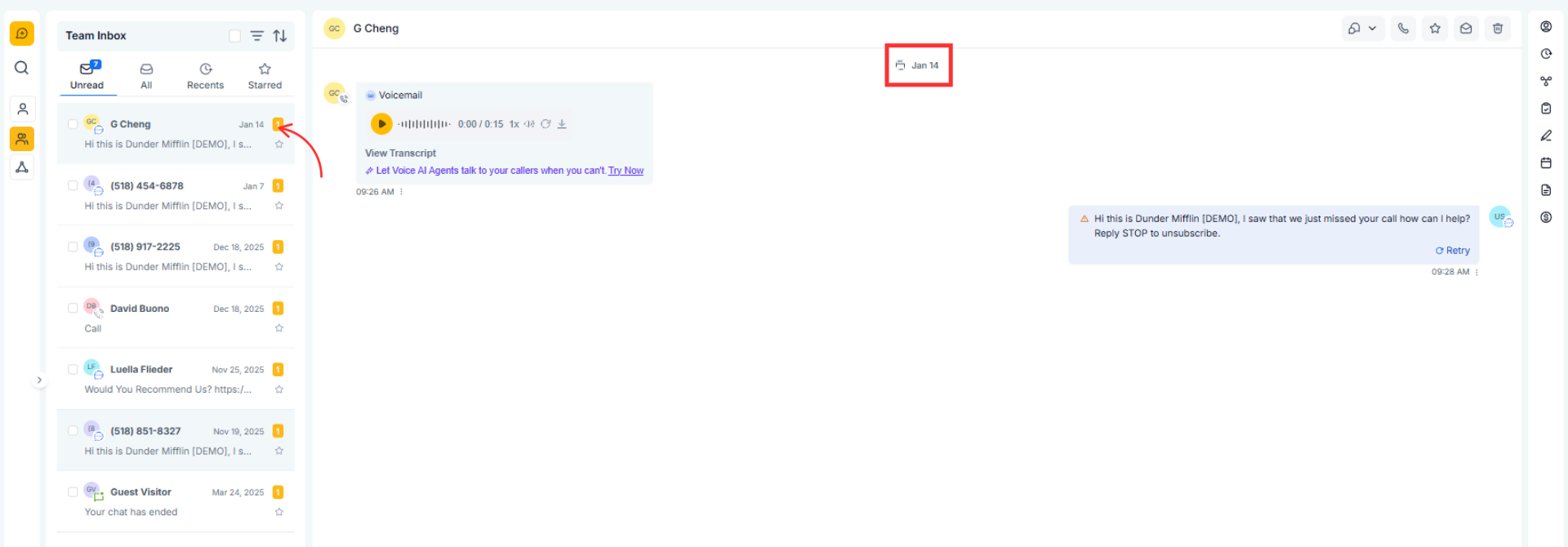
Step 2
Check the standardized date format on conversation threads. Select conversations to confirm unread counts update correctly.
What was improved in the conversations interface?
• The unread counter and date formatting were enhanced.
Do I need to enable these updates?
• No, the improvements are applied automatically.
Does this affect existing conversations?
• No, all conversations remain unchanged.
Will unread counts update in real time?
• Yes, unread counters update as messages are opened.
Are dates shown differently now?
• Yes, dates follow a standardized format for consistency.
