You can now save frequently used conversation filters as reusable views. This helps teams move faster, stay organized, and focus on the most important conversations by switching views instantly instead of rebuilding filters repeatedly.
• Ability to save conversation filters as views
• Faster access to frequently used inbox filters
• Reduced time spent reapplying filter settings
• Improved organization of conversation workflows
• Smoother inbox navigation experience
• Create views for unread priority or assigned conversations
• Name views clearly for quick recognition
• Use saved views to manage different communication channels
• Review and update views as workflows change
• Share naming conventions across teams for consistency
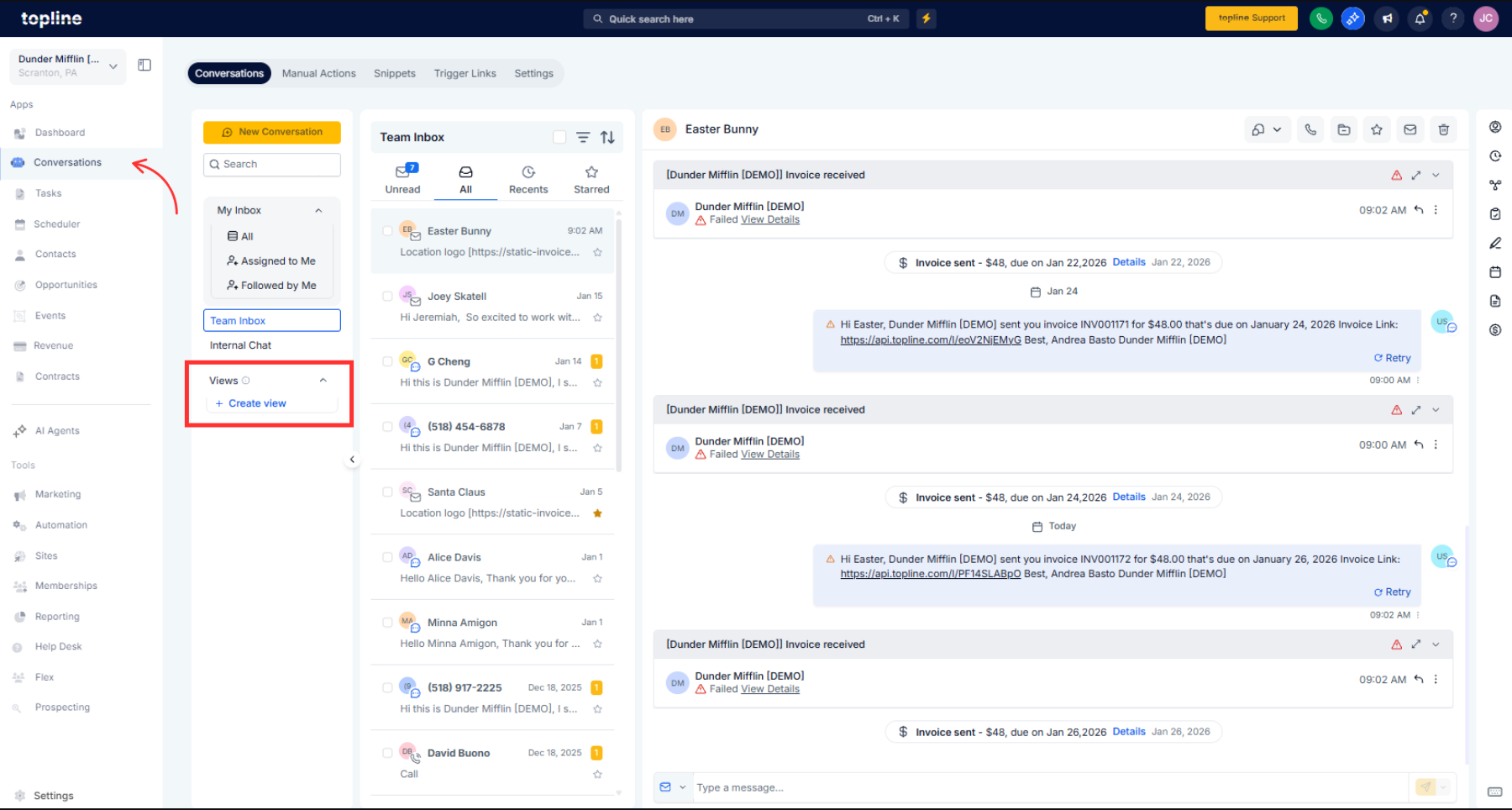
Step 1
Navigate to your conversations or inbox section. Set the filters you want to use for a specific view.
Step 2
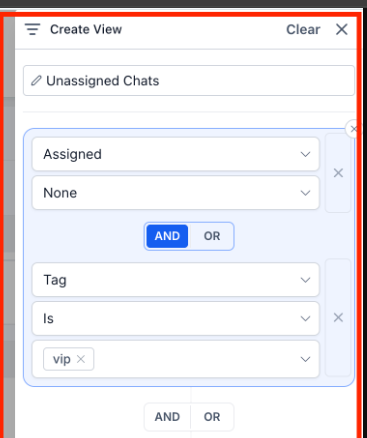
Choose the option to save the current filter setup. Enter a clear name that reflects the filter's purpose. Select saved views to apply those filters instantly.
What are conversation views?
• Saved filter setups that can be reused anytime.
Do I need to enable this feature?
• No, it is available automatically.
Can I edit a saved view?
• Yes, views can be updated or replaced.
Are views specific to each user?
• Views are saved per user based on their preferences.
Can views be deleted?
• Yes, unused views can be removed at any time.
