Workflows can now respond to Google Forms activity by using new triggers and actions. This enables automatic follow-up data handling and process execution when a form is submitted or used within an automation, reducing manual steps and improving response speed.
• New workflow trigger for Google Forms submissions
• New workflow actions related to Google Forms
• Automatic workflow execution based on form activity
• Improved integration between forms and automation
• Reduced manual processing of form responses
• Use form submission triggers to start follow-up workflows
• Map form responses carefully to ensure accurate data use
• Test workflows with sample form submissions
• Keep form questions consistent for reliable automation
• Combine form triggers with conditions for better control
Step 1
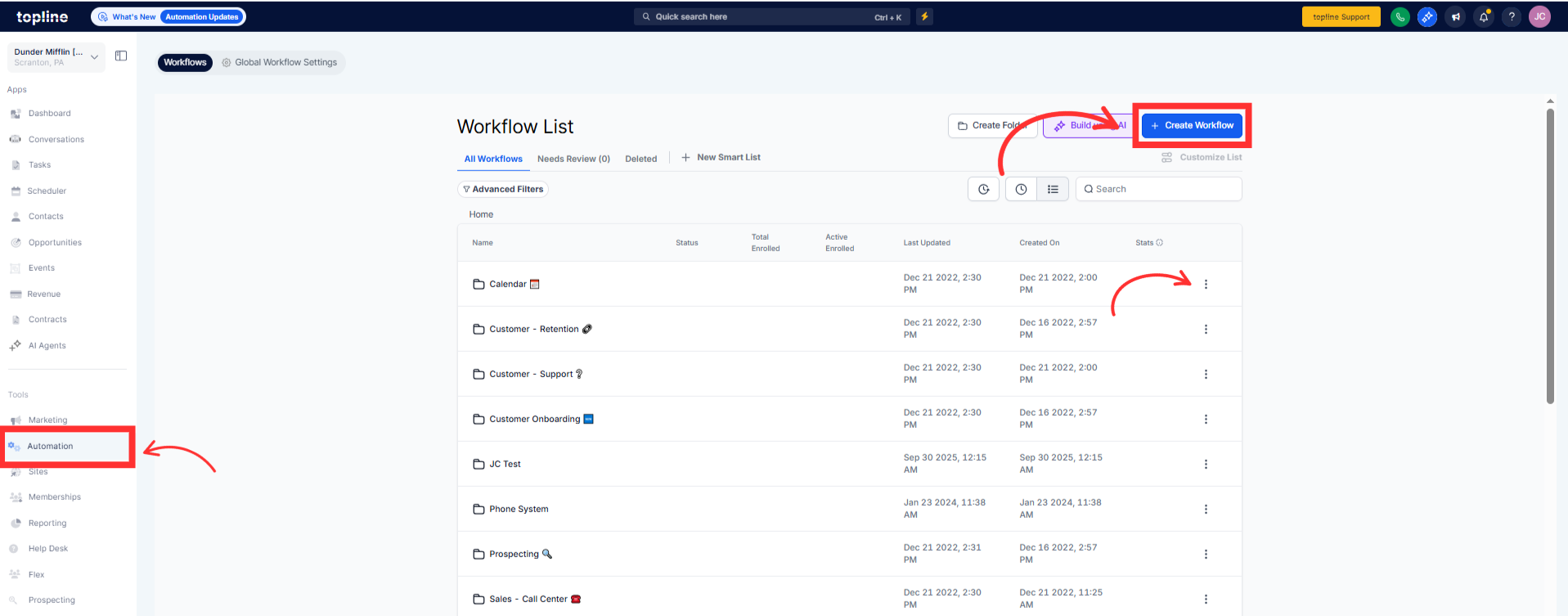
Navigate to your automation section and open an existing or new workflow.
Step 2
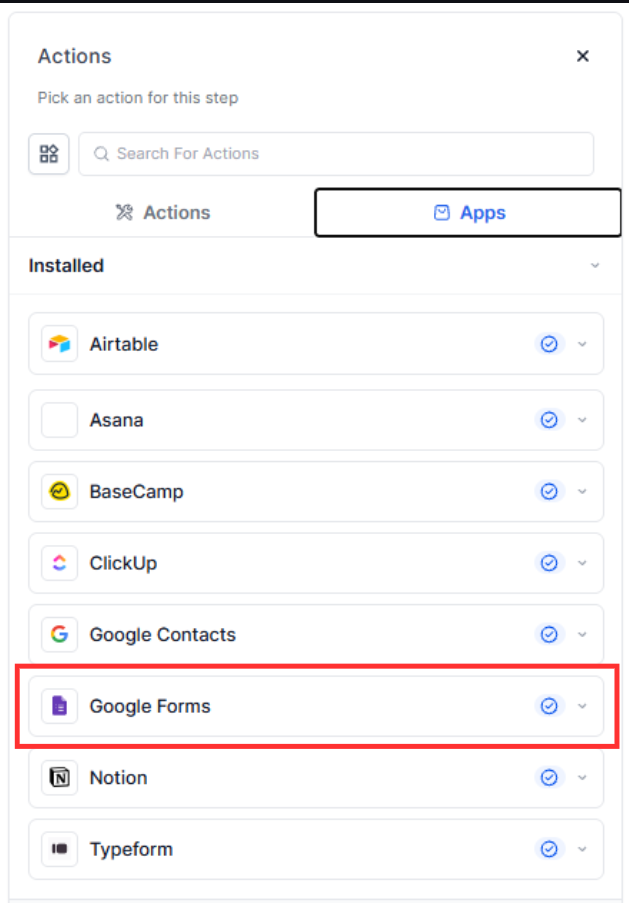
Select the trigger related to Google Forms submissions. Choose the Google Form you want to use with the workflow.
What does the Google Forms workflow trigger do?
• It starts a workflow automatically when a form is submitted.
Do I need to enable this feature manually?
• No, the feature is available automatically.
Can workflows use form response data?
• Yes, form responses can be used within workflow actions.
Does this work with existing Google Forms?
• Yes, existing forms can be connected to workflows.
Can I use multiple forms in different workflows?
• Yes, each workflow can be connected to different forms.
