You can now view social planner information directly from the dashboard using dedicated widgets. This makes it easier to track scheduled posts recent activity and overall social performance without navigating away from your main workspace.
• Social planner widgets now available on the dashboard
• Quick visibility into scheduled and published posts
• Easier tracking of social activity from one location
• Improved workflow for managing social content
• Faster access to social performance insights
• Add social widgets to dashboards used for daily check ins
• Use widgets to confirm posts are scheduled correctly
• Monitor social activity without opening the full planner
• Combine social widgets with other performance widgets
• Review dashboard layouts regularly for relevance
Step 1
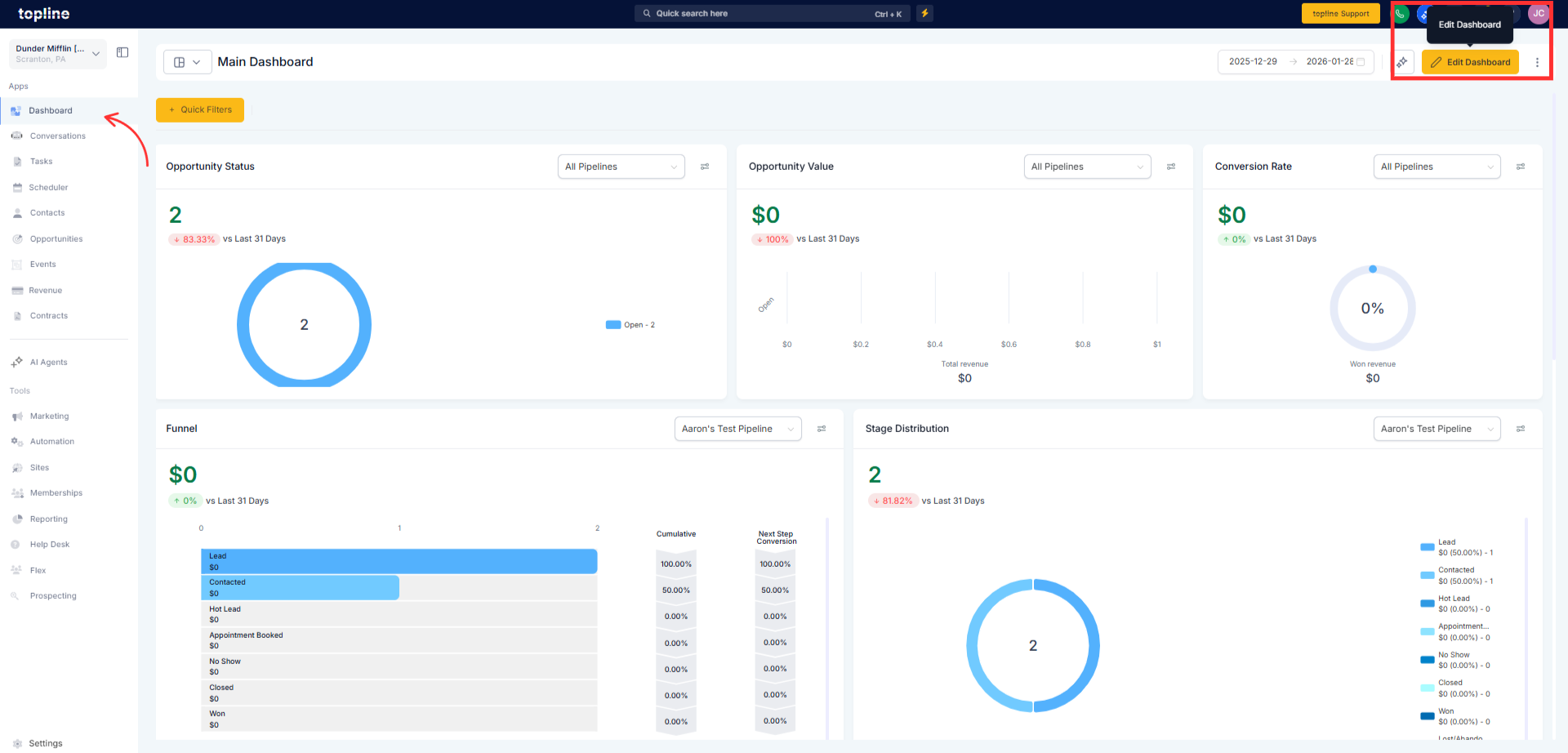
Navigate to your dashboard and enter edit mode.
Step 2
Select the option to add a new widget. Locate and select the social planner widget type.
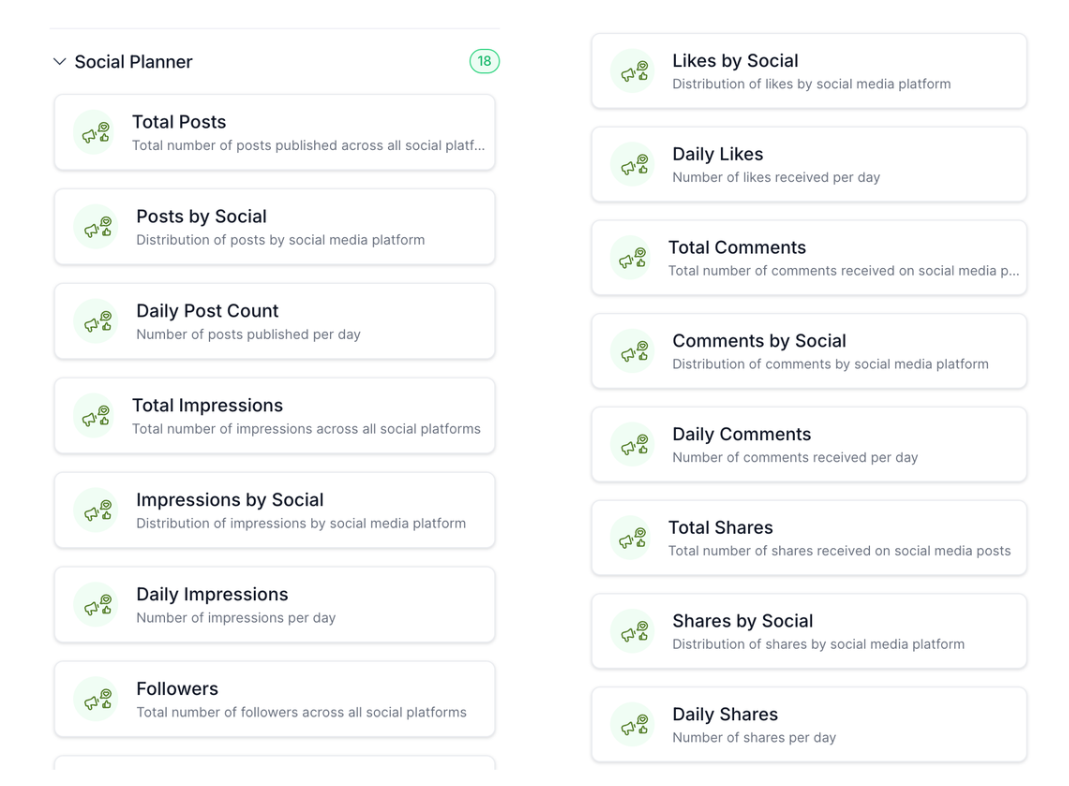
What do social planner widgets show?
• They display social scheduling and activity information.
Do I need to enable this feature?
• No, the widgets are available automatically.
Can I add multiple social widgets?
• Yes, multiple widgets can be added to a dashboard.
Does this replace the social planner?
• No, it provides a summary view only.
Are widgets updated in real time?
• Data updates follow standard refresh behavior.
