Bots can now be automatically put to sleep indefinitely once a manual message or a workflow message is sent. This gives better control over conversations and ensures bots do not interrupt human interactions or ongoing custom workflows.
• Bots can be sent to sleep indefinitely after a manual message
• Bots can be paused after workflow-generated messages
• Improved control over automated conversation timing
• Reduced risk of bots interrupting live conversations
• Better balance between automation and human messaging
• Use bot sleep to prevent automated replies during live conversations
• Apply this behavior in sales or support workflows
• Review conversation logic to avoid overlapping automation
• Wake bots manually only when automation is needed again
• Test bot behavior after enabling sleep settings
Step 1
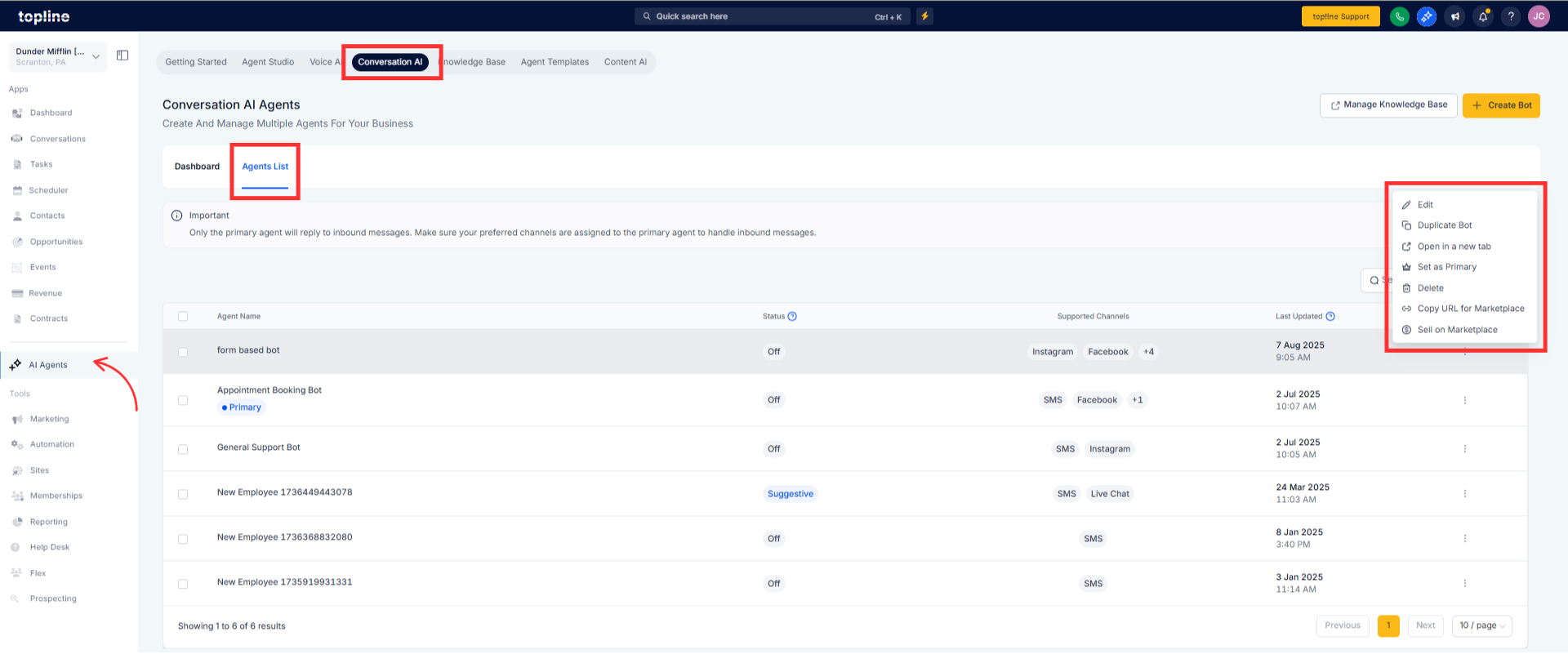
Navigate to the workflow or bot configuration area.
Step 2
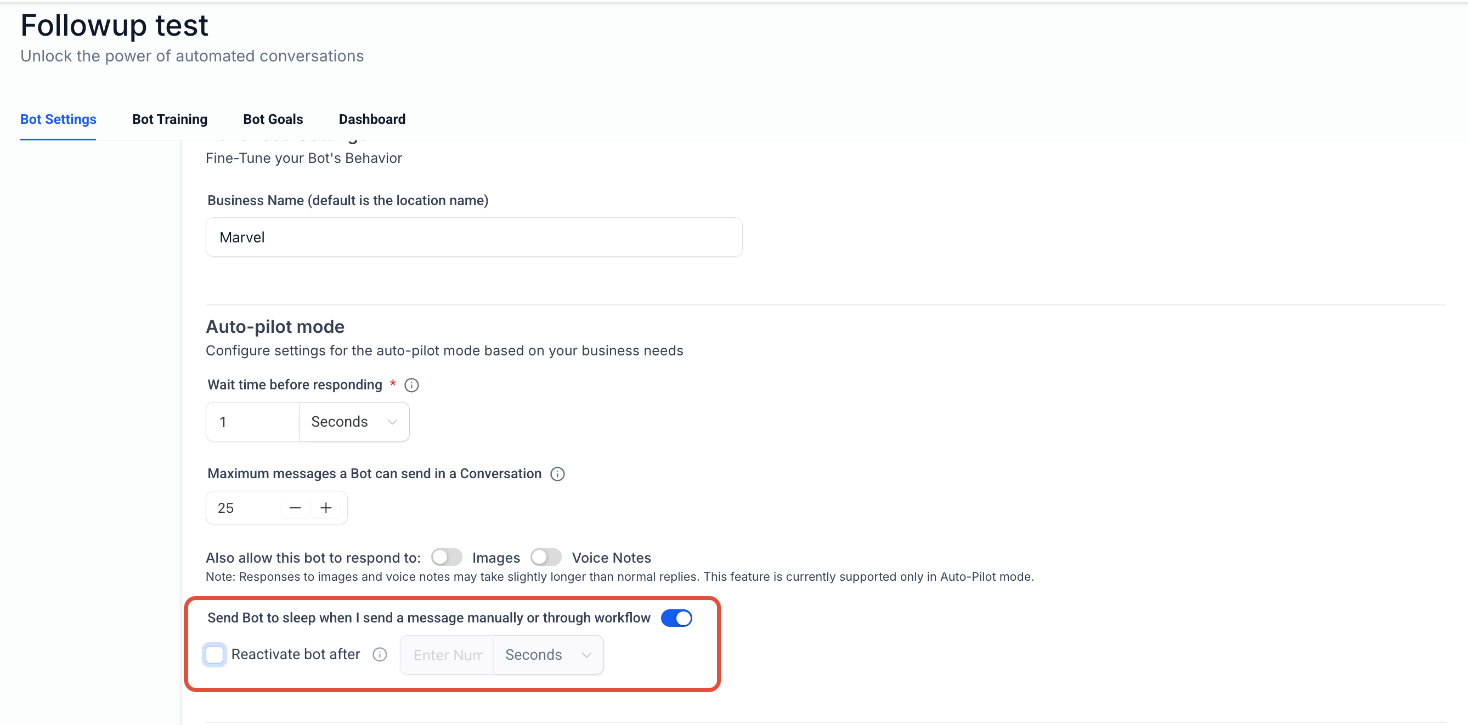
Find the setting related to bot sleep behavior. Turn on the option to send bots to sleep after manual or workflow messages.
What does sending a bot to sleep indefinitely do?
• It stops the bot from sending automated messages until reactivated.
When does the bot go to sleep?
• After a manual message or a workflow message is sent.
Do I need to enable this manually?
• Yes, the setting must be enabled in the bot or workflow configuration.
Does this affect existing conversations?
• Yes, bots will stop responding once the condition is met.
Can the bot be reactivated later?
• Yes, bots can be manually woken up when needed.
