You can now automatically detect abandoned checkouts from connected online stores using Shopify. This trigger enables timely follow-ups, recovery messaging, and automated actions to re-engage shoppers and improve conversion rates.
• New workflow trigger for abandoned checkouts
• Automatic detection when a checkout is not completed
• Ability to start follow-up workflows immediately
• Improved recovery opportunities for online sales
• Better visibility into checkout abandonment behavior
• Send reminders shortly after checkout is abandoned
• Offer incentives to encourage purchase completion
• Keep recovery messages short and clear
• Test timing delays to find the best conversion window
• Track results to improve checkout recovery performance
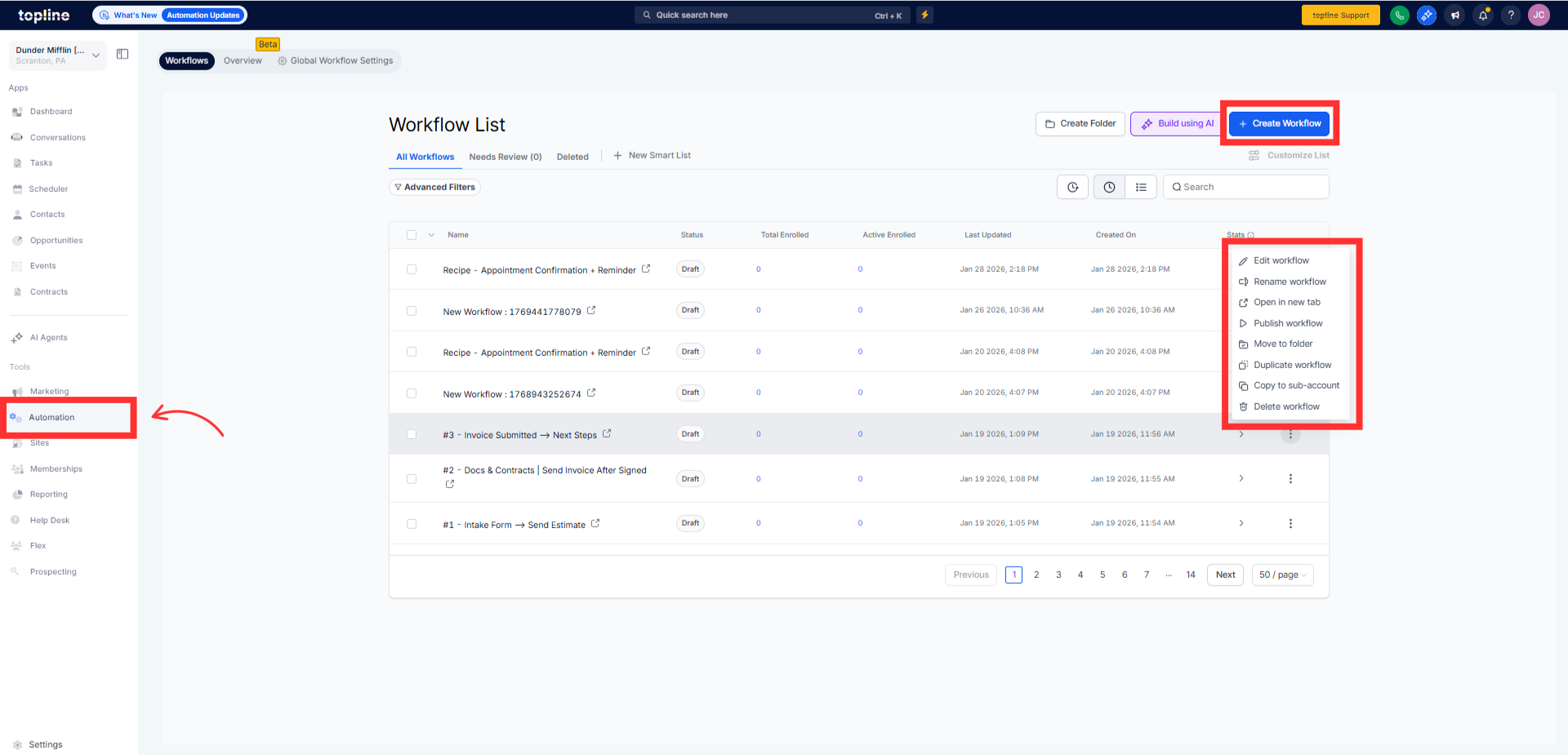
Step 1
Navigate to your automation section and create a new workflow.
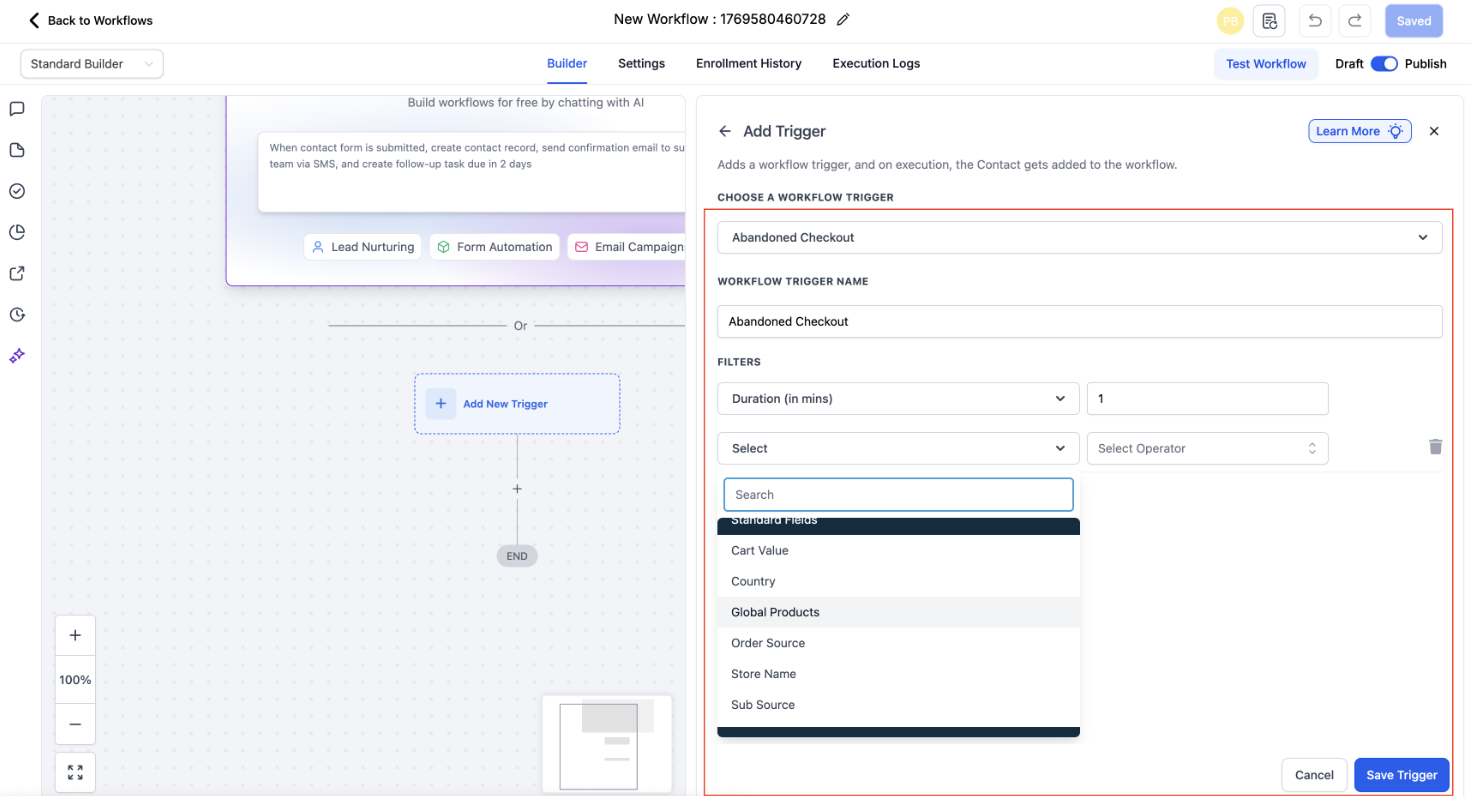
Step 2
Select the trigger related to abandoned checkouts.
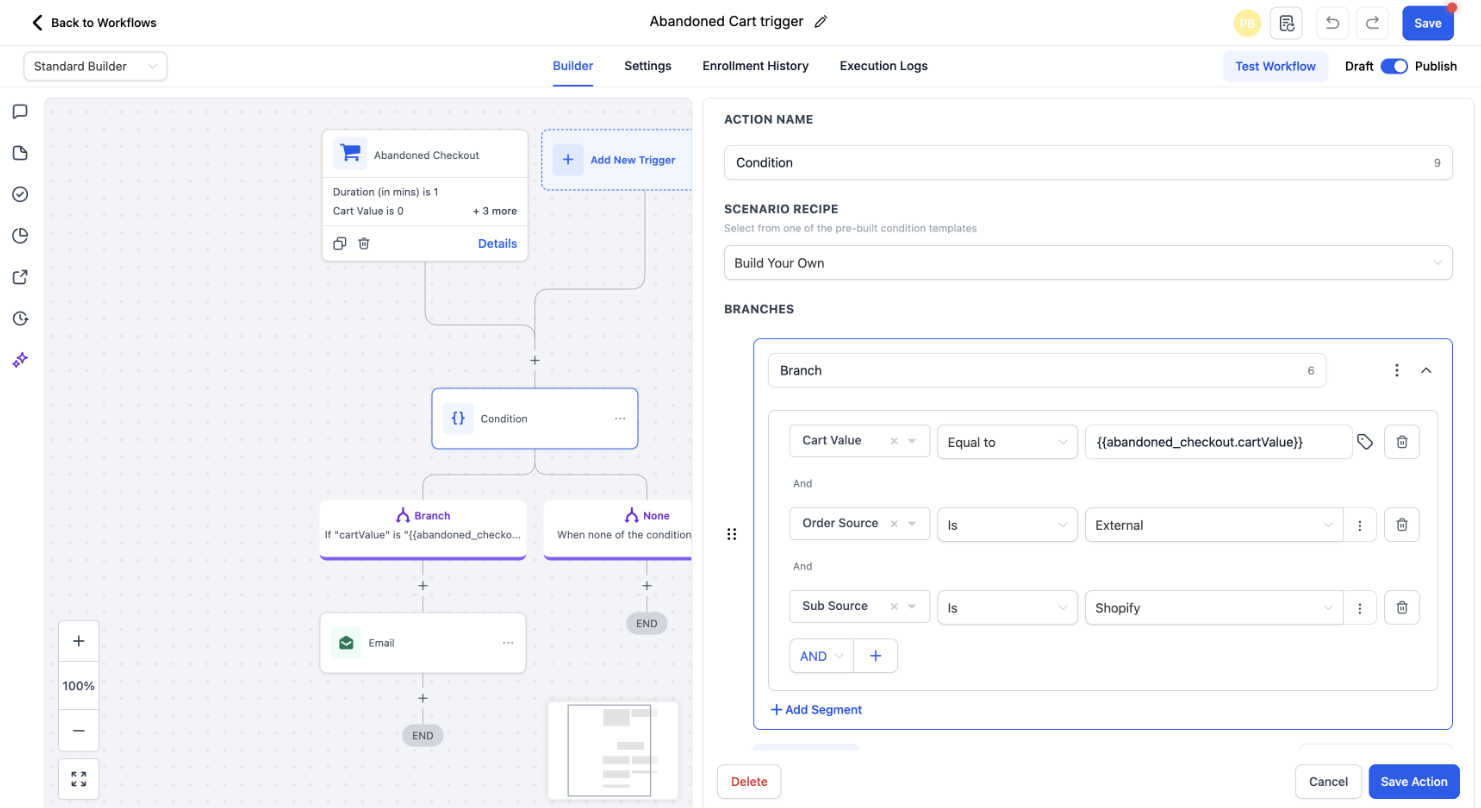
Step 3
Define when the checkout should be considered abandoned.
What is an abandoned checkout trigger?
• It starts a workflow when a shopper leaves checkout without purchasing.
Does this work with Shopify stores?
• Yes, it works with connected online stores using Shopify.
Do I need to enable this feature manually?
• Yes, you must create a workflow using the trigger.
Can I control when the trigger activates?
• Yes, conditions can be set to define abandonment timing.
Does this recover completed purchases?
• No, it only triggers when checkout is not completed.
