You can now automatically respond when a product review is submitted in an e-commerce store. This trigger helps you acknowledge feedback, request additional review, manage reputation, and drive post-purchase engagement without manual effort.
• New workflow trigger for product review submissions
• Automatic detection of customer reviews
• Ability to start follow-up workflows instantly
• Better engagement after purchase interactions
• Improved automation for reputation and feedback management
• Send thank you messages after positive reviews
• Request additional feedback or photos when reviews are submitted
• Route negative reviews to support for quick resolution
• Use review triggers to request testimonials
• Track review based workflows to improve customer experience
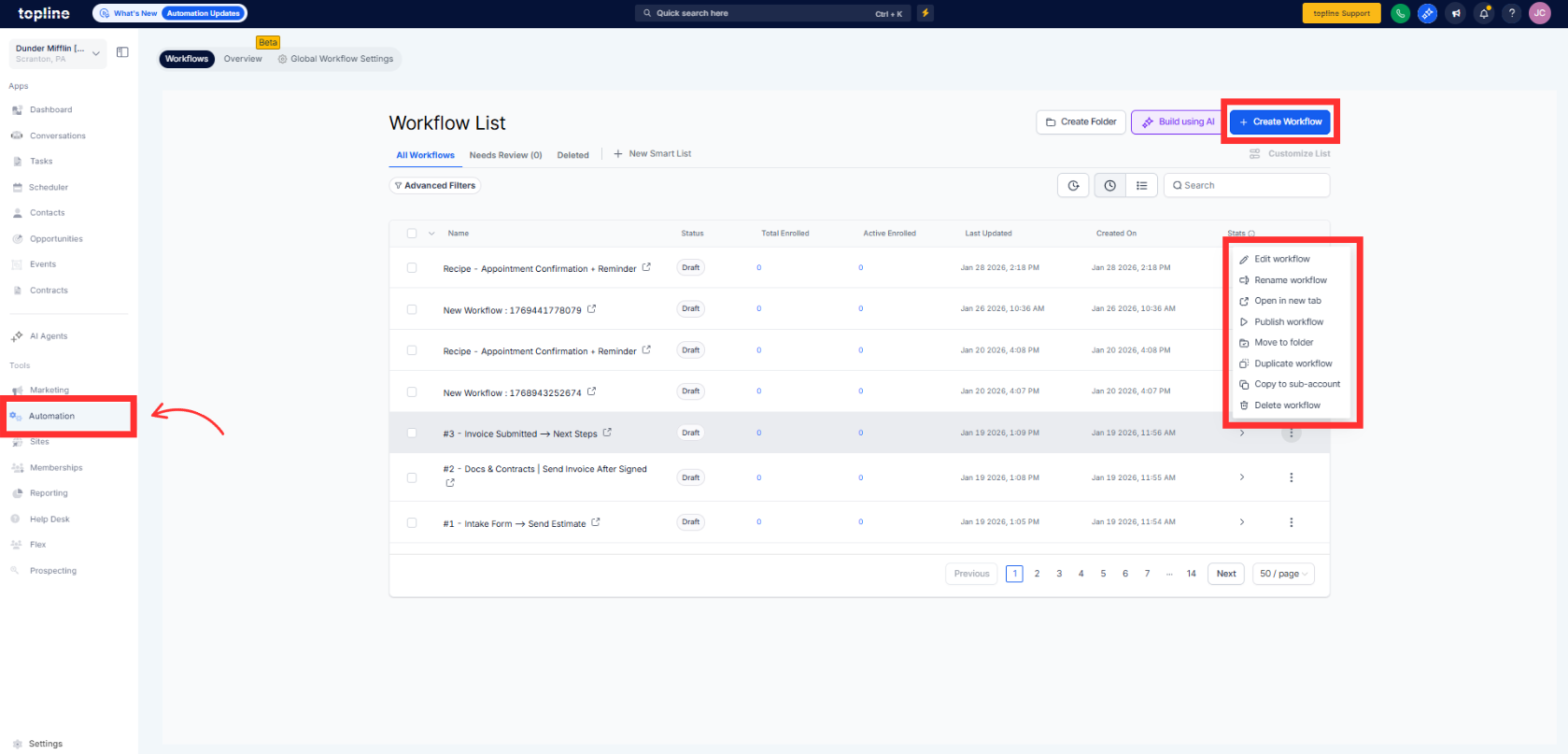
Step 1
Navigate to your automation section and create a new workflow.
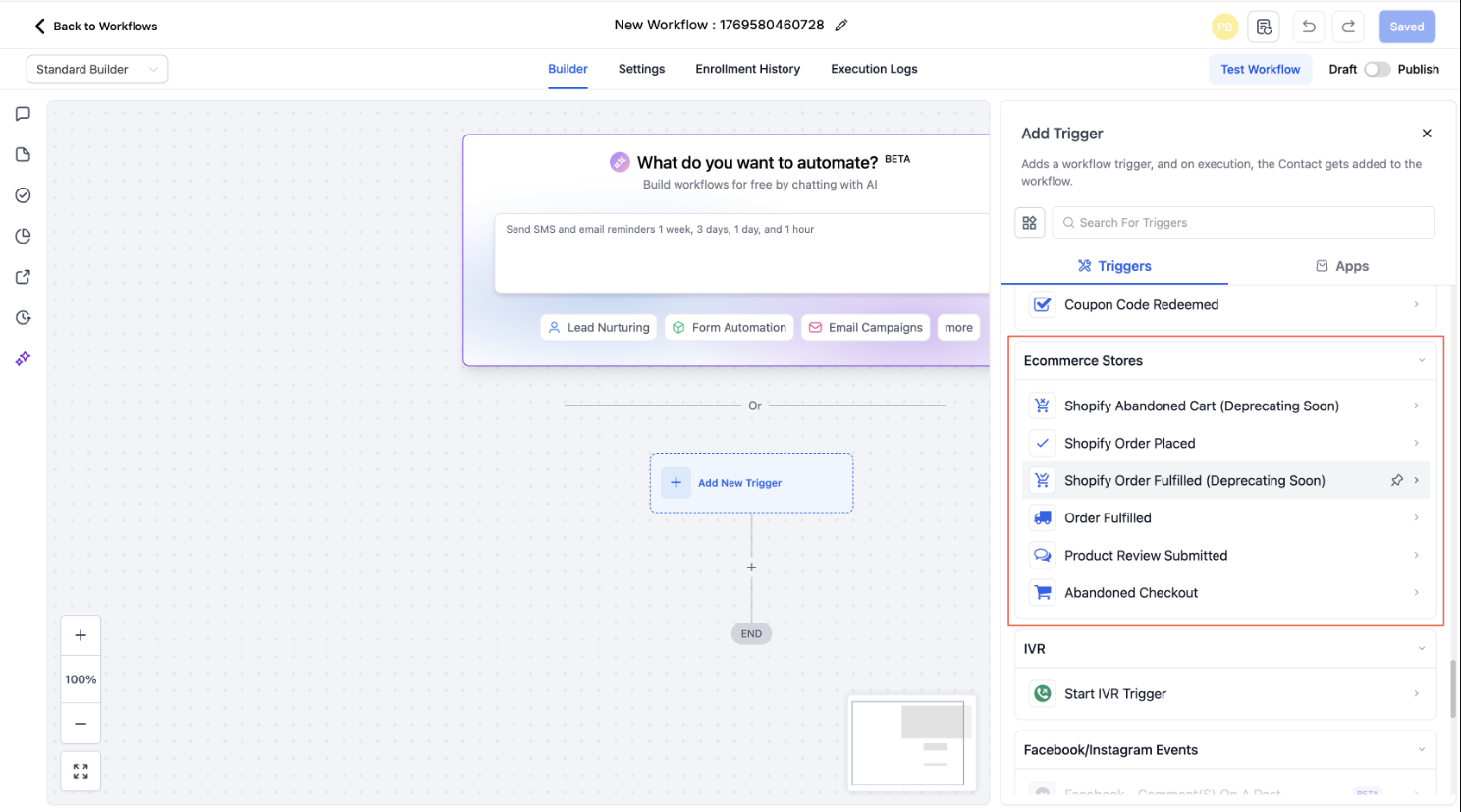
Step 2
Select the trigger related to product review submission.
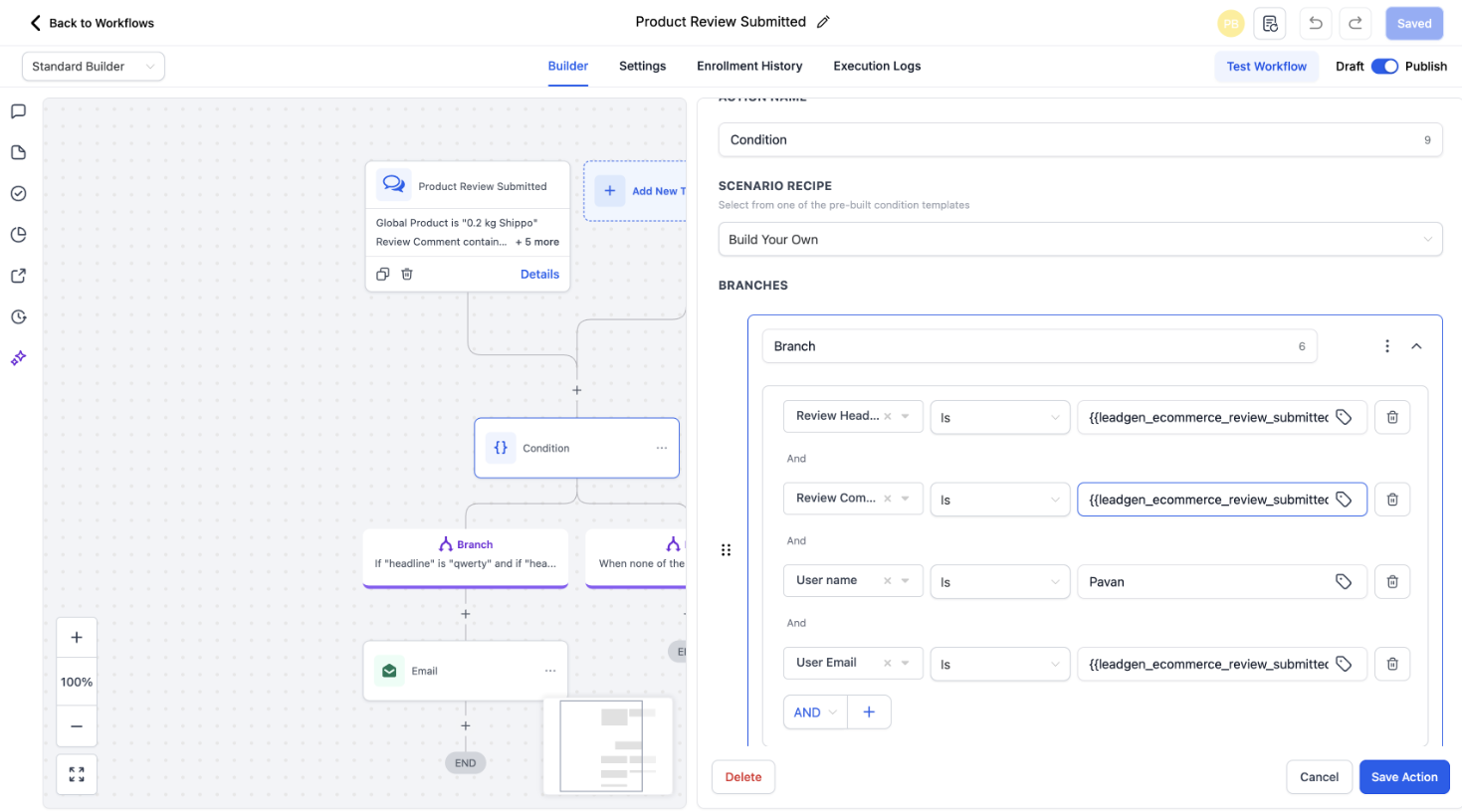
Step 3
Define any conditions or filters for when the trigger should fire.
What does the product review trigger do?
• It starts a workflow when a customer submits a product review.
Do I need to enable this feature manually?
• Yes, you must create a workflow using this trigger.
Does this work for all product reviews?
• It applies to reviews submitted within supported e-commerce stores.
Can I filter reviews by rating?
• Yes, conditions can be added to target specific ratings.
Can multiple workflows use this trigger?
• Yes, different workflows can respond to different review scenarios.
