You can now automatically trigger workflows when an order is fulfilled in connected online stores using Shopify. This enables order follow-ups, delivery notifications, review requests, and other post-fulfillment actions without manual work.
• New workflow trigger for order fulfilled events
• Automatic detection when an order is fulfilled
• Ability to start post-purchase workflows instantly
• Improved automation for delivery and follow-up communication
• Better visibility into fulfillment based automation
• Send delivery or confirmation messages after fulfillment
• Trigger review requests once orders are fulfilled
• Notify internal teams when fulfillment is completed
• Use fulfillment triggers to update customer records
• Test fulfillment timing to align with customer expectations
Step 1
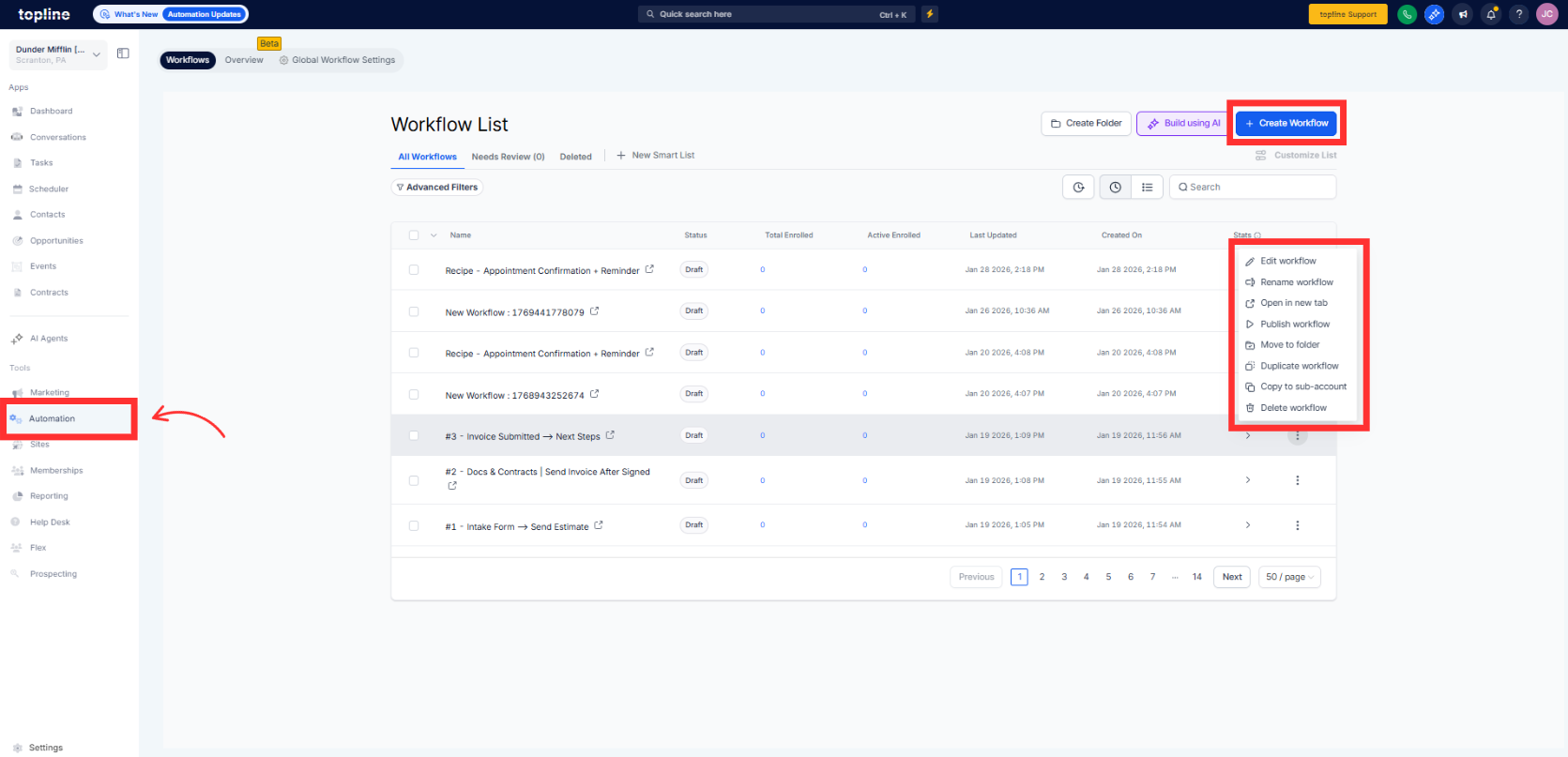
Navigate to your automation section and create a new workflow.
Step 2
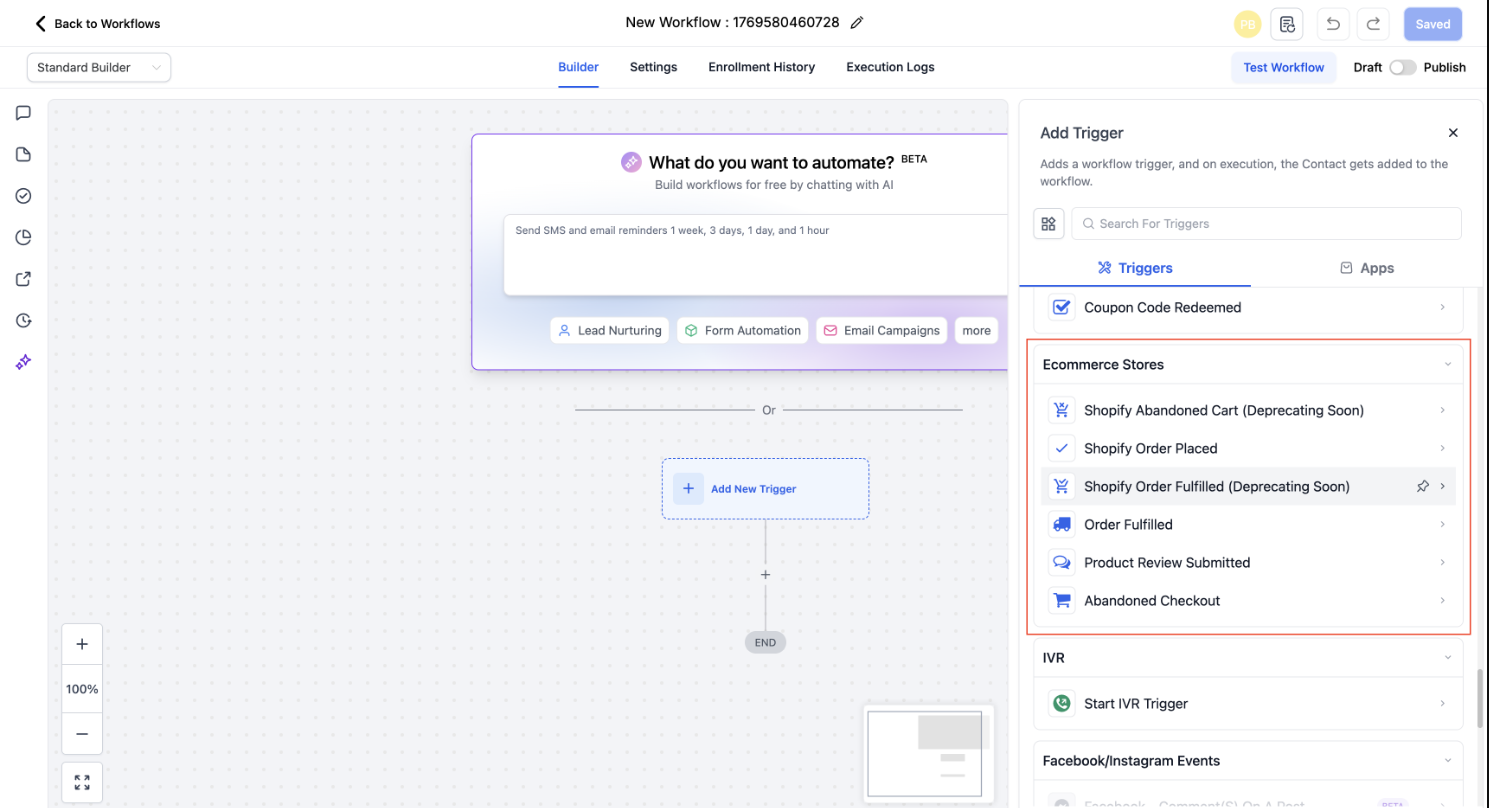
Select the trigger related to order fulfillment.
Step 3
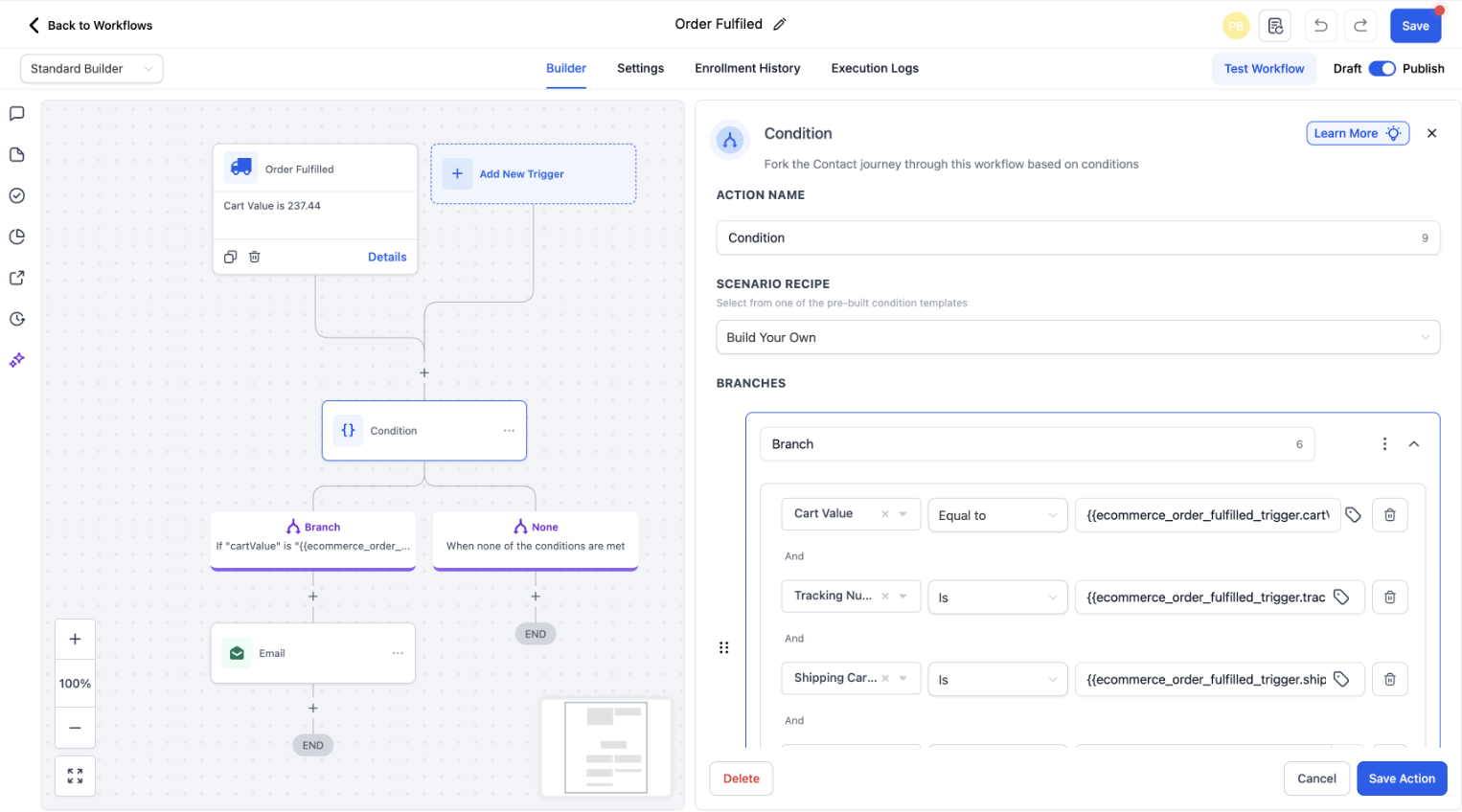
Define any conditions related to fulfillment status if needed.
What does the order fulfilled trigger do?
• It starts a workflow when an order is marked as fulfilled.
Does this work with Shopify stores?
• Yes, it works with connected online stores using Shopify.
Do I need to enable this feature manually?
• Yes, you must create a workflow using this trigger.
Can I control which orders trigger workflows?
• Yes, conditions can be added to filter fulfillment events.
Does this trigger partial fulfillment?
• It triggers based on the fulfillment status defined in the workflow.
