
You can now work with Google Demand Gen campaigns directly inside the Ad Manager. This makes it easier to launch awareness and consideration-focused campaigns, monitor performance, and manage creatives without switching tools, creating a smoother advertising workflow.
What’s New
• Support for Google Demand Gen campaigns
• Ability to create and manage Demand Gen campaigns in one place
• Improved visibility into Demand Gen performance
• Easier campaign setup and ongoing management
• Better alignment between campaign creation and reporting
Tips
• Use Demand Gen campaigns for upper funnel awareness and engagement
• Test multiple creatives to identify what resonates best
• Monitor performance metrics regularly to refine targeting
• Align messaging with audience intent and discovery placements
• Review results alongside other campaign types for a full picture
How to Set It Up
Step 1
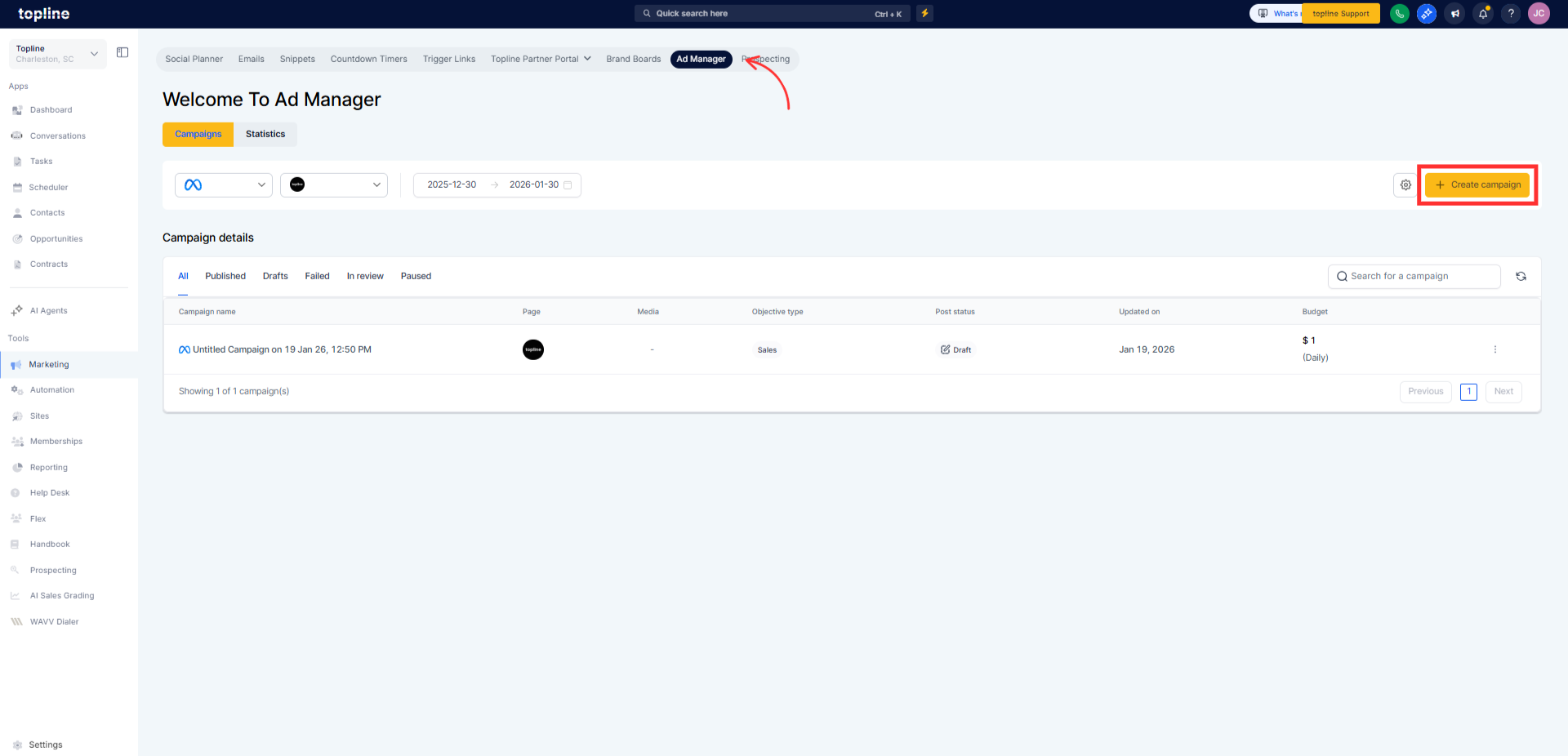
Navigate to your ad manager section. Select the option to create a new advertising campaign.
Step 2
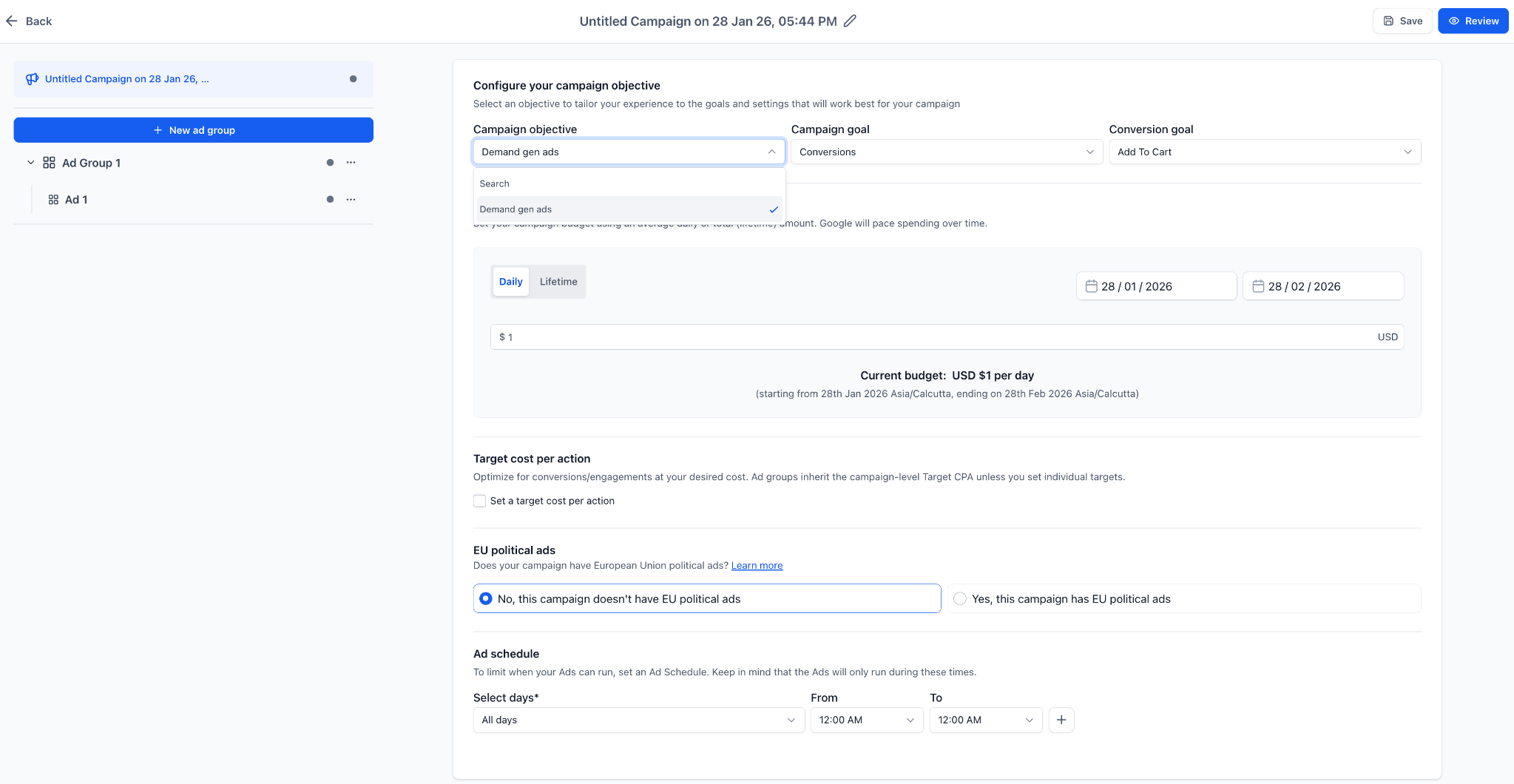
Select Google Demand Gen as the campaign type. Set a budget targeting creatives and audience details.
FAQ’s
What are Google Demand Gen campaigns?
• They are campaigns designed to drive awareness and consideration across discovery-focused placements.Can I manage Demand Gen campaigns from the ad manager?
• Yes, they can now be created and managed directly in the ad manager.Do I need to enable this feature?
• No, it is available automatically.Can I track performance for Demand Gen campaigns?
• Yes, performance metrics are available for monitoring and optimization.Are Demand Gen campaigns different from search campaigns?
• Yes, they focus on discovery and engagement rather than direct search intent.