You can now mark specific contact form fields as required within the chat widget. This ensures visitors provide essential details before submitting the form, leading to cleaner data, better follow-up, and fewer incomplete contact records.
• Ability to mark chat widget contact form fields as required
• Improved data quality from form submissions
• Fewer incomplete or missing contact details
• Better consistency in collected information
• Improved follow-up accuracy for conversations
• Require only the most important fields to reduce form friction
• Use required fields for email or phone when follow-up is needed
• Keep forms short to encourage completion
• Review submissions regularly to confirm data quality
• Test the form experience from a visitor perspective
Step 1
Navigate to the chat widget configuration area.
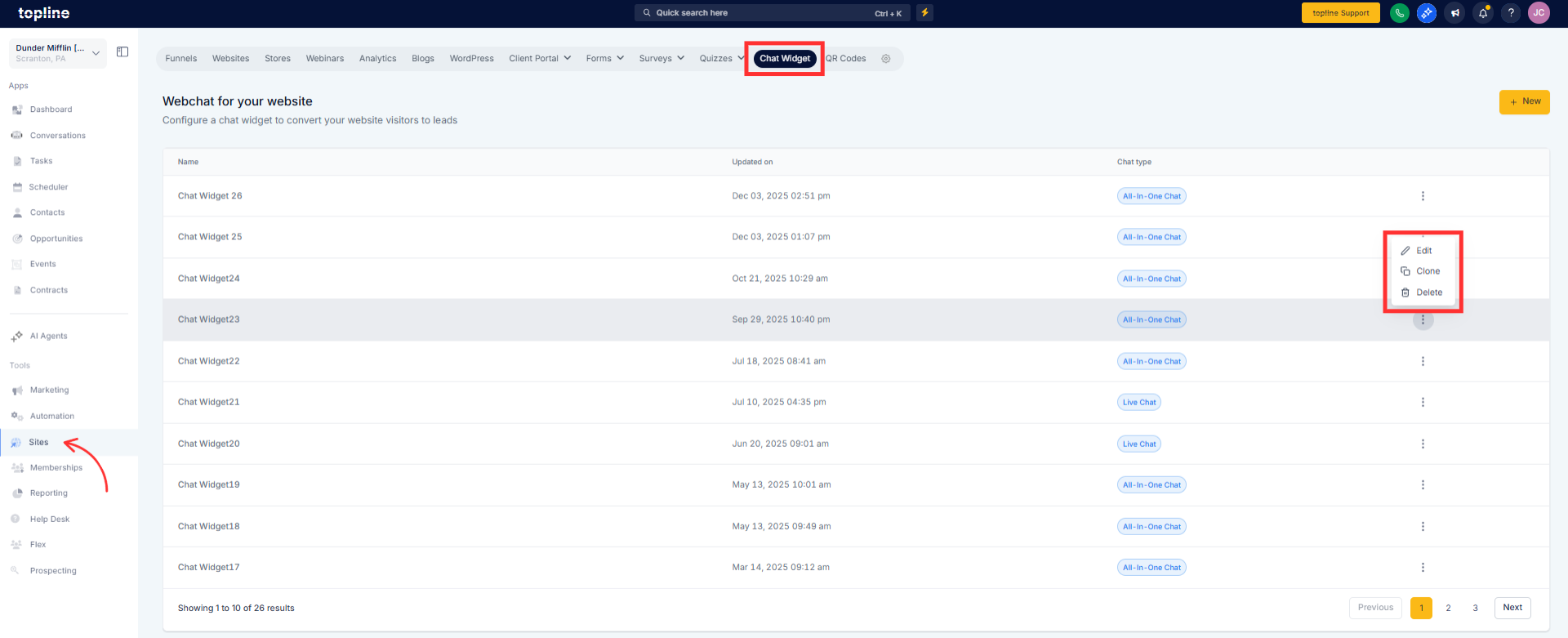
Step 2
Locate the section for contact form fields. Choose which fields should be marked as required.
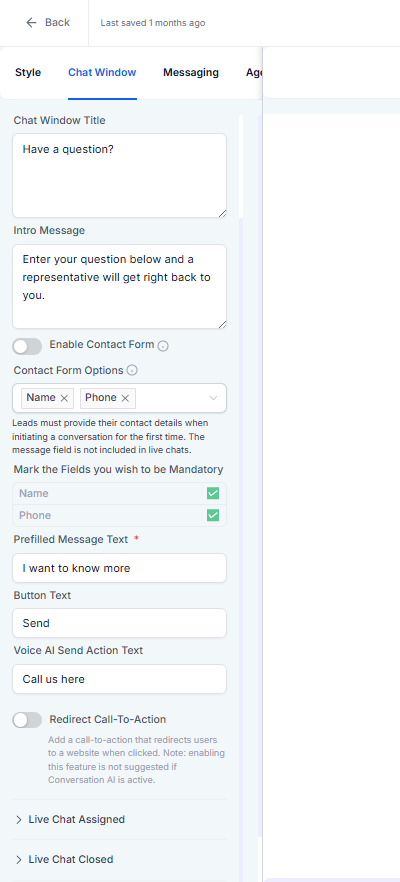
What does making a field required do?
• It prevents form submission until the field is completed.
Which fields can be required?
• Any supported contact form field can be marked as required.
Do I need to enable this feature?
• Yes, required fields must be selected in settings.
Does this affect existing contacts?
• No, it only applies to new form submissions.
Will visitors see an error if a field is missing?
• Yes, the form prompts users to complete required fields.
