Smart list management actions have been reorganized to improve usability. Restore and management options are now located in a more intuitive place, helping users work faster and reduce confusion when managing smart lists.
• Smart list manage options moved from the header menu
• Restore options relocated for better visibility
• Cleaner header menu layout
• Improved discoverability of smart list actions
• More intuitive smart list management experience
• Look for restore options within the smart list management area
• Use the updated layout to manage lists more efficiently
• Review smart list settings after restoring a list
• Keep smart lists organized to reduce cleanup needs
• Familiarize your team with the new option location
Step 1
Navigate to the area where smart lists are managed.
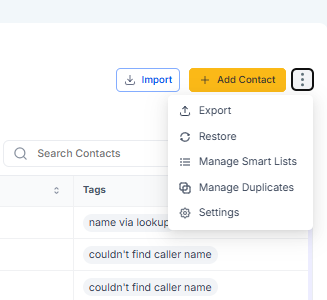
Step 2
Choose the smart list you want to manage or restore. Open the smart list management menu in its new location.
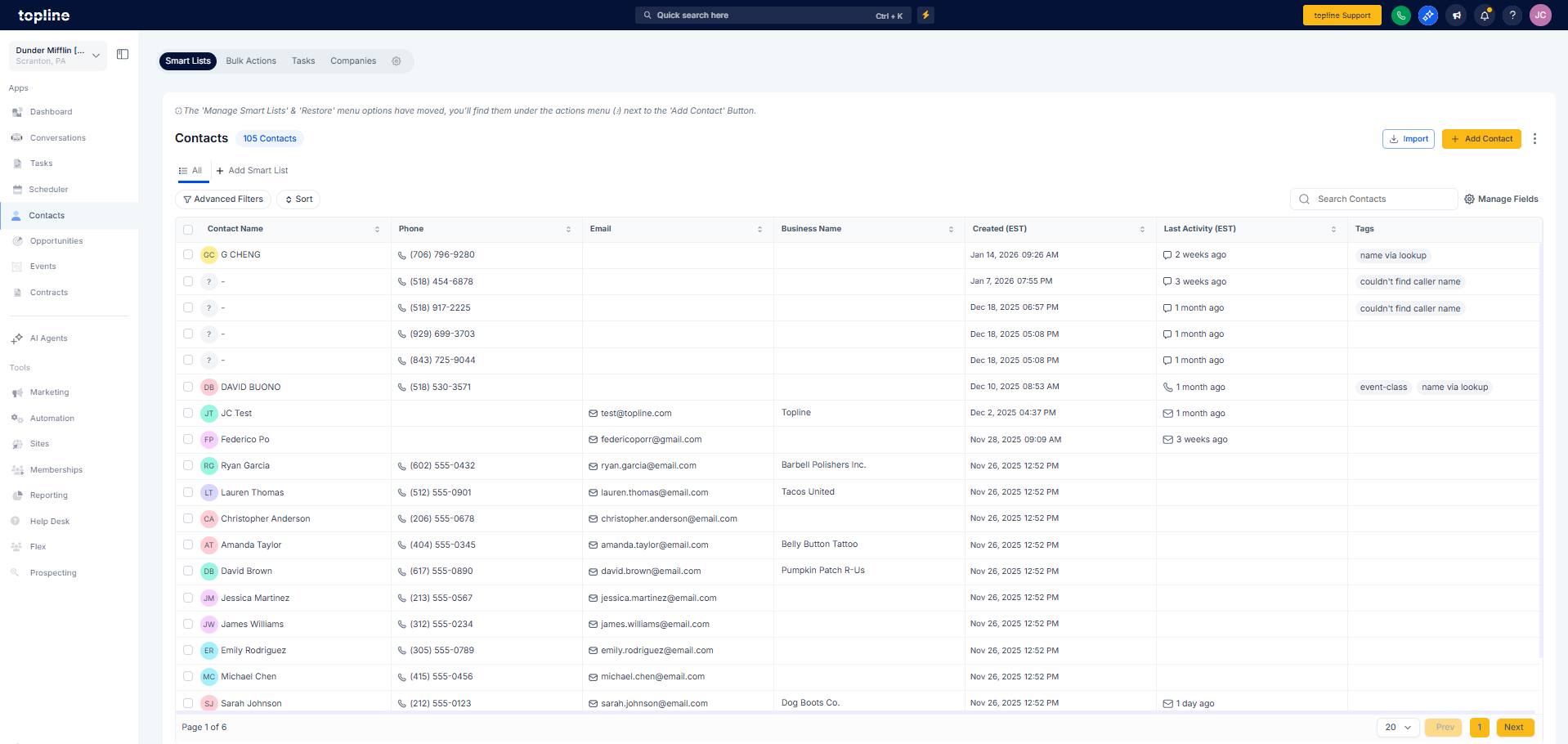
What changed with smart list restore options?
• They were moved from the header menu to a new location.
Do I need to enable this update?
• No, the change is applied automatically.
Are smart lists affected by this change?
• No, only the location of management options was updated.
Can I still restore deleted smart lists?
• Yes, restore functionality is still available.
Does this impact existing smart lists?
• No, all existing smart lists remain unchanged.
