RSS publishing has been enhanced to provide smoother automation and improved handling of content from connected feeds. These improvements help ensure posts are published consistently while giving users better visibility and control over RSS based social content.
• Improved reliability for RSS based social publishing
• Better handling of RSS feed content and updates
• More consistent posting behavior from feeds
• Enhanced automation for content distribution
• Improved overall RSS publishing experience
• Review RSS feeds regularly to ensure content quality
• Use RSS publishing to keep social channels active automatically
• Monitor published posts to confirm correct formatting
• Combine RSS posts with manual content for balance
• Test feeds after setup to confirm proper publishing
Step 1
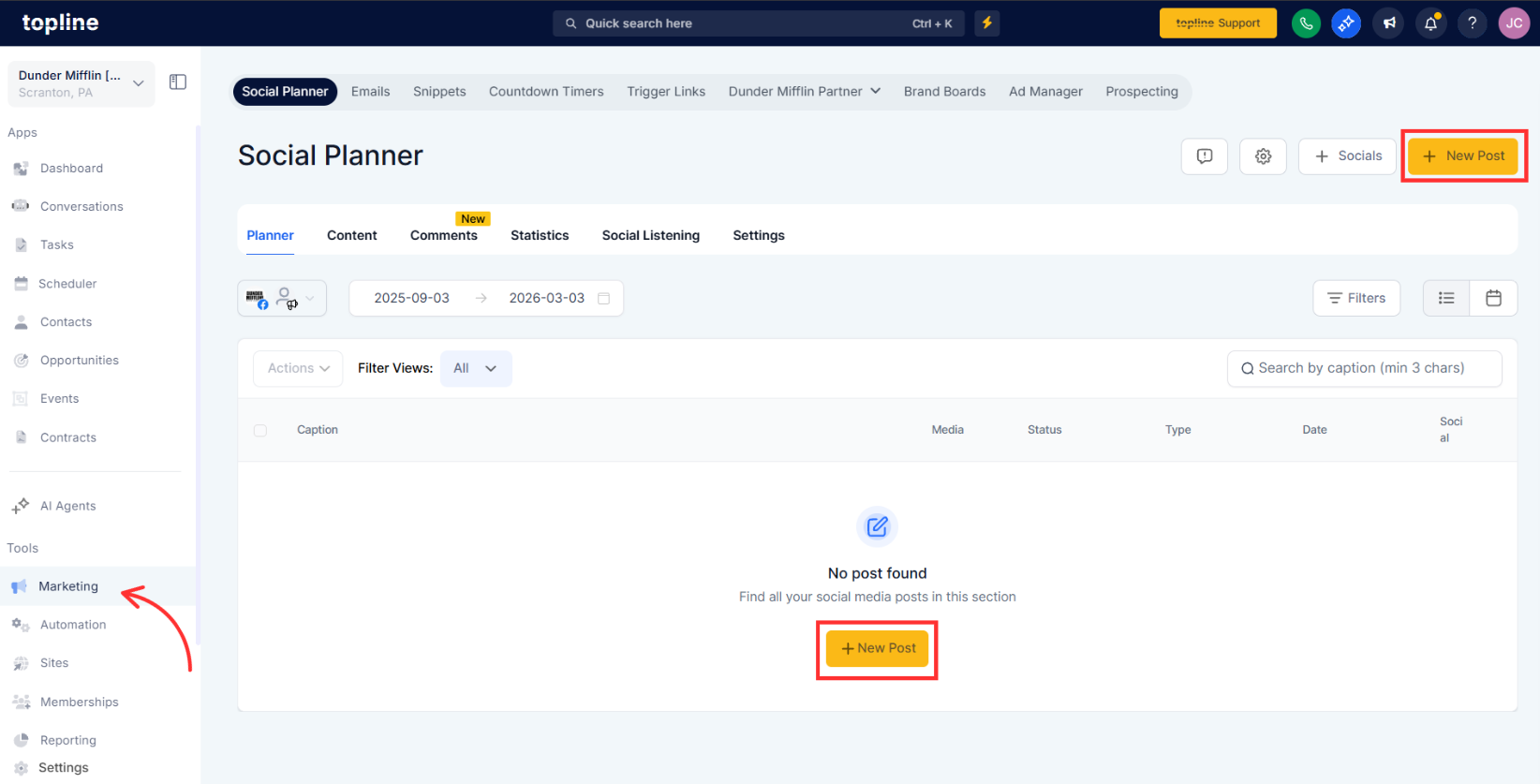
Navigate to your social planner section.
Step 2
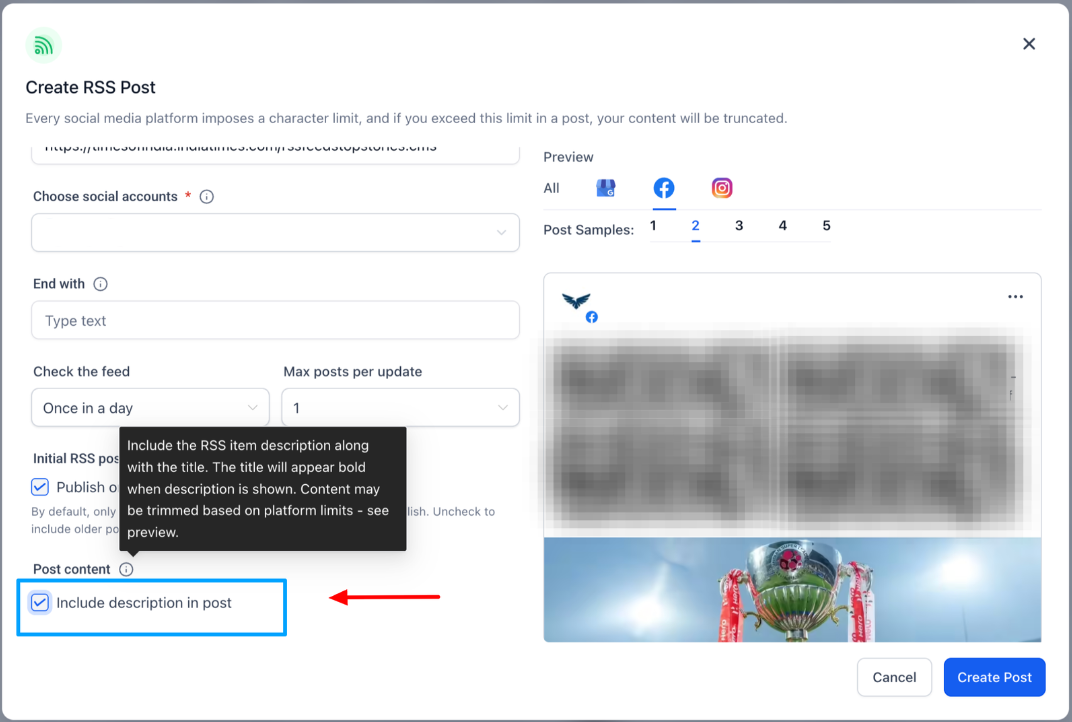
Locate the area where RSS feeds are managed. Add a new RSS feed or select an existing one.
What was improved in RSS publishing?
• Reliability and consistency of RSS based social posts were enhanced.
Do I need to enable these enhancements?
• No, the improvements are applied automatically.
Does this affect existing RSS feeds?
• Existing feeds continue working with improved performance.
Can I control how often RSS posts are published?
• Yes, publishing frequency can be configured in settings.
Are RSS posts published automatically?
• Yes, posts are published based on the configured rules.
