You can now automate the creation of marketing audit reports using workflows. This enables reports to be generated at the right time based on triggers and conditions, helping teams deliver insights faster while maintaining a consistent reporting process.
• Automatic generation of marketing audit reports through workflows
• Ability to trigger report creation based on workflow logic
• Reduced manual steps in audit report delivery
• More consistent and repeatable reporting process
• Faster turnaround for marketing performance insights
• Use workflows to generate audits after key milestones
• Combine report generation with notifications or follow-ups
• Standardize audit timing for consistent reporting
• Test report generation before using in live workflows
• Use automation to scale audit delivery efficiently
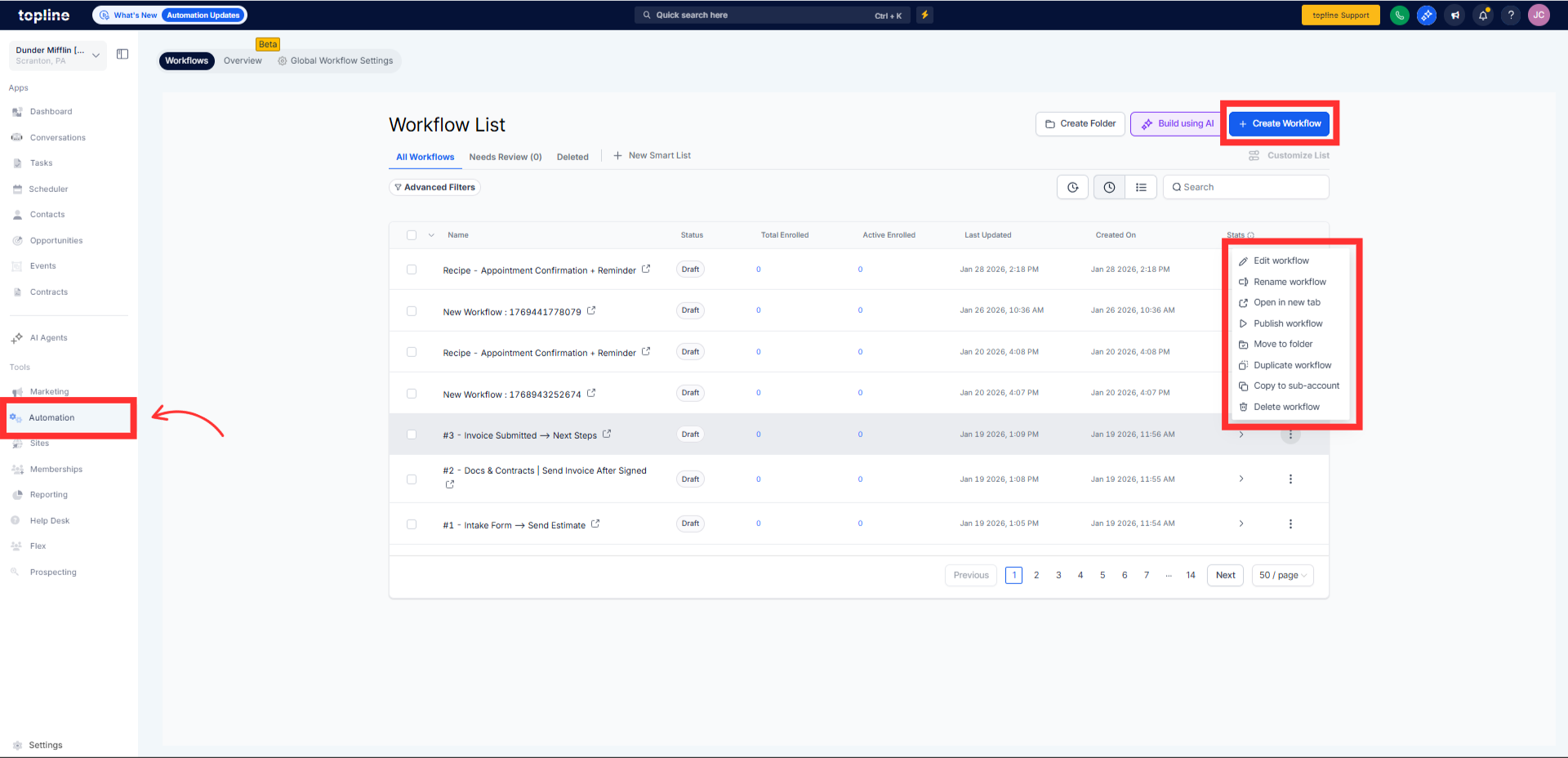
Step 1
Navigate to the automation section and create a new workflow.
Step 2
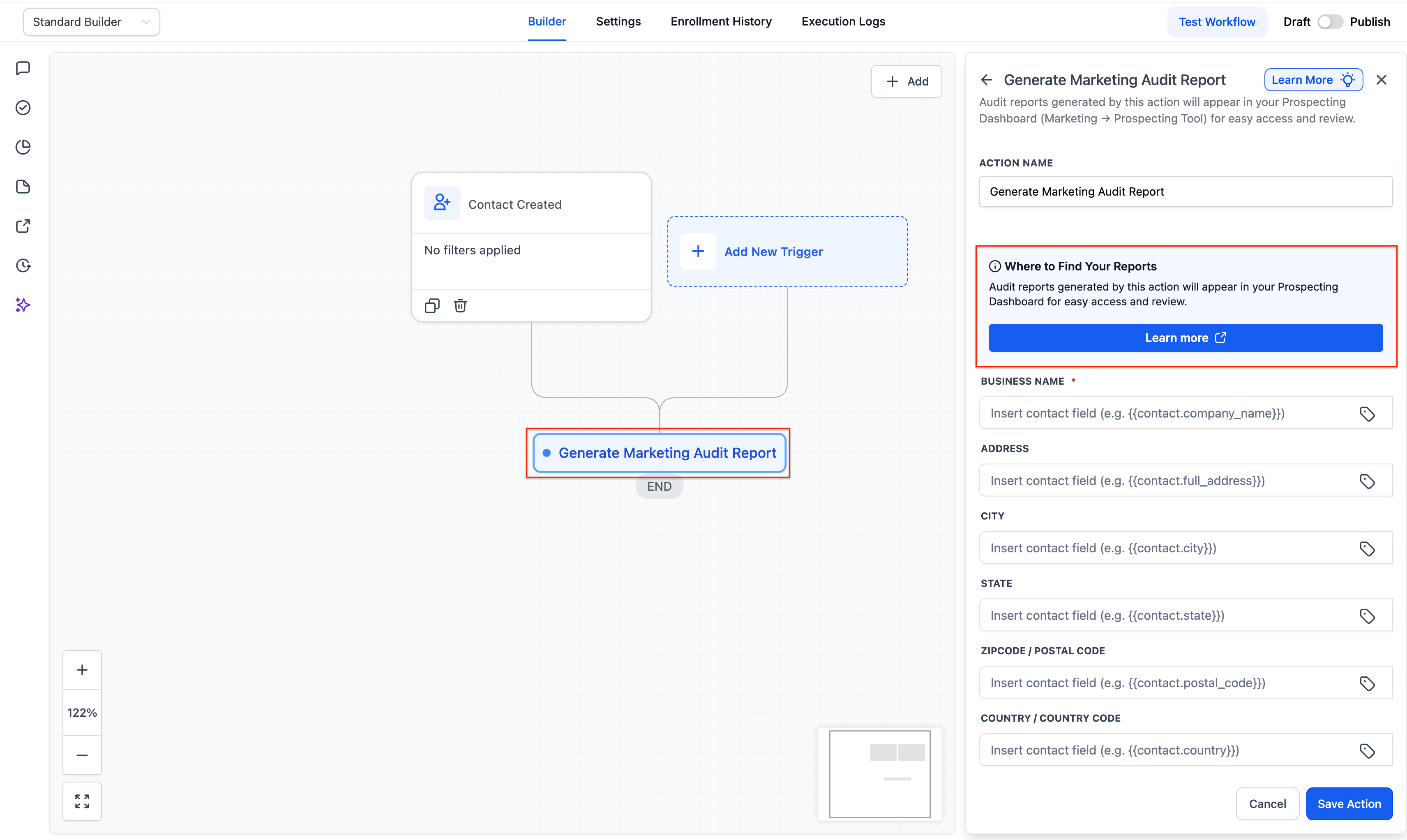
Select the trigger that should start the audit report generation. Insert the action that generates the marketing audit report. Choose the audit parameters and, if available, the report options.
What does generating marketing audit reports via workflows do?
• It automatically creates audit reports based on workflow triggers.
Do I need to enable this feature manually?
• Yes, you must add the report generation action to a workflow.
Can reports be generated on demand?
• Reports are generated when the workflow trigger conditions are met.
Does this replace manual audit creation?
• Yes, it reduces or removes the need for manual report generation.
Can I combine this with other workflow actions?
• Yes, it can be paired with notifications or follow-up steps.
