You can now pause workflows directly in the standard builder. This allows workflows to temporarily stop at specific points before continuing, making it easier to control timing, manage delays, and coordinate actions more precisely within automation sequences.
• Pause action now available in the standard workflow builder
• Ability to temporarily stop workflow execution
• Improved control over automation timing
• More flexibility when designing complex workflows
• Better coordination between workflow steps
• Use pause actions to wait for external events or reviews
• Combine pause with conditions to resume workflows intelligently
• Keep pause points clearly labeled for easy maintenance
• Test workflows to ensure pauses resume as expected
• Avoid unnecessary pauses to keep workflows efficient
Step 1
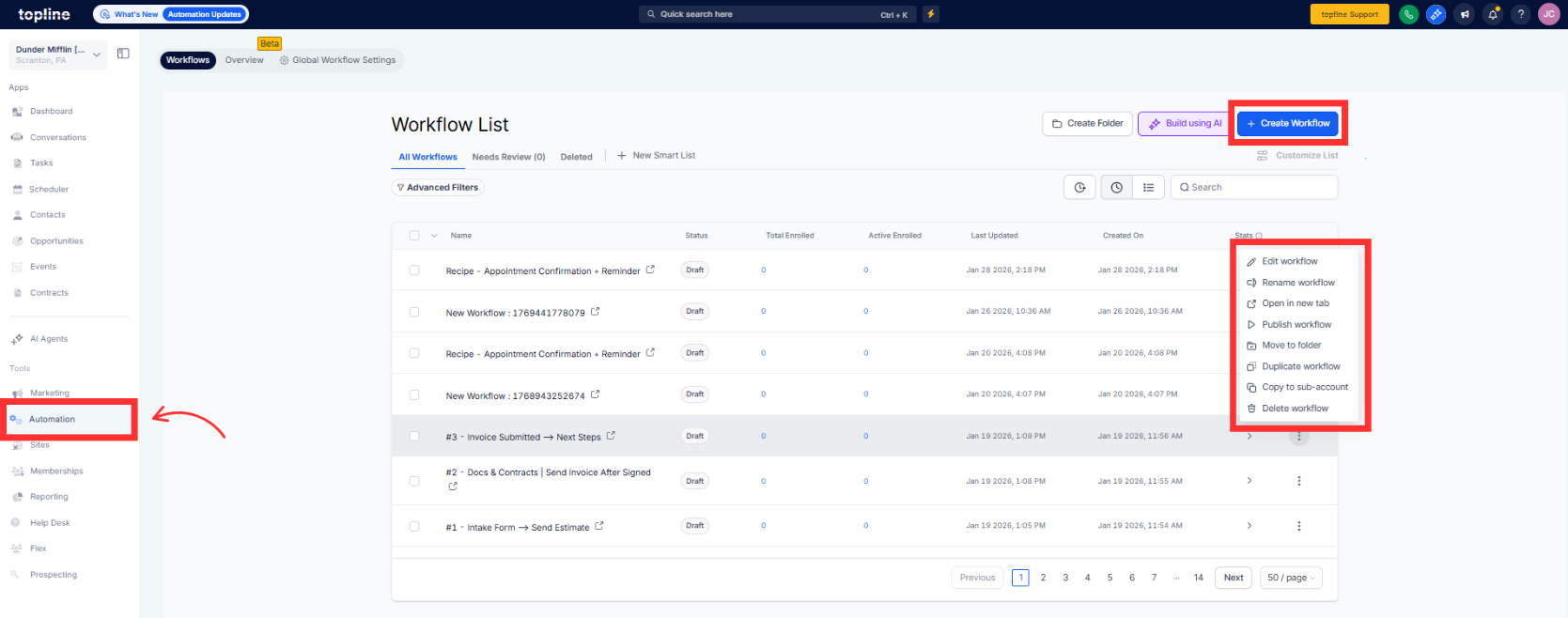
Navigate to your automation section and open the standard builder.
Step 2
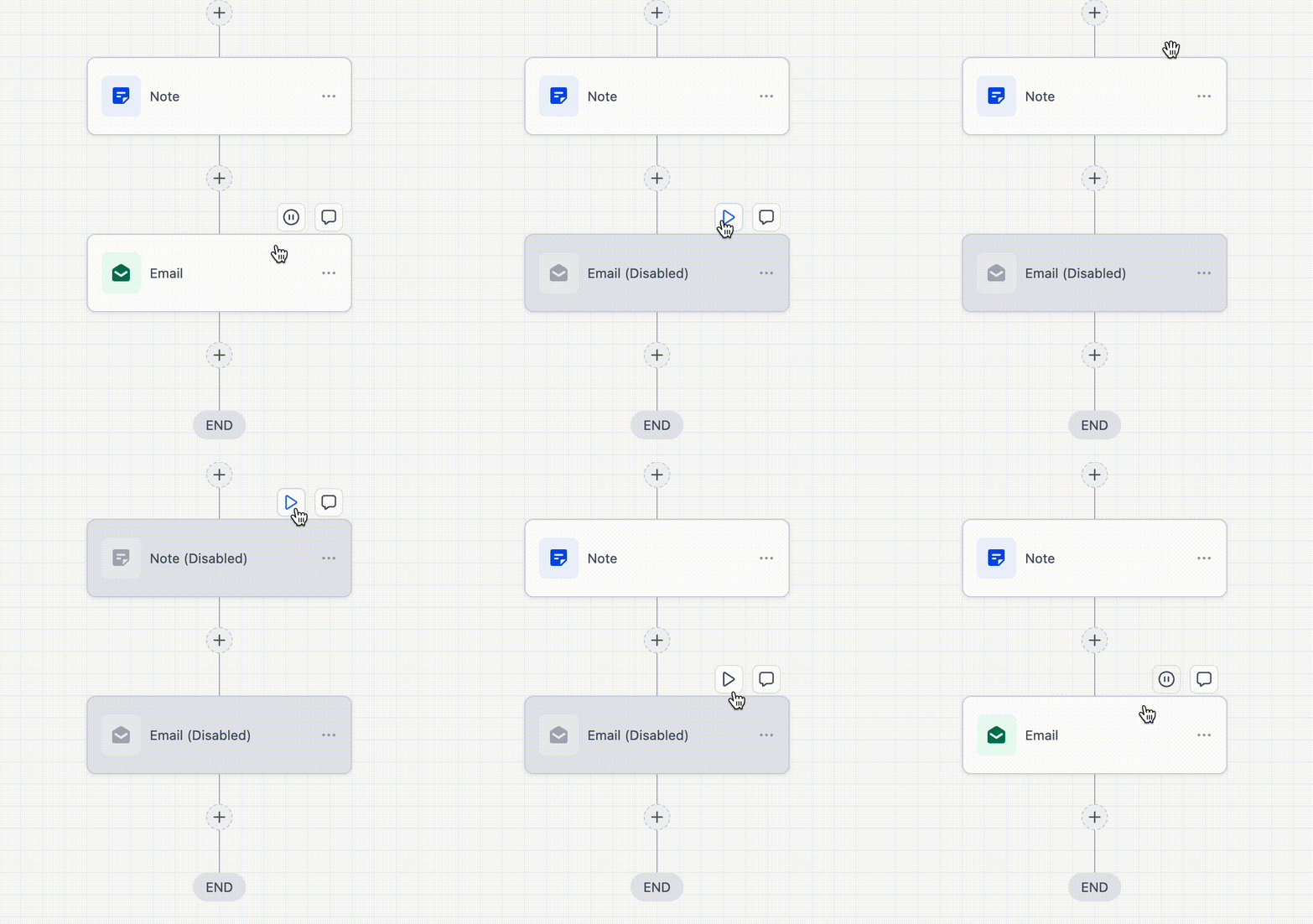
Insert the pause workflow action at the desired point.
What does the pause workflow action do?
• It temporarily stops a workflow before continuing later.
Is the pause action available in the standard builder?
• Yes, it is now supported in the standard workflow builder.
Do existing workflows change automatically?
• No, existing workflows remain unchanged unless edited.
Can paused workflows resume automatically?
• Yes, they resume based on the configured pause settings.
Can I add multiple pause actions?
• Yes, multiple pause steps can be used in a workflow.
