You can now locate contacts using additional email addresses and phone numbers stored on a contact record. This enhancement makes it easier to find the correct contact even when multiple emails or phone numbers are associated with the same person, improving speed and accuracy during searches.
• Search contacts using additional email addresses
• Search contacts using additional phone numbers
• Faster and more accurate contact lookup
• Improved handling of contacts with multiple identifiers
• Reduced duplicate contact creation
• Use an additional email search when the primary email is unknown
• Search by phone number to quickly locate returning contacts
• Verify contact details before creating new records
• Keep additional contact information updated
• Use enhanced search to avoid duplicate entries
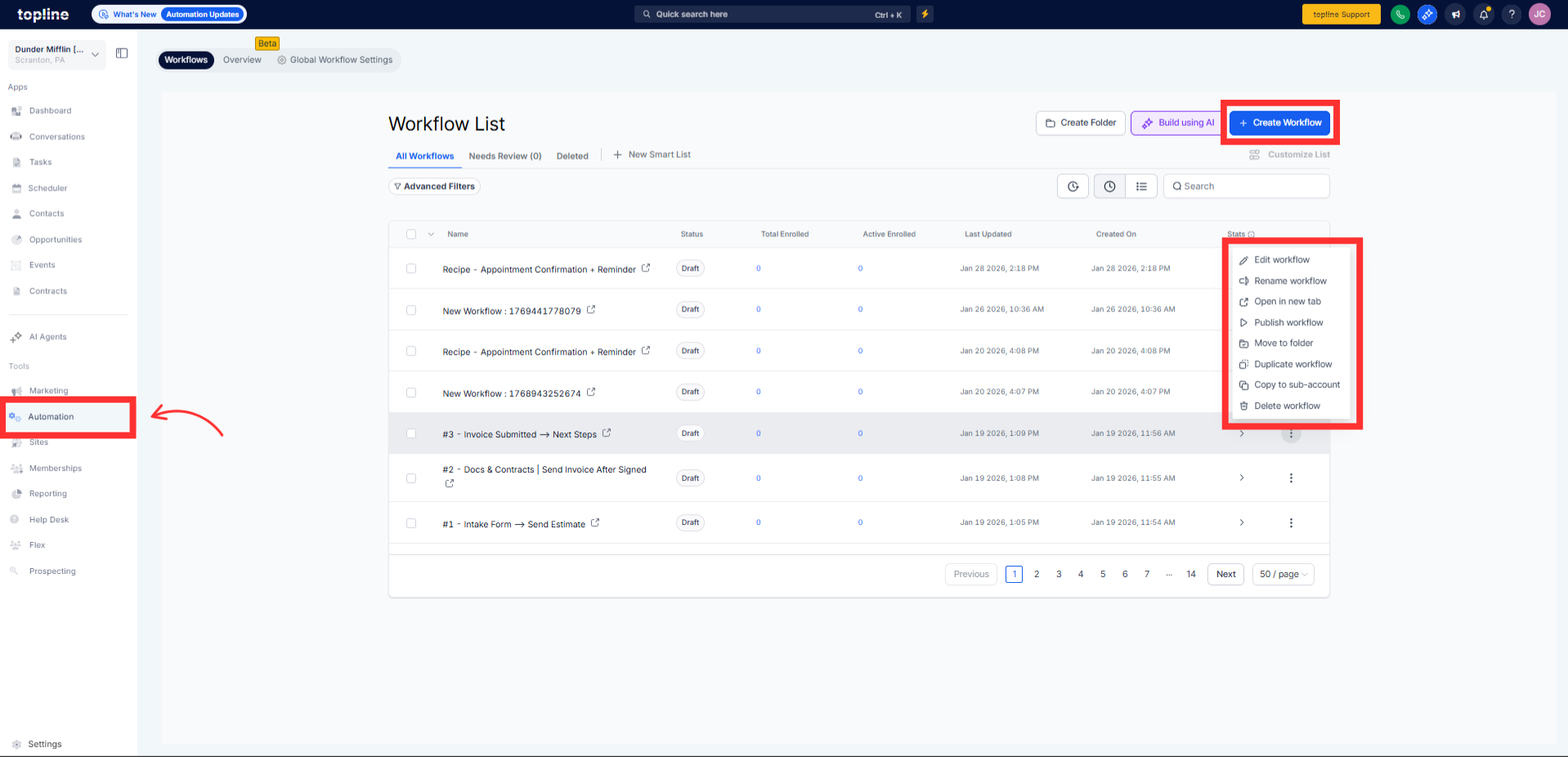
Step 1
Navigate to your automation section and create a new workflow.
Step 2
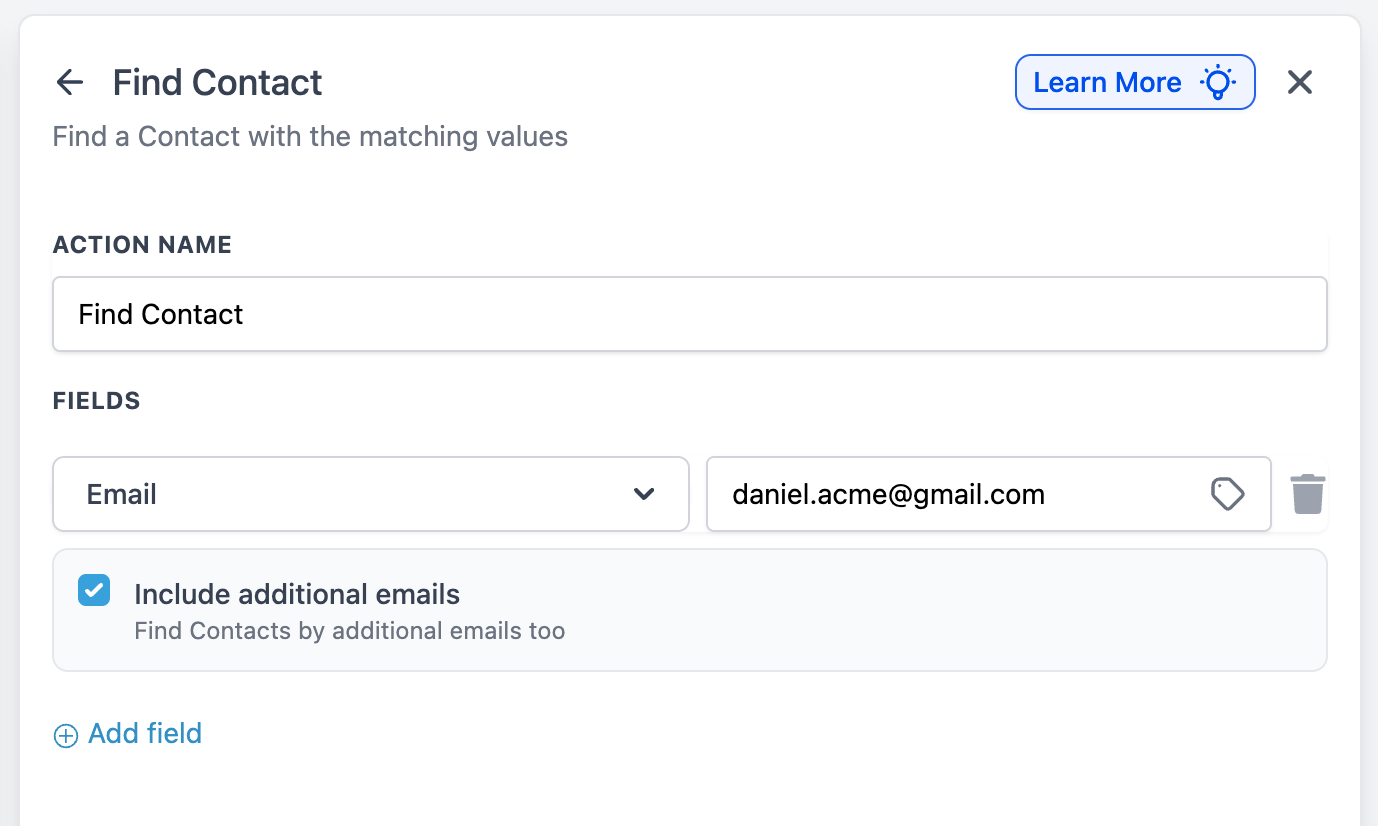
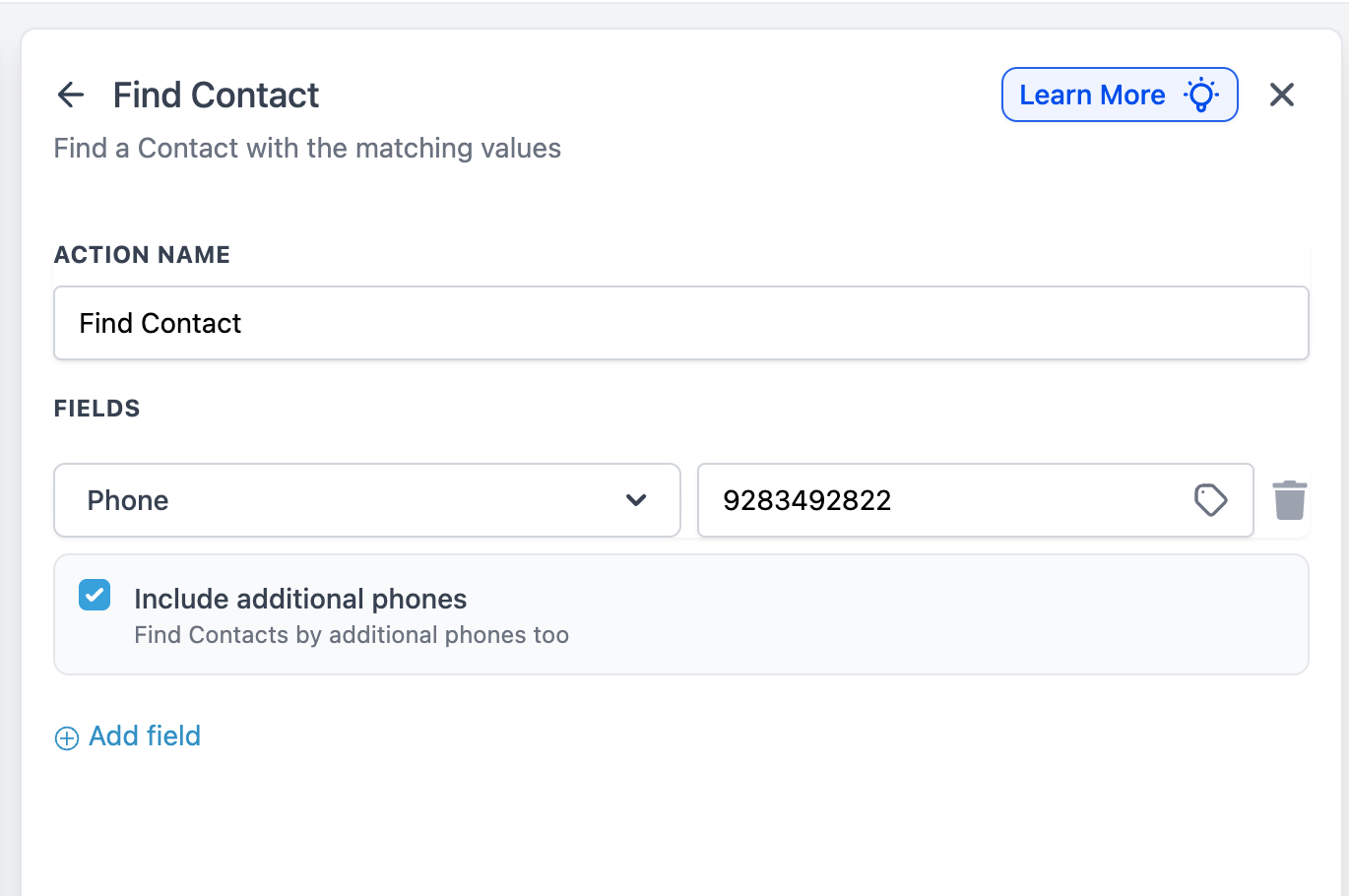
Enter an email address or phone number in the search field.
Step 3
The system will include additional emails and phone numbers in the search.
What does additional email and phone search mean?
• It allows searching contacts using any stored email or phone number.
Do I need to enable this feature?
• No, the enhancement is available automatically.
Does this work for existing contacts?
• Yes, all existing contacts support this search improvement.
Can this help prevent duplicate contacts?
• Yes, it makes finding existing records easier before creating new ones.
Are primary and additional details searched together?
• Yes, all stored email and phone fields are included.
