Workflows can now start from Monday.com events and automatically perform actions in Monday.com. This allows teams to keep boards and automation in sync, reduce manual updates, and streamline task and project management across systems.
• New workflow triggers based on Monday.com events
• New workflow actions to update Monday.com boards and items
• Automatic synchronization between workflows and boards
• Reduced manual tasks and status updates
• Improved efficiency for project and task automation
• Use triggers to start workflows when items are created or updated
• Automate status updates to keep boards accurate
• Map fields carefully to ensure correct data flow
• Test workflows with sample board activity
• Use automation to reduce repetitive project tasks
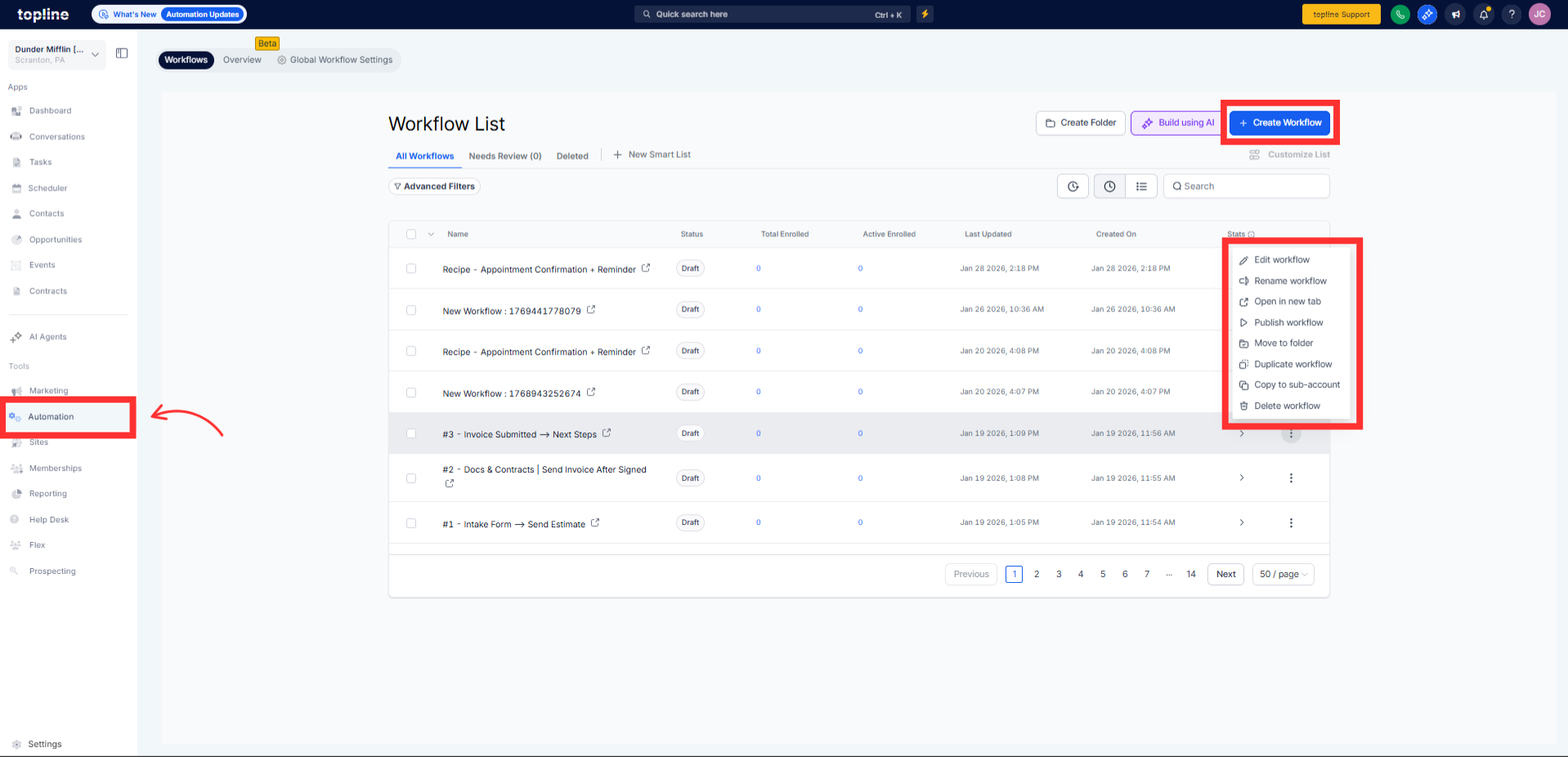
Step 1
Navigate to your automation section and create a new workflow.
Step 2
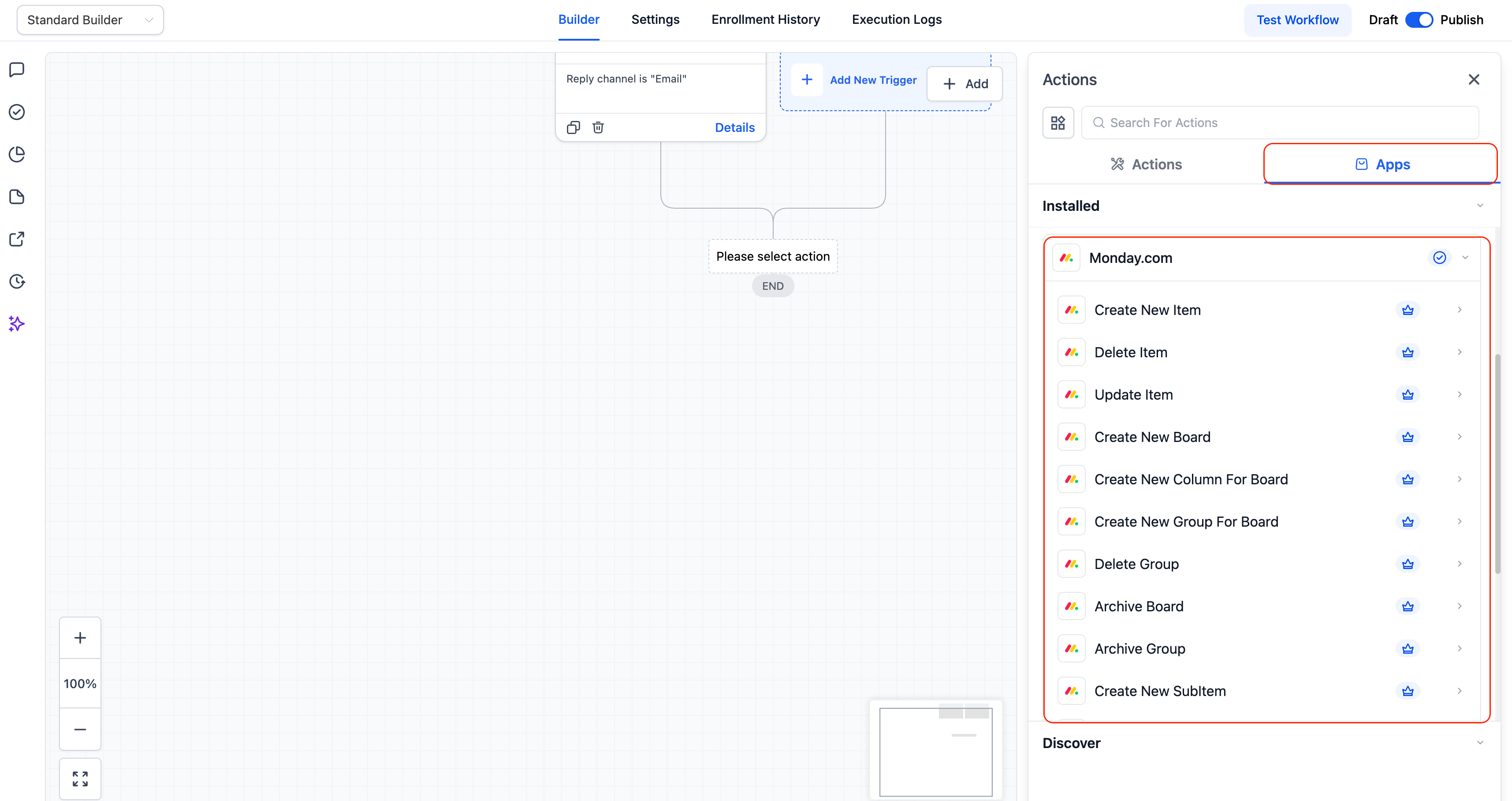
Select a trigger based on board or item activity. Authorize access to your Monday.com workspace and boards.
What do Monday.com actions and triggers do?
• They allow workflows to respond to and update Monday.com board activity.
Do I need to enable this feature manually?
• Yes, you must add Monday.com triggers or actions to a workflow.
Can workflows update Monday.com items?
• Yes, actions can create or update board items.
Does this work with existing boards?
• Yes, existing boards can be connected and used.
Can multiple workflows use Monday.com integration?
• Yes, different workflows can be created for different boards.
